
MM
Maria Muñoz
Tue, Dec 12, 2023 11:42 AM
Hi all,
I'm using the USRP E320 with the UHD 4.0 version with RFNoC and trying to
read a user register from the FPGA to GNUradio.
I can write user registers as explained in the tutorial gain example but
I'm having trouble reading them.
Here is what I tested:
- I created an OOT module named tutorial and a gain block with the
"rfnocmodtool" command.
- I modified the verilog top file as follows:
In the "user registers" section, I add a new register named "reg_test"
and assign a signal "test" to it in the "read register" case. This signal
increments its value each clock cycle:
localparam REG_USER_ADDR = 0; // Address for example user register
localparam REG_USER_DEFAULT = 0; // Default value for user register
-
localparam REG_TEST_ADDR = 4; // Address for example user register
localparam REG_TEST_DEFAULT = 2; // Default value for user register*
reg [31:0] reg_user = REG_USER_DEFAULT;
reg [31:0] reg_test = 4;
reg [31:0] test = 4;
always @(posedge ctrlport_clk) begin
if (ctrlport_rst) begin
reg_user = REG_USER_DEFAULT;
reg_test = REG_TEST_DEFAULT;
end else begin
// Default assignment
m_ctrlport_resp_ack <= 0;
// Read user register
if (m_ctrlport_req_rd) begin // Read request
  case (m_ctrlport_req_addr)
    REG_USER_ADDR: begin
      m_ctrlport_resp_ack  <= 1;
      m_ctrlport_resp_data <= reg_user;
    end
-
REG_TEST_ADDR: begin m_ctrlport_resp_ack <= 1;
m_ctrlport_resp_data <= test; end*
endcase
end
// Write user register
if (m_ctrlport_req_wr) begin // Write requst
  case (m_ctrlport_req_addr)
    REG_USER_ADDR: begin
      m_ctrlport_resp_ack <= 1;
      reg_user            <= m_ctrlport_req_data[31:0];
    end
    REG_TEST_ADDR: begin
      m_ctrlport_resp_ack <= 1;
      reg_test            <= m_ctrlport_req_data[31:0];
    end
  endcase
end
end
end
- I modified .cpp driver to add this register:
// Note: Register addresses should increment by 4
const uint32_t gain_block_ctrl::REG_USER_ADDR = 0;
const uint32_t gain_block_ctrl::REG_USER_DEFAULT = 0;
const uint32_t gain_block_ctrl::REG_TEST_ADDR = 4;const uint32_t
gain_block_ctrl::REG_TEST_DEFAULT = 0;
class gain_block_ctrl_impl : public gain_block_ctrl
{
public:
RFNOC_BLOCK_CONSTRUCTOR(gain_block_ctrl)
{
_register_props();
}
private:
void _register_props()
{
.......
- register_property(&_test_reg, this { int test_reg =
this->regs().peek32(REG_TEST_ADDR);
this->_test_reg.set(test_reg); });*
property_t<int> _user_reg{"user_reg", REG_USER_DEFAULT,
{res_source_info::USER}};
property_t<int> _test_reg{"test_reg", REG_TEST_DEFAULT,
{res_source_info::USER}};
.....
- Also add the register declaration in the .hpp file
- I also change the yml file in the grc folder like this:
templates:
imports: |-
import tutorial
make: |-
tutorial.gain(
self.rfnoc_graph,
uhd.device_addr(${block_args}),
${device_select},
${instance_select})
self.${id}.set_int_property('user_reg', ${user_reg})
callbacks:
- set_int_property('user_reg', ${user_reg})
-
- get_int_property('test_reg')*
Make one 'parameter' node for every Parameter you want settable from the
GUI.
parameters:
- id: user_reg
label: User Register
dtype: int
default: 0
- id: test_reg
- label: Test Register*
- dtype: int*
- default: 0*
- mode: read_only* .....
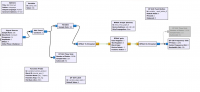
Then I made a flowgraph in gnuradio with my oot block and a function probe
block that calls the get_int_property function periodically:
[image: image.png]
What I would expect is that the value shown with the qt gui label will
change continuously but it doesn't. If I try to send a constant number in
different ways (assign it directly in the always process, making a
concurrent assignment outside the always process), I receive the number.
But it seems that the value is not read constantly.
How can I read this register periodically with gnuradio or directly on
python? Is there anything I missing?
Kind Regards,
Maria
Hi all,
I'm using the USRP E320 with the UHD 4.0 version with RFNoC and trying to
read a user register from the FPGA to GNUradio.
I can write user registers as explained in the tutorial gain example but
I'm having trouble reading them.
Here is what I tested:
1) I created an OOT module named tutorial and a gain block with the
"rfnocmodtool" command.
2) I modified the verilog top file as follows:
In the "user registers" section, I add a new register named "reg_test"
and assign a signal "test" to it in the "read register" case. This signal
increments its value each clock cycle:
localparam REG_USER_ADDR = 0; // Address for example user register
> localparam REG_USER_DEFAULT = 0; // Default value for user register
>
> * localparam REG_TEST_ADDR = 4; // Address for example user register
> localparam REG_TEST_DEFAULT = 2; // Default value for user register*
>
> reg [31:0] reg_user = REG_USER_DEFAULT;
> reg [31:0] reg_test = 4;
> *reg [31:0] test = 4;*
>
> always @(posedge ctrlport_clk) begin
> if (ctrlport_rst) begin
> reg_user = REG_USER_DEFAULT;
> reg_test = REG_TEST_DEFAULT;
> end else begin
> // Default assignment
> m_ctrlport_resp_ack <= 0;
> * test <= test +1;*
>
> // Read user register
> if (m_ctrlport_req_rd) begin // Read request
> case (m_ctrlport_req_addr)
> REG_USER_ADDR: begin
> m_ctrlport_resp_ack <= 1;
> m_ctrlport_resp_data <= reg_user;
> end
>
>
>
> * REG_TEST_ADDR: begin m_ctrlport_resp_ack <= 1;
> m_ctrlport_resp_data <= test; end*
> endcase
> end
>
> // Write user register
> if (m_ctrlport_req_wr) begin // Write requst
> case (m_ctrlport_req_addr)
> REG_USER_ADDR: begin
> m_ctrlport_resp_ack <= 1;
> reg_user <= m_ctrlport_req_data[31:0];
> end
> REG_TEST_ADDR: begin
> m_ctrlport_resp_ack <= 1;
> reg_test <= m_ctrlport_req_data[31:0];
> end
> endcase
> end
> end
> end
>
3) I modified .cpp driver to add this register:
// Note: Register addresses should increment by 4
> const uint32_t gain_block_ctrl::REG_USER_ADDR = 0;
> const uint32_t gain_block_ctrl::REG_USER_DEFAULT = 0;
>
> *const uint32_t gain_block_ctrl::REG_TEST_ADDR = 4;const uint32_t
> gain_block_ctrl::REG_TEST_DEFAULT = 0;*
class gain_block_ctrl_impl : public gain_block_ctrl
> {
> public:
> RFNOC_BLOCK_CONSTRUCTOR(gain_block_ctrl)
> {
> _register_props();
> }
> private:
> void _register_props()
> {
> .......
>
>
> * register_property(&_test_reg, [this]() { int test_reg =
> this->regs().peek32(REG_TEST_ADDR);
> this->_test_reg.set(test_reg); });*
.......
>
> property_t<int> _user_reg{"user_reg", REG_USER_DEFAULT,
> {res_source_info::USER}};
> *property_t<int> _test_reg{"test_reg", REG_TEST_DEFAULT,
> {res_source_info::USER}};*
.....
4) Also add the register declaration in the .hpp file
5) I also change the yml file in the grc folder like this:
> templates:
> imports: |-
> import tutorial
> make: |-
> tutorial.gain(
> self.rfnoc_graph,
> uhd.device_addr(${block_args}),
> ${device_select},
> ${instance_select})
> self.${id}.set_int_property('user_reg', ${user_reg})
> callbacks:
> - set_int_property('user_reg', ${user_reg})
> * - get_int_property('test_reg')*
> # Make one 'parameter' node for every Parameter you want settable from the
> GUI.
> parameters:
> - id: user_reg
> label: User Register
> dtype: int
> default: 0
>
> *- id: test_reg*
> * label: Test Register*
> * dtype: int*
> * default: 0*
> * mode: read_only* .....
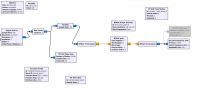
Then I made a flowgraph in gnuradio with my oot block and a function probe
block that calls the get_int_property function periodically:
[image: image.png]
What I would expect is that the value shown with the qt gui label will
change continuously but it doesn't. If I try to send a constant number in
different ways (assign it directly in the always process, making a
concurrent assignment outside the always process), I receive the number.
But it seems that the value is not read constantly.
How can I read this register periodically with gnuradio or directly on
python? Is there anything I missing?
Kind Regards,
Maria

MD
Marcus D. Leech
Tue, Dec 12, 2023 1:24 PM
On 12/12/2023 06:42, Maria Muñoz wrote:
Hi all,
I'm using the USRP E320 with the UHD 4.0 version with RFNoC and trying
to read a user register from the FPGA to GNUradio.
I can write user registers as explained in the tutorial gain example
but I'm having trouble reading them.
Here is what I tested:
-
I created an OOT module named tutorial and a gain block with the
"rfnocmodtool" command.
-
I modified the verilog top file as follows:
In the "user registers" section, I add a new register named
"reg_test" and assign a signal "test" to it in the "read register"
case. This signal increments its value each clock cycle:
localparam REG_USER_ADDR = 0; // Address for example user register
localparam REG_USER_DEFAULT = 0; // Default value for user register
localparam REG_TEST_ADDR = 4; // Address for example user register
localparam REG_TEST_DEFAULT = 2; // Default value for user register
reg [31:0] reg_user = REG_USER_DEFAULT;
reg [31:0] reg_test = 4;
reg [31:0] test = 4;
always @(posedge ctrlport_clk) begin
if (ctrlport_rst) begin
reg_user = REG_USER_DEFAULT;
reg_test = REG_TEST_DEFAULT;
end else begin
// Default assignment
m_ctrlport_resp_ack <= 0;
test <= test +1;
// Read user register
if (m_ctrlport_req_rd) begin // Read request
case (m_ctrlport_req_addr)
REG_USER_ADDR: begin
m_ctrlport_resp_ack <= 1;
m_ctrlport_resp_data <= reg_user;
end
REG_TEST_ADDR: begin
m_ctrlport_resp_ack <= 1;
m_ctrlport_resp_data <= test;
end
endcase
end
// Write user register
if (m_ctrlport_req_wr) begin // Write requst
case (m_ctrlport_req_addr)
REG_USER_ADDR: begin
m_ctrlport_resp_ack <= 1;
reg_user <= m_ctrlport_req_data[31:0];
end
REG_TEST_ADDR: begin
m_ctrlport_resp_ack <= 1;
reg_test <= m_ctrlport_req_data[31:0];
end
endcase
end
end
end
-
I modified .cpp driver to add this register:
// Note: Register addresses should increment by 4
const uint32_t gain_block_ctrl::REG_USER_ADDR = 0;
const uint32_t gain_block_ctrl::REG_USER_DEFAULT = 0;
const uint32_t gain_block_ctrl::REG_TEST_ADDR = 4;
const uint32_t gain_block_ctrl::REG_TEST_DEFAULT = 0;
class gain_block_ctrl_impl : public gain_block_ctrl
{
public:
RFNOC_BLOCK_CONSTRUCTOR(gain_block_ctrl)
{
_register_props();
}
private:
void _register_props()
{
.......
* register_property(&_test_reg, this {
int test_reg = this->regs().peek32(REG_TEST_ADDR);
this->_test_reg.set(test_reg);
});*
.......
property_t<int> _user_reg{"user_reg", REG_USER_DEFAULT,
{res_source_info::USER}};
property_t<int> _test_reg{"test_reg", REG_TEST_DEFAULT,
{res_source_info::USER}};
.....
-
Also add the register declaration in the .hpp file
-
I also change the yml file in the grc folder like this:
templates:
imports: |-
import tutorial
make: |-
tutorial.gain(
self.rfnoc_graph,
uhd.device_addr(${block_args}),
${device_select},
${instance_select})
self.${id}.set_int_property('user_reg', ${user_reg})
callbacks:
- set_int_property('user_reg', ${user_reg})
* - get_int_property('test_reg')*
Make one 'parameter' node for every Parameter you want settable
from the GUI.
parameters:
- id: user_reg
label: User Register
dtype: int
default: 0
*- id: test_reg
** label: Test Register
** dtype: int
** default: 0
** mode: read_only
* .....
Then I made a flowgraph in gnuradio with my oot block and a function
probe block that calls the get_int_property function periodically:
image.png
What I would expect is that the value shown with the qt gui label will
change continuously but it doesn't. If I try to send a constant number
in different ways (assign it directly in the always process, making a
concurrent assignment outside the always process), I receive the
number. But it seems that the value is not read constantly.
How can I read this register periodically with gnuradio or directly on
python? Is there anything I missing?
Kind Regards,
Maria
You should probably cross-post this to discuss-gnuradio.
I'd put some diagnostic code into your OOT block to make sure you're
getting called from the Function Probe on the schedule
you think you are.
On 12/12/2023 06:42, Maria Muñoz wrote:
> Hi all,
>
> I'm using the USRP E320 with the UHD 4.0 version with RFNoC and trying
> to read a user register from the FPGA to GNUradio.
> I can write user registers as explained in the tutorial gain example
> but I'm having trouble reading them.
> Here is what I tested:
>
> 1) I created an OOT module named tutorial and a gain block with the
> "rfnocmodtool" command.
> 2) I modified the verilog top file as follows:
> In the "user registers" section, I add a new register named
> "reg_test" and assign a signal "test" to it in the "read register"
> case. This signal increments its value each clock cycle:
>
> localparam REG_USER_ADDR = 0; // Address for example user register
> localparam REG_USER_DEFAULT = 0; // Default value for user register
> *localparam REG_TEST_ADDR = 4; // Address for example user register
> localparam REG_TEST_DEFAULT = 2; // Default value for user register*
>
> reg [31:0] reg_user = REG_USER_DEFAULT;
> reg [31:0] reg_test = 4;
> *reg [31:0] test = 4;*
>
> always @(posedge ctrlport_clk) begin
> if (ctrlport_rst) begin
> reg_user = REG_USER_DEFAULT;
> reg_test = REG_TEST_DEFAULT;
> end else begin
> // Default assignment
> m_ctrlport_resp_ack <= 0;
> *test <= test +1;*
>
> // Read user register
> if (m_ctrlport_req_rd) begin // Read request
> case (m_ctrlport_req_addr)
> REG_USER_ADDR: begin
> m_ctrlport_resp_ack <= 1;
> m_ctrlport_resp_data <= reg_user;
> end
> *REG_TEST_ADDR: begin
> m_ctrlport_resp_ack <= 1;
> m_ctrlport_resp_data <= test;
> end*
> endcase
> end
>
> // Write user register
> if (m_ctrlport_req_wr) begin // Write requst
> case (m_ctrlport_req_addr)
> REG_USER_ADDR: begin
> m_ctrlport_resp_ack <= 1;
> reg_user <= m_ctrlport_req_data[31:0];
> end
> REG_TEST_ADDR: begin
> m_ctrlport_resp_ack <= 1;
> reg_test <= m_ctrlport_req_data[31:0];
> end
> endcase
> end
> end
> end
>
>
>
> 3) I modified .cpp driver to add this register:
>
> // Note: Register addresses should increment by 4
> const uint32_t gain_block_ctrl::REG_USER_ADDR = 0;
> const uint32_t gain_block_ctrl::REG_USER_DEFAULT = 0;
> *const uint32_t gain_block_ctrl::REG_TEST_ADDR = 4;
> const uint32_t gain_block_ctrl::REG_TEST_DEFAULT = 0;*
>
> class gain_block_ctrl_impl : public gain_block_ctrl
> {
> public:
> RFNOC_BLOCK_CONSTRUCTOR(gain_block_ctrl)
> {
> _register_props();
> }
> private:
> void _register_props()
> {
> .......
>
> * register_property(&_test_reg, [this]() {
> int test_reg = this->regs().peek32(REG_TEST_ADDR);
> this->_test_reg.set(test_reg);
> });*
>
> .......
>
>
> property_t<int> _user_reg{"user_reg", REG_USER_DEFAULT,
> {res_source_info::USER}};
> *property_t<int> _test_reg{"test_reg", REG_TEST_DEFAULT,
> {res_source_info::USER}};*
>
> .....
>
>
> 4) Also add the register declaration in the .hpp file
> 5) I also change the yml file in the grc folder like this:
>
> templates:
> imports: |-
> import tutorial
> make: |-
> tutorial.gain(
> self.rfnoc_graph,
> uhd.device_addr(${block_args}),
> ${device_select},
> ${instance_select})
> self.${id}.set_int_property('user_reg', ${user_reg})
> callbacks:
> - set_int_property('user_reg', ${user_reg})
> * - get_int_property('test_reg')*
>
>
> # Make one 'parameter' node for every Parameter you want settable
> from the GUI.
>
>
> parameters:
> - id: user_reg
> label: User Register
> dtype: int
> default: 0
> *- id: test_reg
> ** label: Test Register
> ** dtype: int
> ** default: 0
> ** mode: read_only
> * .....
>
>
>
> Then I made a flowgraph in gnuradio with my oot block and a function
> probe block that calls the get_int_property function periodically:
> image.png
>
> What I would expect is that the value shown with the qt gui label will
> change continuously but it doesn't. If I try to send a constant number
> in different ways (assign it directly in the always process, making a
> concurrent assignment outside the always process), I receive the
> number. But it seems that the value is not read constantly.
> How can I read this register periodically with gnuradio or directly on
> python? Is there anything I missing?
>
> Kind Regards,
>
> Maria
You should probably cross-post this to discuss-gnuradio.
I'd put some diagnostic code into your OOT block to make sure you're
getting called from the Function Probe on the schedule
you think you are.
M
mamuki92 (at) gmail.com
Tue, Dec 12, 2023 2:41 PM
Hi Marcus,
Thanks for your answer.
So, there shouldn’t be any problem on the UHD side with the reading, is a gnuradio thing, right?
From what I see on the Python code generated for the Function Probe, it calls the “get_int_property” register function, which seems the one that is used for the register reading in UHD, but I will cross-post the question in discuss-gnuradio so they can help me clarify.
Kind Regards,
Maria
Hi Marcus,
Thanks for your answer.\
So, there shouldn’t be any problem on the UHD side with the reading, is a gnuradio thing, right?\
From what I see on the Python code generated for the Function Probe, it calls the “get_int_property” register function, which seems the one that is used for the register reading in UHD, but I will cross-post the question in discuss-gnuradio so they can help me clarify.
Kind Regards,
Maria
MD
Marcus D. Leech
Tue, Dec 12, 2023 2:58 PM
Hi Marcus,
Thanks for your answer.
So, there shouldn’t be any problem on the UHD side with the reading,
is a gnuradio thing, right?
From what I see on the Python code generated for the Function Probe,
it calls the “get_int_property” register function, which seems the one
that is used for the register reading in UHD, but I will cross-post
the question in discuss-gnuradio so they can help me clarify.
Kind Regards,
Maria
I didn't immediately see anything, but I'm not an RFNOC expert. I
suggested the diagnostics within your flow-graph just to
make sure that it is actually getting called. Just put a diagnostic
print inside your "get_int_property" function.
On 12/12/2023 09:41, mamuki92@gmail.com wrote:
>
> Hi Marcus,
>
> Thanks for your answer.
> So, there shouldn’t be any problem on the UHD side with the reading,
> is a gnuradio thing, right?
> From what I see on the Python code generated for the Function Probe,
> it calls the “get_int_property” register function, which seems the one
> that is used for the register reading in UHD, but I will cross-post
> the question in discuss-gnuradio so they can help me clarify.
>
> Kind Regards,
>
> Maria
>
I didn't immediately see anything, but I'm not an RFNOC expert. I
suggested the diagnostics within your flow-graph just to
make sure that it is actually getting called. Just put a diagnostic
print inside your "get_int_property" function.

RK
Rob Kossler
Tue, Dec 12, 2023 3:41 PM
Hi Maria,
I don't know the exact problem, but I want to mention that UHD "properties"
can behave in unexpected ways. In my opinion, they are not well suited to
providing a changing property value if UHD is unaware that a change has
occurred. The UHD "get" function of the property does not execute unless
UHD thinks that the property is stale (dirty). If UHD thinks that the
property is not stale, it just returns the previous value. I think that
you can tell UHD that the property is "always dirty", but then this
will cause UHD to read it frequently. I have not found a way to tell UHD
to execute my "get" property function only when I query the property.
Since I do not use gnuradio, I don't know if using "properties" is the only
way available to you. By using UHD directly, I can just call "peek" or
whatever function I create whenever I want to read my FPGA register. If
this is possible from gnuradio, this may be your answer.
Otherwise, I have found a workaround by calling the "set" property function
(with a bogus value that is ignored) which can be used to cause the "peek"
to execute and update the property value. You just need to make sure that
your bogus value is not equal to the current property value or else UHD
will think it doesn't need to execute anything.
Rob
On Tue, Dec 12, 2023 at 9:59 AM Marcus D. Leech patchvonbraun@gmail.com
wrote:
On 12/12/2023 09:41, mamuki92@gmail.com wrote:
Hi Marcus,
Thanks for your answer.
So, there shouldn’t be any problem on the UHD side with the reading, is a
gnuradio thing, right?
From what I see on the Python code generated for the Function Probe, it
calls the “get_int_property” register function, which seems the one that is
used for the register reading in UHD, but I will cross-post the question in
discuss-gnuradio so they can help me clarify.
Kind Regards,
Maria
I didn't immediately see anything, but I'm not an RFNOC expert. I
suggested the diagnostics within your flow-graph just to
make sure that it is actually getting called. Just put a diagnostic
print inside your "get_int_property" function.
USRP-users mailing list -- usrp-users@lists.ettus.com
To unsubscribe send an email to usrp-users-leave@lists.ettus.com
Hi Maria,
I don't know the exact problem, but I want to mention that UHD "properties"
can behave in unexpected ways. In my opinion, they are not well suited to
providing a changing property value if UHD is unaware that a change has
occurred. The UHD "get" function of the property does not execute unless
UHD thinks that the property is stale (dirty). If UHD thinks that the
property is not stale, it just returns the previous value. I think that
you can tell UHD that the property is "always dirty", but then this
will cause UHD to read it frequently. I have not found a way to tell UHD
to execute my "get" property function only when I query the property.
Since I do not use gnuradio, I don't know if using "properties" is the only
way available to you. By using UHD directly, I can just call "peek" or
whatever function I create whenever I want to read my FPGA register. If
this is possible from gnuradio, this may be your answer.
Otherwise, I have found a workaround by calling the "set" property function
(with a bogus value that is ignored) which can be used to cause the "peek"
to execute and update the property value. You just need to make sure that
your bogus value is not equal to the current property value or else UHD
will think it doesn't need to execute anything.
Rob
On Tue, Dec 12, 2023 at 9:59 AM Marcus D. Leech <patchvonbraun@gmail.com>
wrote:
> On 12/12/2023 09:41, mamuki92@gmail.com wrote:
>
> Hi Marcus,
>
> Thanks for your answer.
> So, there shouldn’t be any problem on the UHD side with the reading, is a
> gnuradio thing, right?
> From what I see on the Python code generated for the Function Probe, it
> calls the “get_int_property” register function, which seems the one that is
> used for the register reading in UHD, but I will cross-post the question in
> discuss-gnuradio so they can help me clarify.
>
> Kind Regards,
>
> Maria
>
> I didn't immediately see anything, but I'm not an RFNOC expert. I
> suggested the diagnostics within your flow-graph just to
> make sure that it is actually getting called. Just put a diagnostic
> print inside your "get_int_property" function.
>
>
>
> _______________________________________________
> USRP-users mailing list -- usrp-users@lists.ettus.com
> To unsubscribe send an email to usrp-users-leave@lists.ettus.com
>
M
mamuki92 (at) gmail.com
Tue, Dec 12, 2023 4:55 PM
Hi Rob,
Thanks for your answer.
I’m not 100% sure but what I think is that the get_int_property function in python/gnuradio calls the peek function in c++/UHD as I have to write that on my block controller:
register_property(&_test_reg, this {
int test_reg = this->regs().peek32(REG_TEST_ADDR);
this->_test_reg.set(test_reg); })
But as you said, probably do it through the get_int_property does not update the value.
I will try the workaround you suggest and see.
Kind regards,
Maria
Hi Rob,
Thanks for your answer.
I’m not 100% sure but what I think is that the get_int_property function in python/gnuradio calls the peek function in c++/UHD as I have to write that on my block controller:
\
`register_property(&_test_reg, `[`this`](https://lists.ettus.com/empathy/thread/63G6RSRBYHD666IP2PG6OOFSZC47ZQX6)` { `\
`int test_reg = this->regs().peek32(REG_TEST_ADDR);`\
`this->_test_reg.set(test_reg); })`
But as you said, probably do it through the get_int_property does not update the value.
I will try the workaround you suggest and see.
Kind regards,
Maria
RK
Rob Kossler
Tue, Dec 12, 2023 7:10 PM
Hi Maria,
The UHD "register_property" callback function (in this case a lambda
function that calls peek) only gets executed when the "dirty" property gets
marked "clean". Otherwise, if you query the property when it is already
considered "clean" by UHD, it simply returns the current property value
(without executing this "peek"). So, my workaround is to force UHD to know
that the property is "dirty" by setting it to something different than the
current value. This is admittedly a hack. If gnuradio offers another
mechanism for calling custom RFNoC block functions (different from using
properties as you have done), this may be the most straightforward solution.
Rob
On Tue, Dec 12, 2023 at 11:55 AM mamuki92@gmail.com wrote:
Hi Rob,
Thanks for your answer.
I’m not 100% sure but what I think is that the get_int_property function
in python/gnuradio calls the peek function in c++/UHD as I have to write
that on my block controller:
register_property(&_test_reg, this
https://lists.ettus.com/empathy/thread/63G6RSRBYHD666IP2PG6OOFSZC47ZQX6 {
int test_reg = this->regs().peek32(REG_TEST_ADDR);
this->_test_reg.set(test_reg); })
But as you said, probably do it through the get_int_property does not
update the value.
I will try the workaround you suggest and see.
Kind regards,
Maria
USRP-users mailing list -- usrp-users@lists.ettus.com
To unsubscribe send an email to usrp-users-leave@lists.ettus.com
Hi Maria,
The UHD "register_property" callback function (in this case a lambda
function that calls peek) only gets executed when the "dirty" property gets
marked "clean". Otherwise, if you query the property when it is already
considered "clean" by UHD, it simply returns the current property value
(without executing this "peek"). So, my workaround is to force UHD to know
that the property is "dirty" by setting it to something different than the
current value. This is admittedly a hack. If gnuradio offers another
mechanism for calling custom RFNoC block functions (different from using
properties as you have done), this may be the most straightforward solution.
Rob
On Tue, Dec 12, 2023 at 11:55 AM <mamuki92@gmail.com> wrote:
> Hi Rob,
>
> Thanks for your answer.
>
> I’m not 100% sure but what I think is that the get_int_property function
> in python/gnuradio calls the peek function in c++/UHD as I have to write
> that on my block controller:
>
>
> register_property(&_test_reg, this
> <https://lists.ettus.com/empathy/thread/63G6RSRBYHD666IP2PG6OOFSZC47ZQX6> {
>
> int test_reg = this->regs().peek32(REG_TEST_ADDR);
> this->_test_reg.set(test_reg); })
>
> But as you said, probably do it through the get_int_property does not
> update the value.
>
> I will try the workaround you suggest and see.
>
> Kind regards,
>
> Maria
> _______________________________________________
> USRP-users mailing list -- usrp-users@lists.ettus.com
> To unsubscribe send an email to usrp-users-leave@lists.ettus.com
>
M
mamuki92 (at) gmail.com
Wed, Dec 13, 2023 10:43 AM
Hi Rob,
Thanks for the clarification. I tried to set the test_reg value by calling the set_int_property with a random value from the python script but I got this error:
Traceback (most recent call last):
File "registro_gain.py", line 360, in <module>
main()
File "registro_gain.py", line 338, in main
tb.start()
File "/usr/local/lib/python3/dist-packages/gnuradio/gr/top_block.py", line 111, in start
top_block_start_unlocked(self._impl, max_noutput_items)
File "/usr/local/lib/python3/dist-packages/gnuradio/gr/runtime_swig.py", line 4832, in top_block_start_unlocked
return _runtime_swig.top_block_start_unlocked(r, max_noutput_items)
RuntimeError: RuntimeError: AccessError: Attempting to write to property `test_reg' without access privileges!
I thought that occurred because I hadn’t defined the set_int_property function inside my block controller. So I included the method and now I have the following error:
[ERROR] [RFNOC::GRAPH] Caught exception while initializing graph: RuntimeError: Attempting to double-register property: test_reg[USER:0]
I don’t know any other mechanism to change that signal in GNURadio so I will try to translate my graph to use the uhd API directly
Kind Regards,
Maria
Hi Rob,
Thanks for the clarification. I tried to set the test_reg value by calling the set_int_property with a random value from the python script but I got this error:
`Traceback (most recent call last):`
` File "registro_gain.py", line 360, in <module>`
` main()`
` File "registro_gain.py", line 338, in main`
` tb.start()`
` File "/usr/local/lib/python3/dist-packages/gnuradio/gr/top_block.py", line 111, in start`
` top_block_start_unlocked(self._impl, max_noutput_items)`
` File "/usr/local/lib/python3/dist-packages/gnuradio/gr/runtime_swig.py", line 4832, in top_block_start_unlocked`
` return _runtime_swig.top_block_start_unlocked(r, max_noutput_items)`
`` RuntimeError: RuntimeError: AccessError: Attempting to write to property `test_reg' without access privileges! ``
I thought that occurred because I hadn’t defined the set_int_property function inside my block controller. So I included the method and now I have the following error:
`[ERROR] [RFNOC::GRAPH] Caught exception while initializing graph: RuntimeError: Attempting to double-register property: test_reg[USER:0]`
I don’t know any other mechanism to change that signal in GNURadio so I will try to translate my graph to use the uhd API directly
Kind Regards,
Maria
RK
Rob Kossler
Wed, Dec 13, 2023 3:21 PM
Yes, I think that moving out of gnuradio - at least temporarily - is a good
idea. Once you have the block working directly with UHD, it will make the
transition to gnuradio easier.
That said, I did take a quick glance at gnuradio and noticed that the
rfnoc_ddc class has a function "set_freq" and I noticed similar functions
on other rfnoc block classes. This must mean that it is possible to
declare & define & utilize a custom function for a specific rfnoc block in
gnuradio. Thus, perhaps you could define a "get_register" function for
your rfnoc block that simply peeks your register.
Finally, the access error you got using set_int_property is a UHD generated
error in "property.hpp" (not generated by gnuradio). It might imply that
you are accessing the UHD property before it is initialized. See this page
https://files.ettus.com/manual/page_properties.html#props_resolvers for a
description of UHD properties in general as well as the "is_valid" function
which can be used to determine if the property has been initialized. Of
course, if you abandon using properties, this is irrelevant.
On Wed, Dec 13, 2023 at 5:43 AM mamuki92@gmail.com wrote:
Hi Rob,
Thanks for the clarification. I tried to set the test_reg value by calling
the set_int_property with a random value from the python script but I got
this error:
Traceback (most recent call last):
File "registro_gain.py", line 360, in <module>
main()
File "registro_gain.py", line 338, in main
tb.start()
File "/usr/local/lib/python3/dist-packages/gnuradio/gr/top_block.py", line
111, in start
top_block_start_unlocked(self._impl, max_noutput_items)
File "/usr/local/lib/python3/dist-packages/gnuradio/gr/runtime_swig.py",
line 4832, in top_block_start_unlocked
return _runtime_swig.top_block_start_unlocked(r, max_noutput_items)
RuntimeError: RuntimeError: AccessError: Attempting to write to property
`test_reg' without access privileges!
I thought that occurred because I hadn’t defined the set_int_property
function inside my block controller. So I included the method and now I
have the following error:
[ERROR] [RFNOC::GRAPH] Caught exception while initializing graph:
RuntimeError: Attempting to double-register property: test_reg[USER:0]
I don’t know any other mechanism to change that signal in GNURadio so I
will try to translate my graph to use the uhd API directly
Kind Regards,
Maria
USRP-users mailing list -- usrp-users@lists.ettus.com
To unsubscribe send an email to usrp-users-leave@lists.ettus.com
Yes, I think that moving out of gnuradio - at least temporarily - is a good
idea. Once you have the block working directly with UHD, it will make the
transition to gnuradio easier.
That said, I did take a quick glance at gnuradio and noticed that the
rfnoc_ddc class has a function "set_freq" and I noticed similar functions
on other rfnoc block classes. This must mean that it is possible to
declare & define & utilize a custom function for a specific rfnoc block in
gnuradio. Thus, perhaps you could define a "get_register" function for
your rfnoc block that simply peeks your register.
Finally, the access error you got using set_int_property is a UHD generated
error in "property.hpp" (not generated by gnuradio). It might imply that
you are accessing the UHD property before it is initialized. See this page
<https://files.ettus.com/manual/page_properties.html#props_resolvers> for a
description of UHD properties in general as well as the "is_valid" function
which can be used to determine if the property has been initialized. Of
course, if you abandon using properties, this is irrelevant.
On Wed, Dec 13, 2023 at 5:43 AM <mamuki92@gmail.com> wrote:
> Hi Rob,
>
> Thanks for the clarification. I tried to set the test_reg value by calling
> the set_int_property with a random value from the python script but I got
> this error:
>
> Traceback (most recent call last):
>
> File "registro_gain.py", line 360, in <module>
>
> main()
>
> File "registro_gain.py", line 338, in main
>
> tb.start()
>
> File "/usr/local/lib/python3/dist-packages/gnuradio/gr/top_block.py", line
> 111, in start
>
> top_block_start_unlocked(self._impl, max_noutput_items)
>
> File "/usr/local/lib/python3/dist-packages/gnuradio/gr/runtime_swig.py",
> line 4832, in top_block_start_unlocked
>
> return _runtime_swig.top_block_start_unlocked(r, max_noutput_items)
>
> RuntimeError: RuntimeError: AccessError: Attempting to write to property
> `test_reg' without access privileges!
>
> I thought that occurred because I hadn’t defined the set_int_property
> function inside my block controller. So I included the method and now I
> have the following error:
>
> [ERROR] [RFNOC::GRAPH] Caught exception while initializing graph:
> RuntimeError: Attempting to double-register property: test_reg[USER:0]
>
> I don’t know any other mechanism to change that signal in GNURadio so I
> will try to translate my graph to use the uhd API directly
>
>
> Kind Regards,
>
> Maria
>
>
> _______________________________________________
> USRP-users mailing list -- usrp-users@lists.ettus.com
> To unsubscribe send an email to usrp-users-leave@lists.ettus.com
>
M
mamuki92 (at) gmail.com
Wed, Dec 13, 2023 4:11 PM
Hi Rob,
Do you mean instead of doing it across the register_property as the set_int_property does, directly call the peek function?
Now I have this in the controller:
register_property(&_test_reg, [this]() {
int test_reg = this->regs().peek32(REG_TEST_ADDR);
this->_test_reg.set(test_reg);
});
Do you suggest changing it to something like this? (taken from uhd/host/lib/rfnoc/ddc_block_control.cpp)
double get_freq(const size_t chan) const
{
return _freq.at(chan).get();
}
“_freq” seems to be also a property_t class as “_test_reg” is. What’s the difference of doing it that way?
Hi Rob,
Do you mean instead of doing it across the register_property as the set_int_property does, directly call the peek function?
Now I have this in the controller:
`register_property(&_test_reg, [this]() {`
` int test_reg = this->regs().peek32(REG_TEST_ADDR);`
` this->_test_reg.set(test_reg);`
` });`
Do you suggest changing it to something like this? (taken from uhd/host/lib/rfnoc/ddc_block_control.cpp)
\
`double get_freq(const size_t chan) const`
` {`
` return _freq.at(chan).get();`
` }`
“_freq” seems to be also a property_t class as “_test_reg” is. What’s the difference of doing it that way?

