

usrp-users@lists.ettus.com

Discussion and technical support related to USRP, UHD, RFNoC

View all threads

Apologize if duplicate : UHD 3.15 isn't using USB 3.0 although Linux driver are loaded

RB
Rodolphe Bertolini
Wed, Mar 18, 2020 10:41 AM

Dear all,

I have been using a USRP B210 on a laptop for months now. For reasons, I
switched to another Linux session, and using this session UHD fails to talk
to B210 over USB 3.0

dmesg tells me it is using the xhci_hcd driver (which I believe is the
driver for USB 3.0), and is also mentioning  "new high-speed USB", which
leads me to think that USB 3.0 link is well recognized and active:

[  306.133028] usb 1-1: new high-speed USB device number 16 using xhci_hcd
[  306.260349] usb 1-1: New USB device found, idVendor=2500, idProduct=0020
[  306.260351] usb 1-1: New USB device strings: Mfr=1, Product=2,
SerialNumber=3
[  306.260352] usb 1-1: Product: USRP B200
[  306.260354] usb 1-1: Manufacturer: Ettus Research LLC
[  306.260355] usb 1-1: SerialNumber: 31B9289

However, when running any uhd command line, it fails using USB 3.0:

[INFO] [UHD] linux; GNU C++ version 5.4.0 20160609; Boost_105800;
UHD_3.15.0.0-release
[INFO] [B200] Detected Device: B210
[INFO] [B200] Operating over USB 2.

I have also tried with UHD 3.14.1, no improvement.

I remember having a similar issue (maybe the same?) that had been solved
with something related to udev, but I sadly didn't take any note of this.

Do you have any hint?

Thank you.
Regards,
Rodolphe

Dear all, I have been using a USRP B210 on a laptop for months now. For reasons, I switched to another Linux session, and using this session UHD fails to talk to B210 over USB 3.0 dmesg tells me it is using the xhci_hcd driver (which I believe is the driver for USB 3.0), and is also mentioning "new high-speed USB", which leads me to think that USB 3.0 link is well recognized and active: [ 306.133028] usb 1-1: new high-speed USB device number 16 using xhci_hcd [ 306.260349] usb 1-1: New USB device found, idVendor=2500, idProduct=0020 [ 306.260351] usb 1-1: New USB device strings: Mfr=1, Product=2, SerialNumber=3 [ 306.260352] usb 1-1: Product: USRP B200 [ 306.260354] usb 1-1: Manufacturer: Ettus Research LLC [ 306.260355] usb 1-1: SerialNumber: 31B9289 However, when running any uhd command line, it fails using USB 3.0: [INFO] [UHD] linux; GNU C++ version 5.4.0 20160609; Boost_105800; UHD_3.15.0.0-release [INFO] [B200] Detected Device: B210 [INFO] [B200] Operating over USB 2. I have also tried with UHD 3.14.1, no improvement. I remember having a similar issue (maybe the same?) that had been solved with something related to udev, but I sadly didn't take any note of this. Do you have any hint? Thank you. Regards, Rodolphe
RE
Ron Economos
Wed, Mar 18, 2020 11:02 AM

dmesg should say "new SuperSpeed USB device number X using xhci_hcd" or
"new SuperSpeed Gen 1 USB device number X using xhci_hcd" if you have a
newer kernel.

"high-speed" means USB 2.0.

Ron

On 3/18/20 03:41, Rodolphe Bertolini via USRP-users wrote:

Dear all,

I have been using a USRP B210 on a laptop for months now. For reasons,
I switched to another Linux session, and using this session UHD fails
to talk to B210 over USB 3.0

dmesg tells me it is using the xhci_hcd driver (which I believe is the
driver for USB 3.0), and is also mentioning "new high-speed USB",
which leads me to think that USB 3.0 link is well recognized and active:

[  306.133028] usb 1-1: new high-speed USB device number 16 using xhci_hcd
[  306.260349] usb 1-1: New USB device found, idVendor=2500,
idProduct=0020
[  306.260351] usb 1-1: New USB device strings: Mfr=1, Product=2,
SerialNumber=3
[  306.260352] usb 1-1: Product: USRP B200
[  306.260354] usb 1-1: Manufacturer: Ettus Research LLC
[  306.260355] usb 1-1: SerialNumber: 31B9289

However, when running any uhd command line, it fails using USB 3.0:

[INFO] [UHD] linux; GNU C++ version 5.4.0 20160609; Boost_105800;
UHD_3.15.0.0-release
[INFO] [B200] Detected Device: B210
[INFO] [B200] Operating over USB 2.

I have also tried with UHD 3.14.1, no improvement.

I remember having a similar issue (maybe the same?) that had been
solved with something related to udev, but I sadly didn't take any
note of this.

Do you have any hint?

Thank you.
Regards,
Rodolphe


USRP-users mailing list
USRP-users@lists.ettus.com
http://lists.ettus.com/mailman/listinfo/usrp-users_lists.ettus.com

dmesg should say "new SuperSpeed USB device number X using xhci_hcd" or "new SuperSpeed Gen 1 USB device number X using xhci_hcd" if you have a newer kernel. "high-speed" means USB 2.0. Ron On 3/18/20 03:41, Rodolphe Bertolini via USRP-users wrote: > Dear all, > > I have been using a USRP B210 on a laptop for months now. For reasons, > I switched to another Linux session, and using this session UHD fails > to talk to B210 over USB 3.0 > > dmesg tells me it is using the xhci_hcd driver (which I believe is the > driver for USB 3.0), and is also mentioning "new high-speed USB", > which leads me to think that USB 3.0 link is well recognized and active: > > [  306.133028] usb 1-1: new high-speed USB device number 16 using xhci_hcd > [  306.260349] usb 1-1: New USB device found, idVendor=2500, > idProduct=0020 > [  306.260351] usb 1-1: New USB device strings: Mfr=1, Product=2, > SerialNumber=3 > [  306.260352] usb 1-1: Product: USRP B200 > [  306.260354] usb 1-1: Manufacturer: Ettus Research LLC > [  306.260355] usb 1-1: SerialNumber: 31B9289 > > However, when running any uhd command line, it fails using USB 3.0: > > [INFO] [UHD] linux; GNU C++ version 5.4.0 20160609; Boost_105800; > UHD_3.15.0.0-release > [INFO] [B200] Detected Device: B210 > [INFO] [B200] Operating over USB 2. > > I have also tried with UHD 3.14.1, no improvement. > > I remember having a similar issue (maybe the same?) that had been > solved with something related to udev, but I sadly didn't take any > note of this. > > Do you have any hint? > > Thank you. > Regards, > Rodolphe > > _______________________________________________ > USRP-users mailing list > USRP-users@lists.ettus.com > http://lists.ettus.com/mailman/listinfo/usrp-users_lists.ettus.com
RB
Rodolphe Bertolini
Wed, Mar 18, 2020 12:43 PM

Hello Ron, (I resend the email, I forgot to "reply to all")
Thank you for your quick feedback.

Ok I understand. More information, lspci gives me :
00:14.0 USB controller: Intel Corporation Cannon Lake PCH USB 3.1 xHCI Host
Controller (rev 10)
So I don't get why doesn't Ubuntu enables USB 3.0 with the B210.

My problems looks like this one
http://lists.ettus.com/pipermail/usrp-users_lists.ettus.com/2018-July/057323.html

The output of lsusb -t is similar, with "Driver=(none)"
A message of above mentioned thread suggests to enable 3.0 option in BIOS,
however I don't have such option. And even if I had, I didn't not change
anything between reboot / session switch so I really don't understand where
this regression is coming from.
Also I did the "solution" mentioned by the author :

uhd_image_loader --args="type=b200,reset"

Which did not improve the situation.

Thank you again

Rodolphe

Le mer. 18 mars 2020 à 12:02, Ron Economos via USRP-users <
usrp-users@lists.ettus.com> a écrit :

dmesg should say "new SuperSpeed USB device number X using xhci_hcd" or
"new SuperSpeed Gen 1 USB device number X using xhci_hcd" if you have a
newer kernel.

"high-speed" means USB 2.0.

Ron
On 3/18/20 03:41, Rodolphe Bertolini via USRP-users wrote:

Dear all,

I have been using a USRP B210 on a laptop for months now. For reasons, I
switched to another Linux session, and using this session UHD fails to talk
to B210 over USB 3.0

dmesg tells me it is using the xhci_hcd driver (which I believe is the
driver for USB 3.0), and is also mentioning  "new high-speed USB", which
leads me to think that USB 3.0 link is well recognized and active:

[  306.133028] usb 1-1: new high-speed USB device number 16 using xhci_hcd
[  306.260349] usb 1-1: New USB device found, idVendor=2500, idProduct=0020
[  306.260351] usb 1-1: New USB device strings: Mfr=1, Product=2,
SerialNumber=3
[  306.260352] usb 1-1: Product: USRP B200
[  306.260354] usb 1-1: Manufacturer: Ettus Research LLC
[  306.260355] usb 1-1: SerialNumber: 31B9289

However, when running any uhd command line, it fails using USB 3.0:

[INFO] [UHD] linux; GNU C++ version 5.4.0 20160609; Boost_105800;
UHD_3.15.0.0-release
[INFO] [B200] Detected Device: B210
[INFO] [B200] Operating over USB 2.

I have also tried with UHD 3.14.1, no improvement.

I remember having a similar issue (maybe the same?) that had been solved
with something related to udev, but I sadly didn't take any note of this.

Do you have any hint?

Thank you.
Regards,
Rodolphe


USRP-users mailing listUSRP-users@lists.ettus.comhttp://lists.ettus.com/mailman/listinfo/usrp-users_lists.ettus.com


USRP-users mailing list
USRP-users@lists.ettus.com
http://lists.ettus.com/mailman/listinfo/usrp-users_lists.ettus.com

Hello Ron, (I resend the email, I forgot to "reply to all") Thank you for your quick feedback. Ok I understand. More information, lspci gives me : 00:14.0 USB controller: Intel Corporation Cannon Lake PCH USB 3.1 xHCI Host Controller (rev 10) So I don't get why doesn't Ubuntu enables USB 3.0 with the B210. My problems looks like this one http://lists.ettus.com/pipermail/usrp-users_lists.ettus.com/2018-July/057323.html The output of lsusb -t is similar, with "Driver=(none)" A message of above mentioned thread suggests to enable 3.0 option in BIOS, however I don't have such option. And even if I had, I didn't not change anything between reboot / session switch so I really don't understand where this regression is coming from. Also I did the "solution" mentioned by the author : uhd_image_loader --args="type=b200,reset" Which did not improve the situation. Thank you again Rodolphe Le mer. 18 mars 2020 à 12:02, Ron Economos via USRP-users < usrp-users@lists.ettus.com> a écrit : > dmesg should say "new SuperSpeed USB device number X using xhci_hcd" or > "new SuperSpeed Gen 1 USB device number X using xhci_hcd" if you have a > newer kernel. > > "high-speed" means USB 2.0. > > Ron > On 3/18/20 03:41, Rodolphe Bertolini via USRP-users wrote: > > Dear all, > > I have been using a USRP B210 on a laptop for months now. For reasons, I > switched to another Linux session, and using this session UHD fails to talk > to B210 over USB 3.0 > > dmesg tells me it is using the xhci_hcd driver (which I believe is the > driver for USB 3.0), and is also mentioning "new high-speed USB", which > leads me to think that USB 3.0 link is well recognized and active: > > [ 306.133028] usb 1-1: new high-speed USB device number 16 using xhci_hcd > [ 306.260349] usb 1-1: New USB device found, idVendor=2500, idProduct=0020 > [ 306.260351] usb 1-1: New USB device strings: Mfr=1, Product=2, > SerialNumber=3 > [ 306.260352] usb 1-1: Product: USRP B200 > [ 306.260354] usb 1-1: Manufacturer: Ettus Research LLC > [ 306.260355] usb 1-1: SerialNumber: 31B9289 > > However, when running any uhd command line, it fails using USB 3.0: > > [INFO] [UHD] linux; GNU C++ version 5.4.0 20160609; Boost_105800; > UHD_3.15.0.0-release > [INFO] [B200] Detected Device: B210 > [INFO] [B200] Operating over USB 2. > > I have also tried with UHD 3.14.1, no improvement. > > I remember having a similar issue (maybe the same?) that had been solved > with something related to udev, but I sadly didn't take any note of this. > > Do you have any hint? > > Thank you. > Regards, > Rodolphe > > _______________________________________________ > USRP-users mailing listUSRP-users@lists.ettus.comhttp://lists.ettus.com/mailman/listinfo/usrp-users_lists.ettus.com > > _______________________________________________ > USRP-users mailing list > USRP-users@lists.ettus.com > http://lists.ettus.com/mailman/listinfo/usrp-users_lists.ettus.com >
RB
Rodolphe Bertolini
Wed, Mar 18, 2020 1:33 PM

Thanks to both of you.

The port is black, but it has been working for few months until I shutdown
/ change session (I can't log back to previous session for reasons) so I
believe that the port by itself isn't the bad guy.

It keeps appearing as USB 2 ("high-speed") when I plug it and also when I
run uhd_find_devices

@Cedric I made sure to plug at max both ends

Thank you again
Regards,
Rodolphe

Le mer. 18 mars 2020 à 15:02, Cedric Roux via USRP-users <
usrp-users@lists.ettus.com> a écrit :

Hi,

be also sure to plug the cable firmly on both
ends. I've seen it more than once with a cable
"half-plugged" and then it becomes usb2, not usb3.

My 2 cents.

Regards,
Cédric.

On 3/18/20 2:54 PM, Marcus Müller via USRP-users wrote:

Hi Rodolphe,

first of all, check whether you're actually dealing with a USB3 port. I
know, sounds strange, but if it's not blue and doesn't have more than
four visible contacts, it's not standard-compliant USB3. The fact that
it's attached to a xHCI doesn't itself mean it can do USB3.

Then, I can't quite remember whether the USB controller on the B200
would even register as USB3 before the initial firmware is loaded. Try
the following: In one terminal window, run dmesg -Hwx. Plug in the
USRP, and see how it appears on the bus (it seems, as USB2 high-speed
device). After that, in another terminal, you'd run uhd_find_devices,
and see whether the device re-enumerates as USB3 SuperSpeed device.

Best regards,
Marcus

On 18.03.20 13:43, Rodolphe Bertolini via USRP-users wrote:

Hello Ron, (I resend the email, I forgot to "reply to all")
Thank you for your quick feedback.

Ok I understand. More information, lspci gives me :
00:14.0 USB controller: Intel Corporation Cannon Lake PCH USB 3.1 xHCI
Host Controller (rev 10)
So I don't get why doesn't Ubuntu enables USB 3.0 with the B210.

My problems looks like this one

The output of lsusb -t is similar, with "Driver=(none)"
A message of above mentioned thread suggests to enable 3.0 option in
BIOS, however I don't have such option. And even if I had, I didn't not
change anything between reboot / session switch so I really don't
understand where this regression is coming from.
Also I did the "solution" mentioned by the author :

uhd_image_loader --args="type=b200,reset"

Which did not improve the situation.

Thank you again

Rodolphe

Le mer. 18 mars 2020 à 12:02, Ron Economos via USRP-users
<usrp-users@lists.ettus.com mailto:usrp-users@lists.ettus.com> a

écrit :

 dmesg should say "new SuperSpeed USB device number X using xhci_hcd"
 or "new SuperSpeed Gen 1 USB device number X using xhci_hcd" if you
 have a newer kernel.

 "high-speed" means USB 2.0.

 Ron

 On 3/18/20 03:41, Rodolphe Bertolini via USRP-users wrote:
 Dear all,

 I have been using a USRP B210 on a laptop for months now. For
 reasons, I switched to another Linux session, and using this
 session UHD fails to talk to B210 over USB 3.0

 dmesg tells me it is using the xhci_hcd driver (which I believe is
 the driver for USB 3.0), and is also mentioning  "new high-speed
 USB", which leads me to think that USB 3.0 link is well recognized
 and active:

 [  306.133028] usb 1-1: new high-speed USB device number 16 using
 xhci_hcd
 [  306.260349] usb 1-1: New USB device found, idVendor=2500,
 idProduct=0020
 [  306.260351] usb 1-1: New USB device strings: Mfr=1, Product=2,
 SerialNumber=3
 [  306.260352] usb 1-1: Product: USRP B200
 [  306.260354] usb 1-1: Manufacturer: Ettus Research LLC
 [  306.260355] usb 1-1: SerialNumber: 31B9289

 However, when running any uhd command line, it fails using USB 3.0:

 [INFO] [UHD] linux; GNU C++ version 5.4.0 20160609; Boost_105800;
 UHD_3.15.0.0-release
 [INFO] [B200] Detected Device: B210
 [INFO] [B200] Operating over USB 2.

 I have also tried with UHD 3.14.1, no improvement.

 I remember having a similar issue (maybe the same?) that had been
 solved with something related to udev, but I sadly didn't take any
 note of this.

 Do you have any hint?

 Thank you.
 Regards,
 Rodolphe

 _______________________________________________
 USRP-users mailing list
 USRP-users@lists.ettus.com <mailto:USRP-users@lists.ettus.com>
 http://lists.ettus.com/mailman/listinfo/usrp-users_lists.ettus.com
 _______________________________________________
 USRP-users mailing list
 USRP-users@lists.ettus.com <mailto:USRP-users@lists.ettus.com>
 http://lists.ettus.com/mailman/listinfo/usrp-users_lists.ettus.com

USRP-users mailing list
USRP-users@lists.ettus.com
http://lists.ettus.com/mailman/listinfo/usrp-users_lists.ettus.com
Thanks to both of you. The port is black, but it has been working for few months until I shutdown / change session (I can't log back to previous session for reasons) so I believe that the port by itself isn't the bad guy. It keeps appearing as USB 2 ("high-speed") when I plug it and also when I run uhd_find_devices @Cedric I made sure to plug at max both ends Thank you again Regards, Rodolphe Le mer. 18 mars 2020 à 15:02, Cedric Roux via USRP-users < usrp-users@lists.ettus.com> a écrit : > Hi, > > be also sure to plug the cable firmly on both > ends. I've seen it more than once with a cable > "half-plugged" and then it becomes usb2, not usb3. > > My 2 cents. > > Regards, > Cédric. > > On 3/18/20 2:54 PM, Marcus Müller via USRP-users wrote: > > Hi Rodolphe, > > > > first of all, check whether you're actually dealing with a USB3 port. I > > know, sounds strange, but if it's not blue and doesn't have more than > > four visible contacts, it's not standard-compliant USB3. The fact that > > it's attached to a xHCI doesn't itself mean it can do USB3. > > > > Then, I can't quite remember whether the USB controller on the B200 > > would even register as USB3 before the initial firmware is loaded. Try > > the following: In one terminal window, run `dmesg -Hwx`. Plug in the > > USRP, and see how it appears on the bus (it seems, as USB2 high-speed > > device). After that, in another terminal, you'd run `uhd_find_devices`, > > and see whether the device re-enumerates as USB3 SuperSpeed device. > > > > Best regards, > > Marcus > > > > On 18.03.20 13:43, Rodolphe Bertolini via USRP-users wrote: > >> Hello Ron, (I resend the email, I forgot to "reply to all") > >> Thank you for your quick feedback. > >> > >> Ok I understand. More information, lspci gives me : > >> 00:14.0 USB controller: Intel Corporation Cannon Lake PCH USB 3.1 xHCI > >> Host Controller (rev 10) > >> So I don't get why doesn't Ubuntu enables USB 3.0 with the B210. > >> > >> My problems looks like this one > >> > http://lists.ettus.com/pipermail/usrp-users_lists.ettus.com/2018-July/057323.html > >> > >> The output of lsusb -t is similar, with "Driver=(none)" > >> A message of above mentioned thread suggests to enable 3.0 option in > >> BIOS, however I don't have such option. And even if I had, I didn't not > >> change anything between reboot / session switch so I really don't > >> understand where this regression is coming from. > >> Also I did the "solution" mentioned by the author : > >> > >> uhd_image_loader --args="type=b200,reset" > >> > >> > >> Which did not improve the situation. > >> > >> > >> Thank you again > >> > >> Rodolphe > >> > >> Le mer. 18 mars 2020 à 12:02, Ron Economos via USRP-users > >> <usrp-users@lists.ettus.com <mailto:usrp-users@lists.ettus.com>> a > écrit : > >> > >> dmesg should say "new SuperSpeed USB device number X using xhci_hcd" > >> or "new SuperSpeed Gen 1 USB device number X using xhci_hcd" if you > >> have a newer kernel. > >> > >> "high-speed" means USB 2.0. > >> > >> Ron > >> > >> On 3/18/20 03:41, Rodolphe Bertolini via USRP-users wrote: > >>> Dear all, > >>> > >>> I have been using a USRP B210 on a laptop for months now. For > >>> reasons, I switched to another Linux session, and using this > >>> session UHD fails to talk to B210 over USB 3.0 > >>> > >>> dmesg tells me it is using the xhci_hcd driver (which I believe is > >>> the driver for USB 3.0), and is also mentioning "new high-speed > >>> USB", which leads me to think that USB 3.0 link is well recognized > >>> and active: > >>> > >>> [ 306.133028] usb 1-1: new high-speed USB device number 16 using > >>> xhci_hcd > >>> [ 306.260349] usb 1-1: New USB device found, idVendor=2500, > >>> idProduct=0020 > >>> [ 306.260351] usb 1-1: New USB device strings: Mfr=1, Product=2, > >>> SerialNumber=3 > >>> [ 306.260352] usb 1-1: Product: USRP B200 > >>> [ 306.260354] usb 1-1: Manufacturer: Ettus Research LLC > >>> [ 306.260355] usb 1-1: SerialNumber: 31B9289 > >>> > >>> However, when running any uhd command line, it fails using USB 3.0: > >>> > >>> [INFO] [UHD] linux; GNU C++ version 5.4.0 20160609; Boost_105800; > >>> UHD_3.15.0.0-release > >>> [INFO] [B200] Detected Device: B210 > >>> [INFO] [B200] Operating over USB 2. > >>> > >>> I have also tried with UHD 3.14.1, no improvement. > >>> > >>> I remember having a similar issue (maybe the same?) that had been > >>> solved with something related to udev, but I sadly didn't take any > >>> note of this. > >>> > >>> Do you have any hint? > >>> > >>> Thank you. > >>> Regards, > >>> Rodolphe > >>> > >>> _______________________________________________ > >>> USRP-users mailing list > >>> USRP-users@lists.ettus.com <mailto:USRP-users@lists.ettus.com> > >>> http://lists.ettus.com/mailman/listinfo/usrp-users_lists.ettus.com > >> _______________________________________________ > >> USRP-users mailing list > >> USRP-users@lists.ettus.com <mailto:USRP-users@lists.ettus.com> > >> http://lists.ettus.com/mailman/listinfo/usrp-users_lists.ettus.com > >> > >> > >> _______________________________________________ > >> USRP-users mailing list > >> USRP-users@lists.ettus.com > >> http://lists.ettus.com/mailman/listinfo/usrp-users_lists.ettus.com > >> > > > > _______________________________________________ > > USRP-users mailing list > > USRP-users@lists.ettus.com > > http://lists.ettus.com/mailman/listinfo/usrp-users_lists.ettus.com > > > > > _______________________________________________ > USRP-users mailing list > USRP-users@lists.ettus.com > http://lists.ettus.com/mailman/listinfo/usrp-users_lists.ettus.com >
MM
Marcus Müller
Wed, Mar 18, 2020 1:54 PM

Hi Rodolphe,

first of all, check whether you're actually dealing with a USB3 port. I
know, sounds strange, but if it's not blue and doesn't have more than
four visible contacts, it's not standard-compliant USB3. The fact that
it's attached to a xHCI doesn't itself mean it can do USB3.

Then, I can't quite remember whether the USB controller on the B200
would even register as USB3 before the initial firmware is loaded. Try
the following: In one terminal window, run dmesg -Hwx. Plug in the
USRP, and see how it appears on the bus (it seems, as USB2 high-speed
device). After that, in another terminal, you'd run uhd_find_devices,
and see whether the device re-enumerates as USB3 SuperSpeed device.

Best regards,
Marcus

On 18.03.20 13:43, Rodolphe Bertolini via USRP-users wrote:

Hello Ron, (I resend the email, I forgot to "reply to all")
Thank you for your quick feedback.

Ok I understand. More information, lspci gives me :
00:14.0 USB controller: Intel Corporation Cannon Lake PCH USB 3.1 xHCI
Host Controller (rev 10)
So I don't get why doesn't Ubuntu enables USB 3.0 with the B210.

My problems looks like this one
http://lists.ettus.com/pipermail/usrp-users_lists.ettus.com/2018-July/057323.html

The output of lsusb -t is similar, with "Driver=(none)"
A message of above mentioned thread suggests to enable 3.0 option in
BIOS, however I don't have such option. And even if I had, I didn't not
change anything between reboot / session switch so I really don't
understand where this regression is coming from.
Also I did the "solution" mentioned by the author :

uhd_image_loader --args="type=b200,reset"

Which did not improve the situation.

Thank you again

Rodolphe

Le mer. 18 mars 2020 à 12:02, Ron Economos via USRP-users
<usrp-users@lists.ettus.com mailto:usrp-users@lists.ettus.com> a écrit :

 dmesg should say "new SuperSpeed USB device number X using xhci_hcd"
 or "new SuperSpeed Gen 1 USB device number X using xhci_hcd" if you
 have a newer kernel.

 "high-speed" means USB 2.0.

 Ron

 On 3/18/20 03:41, Rodolphe Bertolini via USRP-users wrote:
 Dear all,

 I have been using a USRP B210 on a laptop for months now. For
 reasons, I switched to another Linux session, and using this
 session UHD fails to talk to B210 over USB 3.0

 dmesg tells me it is using the xhci_hcd driver (which I believe is
 the driver for USB 3.0), and is also mentioning  "new high-speed
 USB", which leads me to think that USB 3.0 link is well recognized
 and active:

 [  306.133028] usb 1-1: new high-speed USB device number 16 using
 xhci_hcd
 [  306.260349] usb 1-1: New USB device found, idVendor=2500,
 idProduct=0020
 [  306.260351] usb 1-1: New USB device strings: Mfr=1, Product=2,
 SerialNumber=3
 [  306.260352] usb 1-1: Product: USRP B200
 [  306.260354] usb 1-1: Manufacturer: Ettus Research LLC
 [  306.260355] usb 1-1: SerialNumber: 31B9289

 However, when running any uhd command line, it fails using USB 3.0:

 [INFO] [UHD] linux; GNU C++ version 5.4.0 20160609; Boost_105800;
 UHD_3.15.0.0-release
 [INFO] [B200] Detected Device: B210
 [INFO] [B200] Operating over USB 2.

 I have also tried with UHD 3.14.1, no improvement.

 I remember having a similar issue (maybe the same?) that had been
 solved with something related to udev, but I sadly didn't take any
 note of this.

 Do you have any hint?

 Thank you.
 Regards,
 Rodolphe

 _______________________________________________
 USRP-users mailing list
 USRP-users@lists.ettus.com <mailto:USRP-users@lists.ettus.com>
 http://lists.ettus.com/mailman/listinfo/usrp-users_lists.ettus.com
 _______________________________________________
 USRP-users mailing list
 USRP-users@lists.ettus.com <mailto:USRP-users@lists.ettus.com>
 http://lists.ettus.com/mailman/listinfo/usrp-users_lists.ettus.com

USRP-users mailing list
USRP-users@lists.ettus.com
http://lists.ettus.com/mailman/listinfo/usrp-users_lists.ettus.com

Hi Rodolphe, first of all, check whether you're actually dealing with a USB3 port. I know, sounds strange, but if it's not blue and doesn't have more than four visible contacts, it's not standard-compliant USB3. The fact that it's attached to a xHCI doesn't itself mean it can do USB3. Then, I can't quite remember whether the USB controller on the B200 would even register as USB3 before the initial firmware is loaded. Try the following: In one terminal window, run `dmesg -Hwx`. Plug in the USRP, and see how it appears on the bus (it seems, as USB2 high-speed device). After that, in another terminal, you'd run `uhd_find_devices`, and see whether the device re-enumerates as USB3 SuperSpeed device. Best regards, Marcus On 18.03.20 13:43, Rodolphe Bertolini via USRP-users wrote: > Hello Ron, (I resend the email, I forgot to "reply to all") > Thank you for your quick feedback. > > Ok I understand. More information, lspci gives me : > 00:14.0 USB controller: Intel Corporation Cannon Lake PCH USB 3.1 xHCI > Host Controller (rev 10) > So I don't get why doesn't Ubuntu enables USB 3.0 with the B210. > > My problems looks like this one > http://lists.ettus.com/pipermail/usrp-users_lists.ettus.com/2018-July/057323.html > > The output of lsusb -t is similar, with "Driver=(none)" > A message of above mentioned thread suggests to enable 3.0 option in > BIOS, however I don't have such option. And even if I had, I didn't not > change anything between reboot / session switch so I really don't > understand where this regression is coming from. > Also I did the "solution" mentioned by the author : > > uhd_image_loader --args="type=b200,reset" > > > Which did not improve the situation. > > > Thank you again > > Rodolphe > > Le mer. 18 mars 2020 à 12:02, Ron Economos via USRP-users > <usrp-users@lists.ettus.com <mailto:usrp-users@lists.ettus.com>> a écrit : > > dmesg should say "new SuperSpeed USB device number X using xhci_hcd" > or "new SuperSpeed Gen 1 USB device number X using xhci_hcd" if you > have a newer kernel. > > "high-speed" means USB 2.0. > > Ron > > On 3/18/20 03:41, Rodolphe Bertolini via USRP-users wrote: >> Dear all, >> >> I have been using a USRP B210 on a laptop for months now. For >> reasons, I switched to another Linux session, and using this >> session UHD fails to talk to B210 over USB 3.0 >> >> dmesg tells me it is using the xhci_hcd driver (which I believe is >> the driver for USB 3.0), and is also mentioning  "new high-speed >> USB", which leads me to think that USB 3.0 link is well recognized >> and active: >> >> [  306.133028] usb 1-1: new high-speed USB device number 16 using >> xhci_hcd >> [  306.260349] usb 1-1: New USB device found, idVendor=2500, >> idProduct=0020 >> [  306.260351] usb 1-1: New USB device strings: Mfr=1, Product=2, >> SerialNumber=3 >> [  306.260352] usb 1-1: Product: USRP B200 >> [  306.260354] usb 1-1: Manufacturer: Ettus Research LLC >> [  306.260355] usb 1-1: SerialNumber: 31B9289 >> >> However, when running any uhd command line, it fails using USB 3.0: >> >> [INFO] [UHD] linux; GNU C++ version 5.4.0 20160609; Boost_105800; >> UHD_3.15.0.0-release >> [INFO] [B200] Detected Device: B210 >> [INFO] [B200] Operating over USB 2. >> >> I have also tried with UHD 3.14.1, no improvement. >> >> I remember having a similar issue (maybe the same?) that had been >> solved with something related to udev, but I sadly didn't take any >> note of this. >> >> Do you have any hint? >> >> Thank you. >> Regards, >> Rodolphe >> >> _______________________________________________ >> USRP-users mailing list >> USRP-users@lists.ettus.com <mailto:USRP-users@lists.ettus.com> >> http://lists.ettus.com/mailman/listinfo/usrp-users_lists.ettus.com > _______________________________________________ > USRP-users mailing list > USRP-users@lists.ettus.com <mailto:USRP-users@lists.ettus.com> > http://lists.ettus.com/mailman/listinfo/usrp-users_lists.ettus.com > > > _______________________________________________ > USRP-users mailing list > USRP-users@lists.ettus.com > http://lists.ettus.com/mailman/listinfo/usrp-users_lists.ettus.com >
CR
Cedric Roux
Wed, Mar 18, 2020 2:05 PM

Hi,

be also sure to plug the cable firmly on both
ends. I've seen it more than once with a cable
"half-plugged" and then it becomes usb2, not usb3.

My 2 cents.

Regards,
Cédric.

On 3/18/20 2:54 PM, Marcus Müller via USRP-users wrote:

Hi Rodolphe,

first of all, check whether you're actually dealing with a USB3 port. I
know, sounds strange, but if it's not blue and doesn't have more than
four visible contacts, it's not standard-compliant USB3. The fact that
it's attached to a xHCI doesn't itself mean it can do USB3.

Then, I can't quite remember whether the USB controller on the B200
would even register as USB3 before the initial firmware is loaded. Try
the following: In one terminal window, run dmesg -Hwx. Plug in the
USRP, and see how it appears on the bus (it seems, as USB2 high-speed
device). After that, in another terminal, you'd run uhd_find_devices,
and see whether the device re-enumerates as USB3 SuperSpeed device.

Best regards,
Marcus

On 18.03.20 13:43, Rodolphe Bertolini via USRP-users wrote:

Hello Ron, (I resend the email, I forgot to "reply to all")
Thank you for your quick feedback.

Ok I understand. More information, lspci gives me :
00:14.0 USB controller: Intel Corporation Cannon Lake PCH USB 3.1 xHCI
Host Controller (rev 10)
So I don't get why doesn't Ubuntu enables USB 3.0 with the B210.

My problems looks like this one
http://lists.ettus.com/pipermail/usrp-users_lists.ettus.com/2018-July/057323.html

The output of lsusb -t is similar, with "Driver=(none)"
A message of above mentioned thread suggests to enable 3.0 option in
BIOS, however I don't have such option. And even if I had, I didn't not
change anything between reboot / session switch so I really don't
understand where this regression is coming from.
Also I did the "solution" mentioned by the author :

uhd_image_loader --args="type=b200,reset"

Which did not improve the situation.

Thank you again

Rodolphe

Le mer. 18 mars 2020 à 12:02, Ron Economos via USRP-users
<usrp-users@lists.ettus.com mailto:usrp-users@lists.ettus.com> a écrit :

 dmesg should say "new SuperSpeed USB device number X using xhci_hcd"
 or "new SuperSpeed Gen 1 USB device number X using xhci_hcd" if you
 have a newer kernel.

 "high-speed" means USB 2.0.

 Ron

 On 3/18/20 03:41, Rodolphe Bertolini via USRP-users wrote:
 Dear all,

 I have been using a USRP B210 on a laptop for months now. For
 reasons, I switched to another Linux session, and using this
 session UHD fails to talk to B210 over USB 3.0

 dmesg tells me it is using the xhci_hcd driver (which I believe is
 the driver for USB 3.0), and is also mentioning  "new high-speed
 USB", which leads me to think that USB 3.0 link is well recognized
 and active:

 [  306.133028] usb 1-1: new high-speed USB device number 16 using
 xhci_hcd
 [  306.260349] usb 1-1: New USB device found, idVendor=2500,
 idProduct=0020
 [  306.260351] usb 1-1: New USB device strings: Mfr=1, Product=2,
 SerialNumber=3
 [  306.260352] usb 1-1: Product: USRP B200
 [  306.260354] usb 1-1: Manufacturer: Ettus Research LLC
 [  306.260355] usb 1-1: SerialNumber: 31B9289

 However, when running any uhd command line, it fails using USB 3.0:

 [INFO] [UHD] linux; GNU C++ version 5.4.0 20160609; Boost_105800;
 UHD_3.15.0.0-release
 [INFO] [B200] Detected Device: B210
 [INFO] [B200] Operating over USB 2.

 I have also tried with UHD 3.14.1, no improvement.

 I remember having a similar issue (maybe the same?) that had been
 solved with something related to udev, but I sadly didn't take any
 note of this.

 Do you have any hint?

 Thank you.
 Regards,
 Rodolphe

 _______________________________________________
 USRP-users mailing list
 USRP-users@lists.ettus.com <mailto:USRP-users@lists.ettus.com>
 http://lists.ettus.com/mailman/listinfo/usrp-users_lists.ettus.com
 _______________________________________________
 USRP-users mailing list
 USRP-users@lists.ettus.com <mailto:USRP-users@lists.ettus.com>
 http://lists.ettus.com/mailman/listinfo/usrp-users_lists.ettus.com

USRP-users mailing list
USRP-users@lists.ettus.com
http://lists.ettus.com/mailman/listinfo/usrp-users_lists.ettus.com

Hi, be also sure to plug the cable firmly on both ends. I've seen it more than once with a cable "half-plugged" and then it becomes usb2, not usb3. My 2 cents. Regards, Cédric. On 3/18/20 2:54 PM, Marcus Müller via USRP-users wrote: > Hi Rodolphe, > > first of all, check whether you're actually dealing with a USB3 port. I > know, sounds strange, but if it's not blue and doesn't have more than > four visible contacts, it's not standard-compliant USB3. The fact that > it's attached to a xHCI doesn't itself mean it can do USB3. > > Then, I can't quite remember whether the USB controller on the B200 > would even register as USB3 before the initial firmware is loaded. Try > the following: In one terminal window, run `dmesg -Hwx`. Plug in the > USRP, and see how it appears on the bus (it seems, as USB2 high-speed > device). After that, in another terminal, you'd run `uhd_find_devices`, > and see whether the device re-enumerates as USB3 SuperSpeed device. > > Best regards, > Marcus > > On 18.03.20 13:43, Rodolphe Bertolini via USRP-users wrote: >> Hello Ron, (I resend the email, I forgot to "reply to all") >> Thank you for your quick feedback. >> >> Ok I understand. More information, lspci gives me : >> 00:14.0 USB controller: Intel Corporation Cannon Lake PCH USB 3.1 xHCI >> Host Controller (rev 10) >> So I don't get why doesn't Ubuntu enables USB 3.0 with the B210. >> >> My problems looks like this one >> http://lists.ettus.com/pipermail/usrp-users_lists.ettus.com/2018-July/057323.html >> >> The output of lsusb -t is similar, with "Driver=(none)" >> A message of above mentioned thread suggests to enable 3.0 option in >> BIOS, however I don't have such option. And even if I had, I didn't not >> change anything between reboot / session switch so I really don't >> understand where this regression is coming from. >> Also I did the "solution" mentioned by the author : >> >> uhd_image_loader --args="type=b200,reset" >> >> >> Which did not improve the situation. >> >> >> Thank you again >> >> Rodolphe >> >> Le mer. 18 mars 2020 à 12:02, Ron Economos via USRP-users >> <usrp-users@lists.ettus.com <mailto:usrp-users@lists.ettus.com>> a écrit : >> >> dmesg should say "new SuperSpeed USB device number X using xhci_hcd" >> or "new SuperSpeed Gen 1 USB device number X using xhci_hcd" if you >> have a newer kernel. >> >> "high-speed" means USB 2.0. >> >> Ron >> >> On 3/18/20 03:41, Rodolphe Bertolini via USRP-users wrote: >>> Dear all, >>> >>> I have been using a USRP B210 on a laptop for months now. For >>> reasons, I switched to another Linux session, and using this >>> session UHD fails to talk to B210 over USB 3.0 >>> >>> dmesg tells me it is using the xhci_hcd driver (which I believe is >>> the driver for USB 3.0), and is also mentioning  "new high-speed >>> USB", which leads me to think that USB 3.0 link is well recognized >>> and active: >>> >>> [  306.133028] usb 1-1: new high-speed USB device number 16 using >>> xhci_hcd >>> [  306.260349] usb 1-1: New USB device found, idVendor=2500, >>> idProduct=0020 >>> [  306.260351] usb 1-1: New USB device strings: Mfr=1, Product=2, >>> SerialNumber=3 >>> [  306.260352] usb 1-1: Product: USRP B200 >>> [  306.260354] usb 1-1: Manufacturer: Ettus Research LLC >>> [  306.260355] usb 1-1: SerialNumber: 31B9289 >>> >>> However, when running any uhd command line, it fails using USB 3.0: >>> >>> [INFO] [UHD] linux; GNU C++ version 5.4.0 20160609; Boost_105800; >>> UHD_3.15.0.0-release >>> [INFO] [B200] Detected Device: B210 >>> [INFO] [B200] Operating over USB 2. >>> >>> I have also tried with UHD 3.14.1, no improvement. >>> >>> I remember having a similar issue (maybe the same?) that had been >>> solved with something related to udev, but I sadly didn't take any >>> note of this. >>> >>> Do you have any hint? >>> >>> Thank you. >>> Regards, >>> Rodolphe >>> >>> _______________________________________________ >>> USRP-users mailing list >>> USRP-users@lists.ettus.com <mailto:USRP-users@lists.ettus.com> >>> http://lists.ettus.com/mailman/listinfo/usrp-users_lists.ettus.com >> _______________________________________________ >> USRP-users mailing list >> USRP-users@lists.ettus.com <mailto:USRP-users@lists.ettus.com> >> http://lists.ettus.com/mailman/listinfo/usrp-users_lists.ettus.com >> >> >> _______________________________________________ >> USRP-users mailing list >> USRP-users@lists.ettus.com >> http://lists.ettus.com/mailman/listinfo/usrp-users_lists.ettus.com >> > > _______________________________________________ > USRP-users mailing list > USRP-users@lists.ettus.com > http://lists.ettus.com/mailman/listinfo/usrp-users_lists.ettus.com >
RB
Rodolphe Bertolini
Wed, Mar 18, 2020 2:36 PM

Marcus,
USB plug is rotated (from row is at top), but yes I get the exact same port
as your.
Thank you
Regards,
Rodolphe

Le mer. 18 mars 2020 à 16:20, Marcus Müller via USRP-users <
usrp-users@lists.ettus.com> a écrit :

Hi Rodolphe,

considering this is as confusing to me as to you: I took a picture of my
USB3 port. When looking at an oblique angle at yours, do you see the
five front-row bronze/gold contacts shown in the attached photo?

Best regards,
Marcus

On 18.03.20 14:33, Rodolphe Bertolini via USRP-users wrote:

Thanks to both of you.

The port is black, but it has been working for few months until I
shutdown / change session (I can't log back to previous session for
reasons) so I believe that the port by itself isn't the bad guy.

It keeps appearing as USB 2 ("high-speed") when I plug it and also when
I run uhd_find_devices

@Cedric I made sure to plug at max both ends

Thank you again
Regards,
Rodolphe

Le mer. 18 mars 2020 à 15:02, Cedric Roux via USRP-users
<usrp-users@lists.ettus.com mailto:usrp-users@lists.ettus.com> a

écrit :

 Hi,

 be also sure to plug the cable firmly on both
 ends. I've seen it more than once with a cable
 "half-plugged" and then it becomes usb2, not usb3.

 My 2 cents.

 Regards,
 Cédric.

 On 3/18/20 2:54 PM, Marcus Müller via USRP-users wrote:

Hi Rodolphe,

first of all, check whether you're actually dealing with a USB3

 port. I

know, sounds strange, but if it's not blue and doesn't have more

than

four visible contacts, it's not standard-compliant USB3. The fact

that

it's attached to a xHCI doesn't itself mean it can do USB3.

Then, I can't quite remember whether the USB controller on the B200
would even register as USB3 before the initial firmware is loaded.

Try

the following: In one terminal window, run dmesg -Hwx. Plug in

the

USRP, and see how it appears on the bus (it seems, as USB2

high-speed

device). After that, in another terminal, you'd run

 `uhd_find_devices`,

and see whether the device re-enumerates as USB3 SuperSpeed device.

Best regards,
Marcus

On 18.03.20 13:43, Rodolphe Bertolini via USRP-users wrote:

Hello Ron, (I resend the email, I forgot to "reply to all")
Thank you for your quick feedback.

Ok I understand. More information, lspci gives me :
00:14.0 USB controller: Intel Corporation Cannon Lake PCH USB 3.1

 xHCI

Host Controller (rev 10)
So I don't get why doesn't Ubuntu enables USB 3.0 with the B210.

My problems looks like this one

The output of lsusb -t is similar, with "Driver=(none)"
A message of above mentioned thread suggests to enable 3.0 option

in

BIOS, however I don't have such option. And even if I had, I

 didn't not

change anything between reboot / session switch so I really don't
understand where this regression is coming from.
Also I did the "solution" mentioned by the author :

uhd_image_loader --args="type=b200,reset"

Which did not improve the situation.

Thank you again

Rodolphe

Le mer. 18 mars 2020 à 12:02, Ron Economos via USRP-users
<usrp-users@lists.ettus.com mailto:usrp-users@lists.ettus.com

 <mailto:usrp-users@lists.ettus.com
 <mailto:usrp-users@lists.ettus.com>>> a écrit :
 dmesg should say "new SuperSpeed USB device number X using
 xhci_hcd"
 or "new SuperSpeed Gen 1 USB device number X using xhci_hcd"
 if you
 have a newer kernel.

 "high-speed" means USB 2.0.

 Ron

 On 3/18/20 03:41, Rodolphe Bertolini via USRP-users wrote:
 Dear all,

 I have been using a USRP B210 on a laptop for months now. For
 reasons, I switched to another Linux session, and using this
 session UHD fails to talk to B210 over USB 3.0

 dmesg tells me it is using the xhci_hcd driver (which I
 believe is
 the driver for USB 3.0), and is also mentioning  "new

high-speed

 USB", which leads me to think that USB 3.0 link is well
 recognized
 and active:

 [  306.133028] usb 1-1: new high-speed USB device number 16
 using
 xhci_hcd
 [  306.260349] usb 1-1: New USB device found, idVendor=2500,
 idProduct=0020
 [  306.260351] usb 1-1: New USB device strings: Mfr=1,
 Product=2,
 SerialNumber=3
 [  306.260352] usb 1-1: Product: USRP B200
 [  306.260354] usb 1-1: Manufacturer: Ettus Research LLC
 [  306.260355] usb 1-1: SerialNumber: 31B9289

 However, when running any uhd command line, it fails using
 USB 3.0:
 [INFO] [UHD] linux; GNU C++ version 5.4.0 20160609;
 Boost_105800;
 UHD_3.15.0.0-release
 [INFO] [B200] Detected Device: B210
 [INFO] [B200] Operating over USB 2.

 I have also tried with UHD 3.14.1, no improvement.

 I remember having a similar issue (maybe the same?) that had
 been
 solved with something related to udev, but I sadly didn't
 take any
 note of this.

 Do you have any hint?

 Thank you.
 Regards,
 Rodolphe

 _______________________________________________
 USRP-users mailing list
 USRP-users@lists.ettus.com
 <mailto:USRP-users@lists.ettus.com>
 <mailto:USRP-users@lists.ettus.com <mailto:
  http://lists.ettus.com/mailman/listinfo/usrp-users_lists.ettus.com
 _______________________________________________
 USRP-users mailing list
 USRP-users@lists.ettus.com
 <mailto:USRP-users@lists.ettus.com>
 <mailto:USRP-users@lists.ettus.com <mailto:
  http://lists.ettus.com/mailman/listinfo/usrp-users_lists.ettus.com
 _______________________________________________
 USRP-users mailing list
 USRP-users@lists.ettus.com <mailto:USRP-users@lists.ettus.com>
 http://lists.ettus.com/mailman/listinfo/usrp-users_lists.ettus.com

USRP-users mailing list
USRP-users@lists.ettus.com
http://lists.ettus.com/mailman/listinfo/usrp-users_lists.ettus.com

Marcus, USB plug is rotated (from row is at top), but yes I get the exact same port as your. Thank you Regards, Rodolphe Le mer. 18 mars 2020 à 16:20, Marcus Müller via USRP-users < usrp-users@lists.ettus.com> a écrit : > Hi Rodolphe, > > considering this is as confusing to me as to you: I took a picture of my > USB3 port. When looking at an oblique angle at yours, do you see the > five front-row bronze/gold contacts shown in the attached photo? > > Best regards, > Marcus > > On 18.03.20 14:33, Rodolphe Bertolini via USRP-users wrote: > > Thanks to both of you. > > > > The port is black, but it has been working for few months until I > > shutdown / change session (I can't log back to previous session for > > reasons) so I believe that the port by itself isn't the bad guy. > > > > It keeps appearing as USB 2 ("high-speed") when I plug it and also when > > I run uhd_find_devices > > > > @Cedric I made sure to plug at max both ends > > > > Thank you again > > Regards, > > Rodolphe > > > > Le mer. 18 mars 2020 à 15:02, Cedric Roux via USRP-users > > <usrp-users@lists.ettus.com <mailto:usrp-users@lists.ettus.com>> a > écrit : > > > > Hi, > > > > be also sure to plug the cable firmly on both > > ends. I've seen it more than once with a cable > > "half-plugged" and then it becomes usb2, not usb3. > > > > My 2 cents. > > > > Regards, > > Cédric. > > > > On 3/18/20 2:54 PM, Marcus Müller via USRP-users wrote: > > > Hi Rodolphe, > > > > > > first of all, check whether you're actually dealing with a USB3 > > port. I > > > know, sounds strange, but if it's not blue and doesn't have more > than > > > four visible contacts, it's not standard-compliant USB3. The fact > that > > > it's attached to a xHCI doesn't itself mean it can do USB3. > > > > > > Then, I can't quite remember whether the USB controller on the B200 > > > would even register as USB3 before the initial firmware is loaded. > Try > > > the following: In one terminal window, run `dmesg -Hwx`. Plug in > the > > > USRP, and see how it appears on the bus (it seems, as USB2 > high-speed > > > device). After that, in another terminal, you'd run > > `uhd_find_devices`, > > > and see whether the device re-enumerates as USB3 SuperSpeed device. > > > > > > Best regards, > > > Marcus > > > > > > On 18.03.20 13:43, Rodolphe Bertolini via USRP-users wrote: > > >> Hello Ron, (I resend the email, I forgot to "reply to all") > > >> Thank you for your quick feedback. > > >> > > >> Ok I understand. More information, lspci gives me : > > >> 00:14.0 USB controller: Intel Corporation Cannon Lake PCH USB 3.1 > > xHCI > > >> Host Controller (rev 10) > > >> So I don't get why doesn't Ubuntu enables USB 3.0 with the B210. > > >> > > >> My problems looks like this one > > >> > > > http://lists.ettus.com/pipermail/usrp-users_lists.ettus.com/2018-July/057323.html > > >> > > >> The output of lsusb -t is similar, with "Driver=(none)" > > >> A message of above mentioned thread suggests to enable 3.0 option > in > > >> BIOS, however I don't have such option. And even if I had, I > > didn't not > > >> change anything between reboot / session switch so I really don't > > >> understand where this regression is coming from. > > >> Also I did the "solution" mentioned by the author : > > >> > > >> uhd_image_loader --args="type=b200,reset" > > >> > > >> > > >> Which did not improve the situation. > > >> > > >> > > >> Thank you again > > >> > > >> Rodolphe > > >> > > >> Le mer. 18 mars 2020 à 12:02, Ron Economos via USRP-users > > >> <usrp-users@lists.ettus.com <mailto:usrp-users@lists.ettus.com> > > <mailto:usrp-users@lists.ettus.com > > <mailto:usrp-users@lists.ettus.com>>> a écrit : > > >> > > >> dmesg should say "new SuperSpeed USB device number X using > > xhci_hcd" > > >> or "new SuperSpeed Gen 1 USB device number X using xhci_hcd" > > if you > > >> have a newer kernel. > > >> > > >> "high-speed" means USB 2.0. > > >> > > >> Ron > > >> > > >> On 3/18/20 03:41, Rodolphe Bertolini via USRP-users wrote: > > >>> Dear all, > > >>> > > >>> I have been using a USRP B210 on a laptop for months now. For > > >>> reasons, I switched to another Linux session, and using this > > >>> session UHD fails to talk to B210 over USB 3.0 > > >>> > > >>> dmesg tells me it is using the xhci_hcd driver (which I > > believe is > > >>> the driver for USB 3.0), and is also mentioning "new > high-speed > > >>> USB", which leads me to think that USB 3.0 link is well > > recognized > > >>> and active: > > >>> > > >>> [ 306.133028] usb 1-1: new high-speed USB device number 16 > > using > > >>> xhci_hcd > > >>> [ 306.260349] usb 1-1: New USB device found, idVendor=2500, > > >>> idProduct=0020 > > >>> [ 306.260351] usb 1-1: New USB device strings: Mfr=1, > > Product=2, > > >>> SerialNumber=3 > > >>> [ 306.260352] usb 1-1: Product: USRP B200 > > >>> [ 306.260354] usb 1-1: Manufacturer: Ettus Research LLC > > >>> [ 306.260355] usb 1-1: SerialNumber: 31B9289 > > >>> > > >>> However, when running any uhd command line, it fails using > > USB 3.0: > > >>> > > >>> [INFO] [UHD] linux; GNU C++ version 5.4.0 20160609; > > Boost_105800; > > >>> UHD_3.15.0.0-release > > >>> [INFO] [B200] Detected Device: B210 > > >>> [INFO] [B200] Operating over USB 2. > > >>> > > >>> I have also tried with UHD 3.14.1, no improvement. > > >>> > > >>> I remember having a similar issue (maybe the same?) that had > > been > > >>> solved with something related to udev, but I sadly didn't > > take any > > >>> note of this. > > >>> > > >>> Do you have any hint? > > >>> > > >>> Thank you. > > >>> Regards, > > >>> Rodolphe > > >>> > > >>> _______________________________________________ > > >>> USRP-users mailing list > > >>> USRP-users@lists.ettus.com > > <mailto:USRP-users@lists.ettus.com> > > <mailto:USRP-users@lists.ettus.com <mailto: > USRP-users@lists.ettus.com>> > > >>> > > http://lists.ettus.com/mailman/listinfo/usrp-users_lists.ettus.com > > >> _______________________________________________ > > >> USRP-users mailing list > > >> USRP-users@lists.ettus.com > > <mailto:USRP-users@lists.ettus.com> > > <mailto:USRP-users@lists.ettus.com <mailto: > USRP-users@lists.ettus.com>> > > >> > > http://lists.ettus.com/mailman/listinfo/usrp-users_lists.ettus.com > > >> > > >> > > >> _______________________________________________ > > >> USRP-users mailing list > > >> USRP-users@lists.ettus.com <mailto:USRP-users@lists.ettus.com> > > >> > http://lists.ettus.com/mailman/listinfo/usrp-users_lists.ettus.com > > >> > > > > > > _______________________________________________ > > > USRP-users mailing list > > > USRP-users@lists.ettus.com <mailto:USRP-users@lists.ettus.com> > > > http://lists.ettus.com/mailman/listinfo/usrp-users_lists.ettus.com > > > > > > > > > _______________________________________________ > > USRP-users mailing list > > USRP-users@lists.ettus.com <mailto:USRP-users@lists.ettus.com> > > http://lists.ettus.com/mailman/listinfo/usrp-users_lists.ettus.com > > > > > > _______________________________________________ > > USRP-users mailing list > > USRP-users@lists.ettus.com > > http://lists.ettus.com/mailman/listinfo/usrp-users_lists.ettus.com > > > _______________________________________________ > USRP-users mailing list > USRP-users@lists.ettus.com > http://lists.ettus.com/mailman/listinfo/usrp-users_lists.ettus.com >
MM
Marcus Müller
Wed, Mar 18, 2020 3:20 PM

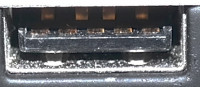
Hi Rodolphe,

considering this is as confusing to me as to you: I took a picture of my
USB3 port. When looking at an oblique angle at yours, do you see the
five front-row bronze/gold contacts shown in the attached photo?

Best regards,
Marcus

On 18.03.20 14:33, Rodolphe Bertolini via USRP-users wrote:

Thanks to both of you.

The port is black, but it has been working for few months until I
shutdown / change session (I can't log back to previous session for
reasons) so I believe that the port by itself isn't the bad guy.

It keeps appearing as USB 2 ("high-speed") when I plug it and also when
I run uhd_find_devices

@Cedric I made sure to plug at max both ends

Thank you again
Regards,
Rodolphe

Le mer. 18 mars 2020 à 15:02, Cedric Roux via USRP-users
<usrp-users@lists.ettus.com mailto:usrp-users@lists.ettus.com> a écrit :

 Hi,

 be also sure to plug the cable firmly on both
 ends. I've seen it more than once with a cable
 "half-plugged" and then it becomes usb2, not usb3.

 My 2 cents.

 Regards,
 Cédric.

 On 3/18/20 2:54 PM, Marcus Müller via USRP-users wrote:

Hi Rodolphe,

first of all, check whether you're actually dealing with a USB3

 port. I

know, sounds strange, but if it's not blue and doesn't have more than
four visible contacts, it's not standard-compliant USB3. The fact that
it's attached to a xHCI doesn't itself mean it can do USB3.

Then, I can't quite remember whether the USB controller on the B200
would even register as USB3 before the initial firmware is loaded. Try
the following: In one terminal window, run dmesg -Hwx. Plug in the
USRP, and see how it appears on the bus (it seems, as USB2 high-speed
device). After that, in another terminal, you'd run

 `uhd_find_devices`,

and see whether the device re-enumerates as USB3 SuperSpeed device.

Best regards,
Marcus

On 18.03.20 13:43, Rodolphe Bertolini via USRP-users wrote:

Hello Ron, (I resend the email, I forgot to "reply to all")
Thank you for your quick feedback.

Ok I understand. More information, lspci gives me :
00:14.0 USB controller: Intel Corporation Cannon Lake PCH USB 3.1

 xHCI

Host Controller (rev 10)
So I don't get why doesn't Ubuntu enables USB 3.0 with the B210.

My problems looks like this one

 http://lists.ettus.com/pipermail/usrp-users_lists.ettus.com/2018-July/057323.html

The output of lsusb -t is similar, with "Driver=(none)"
A message of above mentioned thread suggests to enable 3.0 option in
BIOS, however I don't have such option. And even if I had, I

 didn't not

change anything between reboot / session switch so I really don't
understand where this regression is coming from.
Also I did the "solution" mentioned by the author :

uhd_image_loader --args="type=b200,reset"

Which did not improve the situation.

Thank you again

Rodolphe

Le mer. 18 mars 2020 à 12:02, Ron Economos via USRP-users
<usrp-users@lists.ettus.com mailto:usrp-users@lists.ettus.com

 <mailto:usrp-users@lists.ettus.com
 <mailto:usrp-users@lists.ettus.com>>> a écrit :

     dmesg should say "new SuperSpeed USB device number X using

 xhci_hcd"

     or "new SuperSpeed Gen 1 USB device number X using xhci_hcd"

 if you

     have a newer kernel.

     "high-speed" means USB 2.0.

     Ron

     On 3/18/20 03:41, Rodolphe Bertolini via USRP-users wrote:

     Dear all,

     I have been using a USRP B210 on a laptop for months now. For
     reasons, I switched to another Linux session, and using this
     session UHD fails to talk to B210 over USB 3.0

     dmesg tells me it is using the xhci_hcd driver (which I

 believe is

     the driver for USB 3.0), and is also mentioning  "new high-speed
     USB", which leads me to think that USB 3.0 link is well

 recognized

     and active:

     [  306.133028] usb 1-1: new high-speed USB device number 16

 using

     xhci_hcd
     [  306.260349] usb 1-1: New USB device found, idVendor=2500,
     idProduct=0020
     [  306.260351] usb 1-1: New USB device strings: Mfr=1,

 Product=2,

     SerialNumber=3
     [  306.260352] usb 1-1: Product: USRP B200
     [  306.260354] usb 1-1: Manufacturer: Ettus Research LLC
     [  306.260355] usb 1-1: SerialNumber: 31B9289

     However, when running any uhd command line, it fails using

 USB 3.0:

     [INFO] [UHD] linux; GNU C++ version 5.4.0 20160609;

 Boost_105800;

     UHD_3.15.0.0-release
     [INFO] [B200] Detected Device: B210
     [INFO] [B200] Operating over USB 2.

     I have also tried with UHD 3.14.1, no improvement.

     I remember having a similar issue (maybe the same?) that had

 been

     solved with something related to udev, but I sadly didn't

 take any

     note of this.

     Do you have any hint?

     Thank you.
     Regards,
     Rodolphe

     _______________________________________________
     USRP-users mailing list
     USRP-users@lists.ettus.com

 <mailto:USRP-users@lists.ettus.com>
 <mailto:USRP-users@lists.ettus.com <mailto:USRP-users@lists.ettus.com>>


  http://lists.ettus.com/mailman/listinfo/usrp-users_lists.ettus.com

     _______________________________________________
     USRP-users mailing list
     USRP-users@lists.ettus.com

 <mailto:USRP-users@lists.ettus.com>
 <mailto:USRP-users@lists.ettus.com <mailto:USRP-users@lists.ettus.com>>


  http://lists.ettus.com/mailman/listinfo/usrp-users_lists.ettus.com
 _______________________________________________
 USRP-users mailing list
 USRP-users@lists.ettus.com <mailto:USRP-users@lists.ettus.com>
 http://lists.ettus.com/mailman/listinfo/usrp-users_lists.ettus.com

USRP-users mailing list
USRP-users@lists.ettus.com
http://lists.ettus.com/mailman/listinfo/usrp-users_lists.ettus.com

Hi Rodolphe, considering this is as confusing to me as to you: I took a picture of my USB3 port. When looking at an oblique angle at yours, do you see the five front-row bronze/gold contacts shown in the attached photo? Best regards, Marcus On 18.03.20 14:33, Rodolphe Bertolini via USRP-users wrote: > Thanks to both of you. > > The port is black, but it has been working for few months until I > shutdown / change session (I can't log back to previous session for > reasons) so I believe that the port by itself isn't the bad guy. > > It keeps appearing as USB 2 ("high-speed") when I plug it and also when > I run uhd_find_devices > > @Cedric I made sure to plug at max both ends > > Thank you again > Regards, > Rodolphe > > Le mer. 18 mars 2020 à 15:02, Cedric Roux via USRP-users > <usrp-users@lists.ettus.com <mailto:usrp-users@lists.ettus.com>> a écrit : > > Hi, > > be also sure to plug the cable firmly on both > ends. I've seen it more than once with a cable > "half-plugged" and then it becomes usb2, not usb3. > > My 2 cents. > > Regards, > Cédric. > > On 3/18/20 2:54 PM, Marcus Müller via USRP-users wrote: > > Hi Rodolphe, > > > > first of all, check whether you're actually dealing with a USB3 > port. I > > know, sounds strange, but if it's not blue and doesn't have more than > > four visible contacts, it's not standard-compliant USB3. The fact that > > it's attached to a xHCI doesn't itself mean it can do USB3. > > > > Then, I can't quite remember whether the USB controller on the B200 > > would even register as USB3 before the initial firmware is loaded. Try > > the following: In one terminal window, run `dmesg -Hwx`. Plug in the > > USRP, and see how it appears on the bus (it seems, as USB2 high-speed > > device). After that, in another terminal, you'd run > `uhd_find_devices`, > > and see whether the device re-enumerates as USB3 SuperSpeed device. > > > > Best regards, > > Marcus > > > > On 18.03.20 13:43, Rodolphe Bertolini via USRP-users wrote: > >> Hello Ron, (I resend the email, I forgot to "reply to all") > >> Thank you for your quick feedback. > >> > >> Ok I understand. More information, lspci gives me : > >> 00:14.0 USB controller: Intel Corporation Cannon Lake PCH USB 3.1 > xHCI > >> Host Controller (rev 10) > >> So I don't get why doesn't Ubuntu enables USB 3.0 with the B210. > >> > >> My problems looks like this one > >> > http://lists.ettus.com/pipermail/usrp-users_lists.ettus.com/2018-July/057323.html > >> > >> The output of lsusb -t is similar, with "Driver=(none)" > >> A message of above mentioned thread suggests to enable 3.0 option in > >> BIOS, however I don't have such option. And even if I had, I > didn't not > >> change anything between reboot / session switch so I really don't > >> understand where this regression is coming from. > >> Also I did the "solution" mentioned by the author : > >> > >> uhd_image_loader --args="type=b200,reset" > >> > >> > >> Which did not improve the situation. > >> > >> > >> Thank you again > >> > >> Rodolphe > >> > >> Le mer. 18 mars 2020 à 12:02, Ron Economos via USRP-users > >> <usrp-users@lists.ettus.com <mailto:usrp-users@lists.ettus.com> > <mailto:usrp-users@lists.ettus.com > <mailto:usrp-users@lists.ettus.com>>> a écrit : > >> > >>     dmesg should say "new SuperSpeed USB device number X using > xhci_hcd" > >>     or "new SuperSpeed Gen 1 USB device number X using xhci_hcd" > if you > >>     have a newer kernel. > >> > >>     "high-speed" means USB 2.0. > >> > >>     Ron > >> > >>     On 3/18/20 03:41, Rodolphe Bertolini via USRP-users wrote: > >>>     Dear all, > >>> > >>>     I have been using a USRP B210 on a laptop for months now. For > >>>     reasons, I switched to another Linux session, and using this > >>>     session UHD fails to talk to B210 over USB 3.0 > >>> > >>>     dmesg tells me it is using the xhci_hcd driver (which I > believe is > >>>     the driver for USB 3.0), and is also mentioning  "new high-speed > >>>     USB", which leads me to think that USB 3.0 link is well > recognized > >>>     and active: > >>> > >>>     [  306.133028] usb 1-1: new high-speed USB device number 16 > using > >>>     xhci_hcd > >>>     [  306.260349] usb 1-1: New USB device found, idVendor=2500, > >>>     idProduct=0020 > >>>     [  306.260351] usb 1-1: New USB device strings: Mfr=1, > Product=2, > >>>     SerialNumber=3 > >>>     [  306.260352] usb 1-1: Product: USRP B200 > >>>     [  306.260354] usb 1-1: Manufacturer: Ettus Research LLC > >>>     [  306.260355] usb 1-1: SerialNumber: 31B9289 > >>> > >>>     However, when running any uhd command line, it fails using > USB 3.0: > >>> > >>>     [INFO] [UHD] linux; GNU C++ version 5.4.0 20160609; > Boost_105800; > >>>     UHD_3.15.0.0-release > >>>     [INFO] [B200] Detected Device: B210 > >>>     [INFO] [B200] Operating over USB 2. > >>> > >>>     I have also tried with UHD 3.14.1, no improvement. > >>> > >>>     I remember having a similar issue (maybe the same?) that had > been > >>>     solved with something related to udev, but I sadly didn't > take any > >>>     note of this. > >>> > >>>     Do you have any hint? > >>> > >>>     Thank you. > >>>     Regards, > >>>     Rodolphe > >>> > >>>     _______________________________________________ > >>>     USRP-users mailing list > >>>     USRP-users@lists.ettus.com > <mailto:USRP-users@lists.ettus.com> > <mailto:USRP-users@lists.ettus.com <mailto:USRP-users@lists.ettus.com>> > >>>    >  http://lists.ettus.com/mailman/listinfo/usrp-users_lists.ettus.com > >>     _______________________________________________ > >>     USRP-users mailing list > >>     USRP-users@lists.ettus.com > <mailto:USRP-users@lists.ettus.com> > <mailto:USRP-users@lists.ettus.com <mailto:USRP-users@lists.ettus.com>> > >>    >  http://lists.ettus.com/mailman/listinfo/usrp-users_lists.ettus.com > >> > >> > >> _______________________________________________ > >> USRP-users mailing list > >> USRP-users@lists.ettus.com <mailto:USRP-users@lists.ettus.com> > >> http://lists.ettus.com/mailman/listinfo/usrp-users_lists.ettus.com > >> > > > > _______________________________________________ > > USRP-users mailing list > > USRP-users@lists.ettus.com <mailto:USRP-users@lists.ettus.com> > > http://lists.ettus.com/mailman/listinfo/usrp-users_lists.ettus.com > > > > > _______________________________________________ > USRP-users mailing list > USRP-users@lists.ettus.com <mailto:USRP-users@lists.ettus.com> > http://lists.ettus.com/mailman/listinfo/usrp-users_lists.ettus.com > > > _______________________________________________ > USRP-users mailing list > USRP-users@lists.ettus.com > http://lists.ettus.com/mailman/listinfo/usrp-users_lists.ettus.com >
MM
Marcus Müller
Wed, Mar 18, 2020 4:01 PM

Huh, that's kind of sad, because it was my last straw :(

On 18.03.20 15:36, Rodolphe Bertolini wrote:

Marcus,
USB plug is rotated (from row is at top), but yes I get the exact same
port as your.
Thank you
Regards,
Rodolphe

Le mer. 18 mars 2020 à 16:20, Marcus Müller via USRP-users
<usrp-users@lists.ettus.com mailto:usrp-users@lists.ettus.com> a écrit :

 Hi Rodolphe,

 considering this is as confusing to me as to you: I took a picture of my
 USB3 port. When looking at an oblique angle at yours, do you see the
 five front-row bronze/gold contacts shown in the attached photo?

 Best regards,
 Marcus

 On 18.03.20 14:33, Rodolphe Bertolini via USRP-users wrote:

Thanks to both of you.

The port is black, but it has been working for few months until I
shutdown / change session (I can't log back to previous session for
reasons) so I believe that the port by itself isn't the bad guy.

It keeps appearing as USB 2 ("high-speed") when I plug it and also

 when

I run uhd_find_devices

@Cedric I made sure to plug at max both ends

Thank you again
Regards,
Rodolphe

Le mer. 18 mars 2020 à 15:02, Cedric Roux via USRP-users
<usrp-users@lists.ettus.com mailto:usrp-users@lists.ettus.com

 <mailto:usrp-users@lists.ettus.com
 <mailto:usrp-users@lists.ettus.com>>> a écrit :

     Hi,

     be also sure to plug the cable firmly on both
     ends. I've seen it more than once with a cable
     "half-plugged" and then it becomes usb2, not usb3.

     My 2 cents.

     Regards,
     Cédric.

     On 3/18/20 2:54 PM, Marcus Müller via USRP-users wrote:
     > Hi Rodolphe,
     >
     > first of all, check whether you're actually dealing with a USB3
     port. I
     > know, sounds strange, but if it's not blue and doesn't have

 more than

     > four visible contacts, it's not standard-compliant USB3. The

 fact that

     > it's attached to a xHCI doesn't itself mean it can do USB3.
     >
     > Then, I can't quite remember whether the USB controller on

 the B200

     > would even register as USB3 before the initial firmware is

 loaded. Try

     > the following: In one terminal window, run dmesg -Hwx.

 Plug in the

     > USRP, and see how it appears on the bus (it seems, as USB2

 high-speed

     > device). After that, in another terminal, you'd run
     uhd_find_devices,
     > and see whether the device re-enumerates as USB3 SuperSpeed

 device.

     >
     > Best regards,
     > Marcus
     >
     > On 18.03.20 13:43, Rodolphe Bertolini via USRP-users wrote:
     >> Hello Ron, (I resend the email, I forgot to "reply to all")
     >> Thank you for your quick feedback.
     >>
     >> Ok I understand. More information, lspci gives me :
     >> 00:14.0 USB controller: Intel Corporation Cannon Lake PCH

 USB 3.1

     xHCI
     >> Host Controller (rev 10)
     >> So I don't get why doesn't Ubuntu enables USB 3.0 with the

 B210.

     >>
     >> My problems looks like this one
     >>
   

  http://lists.ettus.com/pipermail/usrp-users_lists.ettus.com/2018-July/057323.html

     >>
     >> The output of lsusb -t is similar, with "Driver=(none)"
     >> A message of above mentioned thread suggests to enable 3.0

 option in

     >> BIOS, however I don't have such option. And even if I had, I
     didn't not
     >> change anything between reboot / session switch so I really

 don't

     >> understand where this regression is coming from.
     >> Also I did the "solution" mentioned by the author :
     >>
     >> uhd_image_loader --args="type=b200,reset"
     >>
     >>
     >> Which did not improve the situation.
     >>
     >>
     >> Thank you again
     >>
     >> Rodolphe
     >>
     >> Le mer. 18 mars 2020 à 12:02, Ron Economos via USRP-users
     >> <usrp-users@lists.ettus.com

 <mailto:usrp-users@lists.ettus.com>
 <mailto:usrp-users@lists.ettus.com <mailto:usrp-users@lists.ettus.com>>
 <mailto:usrp-users@lists.ettus.com>
 <mailto:usrp-users@lists.ettus.com>>>> a écrit :

     >>
     >>     dmesg should say "new SuperSpeed USB device number X using
     xhci_hcd"
     >>     or "new SuperSpeed Gen 1 USB device number X using

 xhci_hcd"

     if you
     >>     have a newer kernel.
     >>
     >>     "high-speed" means USB 2.0.
     >>
     >>     Ron
     >>
     >>     On 3/18/20 03:41, Rodolphe Bertolini via USRP-users wrote:
     >>>     Dear all,
     >>>
     >>>     I have been using a USRP B210 on a laptop for months

 now. For

     >>>     reasons, I switched to another Linux session, and

 using this

     >>>     session UHD fails to talk to B210 over USB 3.0
     >>>
     >>>     dmesg tells me it is using the xhci_hcd driver (which I
     believe is
     >>>     the driver for USB 3.0), and is also mentioning  "new

 high-speed

     >>>     USB", which leads me to think that USB 3.0 link is well
     recognized
     >>>     and active:
     >>>
     >>>     [  306.133028] usb 1-1: new high-speed USB device

 number 16

     using
     >>>     xhci_hcd
     >>>     [  306.260349] usb 1-1: New USB device found,

 idVendor=2500,

     >>>     idProduct=0020
     >>>     [  306.260351] usb 1-1: New USB device strings: Mfr=1,
     Product=2,
     >>>     SerialNumber=3
     >>>     [  306.260352] usb 1-1: Product: USRP B200
     >>>     [  306.260354] usb 1-1: Manufacturer: Ettus Research LLC
     >>>     [  306.260355] usb 1-1: SerialNumber: 31B9289
     >>>
     >>>     However, when running any uhd command line, it fails using
     USB 3.0:
     >>>
     >>>     [INFO] [UHD] linux; GNU C++ version 5.4.0 20160609;
     Boost_105800;
     >>>     UHD_3.15.0.0-release
     >>>     [INFO] [B200] Detected Device: B210
     >>>     [INFO] [B200] Operating over USB 2.
     >>>
     >>>     I have also tried with UHD 3.14.1, no improvement.
     >>>
     >>>     I remember having a similar issue (maybe the same?)

 that had

     been
     >>>     solved with something related to udev, but I sadly didn't
     take any
     >>>     note of this.
     >>>
     >>>     Do you have any hint?
     >>>
     >>>     Thank you.
     >>>     Regards,
     >>>     Rodolphe
     >>>
     >>>     _______________________________________________
     >>>     USRP-users mailing list
     >>>     USRP-users@lists.ettus.com

 <mailto:USRP-users@lists.ettus.com>
 <mailto:USRP-users@lists.ettus.com>>
 <mailto:USRP-users@lists.ettus.com>
 <mailto:USRP-users@lists.ettus.com <mailto:USRP-users@lists.ettus.com>>>

     >>>   
   

   http://lists.ettus.com/mailman/listinfo/usrp-users_lists.ettus.com

     >>     _______________________________________________
     >>     USRP-users mailing list
     >>     USRP-users@lists.ettus.com

 <mailto:USRP-users@lists.ettus.com>
 <mailto:USRP-users@lists.ettus.com>>
 <mailto:USRP-users@lists.ettus.com>
 <mailto:USRP-users@lists.ettus.com <mailto:USRP-users@lists.ettus.com>>>

     >>   
   

   http://lists.ettus.com/mailman/listinfo/usrp-users_lists.ettus.com

     >>
     >>
     >> _______________________________________________
     >> USRP-users mailing list
     >> USRP-users@lists.ettus.com

 <mailto:USRP-users@lists.ettus.com>
 <mailto:USRP-users@lists.ettus.com <mailto:USRP-users@lists.ettus.com>>

     >>

 http://lists.ettus.com/mailman/listinfo/usrp-users_lists.ettus.com

     >>
     >
     > _______________________________________________
     > USRP-users mailing list
     > USRP-users@lists.ettus.com

 <mailto:USRP-users@lists.ettus.com>
 <mailto:USRP-users@lists.ettus.com <mailto:USRP-users@lists.ettus.com>>

     >

 http://lists.ettus.com/mailman/listinfo/usrp-users_lists.ettus.com

     >

     _______________________________________________
     USRP-users mailing list
     USRP-users@lists.ettus.com mailto:USRP-users@lists.ettus.com

 <mailto:USRP-users@lists.ettus.com <mailto:USRP-users@lists.ettus.com>>

     http://lists.ettus.com/mailman/listinfo/usrp-users_lists.ettus.com


USRP-users mailing list
USRP-users@lists.ettus.com mailto:USRP-users@lists.ettus.com
http://lists.ettus.com/mailman/listinfo/usrp-users_lists.ettus.com

 _______________________________________________
 USRP-users mailing list
 USRP-users@lists.ettus.com <mailto:USRP-users@lists.ettus.com>
 http://lists.ettus.com/mailman/listinfo/usrp-users_lists.ettus.com
Huh, that's kind of sad, because it was my last straw :( On 18.03.20 15:36, Rodolphe Bertolini wrote: > Marcus, > USB plug is rotated (from row is at top), but yes I get the exact same > port as your. > Thank you > Regards, > Rodolphe > > Le mer. 18 mars 2020 à 16:20, Marcus Müller via USRP-users > <usrp-users@lists.ettus.com <mailto:usrp-users@lists.ettus.com>> a écrit : > > Hi Rodolphe, > > considering this is as confusing to me as to you: I took a picture of my > USB3 port. When looking at an oblique angle at yours, do you see the > five front-row bronze/gold contacts shown in the attached photo? > > Best regards, > Marcus > > On 18.03.20 14:33, Rodolphe Bertolini via USRP-users wrote: > > Thanks to both of you. > > > > The port is black, but it has been working for few months until I > > shutdown / change session (I can't log back to previous session for > > reasons) so I believe that the port by itself isn't the bad guy. > > > > It keeps appearing as USB 2 ("high-speed") when I plug it and also > when > > I run uhd_find_devices > > > > @Cedric I made sure to plug at max both ends > > > > Thank you again > > Regards, > > Rodolphe > > > > Le mer. 18 mars 2020 à 15:02, Cedric Roux via USRP-users > > <usrp-users@lists.ettus.com <mailto:usrp-users@lists.ettus.com> > <mailto:usrp-users@lists.ettus.com > <mailto:usrp-users@lists.ettus.com>>> a écrit : > > > >     Hi, > > > >     be also sure to plug the cable firmly on both > >     ends. I've seen it more than once with a cable > >     "half-plugged" and then it becomes usb2, not usb3. > > > >     My 2 cents. > > > >     Regards, > >     Cédric. > > > >     On 3/18/20 2:54 PM, Marcus Müller via USRP-users wrote: > >     > Hi Rodolphe, > >     > > >     > first of all, check whether you're actually dealing with a USB3 > >     port. I > >     > know, sounds strange, but if it's not blue and doesn't have > more than > >     > four visible contacts, it's not standard-compliant USB3. The > fact that > >     > it's attached to a xHCI doesn't itself mean it can do USB3. > >     > > >     > Then, I can't quite remember whether the USB controller on > the B200 > >     > would even register as USB3 before the initial firmware is > loaded. Try > >     > the following: In one terminal window, run `dmesg -Hwx`. > Plug in the > >     > USRP, and see how it appears on the bus (it seems, as USB2 > high-speed > >     > device). After that, in another terminal, you'd run > >     `uhd_find_devices`, > >     > and see whether the device re-enumerates as USB3 SuperSpeed > device. > >     > > >     > Best regards, > >     > Marcus > >     > > >     > On 18.03.20 13:43, Rodolphe Bertolini via USRP-users wrote: > >     >> Hello Ron, (I resend the email, I forgot to "reply to all") > >     >> Thank you for your quick feedback. > >     >> > >     >> Ok I understand. More information, lspci gives me : > >     >> 00:14.0 USB controller: Intel Corporation Cannon Lake PCH > USB 3.1 > >     xHCI > >     >> Host Controller (rev 10) > >     >> So I don't get why doesn't Ubuntu enables USB 3.0 with the > B210. > >     >> > >     >> My problems looks like this one > >     >> > >    >  http://lists.ettus.com/pipermail/usrp-users_lists.ettus.com/2018-July/057323.html > >     >> > >     >> The output of lsusb -t is similar, with "Driver=(none)" > >     >> A message of above mentioned thread suggests to enable 3.0 > option in > >     >> BIOS, however I don't have such option. And even if I had, I > >     didn't not > >     >> change anything between reboot / session switch so I really > don't > >     >> understand where this regression is coming from. > >     >> Also I did the "solution" mentioned by the author : > >     >> > >     >> uhd_image_loader --args="type=b200,reset" > >     >> > >     >> > >     >> Which did not improve the situation. > >     >> > >     >> > >     >> Thank you again > >     >> > >     >> Rodolphe > >     >> > >     >> Le mer. 18 mars 2020 à 12:02, Ron Economos via USRP-users > >     >> <usrp-users@lists.ettus.com > <mailto:usrp-users@lists.ettus.com> > <mailto:usrp-users@lists.ettus.com <mailto:usrp-users@lists.ettus.com>> > >     <mailto:usrp-users@lists.ettus.com > <mailto:usrp-users@lists.ettus.com> > >     <mailto:usrp-users@lists.ettus.com > <mailto:usrp-users@lists.ettus.com>>>> a écrit : > >     >> > >     >>     dmesg should say "new SuperSpeed USB device number X using > >     xhci_hcd" > >     >>     or "new SuperSpeed Gen 1 USB device number X using > xhci_hcd" > >     if you > >     >>     have a newer kernel. > >     >> > >     >>     "high-speed" means USB 2.0. > >     >> > >     >>     Ron > >     >> > >     >>     On 3/18/20 03:41, Rodolphe Bertolini via USRP-users wrote: > >     >>>     Dear all, > >     >>> > >     >>>     I have been using a USRP B210 on a laptop for months > now. For > >     >>>     reasons, I switched to another Linux session, and > using this > >     >>>     session UHD fails to talk to B210 over USB 3.0 > >     >>> > >     >>>     dmesg tells me it is using the xhci_hcd driver (which I > >     believe is > >     >>>     the driver for USB 3.0), and is also mentioning  "new > high-speed > >     >>>     USB", which leads me to think that USB 3.0 link is well > >     recognized > >     >>>     and active: > >     >>> > >     >>>     [  306.133028] usb 1-1: new high-speed USB device > number 16 > >     using > >     >>>     xhci_hcd > >     >>>     [  306.260349] usb 1-1: New USB device found, > idVendor=2500, > >     >>>     idProduct=0020 > >     >>>     [  306.260351] usb 1-1: New USB device strings: Mfr=1, > >     Product=2, > >     >>>     SerialNumber=3 > >     >>>     [  306.260352] usb 1-1: Product: USRP B200 > >     >>>     [  306.260354] usb 1-1: Manufacturer: Ettus Research LLC > >     >>>     [  306.260355] usb 1-1: SerialNumber: 31B9289 > >     >>> > >     >>>     However, when running any uhd command line, it fails using > >     USB 3.0: > >     >>> > >     >>>     [INFO] [UHD] linux; GNU C++ version 5.4.0 20160609; > >     Boost_105800; > >     >>>     UHD_3.15.0.0-release > >     >>>     [INFO] [B200] Detected Device: B210 > >     >>>     [INFO] [B200] Operating over USB 2. > >     >>> > >     >>>     I have also tried with UHD 3.14.1, no improvement. > >     >>> > >     >>>     I remember having a similar issue (maybe the same?) > that had > >     been > >     >>>     solved with something related to udev, but I sadly didn't > >     take any > >     >>>     note of this. > >     >>> > >     >>>     Do you have any hint? > >     >>> > >     >>>     Thank you. > >     >>>     Regards, > >     >>>     Rodolphe > >     >>> > >     >>>     _______________________________________________ > >     >>>     USRP-users mailing list > >     >>>     USRP-users@lists.ettus.com > <mailto:USRP-users@lists.ettus.com> > >     <mailto:USRP-users@lists.ettus.com > <mailto:USRP-users@lists.ettus.com>> > >     <mailto:USRP-users@lists.ettus.com > <mailto:USRP-users@lists.ettus.com> > <mailto:USRP-users@lists.ettus.com <mailto:USRP-users@lists.ettus.com>>> > >     >>>    > >    >   http://lists.ettus.com/mailman/listinfo/usrp-users_lists.ettus.com > >     >>     _______________________________________________ > >     >>     USRP-users mailing list > >     >>     USRP-users@lists.ettus.com > <mailto:USRP-users@lists.ettus.com> > >     <mailto:USRP-users@lists.ettus.com > <mailto:USRP-users@lists.ettus.com>> > >     <mailto:USRP-users@lists.ettus.com > <mailto:USRP-users@lists.ettus.com> > <mailto:USRP-users@lists.ettus.com <mailto:USRP-users@lists.ettus.com>>> > >     >>    > >    >   http://lists.ettus.com/mailman/listinfo/usrp-users_lists.ettus.com > >     >> > >     >> > >     >> _______________________________________________ > >     >> USRP-users mailing list > >     >> USRP-users@lists.ettus.com > <mailto:USRP-users@lists.ettus.com> > <mailto:USRP-users@lists.ettus.com <mailto:USRP-users@lists.ettus.com>> > >     >> > http://lists.ettus.com/mailman/listinfo/usrp-users_lists.ettus.com > >     >> > >     > > >     > _______________________________________________ > >     > USRP-users mailing list > >     > USRP-users@lists.ettus.com > <mailto:USRP-users@lists.ettus.com> > <mailto:USRP-users@lists.ettus.com <mailto:USRP-users@lists.ettus.com>> > >     > > http://lists.ettus.com/mailman/listinfo/usrp-users_lists.ettus.com > >     > > > > > > >     _______________________________________________ > >     USRP-users mailing list > >     USRP-users@lists.ettus.com <mailto:USRP-users@lists.ettus.com> > <mailto:USRP-users@lists.ettus.com <mailto:USRP-users@lists.ettus.com>> > >     http://lists.ettus.com/mailman/listinfo/usrp-users_lists.ettus.com > > > > > > _______________________________________________ > > USRP-users mailing list > > USRP-users@lists.ettus.com <mailto:USRP-users@lists.ettus.com> > > http://lists.ettus.com/mailman/listinfo/usrp-users_lists.ettus.com > > > _______________________________________________ > USRP-users mailing list > USRP-users@lists.ettus.com <mailto:USRP-users@lists.ettus.com> > http://lists.ettus.com/mailman/listinfo/usrp-users_lists.ettus.com >
CS
Cinaed Simson
Wed, Mar 18, 2020 6:59 PM

A USB3 port is  SuperSpeed port.

For a quick check, try

  lsusb -v | grep 5Gbps

to confirm you have at least 1 working USB3 port.

And then you can check the port speed where the device is connected
using lsusb -v.

-- Cinaed

On 3/18/20 7:36 AM, Rodolphe Bertolini via USRP-users wrote:

Marcus,
USB plug is rotated (from row is at top), but yes I get the exact same
port as your.
Thank you
Regards,
Rodolphe

Le mer. 18 mars 2020 à 16:20, Marcus Müller via USRP-users
<usrp-users@lists.ettus.com mailto:usrp-users@lists.ettus.com> a écrit :

 Hi Rodolphe,

 considering this is as confusing to me as to you: I took a picture
 of my
 USB3 port. When looking at an oblique angle at yours, do you see the
 five front-row bronze/gold contacts shown in the attached photo?

 Best regards,
 Marcus

 On 18.03.20 14:33, Rodolphe Bertolini via USRP-users wrote:

Thanks to both of you.

The port is black, but it has been working for few months until I
shutdown / change session (I can't log back to previous session for
reasons) so I believe that the port by itself isn't the bad guy.

It keeps appearing as USB 2 ("high-speed") when I plug it and

 also when

I run uhd_find_devices

@Cedric I made sure to plug at max both ends

Thank you again
Regards,
Rodolphe

Le mer. 18 mars 2020 à 15:02, Cedric Roux via USRP-users
<usrp-users@lists.ettus.com mailto:usrp-users@lists.ettus.com

 <mailto:usrp-users@lists.ettus.com
 <mailto:usrp-users@lists.ettus.com>>> a écrit :

     Hi,

     be also sure to plug the cable firmly on both
     ends. I've seen it more than once with a cable
     "half-plugged" and then it becomes usb2, not usb3.

     My 2 cents.

     Regards,
     Cédric.

     On 3/18/20 2:54 PM, Marcus Müller via USRP-users wrote:
     > Hi Rodolphe,
     >
     > first of all, check whether you're actually dealing with a

 USB3

     port. I
     > know, sounds strange, but if it's not blue and doesn't

 have more than

     > four visible contacts, it's not standard-compliant USB3.

 The fact that

     > it's attached to a xHCI doesn't itself mean it can do USB3.
     >
     > Then, I can't quite remember whether the USB controller on

 the B200

     > would even register as USB3 before the initial firmware is

 loaded. Try

     > the following: In one terminal window, run dmesg -Hwx.

 Plug in the

     > USRP, and see how it appears on the bus (it seems, as USB2

 high-speed

     > device). After that, in another terminal, you'd run
     uhd_find_devices,
     > and see whether the device re-enumerates as USB3

 SuperSpeed device.

     >
     > Best regards,
     > Marcus
     >
     > On 18.03.20 13:43, Rodolphe Bertolini via USRP-users wrote:
     >> Hello Ron, (I resend the email, I forgot to "reply to all")
     >> Thank you for your quick feedback.
     >>
     >> Ok I understand. More information, lspci gives me :
     >> 00:14.0 USB controller: Intel Corporation Cannon Lake PCH

 USB 3.1

     xHCI
     >> Host Controller (rev 10)
     >> So I don't get why doesn't Ubuntu enables USB 3.0 with

 the B210.

     >>
     >> My problems looks like this one
     >>
   

  http://lists.ettus.com/pipermail/usrp-users_lists.ettus.com/2018-July/057323.html

     >>
     >> The output of lsusb -t is similar, with "Driver=(none)"
     >> A message of above mentioned thread suggests to enable

 3.0 option in

     >> BIOS, however I don't have such option. And even if I had, I
     didn't not
     >> change anything between reboot / session switch so I

 really don't

     >> understand where this regression is coming from.
     >> Also I did the "solution" mentioned by the author :
     >>
     >> uhd_image_loader --args="type=b200,reset"
     >>
     >>
     >> Which did not improve the situation.
     >>
     >>
     >> Thank you again
     >>
     >> Rodolphe
     >>
     >> Le mer. 18 mars 2020 à 12:02, Ron Economos via USRP-users
     >> <usrp-users@lists.ettus.com

 <mailto:usrp-users@lists.ettus.com>
 <mailto:usrp-users@lists.ettus.com
 <mailto:usrp-users@lists.ettus.com>>
 <mailto:usrp-users@lists.ettus.com>
 <mailto:usrp-users@lists.ettus.com>>>> a écrit :

     >>
     >>     dmesg should say "new SuperSpeed USB device number X

 using

     xhci_hcd"
     >>     or "new SuperSpeed Gen 1 USB device number X using

 xhci_hcd"

     if you
     >>     have a newer kernel.
     >>
     >>     "high-speed" means USB 2.0.
     >>
     >>     Ron
     >>
     >>     On 3/18/20 03:41, Rodolphe Bertolini via USRP-users

 wrote:

     >>>     Dear all,
     >>>
     >>>     I have been using a USRP B210 on a laptop for months

 now. For

     >>>     reasons, I switched to another Linux session, and

 using this

     >>>     session UHD fails to talk to B210 over USB 3.0
     >>>
     >>>     dmesg tells me it is using the xhci_hcd driver (which I
     believe is
     >>>     the driver for USB 3.0), and is also mentioning 

 "new high-speed

     >>>     USB", which leads me to think that USB 3.0 link is well
     recognized
     >>>     and active:
     >>>
     >>>     [  306.133028] usb 1-1: new high-speed USB device

 number 16

     using
     >>>     xhci_hcd
     >>>     [  306.260349] usb 1-1: New USB device found,

 idVendor=2500,

     >>>     idProduct=0020
     >>>     [  306.260351] usb 1-1: New USB device strings: Mfr=1,
     Product=2,
     >>>     SerialNumber=3
     >>>     [  306.260352] usb 1-1: Product: USRP B200
     >>>     [  306.260354] usb 1-1: Manufacturer: Ettus Research LLC
     >>>     [  306.260355] usb 1-1: SerialNumber: 31B9289
     >>>
     >>>     However, when running any uhd command line, it fails

 using

     USB 3.0:
     >>>
     >>>     [INFO] [UHD] linux; GNU C++ version 5.4.0 20160609;
     Boost_105800;
     >>>     UHD_3.15.0.0-release
     >>>     [INFO] [B200] Detected Device: B210
     >>>     [INFO] [B200] Operating over USB 2.
     >>>
     >>>     I have also tried with UHD 3.14.1, no improvement.
     >>>
     >>>     I remember having a similar issue (maybe the same?)

 that had

     been
     >>>     solved with something related to udev, but I sadly

 didn't

     take any
     >>>     note of this.
     >>>
     >>>     Do you have any hint?
     >>>
     >>>     Thank you.
     >>>     Regards,
     >>>     Rodolphe
     >>>
     >>>     _______________________________________________
     >>>     USRP-users mailing list
     >>>     USRP-users@lists.ettus.com

 <mailto:USRP-users@lists.ettus.com>
 <mailto:USRP-users@lists.ettus.com>>
 <mailto:USRP-users@lists.ettus.com>
 <mailto:USRP-users@lists.ettus.com
 <mailto:USRP-users@lists.ettus.com>>>

     >>>   
   

   http://lists.ettus.com/mailman/listinfo/usrp-users_lists.ettus.com

     >>     _______________________________________________
     >>     USRP-users mailing list
     >>     USRP-users@lists.ettus.com

 <mailto:USRP-users@lists.ettus.com>
 <mailto:USRP-users@lists.ettus.com>>
 <mailto:USRP-users@lists.ettus.com>
 <mailto:USRP-users@lists.ettus.com
 <mailto:USRP-users@lists.ettus.com>>>

     >>   
   

   http://lists.ettus.com/mailman/listinfo/usrp-users_lists.ettus.com

     >>
     >>
     >> _______________________________________________
     >> USRP-users mailing list
     >> USRP-users@lists.ettus.com

 <mailto:USRP-users@lists.ettus.com>
 <mailto:USRP-users@lists.ettus.com
 <mailto:USRP-users@lists.ettus.com>>

     >>

 http://lists.ettus.com/mailman/listinfo/usrp-users_lists.ettus.com

     >>
     >
     > _______________________________________________
     > USRP-users mailing list
     > USRP-users@lists.ettus.com

 <mailto:USRP-users@lists.ettus.com>
 <mailto:USRP-users@lists.ettus.com
 <mailto:USRP-users@lists.ettus.com>>

     >

 http://lists.ettus.com/mailman/listinfo/usrp-users_lists.ettus.com

     >

     _______________________________________________
     USRP-users mailing list
     USRP-users@lists.ettus.com

 <mailto:USRP-users@lists.ettus.com>
 <mailto:USRP-users@lists.ettus.com
 <mailto:USRP-users@lists.ettus.com>>


  http://lists.ettus.com/mailman/listinfo/usrp-users_lists.ettus.com
 _______________________________________________
 USRP-users mailing list
 USRP-users@lists.ettus.com <mailto:USRP-users@lists.ettus.com>
 http://lists.ettus.com/mailman/listinfo/usrp-users_lists.ettus.com

USRP-users mailing list
USRP-users@lists.ettus.com
http://lists.ettus.com/mailman/listinfo/usrp-users_lists.ettus.com

A USB3 port is  SuperSpeed port. For a quick check, try   lsusb -v | grep 5Gbps to confirm you have at least 1 working USB3 port. And then you can check the port speed where the device is connected using lsusb -v. -- Cinaed On 3/18/20 7:36 AM, Rodolphe Bertolini via USRP-users wrote: > Marcus, > USB plug is rotated (from row is at top), but yes I get the exact same > port as your. > Thank you > Regards, > Rodolphe > > Le mer. 18 mars 2020 à 16:20, Marcus Müller via USRP-users > <usrp-users@lists.ettus.com <mailto:usrp-users@lists.ettus.com>> a écrit : > > Hi Rodolphe, > > considering this is as confusing to me as to you: I took a picture > of my > USB3 port. When looking at an oblique angle at yours, do you see the > five front-row bronze/gold contacts shown in the attached photo? > > Best regards, > Marcus > > On 18.03.20 14:33, Rodolphe Bertolini via USRP-users wrote: > > Thanks to both of you. > > > > The port is black, but it has been working for few months until I > > shutdown / change session (I can't log back to previous session for > > reasons) so I believe that the port by itself isn't the bad guy. > > > > It keeps appearing as USB 2 ("high-speed") when I plug it and > also when > > I run uhd_find_devices > > > > @Cedric I made sure to plug at max both ends > > > > Thank you again > > Regards, > > Rodolphe > > > > Le mer. 18 mars 2020 à 15:02, Cedric Roux via USRP-users > > <usrp-users@lists.ettus.com <mailto:usrp-users@lists.ettus.com> > <mailto:usrp-users@lists.ettus.com > <mailto:usrp-users@lists.ettus.com>>> a écrit : > > > >     Hi, > > > >     be also sure to plug the cable firmly on both > >     ends. I've seen it more than once with a cable > >     "half-plugged" and then it becomes usb2, not usb3. > > > >     My 2 cents. > > > >     Regards, > >     Cédric. > > > >     On 3/18/20 2:54 PM, Marcus Müller via USRP-users wrote: > >     > Hi Rodolphe, > >     > > >     > first of all, check whether you're actually dealing with a > USB3 > >     port. I > >     > know, sounds strange, but if it's not blue and doesn't > have more than > >     > four visible contacts, it's not standard-compliant USB3. > The fact that > >     > it's attached to a xHCI doesn't itself mean it can do USB3. > >     > > >     > Then, I can't quite remember whether the USB controller on > the B200 > >     > would even register as USB3 before the initial firmware is > loaded. Try > >     > the following: In one terminal window, run `dmesg -Hwx`. > Plug in the > >     > USRP, and see how it appears on the bus (it seems, as USB2 > high-speed > >     > device). After that, in another terminal, you'd run > >     `uhd_find_devices`, > >     > and see whether the device re-enumerates as USB3 > SuperSpeed device. > >     > > >     > Best regards, > >     > Marcus > >     > > >     > On 18.03.20 13:43, Rodolphe Bertolini via USRP-users wrote: > >     >> Hello Ron, (I resend the email, I forgot to "reply to all") > >     >> Thank you for your quick feedback. > >     >> > >     >> Ok I understand. More information, lspci gives me : > >     >> 00:14.0 USB controller: Intel Corporation Cannon Lake PCH > USB 3.1 > >     xHCI > >     >> Host Controller (rev 10) > >     >> So I don't get why doesn't Ubuntu enables USB 3.0 with > the B210. > >     >> > >     >> My problems looks like this one > >     >> > >    >  http://lists.ettus.com/pipermail/usrp-users_lists.ettus.com/2018-July/057323.html > >     >> > >     >> The output of lsusb -t is similar, with "Driver=(none)" > >     >> A message of above mentioned thread suggests to enable > 3.0 option in > >     >> BIOS, however I don't have such option. And even if I had, I > >     didn't not > >     >> change anything between reboot / session switch so I > really don't > >     >> understand where this regression is coming from. > >     >> Also I did the "solution" mentioned by the author : > >     >> > >     >> uhd_image_loader --args="type=b200,reset" > >     >> > >     >> > >     >> Which did not improve the situation. > >     >> > >     >> > >     >> Thank you again > >     >> > >     >> Rodolphe > >     >> > >     >> Le mer. 18 mars 2020 à 12:02, Ron Economos via USRP-users > >     >> <usrp-users@lists.ettus.com > <mailto:usrp-users@lists.ettus.com> > <mailto:usrp-users@lists.ettus.com > <mailto:usrp-users@lists.ettus.com>> > >     <mailto:usrp-users@lists.ettus.com > <mailto:usrp-users@lists.ettus.com> > >     <mailto:usrp-users@lists.ettus.com > <mailto:usrp-users@lists.ettus.com>>>> a écrit : > >     >> > >     >>     dmesg should say "new SuperSpeed USB device number X > using > >     xhci_hcd" > >     >>     or "new SuperSpeed Gen 1 USB device number X using > xhci_hcd" > >     if you > >     >>     have a newer kernel. > >     >> > >     >>     "high-speed" means USB 2.0. > >     >> > >     >>     Ron > >     >> > >     >>     On 3/18/20 03:41, Rodolphe Bertolini via USRP-users > wrote: > >     >>>     Dear all, > >     >>> > >     >>>     I have been using a USRP B210 on a laptop for months > now. For > >     >>>     reasons, I switched to another Linux session, and > using this > >     >>>     session UHD fails to talk to B210 over USB 3.0 > >     >>> > >     >>>     dmesg tells me it is using the xhci_hcd driver (which I > >     believe is > >     >>>     the driver for USB 3.0), and is also mentioning  > "new high-speed > >     >>>     USB", which leads me to think that USB 3.0 link is well > >     recognized > >     >>>     and active: > >     >>> > >     >>>     [  306.133028] usb 1-1: new high-speed USB device > number 16 > >     using > >     >>>     xhci_hcd > >     >>>     [  306.260349] usb 1-1: New USB device found, > idVendor=2500, > >     >>>     idProduct=0020 > >     >>>     [  306.260351] usb 1-1: New USB device strings: Mfr=1, > >     Product=2, > >     >>>     SerialNumber=3 > >     >>>     [  306.260352] usb 1-1: Product: USRP B200 > >     >>>     [  306.260354] usb 1-1: Manufacturer: Ettus Research LLC > >     >>>     [  306.260355] usb 1-1: SerialNumber: 31B9289 > >     >>> > >     >>>     However, when running any uhd command line, it fails > using > >     USB 3.0: > >     >>> > >     >>>     [INFO] [UHD] linux; GNU C++ version 5.4.0 20160609; > >     Boost_105800; > >     >>>     UHD_3.15.0.0-release > >     >>>     [INFO] [B200] Detected Device: B210 > >     >>>     [INFO] [B200] Operating over USB 2. > >     >>> > >     >>>     I have also tried with UHD 3.14.1, no improvement. > >     >>> > >     >>>     I remember having a similar issue (maybe the same?) > that had > >     been > >     >>>     solved with something related to udev, but I sadly > didn't > >     take any > >     >>>     note of this. > >     >>> > >     >>>     Do you have any hint? > >     >>> > >     >>>     Thank you. > >     >>>     Regards, > >     >>>     Rodolphe > >     >>> > >     >>>     _______________________________________________ > >     >>>     USRP-users mailing list > >     >>>     USRP-users@lists.ettus.com > <mailto:USRP-users@lists.ettus.com> > >     <mailto:USRP-users@lists.ettus.com > <mailto:USRP-users@lists.ettus.com>> > >     <mailto:USRP-users@lists.ettus.com > <mailto:USRP-users@lists.ettus.com> > <mailto:USRP-users@lists.ettus.com > <mailto:USRP-users@lists.ettus.com>>> > >     >>>    > >    >   http://lists.ettus.com/mailman/listinfo/usrp-users_lists.ettus.com > >     >>     _______________________________________________ > >     >>     USRP-users mailing list > >     >>     USRP-users@lists.ettus.com > <mailto:USRP-users@lists.ettus.com> > >     <mailto:USRP-users@lists.ettus.com > <mailto:USRP-users@lists.ettus.com>> > >     <mailto:USRP-users@lists.ettus.com > <mailto:USRP-users@lists.ettus.com> > <mailto:USRP-users@lists.ettus.com > <mailto:USRP-users@lists.ettus.com>>> > >     >>    > >    >   http://lists.ettus.com/mailman/listinfo/usrp-users_lists.ettus.com > >     >> > >     >> > >     >> _______________________________________________ > >     >> USRP-users mailing list > >     >> USRP-users@lists.ettus.com > <mailto:USRP-users@lists.ettus.com> > <mailto:USRP-users@lists.ettus.com > <mailto:USRP-users@lists.ettus.com>> > >     >> > http://lists.ettus.com/mailman/listinfo/usrp-users_lists.ettus.com > >     >> > >     > > >     > _______________________________________________ > >     > USRP-users mailing list > >     > USRP-users@lists.ettus.com > <mailto:USRP-users@lists.ettus.com> > <mailto:USRP-users@lists.ettus.com > <mailto:USRP-users@lists.ettus.com>> > >     > > http://lists.ettus.com/mailman/listinfo/usrp-users_lists.ettus.com > >     > > > > > > >     _______________________________________________ > >     USRP-users mailing list > >     USRP-users@lists.ettus.com > <mailto:USRP-users@lists.ettus.com> > <mailto:USRP-users@lists.ettus.com > <mailto:USRP-users@lists.ettus.com>> > >    >  http://lists.ettus.com/mailman/listinfo/usrp-users_lists.ettus.com > > > > > > _______________________________________________ > > USRP-users mailing list > > USRP-users@lists.ettus.com <mailto:USRP-users@lists.ettus.com> > > http://lists.ettus.com/mailman/listinfo/usrp-users_lists.ettus.com > > > _______________________________________________ > USRP-users mailing list > USRP-users@lists.ettus.com <mailto:USRP-users@lists.ettus.com> > http://lists.ettus.com/mailman/listinfo/usrp-users_lists.ettus.com > > > _______________________________________________ > USRP-users mailing list > USRP-users@lists.ettus.com > http://lists.ettus.com/mailman/listinfo/usrp-users_lists.ettus.com
RB
Rodolphe Bertolini
Thu, Mar 19, 2020 8:06 AM

Cinaed,

Thank you.
Output is empty (except at FIXME warning : "FIXME: alloc bigger buffer for
device capability descriptors").
However, without filtering I have something like this :

Bus 002 Device 001: ID 1d6b:0003 Linux Foundation 3.0 root hub
Device Descriptor:
bLength                18
bDescriptorType        1
bcdUSB              3.10
...
bInterfaceProtocol      0 Full speed (or root) hub

I think that this bus is USB 3.0 capable, but for some reason the
"superspeed" is not activated.
Also no information about data rate is given about this bus.

Regards,
Rodolphe

Le mer. 18 mars 2020 à 20:29, Cinaed Simson via USRP-users <
usrp-users@lists.ettus.com> a écrit :

A USB3 port is  SuperSpeed port.

For a quick check, try

lsusb -v | grep 5Gbps

to confirm you have at least 1 working USB3 port.

And then you can check the port speed where the device is connected using
lsusb -v.

-- Cinaed

On 3/18/20 7:36 AM, Rodolphe Bertolini via USRP-users wrote:

Marcus,
USB plug is rotated (from row is at top), but yes I get the exact same
port as your.
Thank you
Regards,
Rodolphe

Le mer. 18 mars 2020 à 16:20, Marcus Müller via USRP-users <
usrp-users@lists.ettus.com> a écrit :

Hi Rodolphe,

considering this is as confusing to me as to you: I took a picture of my
USB3 port. When looking at an oblique angle at yours, do you see the
five front-row bronze/gold contacts shown in the attached photo?

Best regards,
Marcus

On 18.03.20 14:33, Rodolphe Bertolini via USRP-users wrote:

Thanks to both of you.

The port is black, but it has been working for few months until I
shutdown / change session (I can't log back to previous session for
reasons) so I believe that the port by itself isn't the bad guy.

It keeps appearing as USB 2 ("high-speed") when I plug it and also when
I run uhd_find_devices

@Cedric I made sure to plug at max both ends

Thank you again
Regards,
Rodolphe

Le mer. 18 mars 2020 à 15:02, Cedric Roux via USRP-users
<usrp-users@lists.ettus.com mailto:usrp-users@lists.ettus.com> a

écrit :

 Hi,

 be also sure to plug the cable firmly on both
 ends. I've seen it more than once with a cable
 "half-plugged" and then it becomes usb2, not usb3.

 My 2 cents.

 Regards,
 Cédric.

 On 3/18/20 2:54 PM, Marcus Müller via USRP-users wrote:

Hi Rodolphe,

first of all, check whether you're actually dealing with a USB3

 port. I

know, sounds strange, but if it's not blue and doesn't have more

than

four visible contacts, it's not standard-compliant USB3. The fact

that

it's attached to a xHCI doesn't itself mean it can do USB3.

Then, I can't quite remember whether the USB controller on the

B200

would even register as USB3 before the initial firmware is

loaded. Try

the following: In one terminal window, run dmesg -Hwx. Plug in

the

USRP, and see how it appears on the bus (it seems, as USB2

high-speed

device). After that, in another terminal, you'd run

 `uhd_find_devices`,

and see whether the device re-enumerates as USB3 SuperSpeed

device.

Best regards,
Marcus

On 18.03.20 13:43, Rodolphe Bertolini via USRP-users wrote:

Hello Ron, (I resend the email, I forgot to "reply to all")
Thank you for your quick feedback.

Ok I understand. More information, lspci gives me :
00:14.0 USB controller: Intel Corporation Cannon Lake PCH USB 3.1

 xHCI

Host Controller (rev 10)
So I don't get why doesn't Ubuntu enables USB 3.0 with the B210.

My problems looks like this one

The output of lsusb -t is similar, with "Driver=(none)"
A message of above mentioned thread suggests to enable 3.0

option in

BIOS, however I don't have such option. And even if I had, I

 didn't not

change anything between reboot / session switch so I really don't
understand where this regression is coming from.
Also I did the "solution" mentioned by the author :

uhd_image_loader --args="type=b200,reset"

Which did not improve the situation.

Thank you again

Rodolphe

Le mer. 18 mars 2020 à 12:02, Ron Economos via USRP-users
<usrp-users@lists.ettus.com mailto:usrp-users@lists.ettus.com

 <mailto:usrp-users@lists.ettus.com
 <mailto:usrp-users@lists.ettus.com>>> a écrit :
 dmesg should say "new SuperSpeed USB device number X using
 xhci_hcd"
 or "new SuperSpeed Gen 1 USB device number X using xhci_hcd"
 if you
 have a newer kernel.

 "high-speed" means USB 2.0.

 Ron

 On 3/18/20 03:41, Rodolphe Bertolini via USRP-users wrote:
 Dear all,

 I have been using a USRP B210 on a laptop for months now.

For

 reasons, I switched to another Linux session, and using this
 session UHD fails to talk to B210 over USB 3.0

 dmesg tells me it is using the xhci_hcd driver (which I
 believe is
 the driver for USB 3.0), and is also mentioning  "new

high-speed

 USB", which leads me to think that USB 3.0 link is well
 recognized
 and active:

 [  306.133028] usb 1-1: new high-speed USB device number 16
 using
 xhci_hcd
 [  306.260349] usb 1-1: New USB device found, idVendor=2500,
 idProduct=0020
 [  306.260351] usb 1-1: New USB device strings: Mfr=1,
 Product=2,
 SerialNumber=3
 [  306.260352] usb 1-1: Product: USRP B200
 [  306.260354] usb 1-1: Manufacturer: Ettus Research LLC
 [  306.260355] usb 1-1: SerialNumber: 31B9289

 However, when running any uhd command line, it fails using
 USB 3.0:
 [INFO] [UHD] linux; GNU C++ version 5.4.0 20160609;
 Boost_105800;
 UHD_3.15.0.0-release
 [INFO] [B200] Detected Device: B210
 [INFO] [B200] Operating over USB 2.

 I have also tried with UHD 3.14.1, no improvement.

 I remember having a similar issue (maybe the same?) that had
 been
 solved with something related to udev, but I sadly didn't
 take any
 note of this.

 Do you have any hint?

 Thank you.
 Regards,
 Rodolphe

 _______________________________________________
 USRP-users mailing list
 USRP-users@lists.ettus.com
 <mailto:USRP-users@lists.ettus.com>
 <mailto:USRP-users@lists.ettus.com <mailto:
  http://lists.ettus.com/mailman/listinfo/usrp-users_lists.ettus.com
 _______________________________________________
 USRP-users mailing list
 USRP-users@lists.ettus.com
 <mailto:USRP-users@lists.ettus.com>
 <mailto:USRP-users@lists.ettus.com <mailto:
  http://lists.ettus.com/mailman/listinfo/usrp-users_lists.ettus.com
 _______________________________________________
 USRP-users mailing list
 USRP-users@lists.ettus.com <mailto:USRP-users@lists.ettus.com>
 http://lists.ettus.com/mailman/listinfo/usrp-users_lists.ettus.com

USRP-users mailing list
USRP-users@lists.ettus.com
http://lists.ettus.com/mailman/listinfo/usrp-users_lists.ettus.com


USRP-users mailing listUSRP-users@lists.ettus.comhttp://lists.ettus.com/mailman/listinfo/usrp-users_lists.ettus.com


USRP-users mailing list
USRP-users@lists.ettus.com
http://lists.ettus.com/mailman/listinfo/usrp-users_lists.ettus.com

Cinaed, Thank you. Output is empty (except at FIXME warning : "FIXME: alloc bigger buffer for device capability descriptors"). However, without filtering I have something like this : Bus 002 Device 001: ID 1d6b:0003 Linux Foundation 3.0 root hub Device Descriptor: bLength 18 bDescriptorType 1 bcdUSB 3.10 ... bInterfaceProtocol 0 Full speed (or root) hub I think that this bus is USB 3.0 capable, but for some reason the "superspeed" is not activated. Also no information about data rate is given about this bus. Regards, Rodolphe Le mer. 18 mars 2020 à 20:29, Cinaed Simson via USRP-users < usrp-users@lists.ettus.com> a écrit : > A USB3 port is SuperSpeed port. > > For a quick check, try > > lsusb -v | grep 5Gbps > > to confirm you have at least 1 working USB3 port. > > And then you can check the port speed where the device is connected using > lsusb -v. > > -- Cinaed > > > > On 3/18/20 7:36 AM, Rodolphe Bertolini via USRP-users wrote: > > Marcus, > USB plug is rotated (from row is at top), but yes I get the exact same > port as your. > Thank you > Regards, > Rodolphe > > Le mer. 18 mars 2020 à 16:20, Marcus Müller via USRP-users < > usrp-users@lists.ettus.com> a écrit : > >> Hi Rodolphe, >> >> considering this is as confusing to me as to you: I took a picture of my >> USB3 port. When looking at an oblique angle at yours, do you see the >> five front-row bronze/gold contacts shown in the attached photo? >> >> Best regards, >> Marcus >> >> On 18.03.20 14:33, Rodolphe Bertolini via USRP-users wrote: >> > Thanks to both of you. >> > >> > The port is black, but it has been working for few months until I >> > shutdown / change session (I can't log back to previous session for >> > reasons) so I believe that the port by itself isn't the bad guy. >> > >> > It keeps appearing as USB 2 ("high-speed") when I plug it and also when >> > I run uhd_find_devices >> > >> > @Cedric I made sure to plug at max both ends >> > >> > Thank you again >> > Regards, >> > Rodolphe >> > >> > Le mer. 18 mars 2020 à 15:02, Cedric Roux via USRP-users >> > <usrp-users@lists.ettus.com <mailto:usrp-users@lists.ettus.com>> a >> écrit : >> > >> > Hi, >> > >> > be also sure to plug the cable firmly on both >> > ends. I've seen it more than once with a cable >> > "half-plugged" and then it becomes usb2, not usb3. >> > >> > My 2 cents. >> > >> > Regards, >> > Cédric. >> > >> > On 3/18/20 2:54 PM, Marcus Müller via USRP-users wrote: >> > > Hi Rodolphe, >> > > >> > > first of all, check whether you're actually dealing with a USB3 >> > port. I >> > > know, sounds strange, but if it's not blue and doesn't have more >> than >> > > four visible contacts, it's not standard-compliant USB3. The fact >> that >> > > it's attached to a xHCI doesn't itself mean it can do USB3. >> > > >> > > Then, I can't quite remember whether the USB controller on the >> B200 >> > > would even register as USB3 before the initial firmware is >> loaded. Try >> > > the following: In one terminal window, run `dmesg -Hwx`. Plug in >> the >> > > USRP, and see how it appears on the bus (it seems, as USB2 >> high-speed >> > > device). After that, in another terminal, you'd run >> > `uhd_find_devices`, >> > > and see whether the device re-enumerates as USB3 SuperSpeed >> device. >> > > >> > > Best regards, >> > > Marcus >> > > >> > > On 18.03.20 13:43, Rodolphe Bertolini via USRP-users wrote: >> > >> Hello Ron, (I resend the email, I forgot to "reply to all") >> > >> Thank you for your quick feedback. >> > >> >> > >> Ok I understand. More information, lspci gives me : >> > >> 00:14.0 USB controller: Intel Corporation Cannon Lake PCH USB 3.1 >> > xHCI >> > >> Host Controller (rev 10) >> > >> So I don't get why doesn't Ubuntu enables USB 3.0 with the B210. >> > >> >> > >> My problems looks like this one >> > >> >> > >> http://lists.ettus.com/pipermail/usrp-users_lists.ettus.com/2018-July/057323.html >> > >> >> > >> The output of lsusb -t is similar, with "Driver=(none)" >> > >> A message of above mentioned thread suggests to enable 3.0 >> option in >> > >> BIOS, however I don't have such option. And even if I had, I >> > didn't not >> > >> change anything between reboot / session switch so I really don't >> > >> understand where this regression is coming from. >> > >> Also I did the "solution" mentioned by the author : >> > >> >> > >> uhd_image_loader --args="type=b200,reset" >> > >> >> > >> >> > >> Which did not improve the situation. >> > >> >> > >> >> > >> Thank you again >> > >> >> > >> Rodolphe >> > >> >> > >> Le mer. 18 mars 2020 à 12:02, Ron Economos via USRP-users >> > >> <usrp-users@lists.ettus.com <mailto:usrp-users@lists.ettus.com> >> > <mailto:usrp-users@lists.ettus.com >> > <mailto:usrp-users@lists.ettus.com>>> a écrit : >> > >> >> > >> dmesg should say "new SuperSpeed USB device number X using >> > xhci_hcd" >> > >> or "new SuperSpeed Gen 1 USB device number X using xhci_hcd" >> > if you >> > >> have a newer kernel. >> > >> >> > >> "high-speed" means USB 2.0. >> > >> >> > >> Ron >> > >> >> > >> On 3/18/20 03:41, Rodolphe Bertolini via USRP-users wrote: >> > >>> Dear all, >> > >>> >> > >>> I have been using a USRP B210 on a laptop for months now. >> For >> > >>> reasons, I switched to another Linux session, and using this >> > >>> session UHD fails to talk to B210 over USB 3.0 >> > >>> >> > >>> dmesg tells me it is using the xhci_hcd driver (which I >> > believe is >> > >>> the driver for USB 3.0), and is also mentioning "new >> high-speed >> > >>> USB", which leads me to think that USB 3.0 link is well >> > recognized >> > >>> and active: >> > >>> >> > >>> [ 306.133028] usb 1-1: new high-speed USB device number 16 >> > using >> > >>> xhci_hcd >> > >>> [ 306.260349] usb 1-1: New USB device found, idVendor=2500, >> > >>> idProduct=0020 >> > >>> [ 306.260351] usb 1-1: New USB device strings: Mfr=1, >> > Product=2, >> > >>> SerialNumber=3 >> > >>> [ 306.260352] usb 1-1: Product: USRP B200 >> > >>> [ 306.260354] usb 1-1: Manufacturer: Ettus Research LLC >> > >>> [ 306.260355] usb 1-1: SerialNumber: 31B9289 >> > >>> >> > >>> However, when running any uhd command line, it fails using >> > USB 3.0: >> > >>> >> > >>> [INFO] [UHD] linux; GNU C++ version 5.4.0 20160609; >> > Boost_105800; >> > >>> UHD_3.15.0.0-release >> > >>> [INFO] [B200] Detected Device: B210 >> > >>> [INFO] [B200] Operating over USB 2. >> > >>> >> > >>> I have also tried with UHD 3.14.1, no improvement. >> > >>> >> > >>> I remember having a similar issue (maybe the same?) that had >> > been >> > >>> solved with something related to udev, but I sadly didn't >> > take any >> > >>> note of this. >> > >>> >> > >>> Do you have any hint? >> > >>> >> > >>> Thank you. >> > >>> Regards, >> > >>> Rodolphe >> > >>> >> > >>> _______________________________________________ >> > >>> USRP-users mailing list >> > >>> USRP-users@lists.ettus.com >> > <mailto:USRP-users@lists.ettus.com> >> > <mailto:USRP-users@lists.ettus.com <mailto: >> USRP-users@lists.ettus.com>> >> > >>> >> > http://lists.ettus.com/mailman/listinfo/usrp-users_lists.ettus.com >> > >> _______________________________________________ >> > >> USRP-users mailing list >> > >> USRP-users@lists.ettus.com >> > <mailto:USRP-users@lists.ettus.com> >> > <mailto:USRP-users@lists.ettus.com <mailto: >> USRP-users@lists.ettus.com>> >> > >> >> > http://lists.ettus.com/mailman/listinfo/usrp-users_lists.ettus.com >> > >> >> > >> >> > >> _______________________________________________ >> > >> USRP-users mailing list >> > >> USRP-users@lists.ettus.com <mailto:USRP-users@lists.ettus.com> >> > >> >> http://lists.ettus.com/mailman/listinfo/usrp-users_lists.ettus.com >> > >> >> > > >> > > _______________________________________________ >> > > USRP-users mailing list >> > > USRP-users@lists.ettus.com <mailto:USRP-users@lists.ettus.com> >> > > >> http://lists.ettus.com/mailman/listinfo/usrp-users_lists.ettus.com >> > > >> > >> > >> > _______________________________________________ >> > USRP-users mailing list >> > USRP-users@lists.ettus.com <mailto:USRP-users@lists.ettus.com> >> > http://lists.ettus.com/mailman/listinfo/usrp-users_lists.ettus.com >> > >> > >> > _______________________________________________ >> > USRP-users mailing list >> > USRP-users@lists.ettus.com >> > http://lists.ettus.com/mailman/listinfo/usrp-users_lists.ettus.com >> > >> _______________________________________________ >> USRP-users mailing list >> USRP-users@lists.ettus.com >> http://lists.ettus.com/mailman/listinfo/usrp-users_lists.ettus.com >> > > _______________________________________________ > USRP-users mailing listUSRP-users@lists.ettus.comhttp://lists.ettus.com/mailman/listinfo/usrp-users_lists.ettus.com > > _______________________________________________ > USRP-users mailing list > USRP-users@lists.ettus.com > http://lists.ettus.com/mailman/listinfo/usrp-users_lists.ettus.com >
RB
Rodolphe Bertolini
Thu, Mar 19, 2020 8:17 AM

Also lsusb -t gives me this :

lsusb -t

/:  Bus 02.Port 1: Dev 1, Class=root_hub, Driver=xhci_hcd/10p, 10000M
/:  Bus 01.Port 1: Dev 1, Class=root_hub, Driver=xhci_hcd/16p, 480M
|__ Port 1: Dev 5, If 0, Class=Vendor Specific Class, Driver=, 480M
|__ Port 10: Dev 2, If 0, Class=Application Specific Interface,
Driver=, 12M
|__ Port 10: Dev 2, If 1, Class=Chip/SmartCard, Driver=, 12M
|__ Port 11: Dev 3, If 0, Class=Video, Driver=uvcvideo, 480M
|__ Port 11: Dev 3, If 1, Class=Video, Driver=uvcvideo, 480M

Also erratum : I don't "think" that the bus is 3.0 capable, I am "sure",
because I had USRP b210 working for few months over 3.0.

Rodolphe

Le jeu. 19 mars 2020 à 09:06, Rodolphe Bertolini <
bertolini.rodolphe@gmail.com> a écrit :

Cinaed,

Thank you.
Output is empty (except at FIXME warning : "FIXME: alloc bigger buffer for
device capability descriptors").
However, without filtering I have something like this :

Bus 002 Device 001: ID 1d6b:0003 Linux Foundation 3.0 root hub
Device Descriptor:
bLength                18
bDescriptorType        1
bcdUSB              3.10
...
bInterfaceProtocol      0 Full speed (or root) hub

I think that this bus is USB 3.0 capable, but for some reason the
"superspeed" is not activated.
Also no information about data rate is given about this bus.

Regards,
Rodolphe

Le mer. 18 mars 2020 à 20:29, Cinaed Simson via USRP-users <
usrp-users@lists.ettus.com> a écrit :

A USB3 port is  SuperSpeed port.

For a quick check, try

lsusb -v | grep 5Gbps

to confirm you have at least 1 working USB3 port.

And then you can check the port speed where the device is connected using
lsusb -v.

-- Cinaed

On 3/18/20 7:36 AM, Rodolphe Bertolini via USRP-users wrote:

Marcus,
USB plug is rotated (from row is at top), but yes I get the exact same
port as your.
Thank you
Regards,
Rodolphe

Le mer. 18 mars 2020 à 16:20, Marcus Müller via USRP-users <
usrp-users@lists.ettus.com> a écrit :

Hi Rodolphe,

considering this is as confusing to me as to you: I took a picture of my
USB3 port. When looking at an oblique angle at yours, do you see the
five front-row bronze/gold contacts shown in the attached photo?

Best regards,
Marcus

On 18.03.20 14:33, Rodolphe Bertolini via USRP-users wrote:

Thanks to both of you.

The port is black, but it has been working for few months until I
shutdown / change session (I can't log back to previous session for
reasons) so I believe that the port by itself isn't the bad guy.

It keeps appearing as USB 2 ("high-speed") when I plug it and also when
I run uhd_find_devices

@Cedric I made sure to plug at max both ends

Thank you again
Regards,
Rodolphe

Le mer. 18 mars 2020 à 15:02, Cedric Roux via USRP-users
<usrp-users@lists.ettus.com mailto:usrp-users@lists.ettus.com> a

écrit :

 Hi,

 be also sure to plug the cable firmly on both
 ends. I've seen it more than once with a cable
 "half-plugged" and then it becomes usb2, not usb3.

 My 2 cents.

 Regards,
 Cédric.

 On 3/18/20 2:54 PM, Marcus Müller via USRP-users wrote:

Hi Rodolphe,

first of all, check whether you're actually dealing with a USB3

 port. I

know, sounds strange, but if it's not blue and doesn't have more

than

four visible contacts, it's not standard-compliant USB3. The

fact that

it's attached to a xHCI doesn't itself mean it can do USB3.

Then, I can't quite remember whether the USB controller on the

B200

would even register as USB3 before the initial firmware is

loaded. Try

the following: In one terminal window, run dmesg -Hwx. Plug in

the

USRP, and see how it appears on the bus (it seems, as USB2

high-speed

device). After that, in another terminal, you'd run

 `uhd_find_devices`,

and see whether the device re-enumerates as USB3 SuperSpeed

device.

Best regards,
Marcus

On 18.03.20 13:43, Rodolphe Bertolini via USRP-users wrote:

Hello Ron, (I resend the email, I forgot to "reply to all")
Thank you for your quick feedback.

Ok I understand. More information, lspci gives me :
00:14.0 USB controller: Intel Corporation Cannon Lake PCH USB

3.1

 xHCI

Host Controller (rev 10)
So I don't get why doesn't Ubuntu enables USB 3.0 with the B210.

My problems looks like this one

The output of lsusb -t is similar, with "Driver=(none)"
A message of above mentioned thread suggests to enable 3.0

option in

BIOS, however I don't have such option. And even if I had, I

 didn't not

change anything between reboot / session switch so I really

don't

understand where this regression is coming from.
Also I did the "solution" mentioned by the author :

uhd_image_loader --args="type=b200,reset"

Which did not improve the situation.

Thank you again

Rodolphe

Le mer. 18 mars 2020 à 12:02, Ron Economos via USRP-users
<usrp-users@lists.ettus.com mailto:usrp-users@lists.ettus.com

 <mailto:usrp-users@lists.ettus.com
 <mailto:usrp-users@lists.ettus.com>>> a écrit :
 dmesg should say "new SuperSpeed USB device number X using
 xhci_hcd"
 or "new SuperSpeed Gen 1 USB device number X using xhci_hcd"
 if you
 have a newer kernel.

 "high-speed" means USB 2.0.

 Ron

 On 3/18/20 03:41, Rodolphe Bertolini via USRP-users wrote:
 Dear all,

 I have been using a USRP B210 on a laptop for months now.

For

 reasons, I switched to another Linux session, and using

this

 session UHD fails to talk to B210 over USB 3.0

 dmesg tells me it is using the xhci_hcd driver (which I
 believe is
 the driver for USB 3.0), and is also mentioning  "new

high-speed

 USB", which leads me to think that USB 3.0 link is well
 recognized
 and active:

 [  306.133028] usb 1-1: new high-speed USB device number 16
 using
 xhci_hcd
 [  306.260349] usb 1-1: New USB device found,

idVendor=2500,

 idProduct=0020
 [  306.260351] usb 1-1: New USB device strings: Mfr=1,
 Product=2,
 SerialNumber=3
 [  306.260352] usb 1-1: Product: USRP B200
 [  306.260354] usb 1-1: Manufacturer: Ettus Research LLC
 [  306.260355] usb 1-1: SerialNumber: 31B9289

 However, when running any uhd command line, it fails using
 USB 3.0:
 [INFO] [UHD] linux; GNU C++ version 5.4.0 20160609;
 Boost_105800;
 UHD_3.15.0.0-release
 [INFO] [B200] Detected Device: B210
 [INFO] [B200] Operating over USB 2.

 I have also tried with UHD 3.14.1, no improvement.

 I remember having a similar issue (maybe the same?) that

had

 been
 solved with something related to udev, but I sadly didn't
 take any
 note of this.

 Do you have any hint?

 Thank you.
 Regards,
 Rodolphe

 _______________________________________________
 USRP-users mailing list
 USRP-users@lists.ettus.com
 <mailto:USRP-users@lists.ettus.com>
 <mailto:USRP-users@lists.ettus.com <mailto:
 _______________________________________________
 USRP-users mailing list
 USRP-users@lists.ettus.com
 <mailto:USRP-users@lists.ettus.com>
 <mailto:USRP-users@lists.ettus.com <mailto:
 _______________________________________________
 USRP-users mailing list
 USRP-users@lists.ettus.com <mailto:USRP-users@lists.ettus.com>
 http://lists.ettus.com/mailman/listinfo/usrp-users_lists.ettus.com

USRP-users mailing list
USRP-users@lists.ettus.com
http://lists.ettus.com/mailman/listinfo/usrp-users_lists.ettus.com


USRP-users mailing listUSRP-users@lists.ettus.comhttp://lists.ettus.com/mailman/listinfo/usrp-users_lists.ettus.com


USRP-users mailing list
USRP-users@lists.ettus.com
http://lists.ettus.com/mailman/listinfo/usrp-users_lists.ettus.com

Also lsusb -t gives me this : # lsusb -t /: Bus 02.Port 1: Dev 1, Class=root_hub, Driver=xhci_hcd/10p, 10000M /: Bus 01.Port 1: Dev 1, Class=root_hub, Driver=xhci_hcd/16p, 480M |__ Port 1: Dev 5, If 0, Class=Vendor Specific Class, Driver=, 480M |__ Port 10: Dev 2, If 0, Class=Application Specific Interface, Driver=, 12M |__ Port 10: Dev 2, If 1, Class=Chip/SmartCard, Driver=, 12M |__ Port 11: Dev 3, If 0, Class=Video, Driver=uvcvideo, 480M |__ Port 11: Dev 3, If 1, Class=Video, Driver=uvcvideo, 480M Also erratum : I don't "think" that the bus is 3.0 capable, I am "sure", because I had USRP b210 working for few months over 3.0. Rodolphe Le jeu. 19 mars 2020 à 09:06, Rodolphe Bertolini < bertolini.rodolphe@gmail.com> a écrit : > Cinaed, > > Thank you. > Output is empty (except at FIXME warning : "FIXME: alloc bigger buffer for > device capability descriptors"). > However, without filtering I have something like this : > > Bus 002 Device 001: ID 1d6b:0003 Linux Foundation 3.0 root hub > Device Descriptor: > bLength 18 > bDescriptorType 1 > bcdUSB 3.10 > ... > bInterfaceProtocol 0 Full speed (or root) hub > > I think that this bus is USB 3.0 capable, but for some reason the > "superspeed" is not activated. > Also no information about data rate is given about this bus. > > Regards, > Rodolphe > > Le mer. 18 mars 2020 à 20:29, Cinaed Simson via USRP-users < > usrp-users@lists.ettus.com> a écrit : > >> A USB3 port is SuperSpeed port. >> >> For a quick check, try >> >> lsusb -v | grep 5Gbps >> >> to confirm you have at least 1 working USB3 port. >> >> And then you can check the port speed where the device is connected using >> lsusb -v. >> >> -- Cinaed >> >> >> >> On 3/18/20 7:36 AM, Rodolphe Bertolini via USRP-users wrote: >> >> Marcus, >> USB plug is rotated (from row is at top), but yes I get the exact same >> port as your. >> Thank you >> Regards, >> Rodolphe >> >> Le mer. 18 mars 2020 à 16:20, Marcus Müller via USRP-users < >> usrp-users@lists.ettus.com> a écrit : >> >>> Hi Rodolphe, >>> >>> considering this is as confusing to me as to you: I took a picture of my >>> USB3 port. When looking at an oblique angle at yours, do you see the >>> five front-row bronze/gold contacts shown in the attached photo? >>> >>> Best regards, >>> Marcus >>> >>> On 18.03.20 14:33, Rodolphe Bertolini via USRP-users wrote: >>> > Thanks to both of you. >>> > >>> > The port is black, but it has been working for few months until I >>> > shutdown / change session (I can't log back to previous session for >>> > reasons) so I believe that the port by itself isn't the bad guy. >>> > >>> > It keeps appearing as USB 2 ("high-speed") when I plug it and also when >>> > I run uhd_find_devices >>> > >>> > @Cedric I made sure to plug at max both ends >>> > >>> > Thank you again >>> > Regards, >>> > Rodolphe >>> > >>> > Le mer. 18 mars 2020 à 15:02, Cedric Roux via USRP-users >>> > <usrp-users@lists.ettus.com <mailto:usrp-users@lists.ettus.com>> a >>> écrit : >>> > >>> > Hi, >>> > >>> > be also sure to plug the cable firmly on both >>> > ends. I've seen it more than once with a cable >>> > "half-plugged" and then it becomes usb2, not usb3. >>> > >>> > My 2 cents. >>> > >>> > Regards, >>> > Cédric. >>> > >>> > On 3/18/20 2:54 PM, Marcus Müller via USRP-users wrote: >>> > > Hi Rodolphe, >>> > > >>> > > first of all, check whether you're actually dealing with a USB3 >>> > port. I >>> > > know, sounds strange, but if it's not blue and doesn't have more >>> than >>> > > four visible contacts, it's not standard-compliant USB3. The >>> fact that >>> > > it's attached to a xHCI doesn't itself mean it can do USB3. >>> > > >>> > > Then, I can't quite remember whether the USB controller on the >>> B200 >>> > > would even register as USB3 before the initial firmware is >>> loaded. Try >>> > > the following: In one terminal window, run `dmesg -Hwx`. Plug in >>> the >>> > > USRP, and see how it appears on the bus (it seems, as USB2 >>> high-speed >>> > > device). After that, in another terminal, you'd run >>> > `uhd_find_devices`, >>> > > and see whether the device re-enumerates as USB3 SuperSpeed >>> device. >>> > > >>> > > Best regards, >>> > > Marcus >>> > > >>> > > On 18.03.20 13:43, Rodolphe Bertolini via USRP-users wrote: >>> > >> Hello Ron, (I resend the email, I forgot to "reply to all") >>> > >> Thank you for your quick feedback. >>> > >> >>> > >> Ok I understand. More information, lspci gives me : >>> > >> 00:14.0 USB controller: Intel Corporation Cannon Lake PCH USB >>> 3.1 >>> > xHCI >>> > >> Host Controller (rev 10) >>> > >> So I don't get why doesn't Ubuntu enables USB 3.0 with the B210. >>> > >> >>> > >> My problems looks like this one >>> > >> >>> > >>> http://lists.ettus.com/pipermail/usrp-users_lists.ettus.com/2018-July/057323.html >>> > >> >>> > >> The output of lsusb -t is similar, with "Driver=(none)" >>> > >> A message of above mentioned thread suggests to enable 3.0 >>> option in >>> > >> BIOS, however I don't have such option. And even if I had, I >>> > didn't not >>> > >> change anything between reboot / session switch so I really >>> don't >>> > >> understand where this regression is coming from. >>> > >> Also I did the "solution" mentioned by the author : >>> > >> >>> > >> uhd_image_loader --args="type=b200,reset" >>> > >> >>> > >> >>> > >> Which did not improve the situation. >>> > >> >>> > >> >>> > >> Thank you again >>> > >> >>> > >> Rodolphe >>> > >> >>> > >> Le mer. 18 mars 2020 à 12:02, Ron Economos via USRP-users >>> > >> <usrp-users@lists.ettus.com <mailto:usrp-users@lists.ettus.com> >>> > <mailto:usrp-users@lists.ettus.com >>> > <mailto:usrp-users@lists.ettus.com>>> a écrit : >>> > >> >>> > >> dmesg should say "new SuperSpeed USB device number X using >>> > xhci_hcd" >>> > >> or "new SuperSpeed Gen 1 USB device number X using xhci_hcd" >>> > if you >>> > >> have a newer kernel. >>> > >> >>> > >> "high-speed" means USB 2.0. >>> > >> >>> > >> Ron >>> > >> >>> > >> On 3/18/20 03:41, Rodolphe Bertolini via USRP-users wrote: >>> > >>> Dear all, >>> > >>> >>> > >>> I have been using a USRP B210 on a laptop for months now. >>> For >>> > >>> reasons, I switched to another Linux session, and using >>> this >>> > >>> session UHD fails to talk to B210 over USB 3.0 >>> > >>> >>> > >>> dmesg tells me it is using the xhci_hcd driver (which I >>> > believe is >>> > >>> the driver for USB 3.0), and is also mentioning "new >>> high-speed >>> > >>> USB", which leads me to think that USB 3.0 link is well >>> > recognized >>> > >>> and active: >>> > >>> >>> > >>> [ 306.133028] usb 1-1: new high-speed USB device number 16 >>> > using >>> > >>> xhci_hcd >>> > >>> [ 306.260349] usb 1-1: New USB device found, >>> idVendor=2500, >>> > >>> idProduct=0020 >>> > >>> [ 306.260351] usb 1-1: New USB device strings: Mfr=1, >>> > Product=2, >>> > >>> SerialNumber=3 >>> > >>> [ 306.260352] usb 1-1: Product: USRP B200 >>> > >>> [ 306.260354] usb 1-1: Manufacturer: Ettus Research LLC >>> > >>> [ 306.260355] usb 1-1: SerialNumber: 31B9289 >>> > >>> >>> > >>> However, when running any uhd command line, it fails using >>> > USB 3.0: >>> > >>> >>> > >>> [INFO] [UHD] linux; GNU C++ version 5.4.0 20160609; >>> > Boost_105800; >>> > >>> UHD_3.15.0.0-release >>> > >>> [INFO] [B200] Detected Device: B210 >>> > >>> [INFO] [B200] Operating over USB 2. >>> > >>> >>> > >>> I have also tried with UHD 3.14.1, no improvement. >>> > >>> >>> > >>> I remember having a similar issue (maybe the same?) that >>> had >>> > been >>> > >>> solved with something related to udev, but I sadly didn't >>> > take any >>> > >>> note of this. >>> > >>> >>> > >>> Do you have any hint? >>> > >>> >>> > >>> Thank you. >>> > >>> Regards, >>> > >>> Rodolphe >>> > >>> >>> > >>> _______________________________________________ >>> > >>> USRP-users mailing list >>> > >>> USRP-users@lists.ettus.com >>> > <mailto:USRP-users@lists.ettus.com> >>> > <mailto:USRP-users@lists.ettus.com <mailto: >>> USRP-users@lists.ettus.com>> >>> > >>> >>> > >>> http://lists.ettus.com/mailman/listinfo/usrp-users_lists.ettus.com >>> > >> _______________________________________________ >>> > >> USRP-users mailing list >>> > >> USRP-users@lists.ettus.com >>> > <mailto:USRP-users@lists.ettus.com> >>> > <mailto:USRP-users@lists.ettus.com <mailto: >>> USRP-users@lists.ettus.com>> >>> > >> >>> > >>> http://lists.ettus.com/mailman/listinfo/usrp-users_lists.ettus.com >>> > >> >>> > >> >>> > >> _______________________________________________ >>> > >> USRP-users mailing list >>> > >> USRP-users@lists.ettus.com <mailto:USRP-users@lists.ettus.com> >>> > >> >>> http://lists.ettus.com/mailman/listinfo/usrp-users_lists.ettus.com >>> > >> >>> > > >>> > > _______________________________________________ >>> > > USRP-users mailing list >>> > > USRP-users@lists.ettus.com <mailto:USRP-users@lists.ettus.com> >>> > > >>> http://lists.ettus.com/mailman/listinfo/usrp-users_lists.ettus.com >>> > > >>> > >>> > >>> > _______________________________________________ >>> > USRP-users mailing list >>> > USRP-users@lists.ettus.com <mailto:USRP-users@lists.ettus.com> >>> > http://lists.ettus.com/mailman/listinfo/usrp-users_lists.ettus.com >>> > >>> > >>> > _______________________________________________ >>> > USRP-users mailing list >>> > USRP-users@lists.ettus.com >>> > http://lists.ettus.com/mailman/listinfo/usrp-users_lists.ettus.com >>> > >>> _______________________________________________ >>> USRP-users mailing list >>> USRP-users@lists.ettus.com >>> http://lists.ettus.com/mailman/listinfo/usrp-users_lists.ettus.com >>> >> >> _______________________________________________ >> USRP-users mailing listUSRP-users@lists.ettus.comhttp://lists.ettus.com/mailman/listinfo/usrp-users_lists.ettus.com >> >> _______________________________________________ >> USRP-users mailing list >> USRP-users@lists.ettus.com >> http://lists.ettus.com/mailman/listinfo/usrp-users_lists.ettus.com >> >
RB
Rodolphe Bertolini
Thu, Mar 19, 2020 8:28 AM

Last update :

When I plug a USB 3.0 stick, dmesg still says that it acts with
"full-speed", however lsusb gives me :
Device can operate at SuperSpeed (5Gbps)

This does not appear when USRP is plugged in instead of the USB stick.

Also I noticed in the very early messages of dmesg :

[    1.684307] xhci_hcd 0000:00:14.0: Host supports USB 3.1 Enhanced
SuperSpeed

Regards,
Rodolphe

Le jeu. 19 mars 2020 à 09:17, Rodolphe Bertolini <
bertolini.rodolphe@gmail.com> a écrit :

Also lsusb -t gives me this :

lsusb -t

/:  Bus 02.Port 1: Dev 1, Class=root_hub, Driver=xhci_hcd/10p, 10000M
/:  Bus 01.Port 1: Dev 1, Class=root_hub, Driver=xhci_hcd/16p, 480M
|__ Port 1: Dev 5, If 0, Class=Vendor Specific Class, Driver=, 480M
|__ Port 10: Dev 2, If 0, Class=Application Specific Interface,
Driver=, 12M
|__ Port 10: Dev 2, If 1, Class=Chip/SmartCard, Driver=, 12M
|__ Port 11: Dev 3, If 0, Class=Video, Driver=uvcvideo, 480M
|__ Port 11: Dev 3, If 1, Class=Video, Driver=uvcvideo, 480M

Also erratum : I don't "think" that the bus is 3.0 capable, I am "sure",
because I had USRP b210 working for few months over 3.0.

Rodolphe

Le jeu. 19 mars 2020 à 09:06, Rodolphe Bertolini <
bertolini.rodolphe@gmail.com> a écrit :

Cinaed,

Thank you.
Output is empty (except at FIXME warning : "FIXME: alloc bigger buffer
for device capability descriptors").
However, without filtering I have something like this :

Bus 002 Device 001: ID 1d6b:0003 Linux Foundation 3.0 root hub
Device Descriptor:
bLength                18
bDescriptorType        1
bcdUSB              3.10
...
bInterfaceProtocol      0 Full speed (or root) hub

I think that this bus is USB 3.0 capable, but for some reason the
"superspeed" is not activated.
Also no information about data rate is given about this bus.

Regards,
Rodolphe

Le mer. 18 mars 2020 à 20:29, Cinaed Simson via USRP-users <
usrp-users@lists.ettus.com> a écrit :

A USB3 port is  SuperSpeed port.

For a quick check, try

lsusb -v | grep 5Gbps

to confirm you have at least 1 working USB3 port.

And then you can check the port speed where the device is connected
using lsusb -v.

-- Cinaed

On 3/18/20 7:36 AM, Rodolphe Bertolini via USRP-users wrote:

Marcus,
USB plug is rotated (from row is at top), but yes I get the exact same
port as your.
Thank you
Regards,
Rodolphe

Le mer. 18 mars 2020 à 16:20, Marcus Müller via USRP-users <
usrp-users@lists.ettus.com> a écrit :

Hi Rodolphe,

considering this is as confusing to me as to you: I took a picture of my
USB3 port. When looking at an oblique angle at yours, do you see the
five front-row bronze/gold contacts shown in the attached photo?

Best regards,
Marcus

On 18.03.20 14:33, Rodolphe Bertolini via USRP-users wrote:

Thanks to both of you.

The port is black, but it has been working for few months until I
shutdown / change session (I can't log back to previous session for
reasons) so I believe that the port by itself isn't the bad guy.

It keeps appearing as USB 2 ("high-speed") when I plug it and also

when

I run uhd_find_devices

@Cedric I made sure to plug at max both ends

Thank you again
Regards,
Rodolphe

Le mer. 18 mars 2020 à 15:02, Cedric Roux via USRP-users
<usrp-users@lists.ettus.com mailto:usrp-users@lists.ettus.com> a

écrit :

 Hi,

 be also sure to plug the cable firmly on both
 ends. I've seen it more than once with a cable
 "half-plugged" and then it becomes usb2, not usb3.

 My 2 cents.

 Regards,
 Cédric.

 On 3/18/20 2:54 PM, Marcus Müller via USRP-users wrote:

Hi Rodolphe,

first of all, check whether you're actually dealing with a USB3

 port. I

know, sounds strange, but if it's not blue and doesn't have

more than

four visible contacts, it's not standard-compliant USB3. The

fact that

it's attached to a xHCI doesn't itself mean it can do USB3.

Then, I can't quite remember whether the USB controller on the

B200

would even register as USB3 before the initial firmware is

loaded. Try

the following: In one terminal window, run dmesg -Hwx. Plug

in the

USRP, and see how it appears on the bus (it seems, as USB2

high-speed

device). After that, in another terminal, you'd run

 `uhd_find_devices`,

and see whether the device re-enumerates as USB3 SuperSpeed

device.

Best regards,
Marcus

On 18.03.20 13:43, Rodolphe Bertolini via USRP-users wrote:

Hello Ron, (I resend the email, I forgot to "reply to all")
Thank you for your quick feedback.

Ok I understand. More information, lspci gives me :
00:14.0 USB controller: Intel Corporation Cannon Lake PCH USB

3.1

 xHCI

Host Controller (rev 10)
So I don't get why doesn't Ubuntu enables USB 3.0 with the

B210.

My problems looks like this one

The output of lsusb -t is similar, with "Driver=(none)"
A message of above mentioned thread suggests to enable 3.0

option in

BIOS, however I don't have such option. And even if I had, I

 didn't not

change anything between reboot / session switch so I really

don't

understand where this regression is coming from.
Also I did the "solution" mentioned by the author :

uhd_image_loader --args="type=b200,reset"

Which did not improve the situation.

Thank you again

Rodolphe

Le mer. 18 mars 2020 à 12:02, Ron Economos via USRP-users
<usrp-users@lists.ettus.com <mailto:usrp-users@lists.ettus.com

 <mailto:usrp-users@lists.ettus.com
 <mailto:usrp-users@lists.ettus.com>>> a écrit :
 dmesg should say "new SuperSpeed USB device number X using
 xhci_hcd"
 or "new SuperSpeed Gen 1 USB device number X using

xhci_hcd"

 if you
 have a newer kernel.

 "high-speed" means USB 2.0.

 Ron

 On 3/18/20 03:41, Rodolphe Bertolini via USRP-users wrote:
 Dear all,

 I have been using a USRP B210 on a laptop for months now.

For

 reasons, I switched to another Linux session, and using

this

 session UHD fails to talk to B210 over USB 3.0

 dmesg tells me it is using the xhci_hcd driver (which I
 believe is
 the driver for USB 3.0), and is also mentioning  "new

high-speed

 USB", which leads me to think that USB 3.0 link is well
 recognized
 and active:

 [  306.133028] usb 1-1: new high-speed USB device number

16

 using
 xhci_hcd
 [  306.260349] usb 1-1: New USB device found,

idVendor=2500,

 idProduct=0020
 [  306.260351] usb 1-1: New USB device strings: Mfr=1,
 Product=2,
 SerialNumber=3
 [  306.260352] usb 1-1: Product: USRP B200
 [  306.260354] usb 1-1: Manufacturer: Ettus Research LLC
 [  306.260355] usb 1-1: SerialNumber: 31B9289

 However, when running any uhd command line, it fails using
 USB 3.0:
 [INFO] [UHD] linux; GNU C++ version 5.4.0 20160609;
 Boost_105800;
 UHD_3.15.0.0-release
 [INFO] [B200] Detected Device: B210
 [INFO] [B200] Operating over USB 2.

 I have also tried with UHD 3.14.1, no improvement.

 I remember having a similar issue (maybe the same?) that

had

 been
 solved with something related to udev, but I sadly didn't
 take any
 note of this.

 Do you have any hint?

 Thank you.
 Regards,
 Rodolphe

 _______________________________________________
 USRP-users mailing list
 USRP-users@lists.ettus.com
 <mailto:USRP-users@lists.ettus.com>
 <mailto:USRP-users@lists.ettus.com <mailto:
 _______________________________________________
 USRP-users mailing list
 USRP-users@lists.ettus.com
 <mailto:USRP-users@lists.ettus.com>
 <mailto:USRP-users@lists.ettus.com <mailto:
 _______________________________________________
 USRP-users mailing list
 USRP-users@lists.ettus.com <mailto:USRP-users@lists.ettus.com>

USRP-users mailing listUSRP-users@lists.ettus.comhttp://lists.ettus.com/mailman/listinfo/usrp-users_lists.ettus.com


USRP-users mailing list
USRP-users@lists.ettus.com
http://lists.ettus.com/mailman/listinfo/usrp-users_lists.ettus.com

Last update : When I plug a USB 3.0 stick, dmesg still says that it acts with "full-speed", however lsusb gives me : Device can operate at SuperSpeed (5Gbps) This does not appear when USRP is plugged in instead of the USB stick. Also I noticed in the very early messages of dmesg : [ 1.684307] xhci_hcd 0000:00:14.0: Host supports USB 3.1 Enhanced SuperSpeed Regards, Rodolphe Le jeu. 19 mars 2020 à 09:17, Rodolphe Bertolini < bertolini.rodolphe@gmail.com> a écrit : > Also lsusb -t gives me this : > > # lsusb -t > /: Bus 02.Port 1: Dev 1, Class=root_hub, Driver=xhci_hcd/10p, 10000M > /: Bus 01.Port 1: Dev 1, Class=root_hub, Driver=xhci_hcd/16p, 480M > |__ Port 1: Dev 5, If 0, Class=Vendor Specific Class, Driver=, 480M > |__ Port 10: Dev 2, If 0, Class=Application Specific Interface, > Driver=, 12M > |__ Port 10: Dev 2, If 1, Class=Chip/SmartCard, Driver=, 12M > |__ Port 11: Dev 3, If 0, Class=Video, Driver=uvcvideo, 480M > |__ Port 11: Dev 3, If 1, Class=Video, Driver=uvcvideo, 480M > > > Also erratum : I don't "think" that the bus is 3.0 capable, I am "sure", > because I had USRP b210 working for few months over 3.0. > > Rodolphe > > Le jeu. 19 mars 2020 à 09:06, Rodolphe Bertolini < > bertolini.rodolphe@gmail.com> a écrit : > >> Cinaed, >> >> Thank you. >> Output is empty (except at FIXME warning : "FIXME: alloc bigger buffer >> for device capability descriptors"). >> However, without filtering I have something like this : >> >> Bus 002 Device 001: ID 1d6b:0003 Linux Foundation 3.0 root hub >> Device Descriptor: >> bLength 18 >> bDescriptorType 1 >> bcdUSB 3.10 >> ... >> bInterfaceProtocol 0 Full speed (or root) hub >> >> I think that this bus is USB 3.0 capable, but for some reason the >> "superspeed" is not activated. >> Also no information about data rate is given about this bus. >> >> Regards, >> Rodolphe >> >> Le mer. 18 mars 2020 à 20:29, Cinaed Simson via USRP-users < >> usrp-users@lists.ettus.com> a écrit : >> >>> A USB3 port is SuperSpeed port. >>> >>> For a quick check, try >>> >>> lsusb -v | grep 5Gbps >>> >>> to confirm you have at least 1 working USB3 port. >>> >>> And then you can check the port speed where the device is connected >>> using lsusb -v. >>> >>> -- Cinaed >>> >>> >>> >>> On 3/18/20 7:36 AM, Rodolphe Bertolini via USRP-users wrote: >>> >>> Marcus, >>> USB plug is rotated (from row is at top), but yes I get the exact same >>> port as your. >>> Thank you >>> Regards, >>> Rodolphe >>> >>> Le mer. 18 mars 2020 à 16:20, Marcus Müller via USRP-users < >>> usrp-users@lists.ettus.com> a écrit : >>> >>>> Hi Rodolphe, >>>> >>>> considering this is as confusing to me as to you: I took a picture of my >>>> USB3 port. When looking at an oblique angle at yours, do you see the >>>> five front-row bronze/gold contacts shown in the attached photo? >>>> >>>> Best regards, >>>> Marcus >>>> >>>> On 18.03.20 14:33, Rodolphe Bertolini via USRP-users wrote: >>>> > Thanks to both of you. >>>> > >>>> > The port is black, but it has been working for few months until I >>>> > shutdown / change session (I can't log back to previous session for >>>> > reasons) so I believe that the port by itself isn't the bad guy. >>>> > >>>> > It keeps appearing as USB 2 ("high-speed") when I plug it and also >>>> when >>>> > I run uhd_find_devices >>>> > >>>> > @Cedric I made sure to plug at max both ends >>>> > >>>> > Thank you again >>>> > Regards, >>>> > Rodolphe >>>> > >>>> > Le mer. 18 mars 2020 à 15:02, Cedric Roux via USRP-users >>>> > <usrp-users@lists.ettus.com <mailto:usrp-users@lists.ettus.com>> a >>>> écrit : >>>> > >>>> > Hi, >>>> > >>>> > be also sure to plug the cable firmly on both >>>> > ends. I've seen it more than once with a cable >>>> > "half-plugged" and then it becomes usb2, not usb3. >>>> > >>>> > My 2 cents. >>>> > >>>> > Regards, >>>> > Cédric. >>>> > >>>> > On 3/18/20 2:54 PM, Marcus Müller via USRP-users wrote: >>>> > > Hi Rodolphe, >>>> > > >>>> > > first of all, check whether you're actually dealing with a USB3 >>>> > port. I >>>> > > know, sounds strange, but if it's not blue and doesn't have >>>> more than >>>> > > four visible contacts, it's not standard-compliant USB3. The >>>> fact that >>>> > > it's attached to a xHCI doesn't itself mean it can do USB3. >>>> > > >>>> > > Then, I can't quite remember whether the USB controller on the >>>> B200 >>>> > > would even register as USB3 before the initial firmware is >>>> loaded. Try >>>> > > the following: In one terminal window, run `dmesg -Hwx`. Plug >>>> in the >>>> > > USRP, and see how it appears on the bus (it seems, as USB2 >>>> high-speed >>>> > > device). After that, in another terminal, you'd run >>>> > `uhd_find_devices`, >>>> > > and see whether the device re-enumerates as USB3 SuperSpeed >>>> device. >>>> > > >>>> > > Best regards, >>>> > > Marcus >>>> > > >>>> > > On 18.03.20 13:43, Rodolphe Bertolini via USRP-users wrote: >>>> > >> Hello Ron, (I resend the email, I forgot to "reply to all") >>>> > >> Thank you for your quick feedback. >>>> > >> >>>> > >> Ok I understand. More information, lspci gives me : >>>> > >> 00:14.0 USB controller: Intel Corporation Cannon Lake PCH USB >>>> 3.1 >>>> > xHCI >>>> > >> Host Controller (rev 10) >>>> > >> So I don't get why doesn't Ubuntu enables USB 3.0 with the >>>> B210. >>>> > >> >>>> > >> My problems looks like this one >>>> > >> >>>> > >>>> http://lists.ettus.com/pipermail/usrp-users_lists.ettus.com/2018-July/057323.html >>>> > >> >>>> > >> The output of lsusb -t is similar, with "Driver=(none)" >>>> > >> A message of above mentioned thread suggests to enable 3.0 >>>> option in >>>> > >> BIOS, however I don't have such option. And even if I had, I >>>> > didn't not >>>> > >> change anything between reboot / session switch so I really >>>> don't >>>> > >> understand where this regression is coming from. >>>> > >> Also I did the "solution" mentioned by the author : >>>> > >> >>>> > >> uhd_image_loader --args="type=b200,reset" >>>> > >> >>>> > >> >>>> > >> Which did not improve the situation. >>>> > >> >>>> > >> >>>> > >> Thank you again >>>> > >> >>>> > >> Rodolphe >>>> > >> >>>> > >> Le mer. 18 mars 2020 à 12:02, Ron Economos via USRP-users >>>> > >> <usrp-users@lists.ettus.com <mailto:usrp-users@lists.ettus.com >>>> > >>>> > <mailto:usrp-users@lists.ettus.com >>>> > <mailto:usrp-users@lists.ettus.com>>> a écrit : >>>> > >> >>>> > >> dmesg should say "new SuperSpeed USB device number X using >>>> > xhci_hcd" >>>> > >> or "new SuperSpeed Gen 1 USB device number X using >>>> xhci_hcd" >>>> > if you >>>> > >> have a newer kernel. >>>> > >> >>>> > >> "high-speed" means USB 2.0. >>>> > >> >>>> > >> Ron >>>> > >> >>>> > >> On 3/18/20 03:41, Rodolphe Bertolini via USRP-users wrote: >>>> > >>> Dear all, >>>> > >>> >>>> > >>> I have been using a USRP B210 on a laptop for months now. >>>> For >>>> > >>> reasons, I switched to another Linux session, and using >>>> this >>>> > >>> session UHD fails to talk to B210 over USB 3.0 >>>> > >>> >>>> > >>> dmesg tells me it is using the xhci_hcd driver (which I >>>> > believe is >>>> > >>> the driver for USB 3.0), and is also mentioning "new >>>> high-speed >>>> > >>> USB", which leads me to think that USB 3.0 link is well >>>> > recognized >>>> > >>> and active: >>>> > >>> >>>> > >>> [ 306.133028] usb 1-1: new high-speed USB device number >>>> 16 >>>> > using >>>> > >>> xhci_hcd >>>> > >>> [ 306.260349] usb 1-1: New USB device found, >>>> idVendor=2500, >>>> > >>> idProduct=0020 >>>> > >>> [ 306.260351] usb 1-1: New USB device strings: Mfr=1, >>>> > Product=2, >>>> > >>> SerialNumber=3 >>>> > >>> [ 306.260352] usb 1-1: Product: USRP B200 >>>> > >>> [ 306.260354] usb 1-1: Manufacturer: Ettus Research LLC >>>> > >>> [ 306.260355] usb 1-1: SerialNumber: 31B9289 >>>> > >>> >>>> > >>> However, when running any uhd command line, it fails using >>>> > USB 3.0: >>>> > >>> >>>> > >>> [INFO] [UHD] linux; GNU C++ version 5.4.0 20160609; >>>> > Boost_105800; >>>> > >>> UHD_3.15.0.0-release >>>> > >>> [INFO] [B200] Detected Device: B210 >>>> > >>> [INFO] [B200] Operating over USB 2. >>>> > >>> >>>> > >>> I have also tried with UHD 3.14.1, no improvement. >>>> > >>> >>>> > >>> I remember having a similar issue (maybe the same?) that >>>> had >>>> > been >>>> > >>> solved with something related to udev, but I sadly didn't >>>> > take any >>>> > >>> note of this. >>>> > >>> >>>> > >>> Do you have any hint? >>>> > >>> >>>> > >>> Thank you. >>>> > >>> Regards, >>>> > >>> Rodolphe >>>> > >>> >>>> > >>> _______________________________________________ >>>> > >>> USRP-users mailing list >>>> > >>> USRP-users@lists.ettus.com >>>> > <mailto:USRP-users@lists.ettus.com> >>>> > <mailto:USRP-users@lists.ettus.com <mailto: >>>> USRP-users@lists.ettus.com>> >>>> > >>> >>>> > >>>> http://lists.ettus.com/mailman/listinfo/usrp-users_lists.ettus.com >>>> > >> _______________________________________________ >>>> > >> USRP-users mailing list >>>> > >> USRP-users@lists.ettus.com >>>> > <mailto:USRP-users@lists.ettus.com> >>>> > <mailto:USRP-users@lists.ettus.com <mailto: >>>> USRP-users@lists.ettus.com>> >>>> > >> >>>> > >>>> http://lists.ettus.com/mailman/listinfo/usrp-users_lists.ettus.com >>>> > >> >>>> > >> >>>> > >> _______________________________________________ >>>> > >> USRP-users mailing list >>>> > >> USRP-users@lists.ettus.com <mailto:USRP-users@lists.ettus.com> >>>> > >> >>>> http://lists.ettus.com/mailman/listinfo/usrp-users_lists.ettus.com >>>> > >> >>>> > > >>>> > > _______________________________________________ >>>> > > USRP-users mailing list >>>> > > USRP-users@lists.ettus.com <mailto:USRP-users@lists.ettus.com> >>>> > > >>>> http://lists.ettus.com/mailman/listinfo/usrp-users_lists.ettus.com >>>> > > >>>> > >>>> > >>>> > _______________________________________________ >>>> > USRP-users mailing list >>>> > USRP-users@lists.ettus.com <mailto:USRP-users@lists.ettus.com> >>>> > >>>> http://lists.ettus.com/mailman/listinfo/usrp-users_lists.ettus.com >>>> > >>>> > >>>> > _______________________________________________ >>>> > USRP-users mailing list >>>> > USRP-users@lists.ettus.com >>>> > http://lists.ettus.com/mailman/listinfo/usrp-users_lists.ettus.com >>>> > >>>> _______________________________________________ >>>> USRP-users mailing list >>>> USRP-users@lists.ettus.com >>>> http://lists.ettus.com/mailman/listinfo/usrp-users_lists.ettus.com >>>> >>> >>> _______________________________________________ >>> USRP-users mailing listUSRP-users@lists.ettus.comhttp://lists.ettus.com/mailman/listinfo/usrp-users_lists.ettus.com >>> >>> _______________________________________________ >>> USRP-users mailing list >>> USRP-users@lists.ettus.com >>> http://lists.ettus.com/mailman/listinfo/usrp-users_lists.ettus.com >>> >>
RB
Rodolphe Bertolini
Thu, Mar 19, 2020 9:18 AM

Please ignore messages about  Bus 02, it is not a bus linked to USB ports.
USB ports are linked to bus 01.

I did the same procedure (plug USRP / USB 3.0 stick and check lsusb) with a
computer that is currently OK with USRP b210 over 3.0 (UHD 3.10) :
Both USRP and USB stick are "5000M", whereas it is "480M" when using the
erroneous computer.

This is thus in my opinion excluding a problem of UHD.

Regards,
Rodolphe

Le jeu. 19 mars 2020 à 09:28, Rodolphe Bertolini <
bertolini.rodolphe@gmail.com> a écrit :

Last update :

When I plug a USB 3.0 stick, dmesg still says that it acts with
"full-speed", however lsusb gives me :
Device can operate at SuperSpeed (5Gbps)

This does not appear when USRP is plugged in instead of the USB stick.

Also I noticed in the very early messages of dmesg :

[    1.684307] xhci_hcd 0000:00:14.0: Host supports USB 3.1 Enhanced
SuperSpeed

Regards,
Rodolphe

Le jeu. 19 mars 2020 à 09:17, Rodolphe Bertolini <
bertolini.rodolphe@gmail.com> a écrit :

Also lsusb -t gives me this :

lsusb -t

/:  Bus 02.Port 1: Dev 1, Class=root_hub, Driver=xhci_hcd/10p, 10000M
/:  Bus 01.Port 1: Dev 1, Class=root_hub, Driver=xhci_hcd/16p, 480M
|__ Port 1: Dev 5, If 0, Class=Vendor Specific Class, Driver=, 480M
|__ Port 10: Dev 2, If 0, Class=Application Specific Interface,
Driver=, 12M
|__ Port 10: Dev 2, If 1, Class=Chip/SmartCard, Driver=, 12M
|__ Port 11: Dev 3, If 0, Class=Video, Driver=uvcvideo, 480M
|__ Port 11: Dev 3, If 1, Class=Video, Driver=uvcvideo, 480M

Also erratum : I don't "think" that the bus is 3.0 capable, I am "sure",
because I had USRP b210 working for few months over 3.0.

Rodolphe

Le jeu. 19 mars 2020 à 09:06, Rodolphe Bertolini <
bertolini.rodolphe@gmail.com> a écrit :

Cinaed,

Thank you.
Output is empty (except at FIXME warning : "FIXME: alloc bigger buffer
for device capability descriptors").
However, without filtering I have something like this :

Bus 002 Device 001: ID 1d6b:0003 Linux Foundation 3.0 root hub
Device Descriptor:
bLength                18
bDescriptorType        1
bcdUSB              3.10
...
bInterfaceProtocol      0 Full speed (or root) hub

I think that this bus is USB 3.0 capable, but for some reason the
"superspeed" is not activated.
Also no information about data rate is given about this bus.

Regards,
Rodolphe

Le mer. 18 mars 2020 à 20:29, Cinaed Simson via USRP-users <
usrp-users@lists.ettus.com> a écrit :

A USB3 port is  SuperSpeed port.

For a quick check, try

lsusb -v | grep 5Gbps

to confirm you have at least 1 working USB3 port.

And then you can check the port speed where the device is connected
using lsusb -v.

-- Cinaed

On 3/18/20 7:36 AM, Rodolphe Bertolini via USRP-users wrote:

Marcus,
USB plug is rotated (from row is at top), but yes I get the exact same
port as your.
Thank you
Regards,
Rodolphe

Le mer. 18 mars 2020 à 16:20, Marcus Müller via USRP-users <
usrp-users@lists.ettus.com> a écrit :

Hi Rodolphe,

considering this is as confusing to me as to you: I took a picture of
my
USB3 port. When looking at an oblique angle at yours, do you see the
five front-row bronze/gold contacts shown in the attached photo?

Best regards,
Marcus

On 18.03.20 14:33, Rodolphe Bertolini via USRP-users wrote:

Thanks to both of you.

The port is black, but it has been working for few months until I
shutdown / change session (I can't log back to previous session for
reasons) so I believe that the port by itself isn't the bad guy.

It keeps appearing as USB 2 ("high-speed") when I plug it and also

when

I run uhd_find_devices

@Cedric I made sure to plug at max both ends

Thank you again
Regards,
Rodolphe

Le mer. 18 mars 2020 à 15:02, Cedric Roux via USRP-users
<usrp-users@lists.ettus.com mailto:usrp-users@lists.ettus.com> a

écrit :

 Hi,

 be also sure to plug the cable firmly on both
 ends. I've seen it more than once with a cable
 "half-plugged" and then it becomes usb2, not usb3.

 My 2 cents.

 Regards,
 Cédric.

 On 3/18/20 2:54 PM, Marcus Müller via USRP-users wrote:

Hi Rodolphe,

first of all, check whether you're actually dealing with a USB3

 port. I

know, sounds strange, but if it's not blue and doesn't have

more than

four visible contacts, it's not standard-compliant USB3. The

fact that

it's attached to a xHCI doesn't itself mean it can do USB3.

Then, I can't quite remember whether the USB controller on the

B200

would even register as USB3 before the initial firmware is

loaded. Try

the following: In one terminal window, run dmesg -Hwx. Plug

in the

USRP, and see how it appears on the bus (it seems, as USB2

high-speed

device). After that, in another terminal, you'd run

 `uhd_find_devices`,

and see whether the device re-enumerates as USB3 SuperSpeed

device.

Best regards,
Marcus

On 18.03.20 13:43, Rodolphe Bertolini via USRP-users wrote:

Hello Ron, (I resend the email, I forgot to "reply to all")
Thank you for your quick feedback.

Ok I understand. More information, lspci gives me :
00:14.0 USB controller: Intel Corporation Cannon Lake PCH USB

3.1

 xHCI

Host Controller (rev 10)
So I don't get why doesn't Ubuntu enables USB 3.0 with the

B210.

My problems looks like this one

The output of lsusb -t is similar, with "Driver=(none)"
A message of above mentioned thread suggests to enable 3.0

option in

BIOS, however I don't have such option. And even if I had, I

 didn't not

change anything between reboot / session switch so I really

don't

understand where this regression is coming from.
Also I did the "solution" mentioned by the author :

uhd_image_loader --args="type=b200,reset"

Which did not improve the situation.

Thank you again

Rodolphe

Le mer. 18 mars 2020 à 12:02, Ron Economos via USRP-users
<usrp-users@lists.ettus.com <mailto:

 <mailto:usrp-users@lists.ettus.com
 <mailto:usrp-users@lists.ettus.com>>> a écrit :
 dmesg should say "new SuperSpeed USB device number X using
 xhci_hcd"
 or "new SuperSpeed Gen 1 USB device number X using

xhci_hcd"

 if you
 have a newer kernel.

 "high-speed" means USB 2.0.

 Ron

 On 3/18/20 03:41, Rodolphe Bertolini via USRP-users wrote:
 Dear all,

 I have been using a USRP B210 on a laptop for months

now. For

 reasons, I switched to another Linux session, and using

this

 session UHD fails to talk to B210 over USB 3.0

 dmesg tells me it is using the xhci_hcd driver (which I
 believe is
 the driver for USB 3.0), and is also mentioning  "new

high-speed

 USB", which leads me to think that USB 3.0 link is well
 recognized
 and active:

 [  306.133028] usb 1-1: new high-speed USB device number

16

 using
 xhci_hcd
 [  306.260349] usb 1-1: New USB device found,

idVendor=2500,

 idProduct=0020
 [  306.260351] usb 1-1: New USB device strings: Mfr=1,
 Product=2,
 SerialNumber=3
 [  306.260352] usb 1-1: Product: USRP B200
 [  306.260354] usb 1-1: Manufacturer: Ettus Research LLC
 [  306.260355] usb 1-1: SerialNumber: 31B9289

 However, when running any uhd command line, it fails

using

 USB 3.0:
 [INFO] [UHD] linux; GNU C++ version 5.4.0 20160609;
 Boost_105800;
 UHD_3.15.0.0-release
 [INFO] [B200] Detected Device: B210
 [INFO] [B200] Operating over USB 2.

 I have also tried with UHD 3.14.1, no improvement.

 I remember having a similar issue (maybe the same?) that

had

 been
 solved with something related to udev, but I sadly didn't
 take any
 note of this.

 Do you have any hint?

 Thank you.
 Regards,
 Rodolphe

 _______________________________________________
 USRP-users mailing list
 USRP-users@lists.ettus.com
 <mailto:USRP-users@lists.ettus.com>
 <mailto:USRP-users@lists.ettus.com <mailto:
 _______________________________________________
 USRP-users mailing list
 USRP-users@lists.ettus.com
 <mailto:USRP-users@lists.ettus.com>
 <mailto:USRP-users@lists.ettus.com <mailto:

USRP-users mailing list
USRP-users@lists.ettus.com <mailto:USRP-users@lists.ettus.com

 _______________________________________________
 USRP-users mailing list
 USRP-users@lists.ettus.com <mailto:USRP-users@lists.ettus.com>

USRP-users mailing listUSRP-users@lists.ettus.comhttp://lists.ettus.com/mailman/listinfo/usrp-users_lists.ettus.com


USRP-users mailing list
USRP-users@lists.ettus.com
http://lists.ettus.com/mailman/listinfo/usrp-users_lists.ettus.com

Please ignore messages about Bus 02, it is not a bus linked to USB ports. USB ports are linked to bus 01. I did the same procedure (plug USRP / USB 3.0 stick and check lsusb) with a computer that is currently OK with USRP b210 over 3.0 (UHD 3.10) : Both USRP and USB stick are "5000M", whereas it is "480M" when using the erroneous computer. This is thus in my opinion excluding a problem of UHD. Regards, Rodolphe Le jeu. 19 mars 2020 à 09:28, Rodolphe Bertolini < bertolini.rodolphe@gmail.com> a écrit : > Last update : > > When I plug a USB 3.0 stick, dmesg still says that it acts with > "full-speed", however lsusb gives me : > Device can operate at SuperSpeed (5Gbps) > > This does not appear when USRP is plugged in instead of the USB stick. > > Also I noticed in the very early messages of dmesg : > > [ 1.684307] xhci_hcd 0000:00:14.0: Host supports USB 3.1 Enhanced > SuperSpeed > > Regards, > Rodolphe > > Le jeu. 19 mars 2020 à 09:17, Rodolphe Bertolini < > bertolini.rodolphe@gmail.com> a écrit : > >> Also lsusb -t gives me this : >> >> # lsusb -t >> /: Bus 02.Port 1: Dev 1, Class=root_hub, Driver=xhci_hcd/10p, 10000M >> /: Bus 01.Port 1: Dev 1, Class=root_hub, Driver=xhci_hcd/16p, 480M >> |__ Port 1: Dev 5, If 0, Class=Vendor Specific Class, Driver=, 480M >> |__ Port 10: Dev 2, If 0, Class=Application Specific Interface, >> Driver=, 12M >> |__ Port 10: Dev 2, If 1, Class=Chip/SmartCard, Driver=, 12M >> |__ Port 11: Dev 3, If 0, Class=Video, Driver=uvcvideo, 480M >> |__ Port 11: Dev 3, If 1, Class=Video, Driver=uvcvideo, 480M >> >> >> Also erratum : I don't "think" that the bus is 3.0 capable, I am "sure", >> because I had USRP b210 working for few months over 3.0. >> >> Rodolphe >> >> Le jeu. 19 mars 2020 à 09:06, Rodolphe Bertolini < >> bertolini.rodolphe@gmail.com> a écrit : >> >>> Cinaed, >>> >>> Thank you. >>> Output is empty (except at FIXME warning : "FIXME: alloc bigger buffer >>> for device capability descriptors"). >>> However, without filtering I have something like this : >>> >>> Bus 002 Device 001: ID 1d6b:0003 Linux Foundation 3.0 root hub >>> Device Descriptor: >>> bLength 18 >>> bDescriptorType 1 >>> bcdUSB 3.10 >>> ... >>> bInterfaceProtocol 0 Full speed (or root) hub >>> >>> I think that this bus is USB 3.0 capable, but for some reason the >>> "superspeed" is not activated. >>> Also no information about data rate is given about this bus. >>> >>> Regards, >>> Rodolphe >>> >>> Le mer. 18 mars 2020 à 20:29, Cinaed Simson via USRP-users < >>> usrp-users@lists.ettus.com> a écrit : >>> >>>> A USB3 port is SuperSpeed port. >>>> >>>> For a quick check, try >>>> >>>> lsusb -v | grep 5Gbps >>>> >>>> to confirm you have at least 1 working USB3 port. >>>> >>>> And then you can check the port speed where the device is connected >>>> using lsusb -v. >>>> >>>> -- Cinaed >>>> >>>> >>>> >>>> On 3/18/20 7:36 AM, Rodolphe Bertolini via USRP-users wrote: >>>> >>>> Marcus, >>>> USB plug is rotated (from row is at top), but yes I get the exact same >>>> port as your. >>>> Thank you >>>> Regards, >>>> Rodolphe >>>> >>>> Le mer. 18 mars 2020 à 16:20, Marcus Müller via USRP-users < >>>> usrp-users@lists.ettus.com> a écrit : >>>> >>>>> Hi Rodolphe, >>>>> >>>>> considering this is as confusing to me as to you: I took a picture of >>>>> my >>>>> USB3 port. When looking at an oblique angle at yours, do you see the >>>>> five front-row bronze/gold contacts shown in the attached photo? >>>>> >>>>> Best regards, >>>>> Marcus >>>>> >>>>> On 18.03.20 14:33, Rodolphe Bertolini via USRP-users wrote: >>>>> > Thanks to both of you. >>>>> > >>>>> > The port is black, but it has been working for few months until I >>>>> > shutdown / change session (I can't log back to previous session for >>>>> > reasons) so I believe that the port by itself isn't the bad guy. >>>>> > >>>>> > It keeps appearing as USB 2 ("high-speed") when I plug it and also >>>>> when >>>>> > I run uhd_find_devices >>>>> > >>>>> > @Cedric I made sure to plug at max both ends >>>>> > >>>>> > Thank you again >>>>> > Regards, >>>>> > Rodolphe >>>>> > >>>>> > Le mer. 18 mars 2020 à 15:02, Cedric Roux via USRP-users >>>>> > <usrp-users@lists.ettus.com <mailto:usrp-users@lists.ettus.com>> a >>>>> écrit : >>>>> > >>>>> > Hi, >>>>> > >>>>> > be also sure to plug the cable firmly on both >>>>> > ends. I've seen it more than once with a cable >>>>> > "half-plugged" and then it becomes usb2, not usb3. >>>>> > >>>>> > My 2 cents. >>>>> > >>>>> > Regards, >>>>> > Cédric. >>>>> > >>>>> > On 3/18/20 2:54 PM, Marcus Müller via USRP-users wrote: >>>>> > > Hi Rodolphe, >>>>> > > >>>>> > > first of all, check whether you're actually dealing with a USB3 >>>>> > port. I >>>>> > > know, sounds strange, but if it's not blue and doesn't have >>>>> more than >>>>> > > four visible contacts, it's not standard-compliant USB3. The >>>>> fact that >>>>> > > it's attached to a xHCI doesn't itself mean it can do USB3. >>>>> > > >>>>> > > Then, I can't quite remember whether the USB controller on the >>>>> B200 >>>>> > > would even register as USB3 before the initial firmware is >>>>> loaded. Try >>>>> > > the following: In one terminal window, run `dmesg -Hwx`. Plug >>>>> in the >>>>> > > USRP, and see how it appears on the bus (it seems, as USB2 >>>>> high-speed >>>>> > > device). After that, in another terminal, you'd run >>>>> > `uhd_find_devices`, >>>>> > > and see whether the device re-enumerates as USB3 SuperSpeed >>>>> device. >>>>> > > >>>>> > > Best regards, >>>>> > > Marcus >>>>> > > >>>>> > > On 18.03.20 13:43, Rodolphe Bertolini via USRP-users wrote: >>>>> > >> Hello Ron, (I resend the email, I forgot to "reply to all") >>>>> > >> Thank you for your quick feedback. >>>>> > >> >>>>> > >> Ok I understand. More information, lspci gives me : >>>>> > >> 00:14.0 USB controller: Intel Corporation Cannon Lake PCH USB >>>>> 3.1 >>>>> > xHCI >>>>> > >> Host Controller (rev 10) >>>>> > >> So I don't get why doesn't Ubuntu enables USB 3.0 with the >>>>> B210. >>>>> > >> >>>>> > >> My problems looks like this one >>>>> > >> >>>>> > >>>>> http://lists.ettus.com/pipermail/usrp-users_lists.ettus.com/2018-July/057323.html >>>>> > >> >>>>> > >> The output of lsusb -t is similar, with "Driver=(none)" >>>>> > >> A message of above mentioned thread suggests to enable 3.0 >>>>> option in >>>>> > >> BIOS, however I don't have such option. And even if I had, I >>>>> > didn't not >>>>> > >> change anything between reboot / session switch so I really >>>>> don't >>>>> > >> understand where this regression is coming from. >>>>> > >> Also I did the "solution" mentioned by the author : >>>>> > >> >>>>> > >> uhd_image_loader --args="type=b200,reset" >>>>> > >> >>>>> > >> >>>>> > >> Which did not improve the situation. >>>>> > >> >>>>> > >> >>>>> > >> Thank you again >>>>> > >> >>>>> > >> Rodolphe >>>>> > >> >>>>> > >> Le mer. 18 mars 2020 à 12:02, Ron Economos via USRP-users >>>>> > >> <usrp-users@lists.ettus.com <mailto: >>>>> usrp-users@lists.ettus.com> >>>>> > <mailto:usrp-users@lists.ettus.com >>>>> > <mailto:usrp-users@lists.ettus.com>>> a écrit : >>>>> > >> >>>>> > >> dmesg should say "new SuperSpeed USB device number X using >>>>> > xhci_hcd" >>>>> > >> or "new SuperSpeed Gen 1 USB device number X using >>>>> xhci_hcd" >>>>> > if you >>>>> > >> have a newer kernel. >>>>> > >> >>>>> > >> "high-speed" means USB 2.0. >>>>> > >> >>>>> > >> Ron >>>>> > >> >>>>> > >> On 3/18/20 03:41, Rodolphe Bertolini via USRP-users wrote: >>>>> > >>> Dear all, >>>>> > >>> >>>>> > >>> I have been using a USRP B210 on a laptop for months >>>>> now. For >>>>> > >>> reasons, I switched to another Linux session, and using >>>>> this >>>>> > >>> session UHD fails to talk to B210 over USB 3.0 >>>>> > >>> >>>>> > >>> dmesg tells me it is using the xhci_hcd driver (which I >>>>> > believe is >>>>> > >>> the driver for USB 3.0), and is also mentioning "new >>>>> high-speed >>>>> > >>> USB", which leads me to think that USB 3.0 link is well >>>>> > recognized >>>>> > >>> and active: >>>>> > >>> >>>>> > >>> [ 306.133028] usb 1-1: new high-speed USB device number >>>>> 16 >>>>> > using >>>>> > >>> xhci_hcd >>>>> > >>> [ 306.260349] usb 1-1: New USB device found, >>>>> idVendor=2500, >>>>> > >>> idProduct=0020 >>>>> > >>> [ 306.260351] usb 1-1: New USB device strings: Mfr=1, >>>>> > Product=2, >>>>> > >>> SerialNumber=3 >>>>> > >>> [ 306.260352] usb 1-1: Product: USRP B200 >>>>> > >>> [ 306.260354] usb 1-1: Manufacturer: Ettus Research LLC >>>>> > >>> [ 306.260355] usb 1-1: SerialNumber: 31B9289 >>>>> > >>> >>>>> > >>> However, when running any uhd command line, it fails >>>>> using >>>>> > USB 3.0: >>>>> > >>> >>>>> > >>> [INFO] [UHD] linux; GNU C++ version 5.4.0 20160609; >>>>> > Boost_105800; >>>>> > >>> UHD_3.15.0.0-release >>>>> > >>> [INFO] [B200] Detected Device: B210 >>>>> > >>> [INFO] [B200] Operating over USB 2. >>>>> > >>> >>>>> > >>> I have also tried with UHD 3.14.1, no improvement. >>>>> > >>> >>>>> > >>> I remember having a similar issue (maybe the same?) that >>>>> had >>>>> > been >>>>> > >>> solved with something related to udev, but I sadly didn't >>>>> > take any >>>>> > >>> note of this. >>>>> > >>> >>>>> > >>> Do you have any hint? >>>>> > >>> >>>>> > >>> Thank you. >>>>> > >>> Regards, >>>>> > >>> Rodolphe >>>>> > >>> >>>>> > >>> _______________________________________________ >>>>> > >>> USRP-users mailing list >>>>> > >>> USRP-users@lists.ettus.com >>>>> > <mailto:USRP-users@lists.ettus.com> >>>>> > <mailto:USRP-users@lists.ettus.com <mailto: >>>>> USRP-users@lists.ettus.com>> >>>>> > >>> >>>>> > >>>>> http://lists.ettus.com/mailman/listinfo/usrp-users_lists.ettus.com >>>>> > >> _______________________________________________ >>>>> > >> USRP-users mailing list >>>>> > >> USRP-users@lists.ettus.com >>>>> > <mailto:USRP-users@lists.ettus.com> >>>>> > <mailto:USRP-users@lists.ettus.com <mailto: >>>>> USRP-users@lists.ettus.com>> >>>>> > >> >>>>> > >>>>> http://lists.ettus.com/mailman/listinfo/usrp-users_lists.ettus.com >>>>> > >> >>>>> > >> >>>>> > >> _______________________________________________ >>>>> > >> USRP-users mailing list >>>>> > >> USRP-users@lists.ettus.com <mailto:USRP-users@lists.ettus.com >>>>> > >>>>> > >> >>>>> http://lists.ettus.com/mailman/listinfo/usrp-users_lists.ettus.com >>>>> > >> >>>>> > > >>>>> > > _______________________________________________ >>>>> > > USRP-users mailing list >>>>> > > USRP-users@lists.ettus.com <mailto:USRP-users@lists.ettus.com> >>>>> > > >>>>> http://lists.ettus.com/mailman/listinfo/usrp-users_lists.ettus.com >>>>> > > >>>>> > >>>>> > >>>>> > _______________________________________________ >>>>> > USRP-users mailing list >>>>> > USRP-users@lists.ettus.com <mailto:USRP-users@lists.ettus.com> >>>>> > >>>>> http://lists.ettus.com/mailman/listinfo/usrp-users_lists.ettus.com >>>>> > >>>>> > >>>>> > _______________________________________________ >>>>> > USRP-users mailing list >>>>> > USRP-users@lists.ettus.com >>>>> > http://lists.ettus.com/mailman/listinfo/usrp-users_lists.ettus.com >>>>> > >>>>> _______________________________________________ >>>>> USRP-users mailing list >>>>> USRP-users@lists.ettus.com >>>>> http://lists.ettus.com/mailman/listinfo/usrp-users_lists.ettus.com >>>>> >>>> >>>> _______________________________________________ >>>> USRP-users mailing listUSRP-users@lists.ettus.comhttp://lists.ettus.com/mailman/listinfo/usrp-users_lists.ettus.com >>>> >>>> _______________________________________________ >>>> USRP-users mailing list >>>> USRP-users@lists.ettus.com >>>> http://lists.ettus.com/mailman/listinfo/usrp-users_lists.ettus.com >>>> >>>
CS
Cinaed Simson
Thu, Mar 19, 2020 7:15 PM

Hi Rodolphe - you need to type

    lsusb

and find your USRP device ID.

For instance, for my HackRF lsusb indicates it's ID is:

  Bus 003 Device 003: ID 1d50:6089 OpenMoko, Inc. Great Scott Gadgets
HackRF One SDR

Then I would type

  lsusb -v -d 1d50:6089

Once you have the output for you USRP device, look for the entry

  bcdUSB

My HackRF has USB2 interface but it's plugged into a USB3 port and lsusb
indicates

  bcdUSB 2

It the problem persists, you may have to swap out the cable - it could
be a cable problem.

-- Cinaed

On 3/19/20 1:06 AM, Rodolphe Bertolini wrote:

Cinaed,

Thank you.
Output is empty (except at FIXME warning : "FIXME: alloc bigger buffer
for device capability descriptors").
However, without filtering I have something like this :

Bus 002 Device 001: ID 1d6b:0003 Linux Foundation 3.0 root hub
Device Descriptor:
  bLength                18
  bDescriptorType         1
  bcdUSB               3.10
...
      bInterfaceProtocol      0 Full speed (or root) hub

I think that this bus is USB 3.0 capable, but for some reason the
"superspeed" is not activated.
Also no information about data rate is given about this bus.

Regards,
Rodolphe

Le mer. 18 mars 2020 à 20:29, Cinaed Simson via USRP-users
<usrp-users@lists.ettus.com mailto:usrp-users@lists.ettus.com> a écrit :

 A USB3 port is  SuperSpeed port.

 For a quick check, try

   lsusb -v | grep 5Gbps

 to confirm you have at least 1 working USB3 port.

 And then you can check the port speed where the device is
 connected using lsusb -v.

 -- Cinaed


 On 3/18/20 7:36 AM, Rodolphe Bertolini via USRP-users wrote:
 Marcus,
 USB plug is rotated (from row is at top), but yes I get the exact
 same port as your.
 Thank you
 Regards,
 Rodolphe

 Le mer. 18 mars 2020 à 16:20, Marcus Müller via USRP-users
 <usrp-users@lists.ettus.com <mailto:usrp-users@lists.ettus.com>>
 a écrit :

     Hi Rodolphe,

     considering this is as confusing to me as to you: I took a
     picture of my
     USB3 port. When looking at an oblique angle at yours, do you
     see the
     five front-row bronze/gold contacts shown in the attached photo?

     Best regards,
     Marcus

     On 18.03.20 14:33, Rodolphe Bertolini via USRP-users wrote:

Thanks to both of you.

The port is black, but it has been working for few months

     until I

shutdown / change session (I can't log back to previous

     session for

reasons) so I believe that the port by itself isn't the bad

     guy.

It keeps appearing as USB 2 ("high-speed") when I plug it

     and also when

I run uhd_find_devices

@Cedric I made sure to plug at max both ends

Thank you again
Regards,
Rodolphe

Le mer. 18 mars 2020 à 15:02, Cedric Roux via USRP-users
<usrp-users@lists.ettus.com

     <mailto:usrp-users@lists.ettus.com>
     <mailto:usrp-users@lists.ettus.com
     <mailto:usrp-users@lists.ettus.com>>> a écrit :

     Hi,

     be also sure to plug the cable firmly on both
     ends. I've seen it more than once with a cable
     "half-plugged" and then it becomes usb2, not usb3.

     My 2 cents.

     Regards,
     Cédric.

     On 3/18/20 2:54 PM, Marcus Müller via USRP-users wrote:
     > Hi Rodolphe,
     >
     > first of all, check whether you're actually dealing

     with a USB3

     port. I
     > know, sounds strange, but if it's not blue and

     doesn't have more than

     > four visible contacts, it's not standard-compliant

     USB3. The fact that

     > it's attached to a xHCI doesn't itself mean it can do

     USB3.

     >
     > Then, I can't quite remember whether the USB

     controller on the B200

     > would even register as USB3 before the initial

     firmware is loaded. Try

     > the following: In one terminal window, run `dmesg

     -Hwx`. Plug in the

     > USRP, and see how it appears on the bus (it seems, as

     USB2 high-speed

     > device). After that, in another terminal, you'd run
     uhd_find_devices,
     > and see whether the device re-enumerates as USB3

     SuperSpeed device.

     >
     > Best regards,
     > Marcus
     >
     > On 18.03.20 13:43, Rodolphe Bertolini via USRP-users

     wrote:

     >> Hello Ron, (I resend the email, I forgot to "reply

     to all")

     >> Thank you for your quick feedback.
     >>
     >> Ok I understand. More information, lspci gives me :
     >> 00:14.0 USB controller: Intel Corporation Cannon

     Lake PCH USB 3.1

     xHCI
     >> Host Controller (rev 10)
     >> So I don't get why doesn't Ubuntu enables USB 3.0

     with the B210.

     >>
     >> My problems looks like this one
     >>
   

      http://lists.ettus.com/pipermail/usrp-users_lists.ettus.com/2018-July/057323.html

     >>
     >> The output of lsusb -t is similar, with "Driver=(none)"
     >> A message of above mentioned thread suggests to

     enable 3.0 option in

     >> BIOS, however I don't have such option. And even if

     I had, I

     didn't not
     >> change anything between reboot / session switch so I

     really don't

     >> understand where this regression is coming from.
     >> Also I did the "solution" mentioned by the author :
     >>
     >> uhd_image_loader --args="type=b200,reset"
     >>
     >>
     >> Which did not improve the situation.
     >>
     >>
     >> Thank you again
     >>
     >> Rodolphe
     >>
     >> Le mer. 18 mars 2020 à 12:02, Ron Economos via

     USRP-users
     <mailto:usrp-users@lists.ettus.com>
     <mailto:usrp-users@lists.ettus.com
     <mailto:usrp-users@lists.ettus.com>>
     <mailto:usrp-users@lists.ettus.com>
     <mailto:usrp-users@lists.ettus.com>>>> a écrit :

     >>
     >>     dmesg should say "new SuperSpeed USB device

     number X using

     xhci_hcd"
     >>     or "new SuperSpeed Gen 1 USB device number X

     using xhci_hcd"

     if you
     >>     have a newer kernel.
     >>
     >>     "high-speed" means USB 2.0.
     >>
     >>     Ron
     >>
     >>     On 3/18/20 03:41, Rodolphe Bertolini via

     USRP-users wrote:

     >>>     Dear all,
     >>>
     >>>     I have been using a USRP B210 on a laptop for

     months now. For

     >>>     reasons, I switched to another Linux session,

     and using this

     >>>     session UHD fails to talk to B210 over USB 3.0
     >>>
     >>>     dmesg tells me it is using the xhci_hcd driver

     (which I

     believe is
     >>>     the driver for USB 3.0), and is also

     mentioning  "new high-speed

     >>>     USB", which leads me to think that USB 3.0 link

     is well

     recognized
     >>>     and active:
     >>>
     >>>     [  306.133028] usb 1-1: new high-speed USB

     device number 16

     using
     >>>     xhci_hcd
     >>>     [  306.260349] usb 1-1: New USB device found,

     idVendor=2500,

     >>>     idProduct=0020
     >>>     [  306.260351] usb 1-1: New USB device strings:

     Mfr=1,

     Product=2,
     >>>     SerialNumber=3
     >>>     [  306.260352] usb 1-1: Product: USRP B200
     >>>     [  306.260354] usb 1-1: Manufacturer: Ettus

     Research LLC

     >>>     [  306.260355] usb 1-1: SerialNumber: 31B9289
     >>>
     >>>     However, when running any uhd command line, it

     fails using

     USB 3.0:
     >>>
     >>>     [INFO] [UHD] linux; GNU C++ version 5.4.0 20160609;
     Boost_105800;
     >>>     UHD_3.15.0.0-release
     >>>     [INFO] [B200] Detected Device: B210
     >>>     [INFO] [B200] Operating over USB 2.
     >>>
     >>>     I have also tried with UHD 3.14.1, no improvement.
     >>>
     >>>     I remember having a similar issue (maybe the

     same?) that had

     been
     >>>     solved with something related to udev, but I

     sadly didn't

     take any
     >>>     note of this.
     >>>
     >>>     Do you have any hint?
     >>>
     >>>     Thank you.
     >>>     Regards,
     >>>     Rodolphe
     >>>
     >>>     _______________________________________________
     >>>     USRP-users mailing list
     >>>     USRP-users@lists.ettus.com

     <mailto:USRP-users@lists.ettus.com>
     <mailto:USRP-users@lists.ettus.com>>
     <mailto:USRP-users@lists.ettus.com>
     <mailto:USRP-users@lists.ettus.com
     <mailto:USRP-users@lists.ettus.com>>>

     >>>   
   

       http://lists.ettus.com/mailman/listinfo/usrp-users_lists.ettus.com

     >>     _______________________________________________
     >>     USRP-users mailing list
     >>     USRP-users@lists.ettus.com

     <mailto:USRP-users@lists.ettus.com>
     <mailto:USRP-users@lists.ettus.com>>
     <mailto:USRP-users@lists.ettus.com>
     <mailto:USRP-users@lists.ettus.com
     <mailto:USRP-users@lists.ettus.com>>>

     >>   
   

       http://lists.ettus.com/mailman/listinfo/usrp-users_lists.ettus.com

     >>
     >>
     >> _______________________________________________
     >> USRP-users mailing list
     >> USRP-users@lists.ettus.com

     <mailto:USRP-users@lists.ettus.com>
     <mailto:USRP-users@lists.ettus.com
     <mailto:USRP-users@lists.ettus.com>>

     >>

     http://lists.ettus.com/mailman/listinfo/usrp-users_lists.ettus.com

     >>
     >
     > _______________________________________________
     > USRP-users mailing list
     > USRP-users@lists.ettus.com

     <mailto:USRP-users@lists.ettus.com>
     <mailto:USRP-users@lists.ettus.com
     <mailto:USRP-users@lists.ettus.com>>

     >

     http://lists.ettus.com/mailman/listinfo/usrp-users_lists.ettus.com

     >

     _______________________________________________
     USRP-users mailing list
     USRP-users@lists.ettus.com

     <mailto:USRP-users@lists.ettus.com>
     <mailto:USRP-users@lists.ettus.com
     <mailto:USRP-users@lists.ettus.com>>


      http://lists.ettus.com/mailman/listinfo/usrp-users_lists.ettus.com
     http://lists.ettus.com/mailman/listinfo/usrp-users_lists.ettus.com
     _______________________________________________
     USRP-users mailing list
     USRP-users@lists.ettus.com <mailto:USRP-users@lists.ettus.com>
     http://lists.ettus.com/mailman/listinfo/usrp-users_lists.ettus.com


 _______________________________________________
 USRP-users mailing list
 USRP-users@lists.ettus.com <mailto:USRP-users@lists.ettus.com>
 http://lists.ettus.com/mailman/listinfo/usrp-users_lists.ettus.com
 _______________________________________________
 USRP-users mailing list
 USRP-users@lists.ettus.com <mailto:USRP-users@lists.ettus.com>
 http://lists.ettus.com/mailman/listinfo/usrp-users_lists.ettus.com
Hi Rodolphe - you need to type     lsusb and find your USRP device ID. For instance, for my HackRF lsusb indicates it's ID is:   Bus 003 Device 003: ID 1d50:6089 OpenMoko, Inc. Great Scott Gadgets HackRF One SDR Then I would type   lsusb -v -d 1d50:6089 Once you have the output for you USRP device, look for the entry   bcdUSB My HackRF has USB2 interface but it's plugged into a USB3 port and lsusb indicates   bcdUSB 2 It the problem persists, you may have to swap out the cable - it could be a cable problem. -- Cinaed On 3/19/20 1:06 AM, Rodolphe Bertolini wrote: > Cinaed, > > Thank you. > Output is empty (except at FIXME warning : "FIXME: alloc bigger buffer > for device capability descriptors"). > However, without filtering I have something like this : > > Bus 002 Device 001: ID 1d6b:0003 Linux Foundation 3.0 root hub > Device Descriptor: >   bLength                18 >   bDescriptorType         1 >   bcdUSB               3.10 > ... >       bInterfaceProtocol      0 Full speed (or root) hub > > I think that this bus is USB 3.0 capable, but for some reason the > "superspeed" is not activated. > Also no information about data rate is given about this bus. > > Regards, > Rodolphe > > Le mer. 18 mars 2020 à 20:29, Cinaed Simson via USRP-users > <usrp-users@lists.ettus.com <mailto:usrp-users@lists.ettus.com>> a écrit : > > A USB3 port is  SuperSpeed port. > > For a quick check, try > >   lsusb -v | grep 5Gbps > > to confirm you have at least 1 working USB3 port. > > And then you can check the port speed where the device is > connected using lsusb -v. > > -- Cinaed > > > > On 3/18/20 7:36 AM, Rodolphe Bertolini via USRP-users wrote: >> Marcus, >> USB plug is rotated (from row is at top), but yes I get the exact >> same port as your. >> Thank you >> Regards, >> Rodolphe >> >> Le mer. 18 mars 2020 à 16:20, Marcus Müller via USRP-users >> <usrp-users@lists.ettus.com <mailto:usrp-users@lists.ettus.com>> >> a écrit : >> >> Hi Rodolphe, >> >> considering this is as confusing to me as to you: I took a >> picture of my >> USB3 port. When looking at an oblique angle at yours, do you >> see the >> five front-row bronze/gold contacts shown in the attached photo? >> >> Best regards, >> Marcus >> >> On 18.03.20 14:33, Rodolphe Bertolini via USRP-users wrote: >> > Thanks to both of you. >> > >> > The port is black, but it has been working for few months >> until I >> > shutdown / change session (I can't log back to previous >> session for >> > reasons) so I believe that the port by itself isn't the bad >> guy. >> > >> > It keeps appearing as USB 2 ("high-speed") when I plug it >> and also when >> > I run uhd_find_devices >> > >> > @Cedric I made sure to plug at max both ends >> > >> > Thank you again >> > Regards, >> > Rodolphe >> > >> > Le mer. 18 mars 2020 à 15:02, Cedric Roux via USRP-users >> > <usrp-users@lists.ettus.com >> <mailto:usrp-users@lists.ettus.com> >> <mailto:usrp-users@lists.ettus.com >> <mailto:usrp-users@lists.ettus.com>>> a écrit : >> > >> >     Hi, >> > >> >     be also sure to plug the cable firmly on both >> >     ends. I've seen it more than once with a cable >> >     "half-plugged" and then it becomes usb2, not usb3. >> > >> >     My 2 cents. >> > >> >     Regards, >> >     Cédric. >> > >> >     On 3/18/20 2:54 PM, Marcus Müller via USRP-users wrote: >> >     > Hi Rodolphe, >> >     > >> >     > first of all, check whether you're actually dealing >> with a USB3 >> >     port. I >> >     > know, sounds strange, but if it's not blue and >> doesn't have more than >> >     > four visible contacts, it's not standard-compliant >> USB3. The fact that >> >     > it's attached to a xHCI doesn't itself mean it can do >> USB3. >> >     > >> >     > Then, I can't quite remember whether the USB >> controller on the B200 >> >     > would even register as USB3 before the initial >> firmware is loaded. Try >> >     > the following: In one terminal window, run `dmesg >> -Hwx`. Plug in the >> >     > USRP, and see how it appears on the bus (it seems, as >> USB2 high-speed >> >     > device). After that, in another terminal, you'd run >> >     `uhd_find_devices`, >> >     > and see whether the device re-enumerates as USB3 >> SuperSpeed device. >> >     > >> >     > Best regards, >> >     > Marcus >> >     > >> >     > On 18.03.20 13:43, Rodolphe Bertolini via USRP-users >> wrote: >> >     >> Hello Ron, (I resend the email, I forgot to "reply >> to all") >> >     >> Thank you for your quick feedback. >> >     >> >> >     >> Ok I understand. More information, lspci gives me : >> >     >> 00:14.0 USB controller: Intel Corporation Cannon >> Lake PCH USB 3.1 >> >     xHCI >> >     >> Host Controller (rev 10) >> >     >> So I don't get why doesn't Ubuntu enables USB 3.0 >> with the B210. >> >     >> >> >     >> My problems looks like this one >> >     >> >> >    >>  http://lists.ettus.com/pipermail/usrp-users_lists.ettus.com/2018-July/057323.html >> >     >> >> >     >> The output of lsusb -t is similar, with "Driver=(none)" >> >     >> A message of above mentioned thread suggests to >> enable 3.0 option in >> >     >> BIOS, however I don't have such option. And even if >> I had, I >> >     didn't not >> >     >> change anything between reboot / session switch so I >> really don't >> >     >> understand where this regression is coming from. >> >     >> Also I did the "solution" mentioned by the author : >> >     >> >> >     >> uhd_image_loader --args="type=b200,reset" >> >     >> >> >     >> >> >     >> Which did not improve the situation. >> >     >> >> >     >> >> >     >> Thank you again >> >     >> >> >     >> Rodolphe >> >     >> >> >     >> Le mer. 18 mars 2020 à 12:02, Ron Economos via >> USRP-users >> >     >> <usrp-users@lists.ettus.com >> <mailto:usrp-users@lists.ettus.com> >> <mailto:usrp-users@lists.ettus.com >> <mailto:usrp-users@lists.ettus.com>> >> >     <mailto:usrp-users@lists.ettus.com >> <mailto:usrp-users@lists.ettus.com> >> >     <mailto:usrp-users@lists.ettus.com >> <mailto:usrp-users@lists.ettus.com>>>> a écrit : >> >     >> >> >     >>     dmesg should say "new SuperSpeed USB device >> number X using >> >     xhci_hcd" >> >     >>     or "new SuperSpeed Gen 1 USB device number X >> using xhci_hcd" >> >     if you >> >     >>     have a newer kernel. >> >     >> >> >     >>     "high-speed" means USB 2.0. >> >     >> >> >     >>     Ron >> >     >> >> >     >>     On 3/18/20 03:41, Rodolphe Bertolini via >> USRP-users wrote: >> >     >>>     Dear all, >> >     >>> >> >     >>>     I have been using a USRP B210 on a laptop for >> months now. For >> >     >>>     reasons, I switched to another Linux session, >> and using this >> >     >>>     session UHD fails to talk to B210 over USB 3.0 >> >     >>> >> >     >>>     dmesg tells me it is using the xhci_hcd driver >> (which I >> >     believe is >> >     >>>     the driver for USB 3.0), and is also >> mentioning  "new high-speed >> >     >>>     USB", which leads me to think that USB 3.0 link >> is well >> >     recognized >> >     >>>     and active: >> >     >>> >> >     >>>     [  306.133028] usb 1-1: new high-speed USB >> device number 16 >> >     using >> >     >>>     xhci_hcd >> >     >>>     [  306.260349] usb 1-1: New USB device found, >> idVendor=2500, >> >     >>>     idProduct=0020 >> >     >>>     [  306.260351] usb 1-1: New USB device strings: >> Mfr=1, >> >     Product=2, >> >     >>>     SerialNumber=3 >> >     >>>     [  306.260352] usb 1-1: Product: USRP B200 >> >     >>>     [  306.260354] usb 1-1: Manufacturer: Ettus >> Research LLC >> >     >>>     [  306.260355] usb 1-1: SerialNumber: 31B9289 >> >     >>> >> >     >>>     However, when running any uhd command line, it >> fails using >> >     USB 3.0: >> >     >>> >> >     >>>     [INFO] [UHD] linux; GNU C++ version 5.4.0 20160609; >> >     Boost_105800; >> >     >>>     UHD_3.15.0.0-release >> >     >>>     [INFO] [B200] Detected Device: B210 >> >     >>>     [INFO] [B200] Operating over USB 2. >> >     >>> >> >     >>>     I have also tried with UHD 3.14.1, no improvement. >> >     >>> >> >     >>>     I remember having a similar issue (maybe the >> same?) that had >> >     been >> >     >>>     solved with something related to udev, but I >> sadly didn't >> >     take any >> >     >>>     note of this. >> >     >>> >> >     >>>     Do you have any hint? >> >     >>> >> >     >>>     Thank you. >> >     >>>     Regards, >> >     >>>     Rodolphe >> >     >>> >> >     >>>     _______________________________________________ >> >     >>>     USRP-users mailing list >> >     >>>     USRP-users@lists.ettus.com >> <mailto:USRP-users@lists.ettus.com> >> >     <mailto:USRP-users@lists.ettus.com >> <mailto:USRP-users@lists.ettus.com>> >> >     <mailto:USRP-users@lists.ettus.com >> <mailto:USRP-users@lists.ettus.com> >> <mailto:USRP-users@lists.ettus.com >> <mailto:USRP-users@lists.ettus.com>>> >> >     >>>    >> >    >>   http://lists.ettus.com/mailman/listinfo/usrp-users_lists.ettus.com >> >     >>     _______________________________________________ >> >     >>     USRP-users mailing list >> >     >>     USRP-users@lists.ettus.com >> <mailto:USRP-users@lists.ettus.com> >> >     <mailto:USRP-users@lists.ettus.com >> <mailto:USRP-users@lists.ettus.com>> >> >     <mailto:USRP-users@lists.ettus.com >> <mailto:USRP-users@lists.ettus.com> >> <mailto:USRP-users@lists.ettus.com >> <mailto:USRP-users@lists.ettus.com>>> >> >     >>    >> >    >>   http://lists.ettus.com/mailman/listinfo/usrp-users_lists.ettus.com >> >     >> >> >     >> >> >     >> _______________________________________________ >> >     >> USRP-users mailing list >> >     >> USRP-users@lists.ettus.com >> <mailto:USRP-users@lists.ettus.com> >> <mailto:USRP-users@lists.ettus.com >> <mailto:USRP-users@lists.ettus.com>> >> >     >> >> http://lists.ettus.com/mailman/listinfo/usrp-users_lists.ettus.com >> >     >> >> >     > >> >     > _______________________________________________ >> >     > USRP-users mailing list >> >     > USRP-users@lists.ettus.com >> <mailto:USRP-users@lists.ettus.com> >> <mailto:USRP-users@lists.ettus.com >> <mailto:USRP-users@lists.ettus.com>> >> >     > >> http://lists.ettus.com/mailman/listinfo/usrp-users_lists.ettus.com >> >     > >> > >> > >> >     _______________________________________________ >> >     USRP-users mailing list >> >     USRP-users@lists.ettus.com >> <mailto:USRP-users@lists.ettus.com> >> <mailto:USRP-users@lists.ettus.com >> <mailto:USRP-users@lists.ettus.com>> >> >    >>  http://lists.ettus.com/mailman/listinfo/usrp-users_lists.ettus.com >> > >> > >> > _______________________________________________ >> > USRP-users mailing list >> > USRP-users@lists.ettus.com <mailto:USRP-users@lists.ettus.com> >> > >> http://lists.ettus.com/mailman/listinfo/usrp-users_lists.ettus.com >> > >> _______________________________________________ >> USRP-users mailing list >> USRP-users@lists.ettus.com <mailto:USRP-users@lists.ettus.com> >> http://lists.ettus.com/mailman/listinfo/usrp-users_lists.ettus.com >> >> >> _______________________________________________ >> USRP-users mailing list >> USRP-users@lists.ettus.com <mailto:USRP-users@lists.ettus.com> >> http://lists.ettus.com/mailman/listinfo/usrp-users_lists.ettus.com > _______________________________________________ > USRP-users mailing list > USRP-users@lists.ettus.com <mailto:USRP-users@lists.ettus.com> > http://lists.ettus.com/mailman/listinfo/usrp-users_lists.ettus.com >
RB
Rodolphe Bertolini
Fri, Mar 20, 2020 8:17 AM

Hello Cinaed,

During the tests I use a USB 3.0 stick that behaves same as the USRP : with
an other computer, both are well recognized as 3.0, but not in the
erroneous machine. I don't think that neither USB stick, neither USRP USB
cable are faulty.

The output for both USB stickand USRP gives is:
bcdUSB              2.10

Also for both :
Device can operate at SuperSpeed (5Gbps)

USB ports are on bus 1.
However, something strange : when USB stick is plugged in (bus 1) at boot
time, it is often detected in bus 2 as SuperSpeed (so as 3.0), then it is
also detected in bus 1, and finally disconnected from bus 2. I don't touch
it during those 3 steps that span over half a second.

I am completely lost.

Thank you !
Regards,
Rodolphe

Le jeu. 19 mars 2020 à 20:15, Cinaed Simson cinaed.simson@gmail.com a
écrit :

Hi Rodolphe - you need to type

 lsusb

and find your USRP device ID.
For instance, for my HackRF lsusb indicates it's ID is:

Bus 003 Device 003: ID 1d50:6089 OpenMoko, Inc. Great Scott Gadgets
HackRF One SDR

Then I would type

lsusb -v -d 1d50:6089

Once you have the output for you USRP device, look for the entry

bcdUSB

My HackRF has USB2 interface but it's plugged into a USB3 port and lsusb
indicates

bcdUSB 2

It the problem persists, you may have to swap out the cable - it could be
a cable problem.

-- Cinaed
On 3/19/20 1:06 AM, Rodolphe Bertolini wrote:

Cinaed,

Thank you.
Output is empty (except at FIXME warning : "FIXME: alloc bigger buffer for
device capability descriptors").
However, without filtering I have something like this :

Bus 002 Device 001: ID 1d6b:0003 Linux Foundation 3.0 root hub
Device Descriptor:
bLength                18
bDescriptorType        1
bcdUSB              3.10
...
bInterfaceProtocol      0 Full speed (or root) hub

I think that this bus is USB 3.0 capable, but for some reason the
"superspeed" is not activated.
Also no information about data rate is given about this bus.

Regards,
Rodolphe

Le mer. 18 mars 2020 à 20:29, Cinaed Simson via USRP-users <
usrp-users@lists.ettus.com> a écrit :

A USB3 port is  SuperSpeed port.

For a quick check, try

lsusb -v | grep 5Gbps

to confirm you have at least 1 working USB3 port.

And then you can check the port speed where the device is connected using
lsusb -v.

-- Cinaed

On 3/18/20 7:36 AM, Rodolphe Bertolini via USRP-users wrote:

Marcus,
USB plug is rotated (from row is at top), but yes I get the exact same
port as your.
Thank you
Regards,
Rodolphe

Le mer. 18 mars 2020 à 16:20, Marcus Müller via USRP-users <
usrp-users@lists.ettus.com> a écrit :

Hi Rodolphe,

considering this is as confusing to me as to you: I took a picture of my
USB3 port. When looking at an oblique angle at yours, do you see the
five front-row bronze/gold contacts shown in the attached photo?

Best regards,
Marcus

On 18.03.20 14:33, Rodolphe Bertolini via USRP-users wrote:

Thanks to both of you.

The port is black, but it has been working for few months until I
shutdown / change session (I can't log back to previous session for
reasons) so I believe that the port by itself isn't the bad guy.

It keeps appearing as USB 2 ("high-speed") when I plug it and also when
I run uhd_find_devices

@Cedric I made sure to plug at max both ends

Thank you again
Regards,
Rodolphe

Le mer. 18 mars 2020 à 15:02, Cedric Roux via USRP-users
<usrp-users@lists.ettus.com mailto:usrp-users@lists.ettus.com> a

écrit :

 Hi,

 be also sure to plug the cable firmly on both
 ends. I've seen it more than once with a cable
 "half-plugged" and then it becomes usb2, not usb3.

 My 2 cents.

 Regards,
 Cédric.

 On 3/18/20 2:54 PM, Marcus Müller via USRP-users wrote:

Hi Rodolphe,

first of all, check whether you're actually dealing with a USB3

 port. I

know, sounds strange, but if it's not blue and doesn't have more

than

four visible contacts, it's not standard-compliant USB3. The

fact that

it's attached to a xHCI doesn't itself mean it can do USB3.

Then, I can't quite remember whether the USB controller on the

B200

would even register as USB3 before the initial firmware is

loaded. Try

the following: In one terminal window, run dmesg -Hwx. Plug in

the

USRP, and see how it appears on the bus (it seems, as USB2

high-speed

device). After that, in another terminal, you'd run

 `uhd_find_devices`,

and see whether the device re-enumerates as USB3 SuperSpeed

device.

Best regards,
Marcus

On 18.03.20 13:43, Rodolphe Bertolini via USRP-users wrote:

Hello Ron, (I resend the email, I forgot to "reply to all")
Thank you for your quick feedback.

Ok I understand. More information, lspci gives me :
00:14.0 USB controller: Intel Corporation Cannon Lake PCH USB

3.1

 xHCI

Host Controller (rev 10)
So I don't get why doesn't Ubuntu enables USB 3.0 with the B210.

My problems looks like this one

The output of lsusb -t is similar, with "Driver=(none)"
A message of above mentioned thread suggests to enable 3.0

option in

BIOS, however I don't have such option. And even if I had, I

 didn't not

change anything between reboot / session switch so I really

don't

understand where this regression is coming from.
Also I did the "solution" mentioned by the author :

uhd_image_loader --args="type=b200,reset"

Which did not improve the situation.

Thank you again

Rodolphe

Le mer. 18 mars 2020 à 12:02, Ron Economos via USRP-users
<usrp-users@lists.ettus.com mailto:usrp-users@lists.ettus.com

 <mailto:usrp-users@lists.ettus.com
 <mailto:usrp-users@lists.ettus.com>>> a écrit :
 dmesg should say "new SuperSpeed USB device number X using
 xhci_hcd"
 or "new SuperSpeed Gen 1 USB device number X using xhci_hcd"
 if you
 have a newer kernel.

 "high-speed" means USB 2.0.

 Ron

 On 3/18/20 03:41, Rodolphe Bertolini via USRP-users wrote:
 Dear all,

 I have been using a USRP B210 on a laptop for months now.

For

 reasons, I switched to another Linux session, and using

this

 session UHD fails to talk to B210 over USB 3.0

 dmesg tells me it is using the xhci_hcd driver (which I
 believe is
 the driver for USB 3.0), and is also mentioning  "new

high-speed

 USB", which leads me to think that USB 3.0 link is well
 recognized
 and active:

 [  306.133028] usb 1-1: new high-speed USB device number 16
 using
 xhci_hcd
 [  306.260349] usb 1-1: New USB device found,

idVendor=2500,

 idProduct=0020
 [  306.260351] usb 1-1: New USB device strings: Mfr=1,
 Product=2,
 SerialNumber=3
 [  306.260352] usb 1-1: Product: USRP B200
 [  306.260354] usb 1-1: Manufacturer: Ettus Research LLC
 [  306.260355] usb 1-1: SerialNumber: 31B9289

 However, when running any uhd command line, it fails using
 USB 3.0:
 [INFO] [UHD] linux; GNU C++ version 5.4.0 20160609;
 Boost_105800;
 UHD_3.15.0.0-release
 [INFO] [B200] Detected Device: B210
 [INFO] [B200] Operating over USB 2.

 I have also tried with UHD 3.14.1, no improvement.

 I remember having a similar issue (maybe the same?) that

had

 been
 solved with something related to udev, but I sadly didn't
 take any
 note of this.

 Do you have any hint?

 Thank you.
 Regards,
 Rodolphe

 _______________________________________________
 USRP-users mailing list
 USRP-users@lists.ettus.com
 <mailto:USRP-users@lists.ettus.com>
 <mailto:USRP-users@lists.ettus.com <mailto:
 _______________________________________________
 USRP-users mailing list
 USRP-users@lists.ettus.com
 <mailto:USRP-users@lists.ettus.com>
 <mailto:USRP-users@lists.ettus.com <mailto:
 _______________________________________________
 USRP-users mailing list
 USRP-users@lists.ettus.com <mailto:USRP-users@lists.ettus.com>
 http://lists.ettus.com/mailman/listinfo/usrp-users_lists.ettus.com

USRP-users mailing list
USRP-users@lists.ettus.com
http://lists.ettus.com/mailman/listinfo/usrp-users_lists.ettus.com


USRP-users mailing listUSRP-users@lists.ettus.comhttp://lists.ettus.com/mailman/listinfo/usrp-users_lists.ettus.com


USRP-users mailing list
USRP-users@lists.ettus.com
http://lists.ettus.com/mailman/listinfo/usrp-users_lists.ettus.com

Hello Cinaed, During the tests I use a USB 3.0 stick that behaves same as the USRP : with an other computer, both are well recognized as 3.0, but not in the erroneous machine. I don't think that neither USB stick, neither USRP USB cable are faulty. The output for both USB stickand USRP gives is: bcdUSB 2.10 Also for both : Device can operate at SuperSpeed (5Gbps) USB ports are on bus 1. However, something strange : when USB stick is plugged in (bus 1) at boot time, it is often detected in bus 2 as SuperSpeed (so as 3.0), then it is also detected in bus 1, and finally disconnected from bus 2. I don't touch it during those 3 steps that span over half a second. I am completely lost. Thank you ! Regards, Rodolphe Le jeu. 19 mars 2020 à 20:15, Cinaed Simson <cinaed.simson@gmail.com> a écrit : > Hi Rodolphe - you need to type > > lsusb > > and find your USRP device ID. > For instance, for my HackRF lsusb indicates it's ID is: > > Bus 003 Device 003: ID 1d50:6089 OpenMoko, Inc. Great Scott Gadgets > HackRF One SDR > > Then I would type > > lsusb -v -d 1d50:6089 > > Once you have the output for you USRP device, look for the entry > > bcdUSB > > My HackRF has USB2 interface but it's plugged into a USB3 port and lsusb > indicates > > bcdUSB 2 > > It the problem persists, you may have to swap out the cable - it could be > a cable problem. > > -- Cinaed > On 3/19/20 1:06 AM, Rodolphe Bertolini wrote: > > Cinaed, > > Thank you. > Output is empty (except at FIXME warning : "FIXME: alloc bigger buffer for > device capability descriptors"). > However, without filtering I have something like this : > > Bus 002 Device 001: ID 1d6b:0003 Linux Foundation 3.0 root hub > Device Descriptor: > bLength 18 > bDescriptorType 1 > bcdUSB 3.10 > ... > bInterfaceProtocol 0 Full speed (or root) hub > > I think that this bus is USB 3.0 capable, but for some reason the > "superspeed" is not activated. > Also no information about data rate is given about this bus. > > Regards, > Rodolphe > > Le mer. 18 mars 2020 à 20:29, Cinaed Simson via USRP-users < > usrp-users@lists.ettus.com> a écrit : > >> A USB3 port is SuperSpeed port. >> >> For a quick check, try >> >> lsusb -v | grep 5Gbps >> >> to confirm you have at least 1 working USB3 port. >> >> And then you can check the port speed where the device is connected using >> lsusb -v. >> >> -- Cinaed >> >> >> >> On 3/18/20 7:36 AM, Rodolphe Bertolini via USRP-users wrote: >> >> Marcus, >> USB plug is rotated (from row is at top), but yes I get the exact same >> port as your. >> Thank you >> Regards, >> Rodolphe >> >> Le mer. 18 mars 2020 à 16:20, Marcus Müller via USRP-users < >> usrp-users@lists.ettus.com> a écrit : >> >>> Hi Rodolphe, >>> >>> considering this is as confusing to me as to you: I took a picture of my >>> USB3 port. When looking at an oblique angle at yours, do you see the >>> five front-row bronze/gold contacts shown in the attached photo? >>> >>> Best regards, >>> Marcus >>> >>> On 18.03.20 14:33, Rodolphe Bertolini via USRP-users wrote: >>> > Thanks to both of you. >>> > >>> > The port is black, but it has been working for few months until I >>> > shutdown / change session (I can't log back to previous session for >>> > reasons) so I believe that the port by itself isn't the bad guy. >>> > >>> > It keeps appearing as USB 2 ("high-speed") when I plug it and also when >>> > I run uhd_find_devices >>> > >>> > @Cedric I made sure to plug at max both ends >>> > >>> > Thank you again >>> > Regards, >>> > Rodolphe >>> > >>> > Le mer. 18 mars 2020 à 15:02, Cedric Roux via USRP-users >>> > <usrp-users@lists.ettus.com <mailto:usrp-users@lists.ettus.com>> a >>> écrit : >>> > >>> > Hi, >>> > >>> > be also sure to plug the cable firmly on both >>> > ends. I've seen it more than once with a cable >>> > "half-plugged" and then it becomes usb2, not usb3. >>> > >>> > My 2 cents. >>> > >>> > Regards, >>> > Cédric. >>> > >>> > On 3/18/20 2:54 PM, Marcus Müller via USRP-users wrote: >>> > > Hi Rodolphe, >>> > > >>> > > first of all, check whether you're actually dealing with a USB3 >>> > port. I >>> > > know, sounds strange, but if it's not blue and doesn't have more >>> than >>> > > four visible contacts, it's not standard-compliant USB3. The >>> fact that >>> > > it's attached to a xHCI doesn't itself mean it can do USB3. >>> > > >>> > > Then, I can't quite remember whether the USB controller on the >>> B200 >>> > > would even register as USB3 before the initial firmware is >>> loaded. Try >>> > > the following: In one terminal window, run `dmesg -Hwx`. Plug in >>> the >>> > > USRP, and see how it appears on the bus (it seems, as USB2 >>> high-speed >>> > > device). After that, in another terminal, you'd run >>> > `uhd_find_devices`, >>> > > and see whether the device re-enumerates as USB3 SuperSpeed >>> device. >>> > > >>> > > Best regards, >>> > > Marcus >>> > > >>> > > On 18.03.20 13:43, Rodolphe Bertolini via USRP-users wrote: >>> > >> Hello Ron, (I resend the email, I forgot to "reply to all") >>> > >> Thank you for your quick feedback. >>> > >> >>> > >> Ok I understand. More information, lspci gives me : >>> > >> 00:14.0 USB controller: Intel Corporation Cannon Lake PCH USB >>> 3.1 >>> > xHCI >>> > >> Host Controller (rev 10) >>> > >> So I don't get why doesn't Ubuntu enables USB 3.0 with the B210. >>> > >> >>> > >> My problems looks like this one >>> > >> >>> > >>> http://lists.ettus.com/pipermail/usrp-users_lists.ettus.com/2018-July/057323.html >>> > >> >>> > >> The output of lsusb -t is similar, with "Driver=(none)" >>> > >> A message of above mentioned thread suggests to enable 3.0 >>> option in >>> > >> BIOS, however I don't have such option. And even if I had, I >>> > didn't not >>> > >> change anything between reboot / session switch so I really >>> don't >>> > >> understand where this regression is coming from. >>> > >> Also I did the "solution" mentioned by the author : >>> > >> >>> > >> uhd_image_loader --args="type=b200,reset" >>> > >> >>> > >> >>> > >> Which did not improve the situation. >>> > >> >>> > >> >>> > >> Thank you again >>> > >> >>> > >> Rodolphe >>> > >> >>> > >> Le mer. 18 mars 2020 à 12:02, Ron Economos via USRP-users >>> > >> <usrp-users@lists.ettus.com <mailto:usrp-users@lists.ettus.com> >>> > <mailto:usrp-users@lists.ettus.com >>> > <mailto:usrp-users@lists.ettus.com>>> a écrit : >>> > >> >>> > >> dmesg should say "new SuperSpeed USB device number X using >>> > xhci_hcd" >>> > >> or "new SuperSpeed Gen 1 USB device number X using xhci_hcd" >>> > if you >>> > >> have a newer kernel. >>> > >> >>> > >> "high-speed" means USB 2.0. >>> > >> >>> > >> Ron >>> > >> >>> > >> On 3/18/20 03:41, Rodolphe Bertolini via USRP-users wrote: >>> > >>> Dear all, >>> > >>> >>> > >>> I have been using a USRP B210 on a laptop for months now. >>> For >>> > >>> reasons, I switched to another Linux session, and using >>> this >>> > >>> session UHD fails to talk to B210 over USB 3.0 >>> > >>> >>> > >>> dmesg tells me it is using the xhci_hcd driver (which I >>> > believe is >>> > >>> the driver for USB 3.0), and is also mentioning "new >>> high-speed >>> > >>> USB", which leads me to think that USB 3.0 link is well >>> > recognized >>> > >>> and active: >>> > >>> >>> > >>> [ 306.133028] usb 1-1: new high-speed USB device number 16 >>> > using >>> > >>> xhci_hcd >>> > >>> [ 306.260349] usb 1-1: New USB device found, >>> idVendor=2500, >>> > >>> idProduct=0020 >>> > >>> [ 306.260351] usb 1-1: New USB device strings: Mfr=1, >>> > Product=2, >>> > >>> SerialNumber=3 >>> > >>> [ 306.260352] usb 1-1: Product: USRP B200 >>> > >>> [ 306.260354] usb 1-1: Manufacturer: Ettus Research LLC >>> > >>> [ 306.260355] usb 1-1: SerialNumber: 31B9289 >>> > >>> >>> > >>> However, when running any uhd command line, it fails using >>> > USB 3.0: >>> > >>> >>> > >>> [INFO] [UHD] linux; GNU C++ version 5.4.0 20160609; >>> > Boost_105800; >>> > >>> UHD_3.15.0.0-release >>> > >>> [INFO] [B200] Detected Device: B210 >>> > >>> [INFO] [B200] Operating over USB 2. >>> > >>> >>> > >>> I have also tried with UHD 3.14.1, no improvement. >>> > >>> >>> > >>> I remember having a similar issue (maybe the same?) that >>> had >>> > been >>> > >>> solved with something related to udev, but I sadly didn't >>> > take any >>> > >>> note of this. >>> > >>> >>> > >>> Do you have any hint? >>> > >>> >>> > >>> Thank you. >>> > >>> Regards, >>> > >>> Rodolphe >>> > >>> >>> > >>> _______________________________________________ >>> > >>> USRP-users mailing list >>> > >>> USRP-users@lists.ettus.com >>> > <mailto:USRP-users@lists.ettus.com> >>> > <mailto:USRP-users@lists.ettus.com <mailto: >>> USRP-users@lists.ettus.com>> >>> > >>> >>> > >>> http://lists.ettus.com/mailman/listinfo/usrp-users_lists.ettus.com >>> > >> _______________________________________________ >>> > >> USRP-users mailing list >>> > >> USRP-users@lists.ettus.com >>> > <mailto:USRP-users@lists.ettus.com> >>> > <mailto:USRP-users@lists.ettus.com <mailto: >>> USRP-users@lists.ettus.com>> >>> > >> >>> > >>> http://lists.ettus.com/mailman/listinfo/usrp-users_lists.ettus.com >>> > >> >>> > >> >>> > >> _______________________________________________ >>> > >> USRP-users mailing list >>> > >> USRP-users@lists.ettus.com <mailto:USRP-users@lists.ettus.com> >>> > >> >>> http://lists.ettus.com/mailman/listinfo/usrp-users_lists.ettus.com >>> > >> >>> > > >>> > > _______________________________________________ >>> > > USRP-users mailing list >>> > > USRP-users@lists.ettus.com <mailto:USRP-users@lists.ettus.com> >>> > > >>> http://lists.ettus.com/mailman/listinfo/usrp-users_lists.ettus.com >>> > > >>> > >>> > >>> > _______________________________________________ >>> > USRP-users mailing list >>> > USRP-users@lists.ettus.com <mailto:USRP-users@lists.ettus.com> >>> > http://lists.ettus.com/mailman/listinfo/usrp-users_lists.ettus.com >>> > >>> > >>> > _______________________________________________ >>> > USRP-users mailing list >>> > USRP-users@lists.ettus.com >>> > http://lists.ettus.com/mailman/listinfo/usrp-users_lists.ettus.com >>> > >>> _______________________________________________ >>> USRP-users mailing list >>> USRP-users@lists.ettus.com >>> http://lists.ettus.com/mailman/listinfo/usrp-users_lists.ettus.com >>> >> >> _______________________________________________ >> USRP-users mailing listUSRP-users@lists.ettus.comhttp://lists.ettus.com/mailman/listinfo/usrp-users_lists.ettus.com >> >> _______________________________________________ >> USRP-users mailing list >> USRP-users@lists.ettus.com >> http://lists.ettus.com/mailman/listinfo/usrp-users_lists.ettus.com >> >
MM
Marcus Müller
Fri, Mar 20, 2020 8:33 PM

Hi Rodolphe,

I am completely lost.

Yep, USB does that to you, occasionally...

So, anyways, probably not at all your fault. If you can, make sure
you've got the latest firmware for your laptop.

Personally, I'm kinda lazy, so I prefer to first check whether there's
things that are easy to update, i.e. something like sudo fwupdmgr refresh; sudo fwupdmgr get-devices and if everything looks fine and
safe update (pleeeease be careful and have backups, this is a
BIOS-and-below update, and we're not responsible for what your laptop
manufacturer might have done wrong).

If there's no updates (or updating didn't help), check the
manufacturer's websites, the Arch Linux wiki for your laptop model (not
an Arch user myself, but their wiki is awesome).

Also, make sure you're already running the latest Linux kernel your
linux distro supports.

Best regards,
Marcus

Hi Rodolphe, > I am completely lost. Yep, USB does that to you, occasionally... So, anyways, probably not at all your fault. If you can, make sure you've got the latest firmware for your laptop. Personally, I'm kinda lazy, so I prefer to first check whether there's things that are easy to update, i.e. something like `sudo fwupdmgr refresh; sudo fwupdmgr get-devices` and if everything looks fine and safe `update` (pleeeease be careful and have backups, this is a BIOS-and-below update, and we're not responsible for what your laptop manufacturer might have done wrong). If there's no updates (or updating didn't help), check the manufacturer's websites, the Arch Linux wiki for your laptop model (not an Arch user myself, but their wiki is awesome). Also, make sure you're already running the latest Linux kernel your linux distro supports. Best regards, Marcus
CS
Cinaed Simson
Fri, Mar 20, 2020 10:44 PM

Hi Rodolphe - the implicit assumption is you don't any other USB devices
plugged into the computer - other then the keyboard and the mouse.

And the Linux OS is running on bare metal and not running in a VM.

Assuming the above is true, then to get from the USRP into the computer,
you need to confirm that both the USB3 port is working and the USB3 wire
is working.

You've confirmed the USB3 port is working correctly,  but you haven't
confirmed the USB3 wire is working correctly. 

Also, if a connected device is sensed to be a low speed USB2 device,
then it's unlikely the USB2 device is going to be using the high speed
USB3 bus.

-- Cinaed

On 3/20/20 1:17 AM, Rodolphe Bertolini wrote:

Hello Cinaed,

During the tests I use a USB 3.0 stick that behaves same as the USRP :
with an other computer, both are well recognized as 3.0, but not in
the erroneous machine. I don't think that neither USB stick, neither
USRP USB cable are faulty.

The output for both USB stickand USRP gives is:
  bcdUSB               2.10

Also for both :
  Device can operate at SuperSpeed (5Gbps)

USB ports are on bus 1.
However, something strange : when USB stick is plugged in (bus 1) at
boot time, it is often detected in bus 2 as SuperSpeed (so as 3.0),
then it is also detected in bus 1, and finally disconnected from bus
2. I don't touch it during those 3 steps that span over half a second.

I am completely lost.

Thank you !
Regards,
Rodolphe

Le jeu. 19 mars 2020 à 20:15, Cinaed Simson <cinaed.simson@gmail.com
mailto:cinaed.simson@gmail.com> a écrit :

 Hi Rodolphe - you need to type

     lsusb

 and find your USRP device ID.

 For instance, for my HackRF lsusb indicates it's ID is:

   Bus 003 Device 003: ID 1d50:6089 OpenMoko, Inc. Great Scott
 Gadgets HackRF One SDR

 Then I would type

   lsusb -v -d 1d50:6089

 Once you have the output for you USRP device, look for the entry

   bcdUSB

 My HackRF has USB2 interface but it's plugged into a USB3 port and
 lsusb indicates

   bcdUSB 2

 It the problem persists, you may have to swap out the cable - it
 could be a cable problem.

 -- Cinaed

 On 3/19/20 1:06 AM, Rodolphe Bertolini wrote:
 Cinaed,

 Thank you.
 Output is empty (except at FIXME warning : "FIXME: alloc bigger
 buffer for device capability descriptors").
 However, without filtering I have something like this :

 Bus 002 Device 001: ID 1d6b:0003 Linux Foundation 3.0 root hub
 Device Descriptor:
   bLength                18
   bDescriptorType         1
   bcdUSB               3.10
 ...
       bInterfaceProtocol      0 Full speed (or root) hub

 I think that this bus is USB 3.0 capable, but for some reason the
 "superspeed" is not activated.
 Also no information about data rate is given about this bus.

 Regards,
 Rodolphe

 Le mer. 18 mars 2020 à 20:29, Cinaed Simson via USRP-users
 <usrp-users@lists.ettus.com <mailto:usrp-users@lists.ettus.com>>
 a écrit :

     A USB3 port is  SuperSpeed port.

     For a quick check, try

       lsusb -v | grep 5Gbps

     to confirm you have at least 1 working USB3 port.

     And then you can check the port speed where the device is
     connected using lsusb -v.

     -- Cinaed


     On 3/18/20 7:36 AM, Rodolphe Bertolini via USRP-users wrote:
     Marcus,
     USB plug is rotated (from row is at top), but yes I get the
     exact same port as your.
     Thank you
     Regards,
     Rodolphe

     Le mer. 18 mars 2020 à 16:20, Marcus Müller via USRP-users
     <usrp-users@lists.ettus.com
     <mailto:usrp-users@lists.ettus.com>> a écrit :

         Hi Rodolphe,

         considering this is as confusing to me as to you: I took
         a picture of my
         USB3 port. When looking at an oblique angle at yours, do
         you see the
         five front-row bronze/gold contacts shown in the
         attached photo?

         Best regards,
         Marcus

         On 18.03.20 14:33, Rodolphe Bertolini via USRP-users wrote:

Thanks to both of you.

The port is black, but it has been working for few

         months until I

shutdown / change session (I can't log back to

         previous session for

reasons) so I believe that the port by itself isn't

         the bad guy.

It keeps appearing as USB 2 ("high-speed") when I plug

         it and also when

I run uhd_find_devices

@Cedric I made sure to plug at max both ends

Thank you again
Regards,
Rodolphe

Le mer. 18 mars 2020 à 15:02, Cedric Roux via USRP-users
<usrp-users@lists.ettus.com

         <mailto:usrp-users@lists.ettus.com>
         <mailto:usrp-users@lists.ettus.com
         <mailto:usrp-users@lists.ettus.com>>> a écrit :

     Hi,

     be also sure to plug the cable firmly on both
     ends. I've seen it more than once with a cable
     "half-plugged" and then it becomes usb2, not usb3.

     My 2 cents.

     Regards,
     Cédric.

     On 3/18/20 2:54 PM, Marcus Müller via USRP-users

         wrote:

     > Hi Rodolphe,
     >
     > first of all, check whether you're actually

         dealing with a USB3

     port. I
     > know, sounds strange, but if it's not blue and

         doesn't have more than

     > four visible contacts, it's not

         standard-compliant USB3. The fact that

     > it's attached to a xHCI doesn't itself mean it

         can do USB3.

     >
     > Then, I can't quite remember whether the USB

         controller on the B200

     > would even register as USB3 before the initial

         firmware is loaded. Try

     > the following: In one terminal window, run

         `dmesg -Hwx`. Plug in the

     > USRP, and see how it appears on the bus (it

         seems, as USB2 high-speed

     > device). After that, in another terminal, you'd run
     uhd_find_devices,
     > and see whether the device re-enumerates as USB3

         SuperSpeed device.

     >
     > Best regards,
     > Marcus
     >
     > On 18.03.20 13:43, Rodolphe Bertolini via

         USRP-users wrote:

     >> Hello Ron, (I resend the email, I forgot to

         "reply to all")

     >> Thank you for your quick feedback.
     >>
     >> Ok I understand. More information, lspci gives me :
     >> 00:14.0 USB controller: Intel Corporation

         Cannon Lake PCH USB 3.1

     xHCI
     >> Host Controller (rev 10)
     >> So I don't get why doesn't Ubuntu enables USB

         3.0 with the B210.

     >>
     >> My problems looks like this one
     >>
   

          http://lists.ettus.com/pipermail/usrp-users_lists.ettus.com/2018-July/057323.html

     >>
     >> The output of lsusb -t is similar, with

         "Driver=(none)"

     >> A message of above mentioned thread suggests to

         enable 3.0 option in

     >> BIOS, however I don't have such option. And

         even if I had, I

     didn't not
     >> change anything between reboot / session switch

         so I really don't

     >> understand where this regression is coming from.
     >> Also I did the "solution" mentioned by the author :
     >>
     >> uhd_image_loader --args="type=b200,reset"
     >>
     >>
     >> Which did not improve the situation.
     >>
     >>
     >> Thank you again
     >>
     >> Rodolphe
     >>
     >> Le mer. 18 mars 2020 à 12:02, Ron Economos via

         USRP-users
         <mailto:usrp-users@lists.ettus.com>
         <mailto:usrp-users@lists.ettus.com
         <mailto:usrp-users@lists.ettus.com>>
         <mailto:usrp-users@lists.ettus.com>
         <mailto:usrp-users@lists.ettus.com>>>> a écrit :

     >>
     >>     dmesg should say "new SuperSpeed USB device

         number X using

     xhci_hcd"
     >>     or "new SuperSpeed Gen 1 USB device number

         X using xhci_hcd"

     if you
     >>     have a newer kernel.
     >>
     >>     "high-speed" means USB 2.0.
     >>
     >>     Ron
     >>
     >>     On 3/18/20 03:41, Rodolphe Bertolini via

         USRP-users wrote:

     >>>     Dear all,
     >>>
     >>>     I have been using a USRP B210 on a laptop

         for months now. For

     >>>     reasons, I switched to another Linux

         session, and using this

     >>>     session UHD fails to talk to B210 over USB 3.0
     >>>
     >>>     dmesg tells me it is using the xhci_hcd

         driver (which I

     believe is
     >>>     the driver for USB 3.0), and is also

         mentioning  "new high-speed

     >>>     USB", which leads me to think that USB 3.0

         link is well

     recognized
     >>>     and active:
     >>>
     >>>     [  306.133028] usb 1-1: new high-speed USB

         device number 16

     using
     >>>     xhci_hcd
     >>>     [  306.260349] usb 1-1: New USB device

         found, idVendor=2500,

     >>>     idProduct=0020
     >>>     [  306.260351] usb 1-1: New USB device

         strings: Mfr=1,

     Product=2,
     >>>     SerialNumber=3
     >>>     [  306.260352] usb 1-1: Product: USRP B200
     >>>     [  306.260354] usb 1-1: Manufacturer:

         Ettus Research LLC

     >>>     [  306.260355] usb 1-1: SerialNumber: 31B9289
     >>>
     >>>     However, when running any uhd command

         line, it fails using

     USB 3.0:
     >>>
     >>>     [INFO] [UHD] linux; GNU C++ version 5.4.0

         20160609;

     Boost_105800;
     >>>     UHD_3.15.0.0-release
     >>>     [INFO] [B200] Detected Device: B210
     >>>     [INFO] [B200] Operating over USB 2.
     >>>
     >>>     I have also tried with UHD 3.14.1, no

         improvement.

     >>>
     >>>     I remember having a similar issue (maybe

         the same?) that had

     been
     >>>     solved with something related to udev, but

         I sadly didn't

     take any
     >>>     note of this.
     >>>
     >>>     Do you have any hint?
     >>>
     >>>     Thank you.
     >>>     Regards,
     >>>     Rodolphe
     >>>
     >>>   

          _______________________________________________

     >>>     USRP-users mailing list
     >>>     USRP-users@lists.ettus.com

         <mailto:USRP-users@lists.ettus.com>
         <mailto:USRP-users@lists.ettus.com>>
         <mailto:USRP-users@lists.ettus.com>
         <mailto:USRP-users@lists.ettus.com
         <mailto:USRP-users@lists.ettus.com>>>

     >>>   
   

           http://lists.ettus.com/mailman/listinfo/usrp-users_lists.ettus.com

     >>     _______________________________________________
     >>     USRP-users mailing list
     >>     USRP-users@lists.ettus.com

         <mailto:USRP-users@lists.ettus.com>
         <mailto:USRP-users@lists.ettus.com>>
         <mailto:USRP-users@lists.ettus.com>
         <mailto:USRP-users@lists.ettus.com
         <mailto:USRP-users@lists.ettus.com>>>

     >>   
   

           http://lists.ettus.com/mailman/listinfo/usrp-users_lists.ettus.com

     >>
     >>
     >> _______________________________________________
     >> USRP-users mailing list
     >> USRP-users@lists.ettus.com

         <mailto:USRP-users@lists.ettus.com>
         <mailto:USRP-users@lists.ettus.com
         <mailto:USRP-users@lists.ettus.com>>

     >>

         http://lists.ettus.com/mailman/listinfo/usrp-users_lists.ettus.com

     >>
     >
     > _______________________________________________
     > USRP-users mailing list
     > USRP-users@lists.ettus.com

         <mailto:USRP-users@lists.ettus.com>
         <mailto:USRP-users@lists.ettus.com
         <mailto:USRP-users@lists.ettus.com>>

     >

         http://lists.ettus.com/mailman/listinfo/usrp-users_lists.ettus.com

     >

     _______________________________________________
     USRP-users mailing list
     USRP-users@lists.ettus.com

         <mailto:USRP-users@lists.ettus.com>
         <mailto:USRP-users@lists.ettus.com
         <mailto:USRP-users@lists.ettus.com>>


          http://lists.ettus.com/mailman/listinfo/usrp-users_lists.ettus.com

USRP-users mailing list
USRP-users@lists.ettus.com

         <mailto:USRP-users@lists.ettus.com>
         http://lists.ettus.com/mailman/listinfo/usrp-users_lists.ettus.com
         _______________________________________________
         USRP-users mailing list
         USRP-users@lists.ettus.com
         <mailto:USRP-users@lists.ettus.com>
         http://lists.ettus.com/mailman/listinfo/usrp-users_lists.ettus.com


     _______________________________________________
     USRP-users mailing list
     USRP-users@lists.ettus.com <mailto:USRP-users@lists.ettus.com>
     http://lists.ettus.com/mailman/listinfo/usrp-users_lists.ettus.com
     _______________________________________________
     USRP-users mailing list
     USRP-users@lists.ettus.com <mailto:USRP-users@lists.ettus.com>
     http://lists.ettus.com/mailman/listinfo/usrp-users_lists.ettus.com
Hi Rodolphe - the implicit assumption is you don't any other USB devices plugged into the computer - other then the keyboard and the mouse. And the Linux OS is running on bare metal and not running in a VM. Assuming the above is true, then to get from the USRP into the computer, you need to confirm that both the USB3 port is working and the USB3 wire is working. You've confirmed the USB3 port is working correctly,  but you haven't confirmed the USB3 wire is working correctly.  Also, if a connected device is sensed to be a low speed USB2 device, then it's unlikely the USB2 device is going to be using the high speed USB3 bus. -- Cinaed On 3/20/20 1:17 AM, Rodolphe Bertolini wrote: > Hello Cinaed, > > During the tests I use a USB 3.0 stick that behaves same as the USRP : > with an other computer, both are well recognized as 3.0, but not in > the erroneous machine. I don't think that neither USB stick, neither > USRP USB cable are faulty. > > The output for both USB stickand USRP gives is: >   bcdUSB               2.10 > > Also for both : >   Device can operate at SuperSpeed (5Gbps) > > USB ports are on bus 1. > However, something strange : when USB stick is plugged in (bus 1) at > boot time, it is often detected in bus 2 as SuperSpeed (so as 3.0), > then it is also detected in bus 1, and finally disconnected from bus > 2. I don't touch it during those 3 steps that span over half a second. > > I am completely lost. > > Thank you ! > Regards, > Rodolphe > > Le jeu. 19 mars 2020 à 20:15, Cinaed Simson <cinaed.simson@gmail.com > <mailto:cinaed.simson@gmail.com>> a écrit : > > Hi Rodolphe - you need to type > >     lsusb > > and find your USRP device ID. > > For instance, for my HackRF lsusb indicates it's ID is: > >   Bus 003 Device 003: ID 1d50:6089 OpenMoko, Inc. Great Scott > Gadgets HackRF One SDR > > Then I would type > >   lsusb -v -d 1d50:6089 > > Once you have the output for you USRP device, look for the entry > >   bcdUSB > > My HackRF has USB2 interface but it's plugged into a USB3 port and > lsusb indicates > >   bcdUSB 2 > > It the problem persists, you may have to swap out the cable - it > could be a cable problem. > > -- Cinaed > > On 3/19/20 1:06 AM, Rodolphe Bertolini wrote: >> Cinaed, >> >> Thank you. >> Output is empty (except at FIXME warning : "FIXME: alloc bigger >> buffer for device capability descriptors"). >> However, without filtering I have something like this : >> >> Bus 002 Device 001: ID 1d6b:0003 Linux Foundation 3.0 root hub >> Device Descriptor: >>   bLength                18 >>   bDescriptorType         1 >>   bcdUSB               3.10 >> ... >>       bInterfaceProtocol      0 Full speed (or root) hub >> >> I think that this bus is USB 3.0 capable, but for some reason the >> "superspeed" is not activated. >> Also no information about data rate is given about this bus. >> >> Regards, >> Rodolphe >> >> Le mer. 18 mars 2020 à 20:29, Cinaed Simson via USRP-users >> <usrp-users@lists.ettus.com <mailto:usrp-users@lists.ettus.com>> >> a écrit : >> >> A USB3 port is  SuperSpeed port. >> >> For a quick check, try >> >>   lsusb -v | grep 5Gbps >> >> to confirm you have at least 1 working USB3 port. >> >> And then you can check the port speed where the device is >> connected using lsusb -v. >> >> -- Cinaed >> >> >> >> On 3/18/20 7:36 AM, Rodolphe Bertolini via USRP-users wrote: >>> Marcus, >>> USB plug is rotated (from row is at top), but yes I get the >>> exact same port as your. >>> Thank you >>> Regards, >>> Rodolphe >>> >>> Le mer. 18 mars 2020 à 16:20, Marcus Müller via USRP-users >>> <usrp-users@lists.ettus.com >>> <mailto:usrp-users@lists.ettus.com>> a écrit : >>> >>> Hi Rodolphe, >>> >>> considering this is as confusing to me as to you: I took >>> a picture of my >>> USB3 port. When looking at an oblique angle at yours, do >>> you see the >>> five front-row bronze/gold contacts shown in the >>> attached photo? >>> >>> Best regards, >>> Marcus >>> >>> On 18.03.20 14:33, Rodolphe Bertolini via USRP-users wrote: >>> > Thanks to both of you. >>> > >>> > The port is black, but it has been working for few >>> months until I >>> > shutdown / change session (I can't log back to >>> previous session for >>> > reasons) so I believe that the port by itself isn't >>> the bad guy. >>> > >>> > It keeps appearing as USB 2 ("high-speed") when I plug >>> it and also when >>> > I run uhd_find_devices >>> > >>> > @Cedric I made sure to plug at max both ends >>> > >>> > Thank you again >>> > Regards, >>> > Rodolphe >>> > >>> > Le mer. 18 mars 2020 à 15:02, Cedric Roux via USRP-users >>> > <usrp-users@lists.ettus.com >>> <mailto:usrp-users@lists.ettus.com> >>> <mailto:usrp-users@lists.ettus.com >>> <mailto:usrp-users@lists.ettus.com>>> a écrit : >>> > >>> >     Hi, >>> > >>> >     be also sure to plug the cable firmly on both >>> >     ends. I've seen it more than once with a cable >>> >     "half-plugged" and then it becomes usb2, not usb3. >>> > >>> >     My 2 cents. >>> > >>> >     Regards, >>> >     Cédric. >>> > >>> >     On 3/18/20 2:54 PM, Marcus Müller via USRP-users >>> wrote: >>> >     > Hi Rodolphe, >>> >     > >>> >     > first of all, check whether you're actually >>> dealing with a USB3 >>> >     port. I >>> >     > know, sounds strange, but if it's not blue and >>> doesn't have more than >>> >     > four visible contacts, it's not >>> standard-compliant USB3. The fact that >>> >     > it's attached to a xHCI doesn't itself mean it >>> can do USB3. >>> >     > >>> >     > Then, I can't quite remember whether the USB >>> controller on the B200 >>> >     > would even register as USB3 before the initial >>> firmware is loaded. Try >>> >     > the following: In one terminal window, run >>> `dmesg -Hwx`. Plug in the >>> >     > USRP, and see how it appears on the bus (it >>> seems, as USB2 high-speed >>> >     > device). After that, in another terminal, you'd run >>> >     `uhd_find_devices`, >>> >     > and see whether the device re-enumerates as USB3 >>> SuperSpeed device. >>> >     > >>> >     > Best regards, >>> >     > Marcus >>> >     > >>> >     > On 18.03.20 13:43, Rodolphe Bertolini via >>> USRP-users wrote: >>> >     >> Hello Ron, (I resend the email, I forgot to >>> "reply to all") >>> >     >> Thank you for your quick feedback. >>> >     >> >>> >     >> Ok I understand. More information, lspci gives me : >>> >     >> 00:14.0 USB controller: Intel Corporation >>> Cannon Lake PCH USB 3.1 >>> >     xHCI >>> >     >> Host Controller (rev 10) >>> >     >> So I don't get why doesn't Ubuntu enables USB >>> 3.0 with the B210. >>> >     >> >>> >     >> My problems looks like this one >>> >     >> >>> >    >>>  http://lists.ettus.com/pipermail/usrp-users_lists.ettus.com/2018-July/057323.html >>> >     >> >>> >     >> The output of lsusb -t is similar, with >>> "Driver=(none)" >>> >     >> A message of above mentioned thread suggests to >>> enable 3.0 option in >>> >     >> BIOS, however I don't have such option. And >>> even if I had, I >>> >     didn't not >>> >     >> change anything between reboot / session switch >>> so I really don't >>> >     >> understand where this regression is coming from. >>> >     >> Also I did the "solution" mentioned by the author : >>> >     >> >>> >     >> uhd_image_loader --args="type=b200,reset" >>> >     >> >>> >     >> >>> >     >> Which did not improve the situation. >>> >     >> >>> >     >> >>> >     >> Thank you again >>> >     >> >>> >     >> Rodolphe >>> >     >> >>> >     >> Le mer. 18 mars 2020 à 12:02, Ron Economos via >>> USRP-users >>> >     >> <usrp-users@lists.ettus.com >>> <mailto:usrp-users@lists.ettus.com> >>> <mailto:usrp-users@lists.ettus.com >>> <mailto:usrp-users@lists.ettus.com>> >>> >     <mailto:usrp-users@lists.ettus.com >>> <mailto:usrp-users@lists.ettus.com> >>> >     <mailto:usrp-users@lists.ettus.com >>> <mailto:usrp-users@lists.ettus.com>>>> a écrit : >>> >     >> >>> >     >>     dmesg should say "new SuperSpeed USB device >>> number X using >>> >     xhci_hcd" >>> >     >>     or "new SuperSpeed Gen 1 USB device number >>> X using xhci_hcd" >>> >     if you >>> >     >>     have a newer kernel. >>> >     >> >>> >     >>     "high-speed" means USB 2.0. >>> >     >> >>> >     >>     Ron >>> >     >> >>> >     >>     On 3/18/20 03:41, Rodolphe Bertolini via >>> USRP-users wrote: >>> >     >>>     Dear all, >>> >     >>> >>> >     >>>     I have been using a USRP B210 on a laptop >>> for months now. For >>> >     >>>     reasons, I switched to another Linux >>> session, and using this >>> >     >>>     session UHD fails to talk to B210 over USB 3.0 >>> >     >>> >>> >     >>>     dmesg tells me it is using the xhci_hcd >>> driver (which I >>> >     believe is >>> >     >>>     the driver for USB 3.0), and is also >>> mentioning  "new high-speed >>> >     >>>     USB", which leads me to think that USB 3.0 >>> link is well >>> >     recognized >>> >     >>>     and active: >>> >     >>> >>> >     >>>     [  306.133028] usb 1-1: new high-speed USB >>> device number 16 >>> >     using >>> >     >>>     xhci_hcd >>> >     >>>     [  306.260349] usb 1-1: New USB device >>> found, idVendor=2500, >>> >     >>>     idProduct=0020 >>> >     >>>     [  306.260351] usb 1-1: New USB device >>> strings: Mfr=1, >>> >     Product=2, >>> >     >>>     SerialNumber=3 >>> >     >>>     [  306.260352] usb 1-1: Product: USRP B200 >>> >     >>>     [  306.260354] usb 1-1: Manufacturer: >>> Ettus Research LLC >>> >     >>>     [  306.260355] usb 1-1: SerialNumber: 31B9289 >>> >     >>> >>> >     >>>     However, when running any uhd command >>> line, it fails using >>> >     USB 3.0: >>> >     >>> >>> >     >>>     [INFO] [UHD] linux; GNU C++ version 5.4.0 >>> 20160609; >>> >     Boost_105800; >>> >     >>>     UHD_3.15.0.0-release >>> >     >>>     [INFO] [B200] Detected Device: B210 >>> >     >>>     [INFO] [B200] Operating over USB 2. >>> >     >>> >>> >     >>>     I have also tried with UHD 3.14.1, no >>> improvement. >>> >     >>> >>> >     >>>     I remember having a similar issue (maybe >>> the same?) that had >>> >     been >>> >     >>>     solved with something related to udev, but >>> I sadly didn't >>> >     take any >>> >     >>>     note of this. >>> >     >>> >>> >     >>>     Do you have any hint? >>> >     >>> >>> >     >>>     Thank you. >>> >     >>>     Regards, >>> >     >>>     Rodolphe >>> >     >>> >>> >     >>>    >>>  _______________________________________________ >>> >     >>>     USRP-users mailing list >>> >     >>>     USRP-users@lists.ettus.com >>> <mailto:USRP-users@lists.ettus.com> >>> >     <mailto:USRP-users@lists.ettus.com >>> <mailto:USRP-users@lists.ettus.com>> >>> >     <mailto:USRP-users@lists.ettus.com >>> <mailto:USRP-users@lists.ettus.com> >>> <mailto:USRP-users@lists.ettus.com >>> <mailto:USRP-users@lists.ettus.com>>> >>> >     >>>    >>> >    >>>   http://lists.ettus.com/mailman/listinfo/usrp-users_lists.ettus.com >>> >     >>     _______________________________________________ >>> >     >>     USRP-users mailing list >>> >     >>     USRP-users@lists.ettus.com >>> <mailto:USRP-users@lists.ettus.com> >>> >     <mailto:USRP-users@lists.ettus.com >>> <mailto:USRP-users@lists.ettus.com>> >>> >     <mailto:USRP-users@lists.ettus.com >>> <mailto:USRP-users@lists.ettus.com> >>> <mailto:USRP-users@lists.ettus.com >>> <mailto:USRP-users@lists.ettus.com>>> >>> >     >>    >>> >    >>>   http://lists.ettus.com/mailman/listinfo/usrp-users_lists.ettus.com >>> >     >> >>> >     >> >>> >     >> _______________________________________________ >>> >     >> USRP-users mailing list >>> >     >> USRP-users@lists.ettus.com >>> <mailto:USRP-users@lists.ettus.com> >>> <mailto:USRP-users@lists.ettus.com >>> <mailto:USRP-users@lists.ettus.com>> >>> >     >> >>> http://lists.ettus.com/mailman/listinfo/usrp-users_lists.ettus.com >>> >     >> >>> >     > >>> >     > _______________________________________________ >>> >     > USRP-users mailing list >>> >     > USRP-users@lists.ettus.com >>> <mailto:USRP-users@lists.ettus.com> >>> <mailto:USRP-users@lists.ettus.com >>> <mailto:USRP-users@lists.ettus.com>> >>> >     > >>> http://lists.ettus.com/mailman/listinfo/usrp-users_lists.ettus.com >>> >     > >>> > >>> > >>> >     _______________________________________________ >>> >     USRP-users mailing list >>> >     USRP-users@lists.ettus.com >>> <mailto:USRP-users@lists.ettus.com> >>> <mailto:USRP-users@lists.ettus.com >>> <mailto:USRP-users@lists.ettus.com>> >>> >    >>>  http://lists.ettus.com/mailman/listinfo/usrp-users_lists.ettus.com >>> > >>> > >>> > _______________________________________________ >>> > USRP-users mailing list >>> > USRP-users@lists.ettus.com >>> <mailto:USRP-users@lists.ettus.com> >>> > >>> http://lists.ettus.com/mailman/listinfo/usrp-users_lists.ettus.com >>> > >>> _______________________________________________ >>> USRP-users mailing list >>> USRP-users@lists.ettus.com >>> <mailto:USRP-users@lists.ettus.com> >>> http://lists.ettus.com/mailman/listinfo/usrp-users_lists.ettus.com >>> >>> >>> _______________________________________________ >>> USRP-users mailing list >>> USRP-users@lists.ettus.com <mailto:USRP-users@lists.ettus.com> >>> http://lists.ettus.com/mailman/listinfo/usrp-users_lists.ettus.com >> _______________________________________________ >> USRP-users mailing list >> USRP-users@lists.ettus.com <mailto:USRP-users@lists.ettus.com> >> http://lists.ettus.com/mailman/listinfo/usrp-users_lists.ettus.com >>