usrp-users@lists.ettus.com

Discussion and technical support related to USRP, UHD, RFNoC

View all threads

UHD couldn't find USRP1 in Ubuntu 14.04 LTS

BE
Belal Essam ElDiwany
Tue, Mar 3, 2015 6:54 AM

Dear
All,

Iam
using ubuntu 14.04 LTS, i've a project to be done using the USRP1
(RFX 900
daughterboard),using
GNU Radio Companion 3.7.2.1,
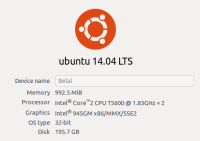
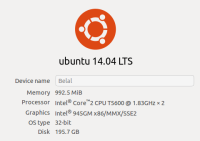
but I have a problem to find it on my PC which
has these specs.:

First,
when I tried to install the UHD from its official page:
http://code.ettus.com/redmine/ettus/projects/uhd/wiki/

using
the first method : Install with Apt

I
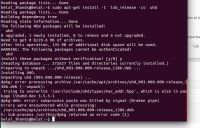
got the following error:

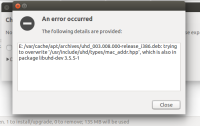
This
is all I got from the terminal when running the three commands listed
in the
website:


belal_3hands@Belal:~$
sudo bash -c 'echo "deb
http://files.ettus.com/binaries/uhd/repo/uhd/ubuntu/lsb_release -cs
lsb_release -cs main" > /etc/apt/sources.list.d/ettus.list'

[sudo] password for
belal_3hands:

belal_3hands@Belal:~$
sudo apt-get update

Ign
http://dl.google.com stable InRelease

Ign
http://archive.canonical.com trusty InRelease

Ign
http://files.ettus.com trusty InRelease

Hit
http://dl.google.com stable Release.gpg

Hit
http://archive.canonical.com trusty Release.gpg

Hit
http://archive.canonical.com trusty Release

Hit
http://dl.google.com stable Release

Ign
http://files.ettus.com trusty Release.gpg

Hit
http://archive.canonical.com trusty/partner Sources

Hit
http://dl.google.com stable/main i386 Packages

Hit
http://archive.canonical.com trusty/partner i386 Packages

Hit
http://files.ettus.com trusty Release

Hit
http://archive.canonical.com trusty/partner Translation-en

Ign
http://files.ettus.com trusty/main i386 Packages/DiffIndex

Ign
http://eg.archive.ubuntu.com trusty InRelease

Ign
http://security.ubuntu.com trusty-security InRelease

Ign
http://extras.ubuntu.com trusty InRelease

Ign
http://ppa.launchpad.net trusty InRelease

Ign
http://eg.archive.ubuntu.com trusty-updates InRelease

Hit
http://security.ubuntu.com trusty-security Release.gpg

Get:1
http://extras.ubuntu.com trusty Release.gpg [72 B]

Ign
http://ppa.launchpad.net trusty InRelease

Ign
http://eg.archive.ubuntu.com trusty-backports InRelease

Hit
http://security.ubuntu.com trusty-security Release

Hit
http://extras.ubuntu.com trusty Release

Ign
http://ppa.launchpad.net trusty InRelease

Hit
http://ppa.launchpad.net trusty Release.gpg

Hit
http://eg.archive.ubuntu.com trusty Release.gpg

Hit
http://extras.ubuntu.com trusty/main Sources

Hit
http://security.ubuntu.com trusty-security/main Sources

Ign
http://dl.google.com stable/main Translation-en_US

Hit
http://ppa.launchpad.net trusty Release.gpg

Get:2
http://eg.archive.ubuntu.com trusty-updates Release.gpg [933 B]

Hit
http://security.ubuntu.com trusty-security/restricted Sources

Ign
http://dl.google.com stable/main Translation-en

Hit
http://ppa.launchpad.net trusty Release.gpg

Hit
http://extras.ubuntu.com trusty/main i386 Packages

Hit
http://eg.archive.ubuntu.com trusty-backports Release.gpg

Hit
http://security.ubuntu.com trusty-security/universe Sources

Hit
http://ppa.launchpad.net trusty Release

Hit
http://eg.archive.ubuntu.com trusty Release

Hit
http://security.ubuntu.com trusty-security/multiverse Sources

Hit
http://ppa.launchpad.net trusty Release

Get:3
http://eg.archive.ubuntu.com trusty-updates Release [62.0 kB]

Hit
http://security.ubuntu.com trusty-security/main i386 Packages

Hit
http://ppa.launchpad.net trusty Release

Hit
http://security.ubuntu.com trusty-security/restricted i386 Packages

Hit
http://ppa.launchpad.net trusty/main i386 Packages

Hit
http://ppa.launchpad.net trusty/main Translation-en

Hit
http://security.ubuntu.com trusty-security/universe i386 Packages

Hit
http://ppa.launchpad.net trusty/main i386 Packages

Hit
http://security.ubuntu.com trusty-security/multiverse i386 Packages

Hit
http://eg.archive.ubuntu.com trusty-backports Release

Hit
http://security.ubuntu.com trusty-security/main Translation-en

Hit
http://eg.archive.ubuntu.com trusty/main Sources

Hit
http://ppa.launchpad.net trusty/main i386 Packages

Ign
http://extras.ubuntu.com trusty/main Translation-en_US

Hit
http://eg.archive.ubuntu.com trusty/restricted Sources

Hit
http://security.ubuntu.com trusty-security/multiverse Translation-en

Ign
http://extras.ubuntu.com trusty/main Translation-en

Hit
http://ppa.launchpad.net trusty/main Translation-en

Hit
http://eg.archive.ubuntu.com trusty/universe Sources

Hit
http://security.ubuntu.com trusty-security/restricted Translation-en

Hit
http://eg.archive.ubuntu.com trusty/multiverse Sources

Hit
http://security.ubuntu.com trusty-security/universe Translation-en

Hit
http://eg.archive.ubuntu.com trusty/main i386 Packages

Hit
http://eg.archive.ubuntu.com trusty/restricted i386 Packages

Hit
http://eg.archive.ubuntu.com trusty/universe i386 Packages

Hit
http://eg.archive.ubuntu.com trusty/multiverse i386 Packages

Ign
http://ppa.launchpad.net trusty/main Translation-en_US

Ign
http://ppa.launchpad.net trusty/main Translation-en

Hit
http://eg.archive.ubuntu.com trusty/main Translation-en

Hit
http://eg.archive.ubuntu.com trusty/multiverse Translation-en

Hit
http://files.ettus.com trusty/main i386 Packages

Hit
http://eg.archive.ubuntu.com trusty/restricted Translation-en

Ign
http://files.ettus.com trusty/main Translation-en_US

Hit
http://eg.archive.ubuntu.com trusty/universe Translation-en

Ign
http://files.ettus.com trusty/main Translation-en

Get:4
http://eg.archive.ubuntu.com trusty-updates/main Sources [181 kB]

Get:5
http://eg.archive.ubuntu.com trusty-updates/restricted Sources [2,061
B]

Get:6
http://eg.archive.ubuntu.com trusty-updates/universe Sources [105 kB]

Get:7
http://eg.archive.ubuntu.com trusty-updates/multiverse Sources [4,463
B]

Get:8
http://eg.archive.ubuntu.com trusty-updates/main i386 Packages [435
kB]

Get:9
http://eg.archive.ubuntu.com trusty-updates/restricted i386 Packages
[8,846 B]

Get:10
http://eg.archive.ubuntu.com trusty-updates/universe i386 Packages
[255 kB]

Get:11
http://eg.archive.ubuntu.com trusty-updates/multiverse i386 Packages
[11.3 kB]

Hit
http://eg.archive.ubuntu.com trusty-updates/main Translation-en

Hit
http://eg.archive.ubuntu.com trusty-updates/multiverse Translation-en

Hit
http://eg.archive.ubuntu.com trusty-updates/restricted Translation-en

Hit
http://eg.archive.ubuntu.com trusty-updates/universe Translation-en

Hit
http://eg.archive.ubuntu.com trusty-backports/main Sources

Hit
http://eg.archive.ubuntu.com trusty-backports/restricted Sources

Hit
http://eg.archive.ubuntu.com trusty-backports/universe Sources

Hit
http://eg.archive.ubuntu.com trusty-backports/multiverse Sources

Hit
http://eg.archive.ubuntu.com trusty-backports/main i386 Packages

Hit
http://eg.archive.ubuntu.com trusty-backports/restricted i386
Packages

Hit
http://eg.archive.ubuntu.com trusty-backports/universe i386 Packages

Hit
http://eg.archive.ubuntu.com trusty-backports/multiverse i386
Packages

Hit
http://eg.archive.ubuntu.com trusty-backports/main Translation-en

Hit
http://eg.archive.ubuntu.com trusty-backports/multiverse
Translation-en

Hit
http://eg.archive.ubuntu.com trusty-backports/restricted
Translation-en

Hit
http://eg.archive.ubuntu.com trusty-backports/universe Translation-en

Ign
http://eg.archive.ubuntu.com trusty/main Translation-en_US

Ign
http://eg.archive.ubuntu.com trusty/multiverse Translation-en_US

Ign
http://eg.archive.ubuntu.com trusty/restricted Translation-en_US

Ign
http://eg.archive.ubuntu.com trusty/universe Translation-en_US

Fetched 1,066 kB in
1min 39s (10.7 kB/s)

Reading package
lists... Done

belal_3hands@Belal:~$
sudo apt-get install -t lsb_release -cs uhd

Reading package
lists... Done

Building dependency
tree

Reading state
information... Done

The following NEW
packages will be installed:

uhd

0 upgraded, 1 newly
installed, 0 to remove and 6 not upgraded.

Need to get 0 B/29.6
MB of archives.

After this
operation, 135 MB of additional disk space will be used.

WARNING: The
following packages cannot be authenticated!

uhd

Install these
packages without verification? [y/N] y

(Reading database
... 272627 files and directories currently installed.)

Preparing to unpack
.../uhd_003.008.000-release_i386.deb ...

Installing UHD.

Unpacking uhd
(003.008.000-release) ...

dpkg: error
processing archive
/var/cache/apt/archives/uhd_003.008.000-release_i386.deb (--unpack):

trying to overwrite
'/usr/include/uhd/types/mac_addr.hpp', which is also in package
libuhd-dev 3.5.5-1

dpkg-deb: error:
subprocess paste was killed by signal (Broken pipe)

Errors were
encountered while processing:

/var/cache/apt/archives/uhd_003.008.000-release_i386.deb

E: Sub-process
/usr/bin/dpkg returned an error code (1)

belal_3hands@Belal:~$


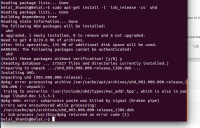
Second,
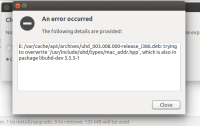
when I tried to install the UHD package using the Synaptic package
manager I got also the following error:

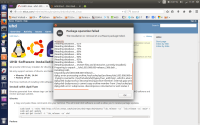
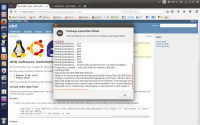
Lastly,
I tried to install it using the Ubuntu Software Center after I
downloaded an UHD package from the source ( the package is:
uhd_003.008.002-release_Ubuntu-14.04-i686), also I got the following
error:

After
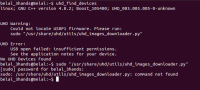
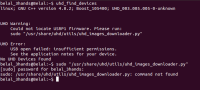
I had got these errors, I connected the USRP 1 to the PC and I tried
to find it, but I got the following message:

This
is the text above if you need
it:


belal_3hands@Belal:~$
uhd_find_devices
linux; GNU C++
version 4.8.2; Boost_105400; UHD_003.005.005-0-unknown

UHD Warning:
Could not locate
USRP1 firmware. Please run:
sudo
"/usr/share/uhd/utils/uhd_images_downloader.py"

UHD Error:
USB open failed:
insufficient permissions.
See the
application notes for your device.
No UHD Devices Found
belal_3hands@Belal:~$
sudo "/usr/share/uhd/utils/uhd_images_downloader.py"
[sudo] password for
belal_3hands:

sudo:
/usr/share/uhd/utils/uhd_images_downloader.py: command not found
belal_3hands@Belal:~$

Really,
I did my best to find a solution for my problem in a sequential
manner as you listed in the (Reporting
Errors and asking questions)
page, but I couldn't find an understandable solution !!

So,
could you orient me how to find a solution for this problem
please?

I hope that as soon as possible.

Thanks a lot
for your precious time.

:)
Dear All, Iam using ubuntu 14.04 LTS, i've a project to be done using the USRP1 (RFX 900 daughterboard),using GNU Radio Companion 3.7.2.1, but I have a problem to find it on my PC which has these specs.: First, when I tried to install the UHD from its official page: http://code.ettus.com/redmine/ettus/projects/uhd/wiki/ using the first method : Install with Apt I got the following error: This is all I got from the terminal when running the three commands listed in the website: ________________________________________________________________________________ belal_3hands@Belal:~$ sudo bash -c 'echo "deb http://files.ettus.com/binaries/uhd/repo/uhd/ubuntu/`lsb_release -cs` `lsb_release -cs` main" > /etc/apt/sources.list.d/ettus.list' [sudo] password for belal_3hands: belal_3hands@Belal:~$ sudo apt-get update Ign http://dl.google.com stable InRelease Ign http://archive.canonical.com trusty InRelease Ign http://files.ettus.com trusty InRelease Hit http://dl.google.com stable Release.gpg Hit http://archive.canonical.com trusty Release.gpg Hit http://archive.canonical.com trusty Release Hit http://dl.google.com stable Release Ign http://files.ettus.com trusty Release.gpg Hit http://archive.canonical.com trusty/partner Sources Hit http://dl.google.com stable/main i386 Packages Hit http://archive.canonical.com trusty/partner i386 Packages Hit http://files.ettus.com trusty Release Hit http://archive.canonical.com trusty/partner Translation-en Ign http://files.ettus.com trusty/main i386 Packages/DiffIndex Ign http://eg.archive.ubuntu.com trusty InRelease Ign http://security.ubuntu.com trusty-security InRelease Ign http://extras.ubuntu.com trusty InRelease Ign http://ppa.launchpad.net trusty InRelease Ign http://eg.archive.ubuntu.com trusty-updates InRelease Hit http://security.ubuntu.com trusty-security Release.gpg Get:1 http://extras.ubuntu.com trusty Release.gpg [72 B] Ign http://ppa.launchpad.net trusty InRelease Ign http://eg.archive.ubuntu.com trusty-backports InRelease Hit http://security.ubuntu.com trusty-security Release Hit http://extras.ubuntu.com trusty Release Ign http://ppa.launchpad.net trusty InRelease Hit http://ppa.launchpad.net trusty Release.gpg Hit http://eg.archive.ubuntu.com trusty Release.gpg Hit http://extras.ubuntu.com trusty/main Sources Hit http://security.ubuntu.com trusty-security/main Sources Ign http://dl.google.com stable/main Translation-en_US Hit http://ppa.launchpad.net trusty Release.gpg Get:2 http://eg.archive.ubuntu.com trusty-updates Release.gpg [933 B] Hit http://security.ubuntu.com trusty-security/restricted Sources Ign http://dl.google.com stable/main Translation-en Hit http://ppa.launchpad.net trusty Release.gpg Hit http://extras.ubuntu.com trusty/main i386 Packages Hit http://eg.archive.ubuntu.com trusty-backports Release.gpg Hit http://security.ubuntu.com trusty-security/universe Sources Hit http://ppa.launchpad.net trusty Release Hit http://eg.archive.ubuntu.com trusty Release Hit http://security.ubuntu.com trusty-security/multiverse Sources Hit http://ppa.launchpad.net trusty Release Get:3 http://eg.archive.ubuntu.com trusty-updates Release [62.0 kB] Hit http://security.ubuntu.com trusty-security/main i386 Packages Hit http://ppa.launchpad.net trusty Release Hit http://security.ubuntu.com trusty-security/restricted i386 Packages Hit http://ppa.launchpad.net trusty/main i386 Packages Hit http://ppa.launchpad.net trusty/main Translation-en Hit http://security.ubuntu.com trusty-security/universe i386 Packages Hit http://ppa.launchpad.net trusty/main i386 Packages Hit http://security.ubuntu.com trusty-security/multiverse i386 Packages Hit http://eg.archive.ubuntu.com trusty-backports Release Hit http://security.ubuntu.com trusty-security/main Translation-en Hit http://eg.archive.ubuntu.com trusty/main Sources Hit http://ppa.launchpad.net trusty/main i386 Packages Ign http://extras.ubuntu.com trusty/main Translation-en_US Hit http://eg.archive.ubuntu.com trusty/restricted Sources Hit http://security.ubuntu.com trusty-security/multiverse Translation-en Ign http://extras.ubuntu.com trusty/main Translation-en Hit http://ppa.launchpad.net trusty/main Translation-en Hit http://eg.archive.ubuntu.com trusty/universe Sources Hit http://security.ubuntu.com trusty-security/restricted Translation-en Hit http://eg.archive.ubuntu.com trusty/multiverse Sources Hit http://security.ubuntu.com trusty-security/universe Translation-en Hit http://eg.archive.ubuntu.com trusty/main i386 Packages Hit http://eg.archive.ubuntu.com trusty/restricted i386 Packages Hit http://eg.archive.ubuntu.com trusty/universe i386 Packages Hit http://eg.archive.ubuntu.com trusty/multiverse i386 Packages Ign http://ppa.launchpad.net trusty/main Translation-en_US Ign http://ppa.launchpad.net trusty/main Translation-en Hit http://eg.archive.ubuntu.com trusty/main Translation-en Hit http://eg.archive.ubuntu.com trusty/multiverse Translation-en Hit http://files.ettus.com trusty/main i386 Packages Hit http://eg.archive.ubuntu.com trusty/restricted Translation-en Ign http://files.ettus.com trusty/main Translation-en_US Hit http://eg.archive.ubuntu.com trusty/universe Translation-en Ign http://files.ettus.com trusty/main Translation-en Get:4 http://eg.archive.ubuntu.com trusty-updates/main Sources [181 kB] Get:5 http://eg.archive.ubuntu.com trusty-updates/restricted Sources [2,061 B] Get:6 http://eg.archive.ubuntu.com trusty-updates/universe Sources [105 kB] Get:7 http://eg.archive.ubuntu.com trusty-updates/multiverse Sources [4,463 B] Get:8 http://eg.archive.ubuntu.com trusty-updates/main i386 Packages [435 kB] Get:9 http://eg.archive.ubuntu.com trusty-updates/restricted i386 Packages [8,846 B] Get:10 http://eg.archive.ubuntu.com trusty-updates/universe i386 Packages [255 kB] Get:11 http://eg.archive.ubuntu.com trusty-updates/multiverse i386 Packages [11.3 kB] Hit http://eg.archive.ubuntu.com trusty-updates/main Translation-en Hit http://eg.archive.ubuntu.com trusty-updates/multiverse Translation-en Hit http://eg.archive.ubuntu.com trusty-updates/restricted Translation-en Hit http://eg.archive.ubuntu.com trusty-updates/universe Translation-en Hit http://eg.archive.ubuntu.com trusty-backports/main Sources Hit http://eg.archive.ubuntu.com trusty-backports/restricted Sources Hit http://eg.archive.ubuntu.com trusty-backports/universe Sources Hit http://eg.archive.ubuntu.com trusty-backports/multiverse Sources Hit http://eg.archive.ubuntu.com trusty-backports/main i386 Packages Hit http://eg.archive.ubuntu.com trusty-backports/restricted i386 Packages Hit http://eg.archive.ubuntu.com trusty-backports/universe i386 Packages Hit http://eg.archive.ubuntu.com trusty-backports/multiverse i386 Packages Hit http://eg.archive.ubuntu.com trusty-backports/main Translation-en Hit http://eg.archive.ubuntu.com trusty-backports/multiverse Translation-en Hit http://eg.archive.ubuntu.com trusty-backports/restricted Translation-en Hit http://eg.archive.ubuntu.com trusty-backports/universe Translation-en Ign http://eg.archive.ubuntu.com trusty/main Translation-en_US Ign http://eg.archive.ubuntu.com trusty/multiverse Translation-en_US Ign http://eg.archive.ubuntu.com trusty/restricted Translation-en_US Ign http://eg.archive.ubuntu.com trusty/universe Translation-en_US Fetched 1,066 kB in 1min 39s (10.7 kB/s) Reading package lists... Done belal_3hands@Belal:~$ sudo apt-get install -t `lsb_release -cs` uhd Reading package lists... Done Building dependency tree Reading state information... Done The following NEW packages will be installed: uhd 0 upgraded, 1 newly installed, 0 to remove and 6 not upgraded. Need to get 0 B/29.6 MB of archives. After this operation, 135 MB of additional disk space will be used. WARNING: The following packages cannot be authenticated! uhd Install these packages without verification? [y/N] y (Reading database ... 272627 files and directories currently installed.) Preparing to unpack .../uhd_003.008.000-release_i386.deb ... Installing UHD. Unpacking uhd (003.008.000-release) ... dpkg: error processing archive /var/cache/apt/archives/uhd_003.008.000-release_i386.deb (--unpack): trying to overwrite '/usr/include/uhd/types/mac_addr.hpp', which is also in package libuhd-dev 3.5.5-1 dpkg-deb: error: subprocess paste was killed by signal (Broken pipe) Errors were encountered while processing: /var/cache/apt/archives/uhd_003.008.000-release_i386.deb E: Sub-process /usr/bin/dpkg returned an error code (1) belal_3hands@Belal:~$ ______________________________________________________________________________ Second, when I tried to install the UHD package using the Synaptic package manager I got also the following error: Lastly, I tried to install it using the Ubuntu Software Center after I downloaded an UHD package from the source ( the package is: uhd_003.008.002-release_Ubuntu-14.04-i686), also I got the following error: After I had got these errors, I connected the USRP 1 to the PC and I tried to find it, but I got the following message: This is the text above if you need it: _____________________________________________________________________________ belal_3hands@Belal:~$ uhd_find_devices linux; GNU C++ version 4.8.2; Boost_105400; UHD_003.005.005-0-unknown UHD Warning: Could not locate USRP1 firmware. Please run: sudo "/usr/share/uhd/utils/uhd_images_downloader.py" UHD Error: USB open failed: insufficient permissions. See the application notes for your device. No UHD Devices Found belal_3hands@Belal:~$ sudo "/usr/share/uhd/utils/uhd_images_downloader.py" [sudo] password for belal_3hands: sudo: /usr/share/uhd/utils/uhd_images_downloader.py: command not found belal_3hands@Belal:~$ Really, I did my best to find a solution for my problem in a sequential manner as you listed in the (Reporting Errors and asking questions) page, but I couldn't find an understandable solution !! So, could you orient me how to find a solution for this problem please? I hope that as soon as possible. Thanks a lot for your precious time. :)
M
mleech (at) ripnet.com
Tue, Mar 3, 2015 3:27 PM

The instructions on the Ettus website assume that you don't already have
an installation of UHD and Gnu Radio--this looks like
you already have an (older) installation.

Remove that installation, and try again:

sudo apt-get remove --purge gnuradio gnuradio*

sudo apt-get remove --purge uhd uhd*

THEN do the install from the Ettus repositories as described.

On 2015-03-03 01:54, Belal Essam ElDiwany via USRP-users wrote:

Dear All,

Iam using ubuntu 14.04 LTS, i've a project to be done using the USRP1 (RFX 900 daughterboard),using GNU Radio Companion 3.7.2.1, but I have a problem to find it on my PC which has these specs.:

FIRST, when I tried to install the UHD from its official page: http://code.ettus.com/redmine/ettus/projects/uhd/wiki/ [2]

using the first method : Install with Apt

I got the following error:

This is all I got from the terminal when running the three commands listed in the website:


BELAL_3HANDS@BELAL:~$ SUDO BASH -C 'ECHO "DEB http://files.ettus.com/binaries/uhd/repo/uhd/ubuntu/lsb_release -cs lsb_release -cs main" > /etc/apt/sources.list.d/ettus.list'

[sudo] password for belal_3hands:

BELAL_3HANDS@BELAL:~$ SUDO APT-GET UPDATE

Ign http://dl.google.com stable InRelease

Ign http://archive.canonical.com trusty InRelease

Ign http://files.ettus.com trusty InRelease

Hit http://dl.google.com stable Release.gpg

Hit http://archive.canonical.com trusty Release.gpg

Hit http://archive.canonical.com trusty Release

Hit http://dl.google.com stable Release

Ign http://files.ettus.com trusty Release.gpg

Hit http://archive.canonical.com trusty/partner Sources

Hit http://dl.google.com stable/main i386 Packages

Hit http://archive.canonical.com trusty/partner i386 Packages

Hit http://files.ettus.com trusty Release

Hit http://archive.canonical.com trusty/partner Translation-en

Ign http://files.ettus.com trusty/main i386 Packages/DiffIndex

Ign http://eg.archive.ubuntu.com trusty InRelease

Ign http://security.ubuntu.com trusty-security InRelease

Ign http://extras.ubuntu.com trusty InRelease

Ign http://ppa.launchpad.net trusty InRelease

Ign http://eg.archive.ubuntu.com trusty-updates InRelease

Hit http://security.ubuntu.com trusty-security Release.gpg

Get:1 http://extras.ubuntu.com trusty Release.gpg [72 B]

Ign http://ppa.launchpad.net trusty InRelease

Ign http://eg.archive.ubuntu.com trusty-backports InRelease

Hit http://security.ubuntu.com trusty-security Release

Hit http://extras.ubuntu.com trusty Release

Ign http://ppa.launchpad.net trusty InRelease

Hit http://ppa.launchpad.net trusty Release.gpg

Hit http://eg.archive.ubuntu.com trusty Release.gpg

Hit http://extras.ubuntu.com trusty/main Sources

Hit http://security.ubuntu.com trusty-security/main Sources

Ign http://dl.google.com stable/main Translation-en_US

Hit http://ppa.launchpad.net trusty Release.gpg

Get:2 http://eg.archive.ubuntu.com trusty-updates Release.gpg [933 B]

Hit http://security.ubuntu.com trusty-security/restricted Sources

Ign http://dl.google.com stable/main Translation-en

Hit http://ppa.launchpad.net trusty Release.gpg

Hit http://extras.ubuntu.com trusty/main i386 Packages

Hit http://eg.archive.ubuntu.com trusty-backports Release.gpg

Hit http://security.ubuntu.com trusty-security/universe Sources

Hit http://ppa.launchpad.net trusty Release

Hit http://eg.archive.ubuntu.com trusty Release

Hit http://security.ubuntu.com trusty-security/multiverse Sources

Hit http://ppa.launchpad.net trusty Release

Get:3 http://eg.archive.ubuntu.com trusty-updates Release [62.0 kB]

Hit http://security.ubuntu.com trusty-security/main i386 Packages

Hit http://ppa.launchpad.net trusty Release

Hit http://security.ubuntu.com trusty-security/restricted i386 Packages

Hit http://ppa.launchpad.net trusty/main i386 Packages

Hit http://ppa.launchpad.net trusty/main Translation-en

Hit http://security.ubuntu.com trusty-security/universe i386 Packages

Hit http://ppa.launchpad.net trusty/main i386 Packages

Hit http://security.ubuntu.com trusty-security/multiverse i386 Packages

Hit http://eg.archive.ubuntu.com trusty-backports Release

Hit http://security.ubuntu.com trusty-security/main Translation-en

Hit http://eg.archive.ubuntu.com trusty/main Sources

Hit http://ppa.launchpad.net trusty/main i386 Packages

Ign http://extras.ubuntu.com trusty/main Translation-en_US

Hit http://eg.archive.ubuntu.com trusty/restricted Sources

Hit http://security.ubuntu.com trusty-security/multiverse Translation-en

Ign http://extras.ubuntu.com trusty/main Translation-en

Hit http://ppa.launchpad.net trusty/main Translation-en

Hit http://eg.archive.ubuntu.com trusty/universe Sources

Hit http://security.ubuntu.com trusty-security/restricted Translation-en

Hit http://eg.archive.ubuntu.com trusty/multiverse Sources

Hit http://security.ubuntu.com trusty-security/universe Translation-en

Hit http://eg.archive.ubuntu.com trusty/main i386 Packages

Hit http://eg.archive.ubuntu.com trusty/restricted i386 Packages

Hit http://eg.archive.ubuntu.com trusty/universe i386 Packages

Hit http://eg.archive.ubuntu.com trusty/multiverse i386 Packages

Ign http://ppa.launchpad.net trusty/main Translation-en_US

Ign http://ppa.launchpad.net trusty/main Translation-en

Hit http://eg.archive.ubuntu.com trusty/main Translation-en

Hit http://eg.archive.ubuntu.com trusty/multiverse Translation-en

Hit http://files.ettus.com trusty/main i386 Packages

Hit http://eg.archive.ubuntu.com trusty/restricted Translation-en

Ign http://files.ettus.com trusty/main Translation-en_US

Hit http://eg.archive.ubuntu.com trusty/universe Translation-en

Ign http://files.ettus.com trusty/main Translation-en

Get:4 http://eg.archive.ubuntu.com trusty-updates/main Sources [181 kB]

Get:5 http://eg.archive.ubuntu.com trusty-updates/restricted Sources [2,061 B]

Get:6 http://eg.archive.ubuntu.com trusty-updates/universe Sources [105 kB]

Get:7 http://eg.archive.ubuntu.com trusty-updates/multiverse Sources [4,463 B]

Get:8 http://eg.archive.ubuntu.com trusty-updates/main i386 Packages [435 kB]

Get:9 http://eg.archive.ubuntu.com trusty-updates/restricted i386 Packages [8,846 B]

Get:10 http://eg.archive.ubuntu.com trusty-updates/universe i386 Packages [255 kB]

Get:11 http://eg.archive.ubuntu.com trusty-updates/multiverse i386 Packages [11.3 kB]

Hit http://eg.archive.ubuntu.com trusty-updates/main Translation-en

Hit http://eg.archive.ubuntu.com trusty-updates/multiverse Translation-en

Hit http://eg.archive.ubuntu.com trusty-updates/restricted Translation-en

Hit http://eg.archive.ubuntu.com trusty-updates/universe Translation-en

Hit http://eg.archive.ubuntu.com trusty-backports/main Sources

Hit http://eg.archive.ubuntu.com trusty-backports/restricted Sources

Hit http://eg.archive.ubuntu.com trusty-backports/universe Sources

Hit http://eg.archive.ubuntu.com trusty-backports/multiverse Sources

Hit http://eg.archive.ubuntu.com trusty-backports/main i386 Packages

Hit http://eg.archive.ubuntu.com trusty-backports/restricted i386 Packages

Hit http://eg.archive.ubuntu.com trusty-backports/universe i386 Packages

Hit http://eg.archive.ubuntu.com trusty-backports/multiverse i386 Packages

Hit http://eg.archive.ubuntu.com trusty-backports/main Translation-en

Hit http://eg.archive.ubuntu.com trusty-backports/multiverse Translation-en

Hit http://eg.archive.ubuntu.com trusty-backports/restricted Translation-en

Hit http://eg.archive.ubuntu.com trusty-backports/universe Translation-en

Ign http://eg.archive.ubuntu.com trusty/main Translation-en_US

Ign http://eg.archive.ubuntu.com trusty/multiverse Translation-en_US

Ign http://eg.archive.ubuntu.com trusty/restricted Translation-en_US

Ign http://eg.archive.ubuntu.com trusty/universe Translation-en_US

Fetched 1,066 kB in 1min 39s (10.7 kB/s)

Reading package lists... Done

BELAL_3HANDS@BELAL:~$ SUDO APT-GET INSTALL -T LSB_RELEASE -CS UHD

Reading package lists... Done

Building dependency tree

Reading state information... Done

The following NEW packages will be installed:

uhd

0 upgraded, 1 newly installed, 0 to remove and 6 not upgraded.

Need to get 0 B/29.6 MB of archives.

After this operation, 135 MB of additional disk space will be used.

WARNING: The following packages cannot be authenticated!

uhd

Install these packages without verification? [y/N] y

(Reading database ... 272627 files and directories currently installed.)

Preparing to unpack .../uhd_003.008.000-release_i386.deb ...

Installing UHD.

Unpacking uhd (003.008.000-release) ...

dpkg: error processing archive /var/cache/apt/archives/uhd_003.008.000-release_i386.deb (--unpack):

trying to overwrite '/usr/include/uhd/types/mac_addr.hpp', which is also in package libuhd-dev 3.5.5-1

dpkg-deb: error: subprocess paste was killed by signal (Broken pipe)

Errors were encountered while processing:

/var/cache/apt/archives/uhd_003.008.000-release_i386.deb

E: Sub-process /usr/bin/dpkg returned an error code (1)

BELAL_3HANDS@BELAL:~$


SECOND, when I tried to install the UHD package using the Synaptic package manager I got also the following error:

LASTLY, I tried to install it using the Ubuntu Software Center after I downloaded an UHD package from the source ( the package is: uhd_003.008.002-release_Ubuntu-14.04-i686), also I got the following error:

After I had got these errors, I connected the USRP 1 to the PC and I tried to find it, but I got the following message:

This is the text above if you need it:


BELAL_3HANDS@BELAL:~$ UHD_FIND_DEVICES

linux; GNU C++ version 4.8.2; Boost_105400; UHD_003.005.005-0-unknown

UHD Warning:

Could not locate USRP1 firmware. Please run:

sudo "/usr/share/uhd/utils/uhd_images_downloader.py"

UHD Error:

USB open failed: insufficient permissions.

See the application notes for your device.

No UHD Devices Found

BELAL_3HANDS@BELAL:~$ SUDO "/USR/SHARE/UHD/UTILS/UHD_IMAGES_DOWNLOADER.PY"

[sudo] password for belal_3hands:

sudo: /usr/share/uhd/utils/uhd_images_downloader.py: command not found

BELAL_3HANDS@BELAL:~$

Really, I did my best to find a solution for my problem in a sequential manner as you listed in the (Reporting Errors and asking questions) page, but I couldn't find an understandable solution !!

So, could you orient me how to find a solution for this problem please?

I hope that as soon as possible.

Thanks a lot for your precious time.

:)

USRP-users mailing list
USRP-users@lists.ettus.com
http://lists.ettus.com/mailman/listinfo/usrp-users_lists.ettus.com [1]
The instructions on the Ettus website assume that you don't already have an installation of UHD and Gnu Radio--this looks like you already have an (older) installation. Remove that installation, and try again: sudo apt-get remove --purge gnuradio gnuradio* sudo apt-get remove --purge uhd uhd* THEN do the install from the Ettus repositories as described. On 2015-03-03 01:54, Belal Essam ElDiwany via USRP-users wrote: > Dear All, > > Iam using ubuntu 14.04 LTS, i've a project to be done using the USRP1 (RFX 900 daughterboard),using GNU Radio Companion 3.7.2.1, but I have a problem to find it on my PC which has these specs.: > > FIRST, when I tried to install the UHD from its official page: http://code.ettus.com/redmine/ettus/projects/uhd/wiki/ [2] > > using the first method : Install with Apt > > I got the following error: > > This is all I got from the terminal when running the three commands listed in the website: > > ________________________________________________________________________________ > > BELAL_3HANDS@BELAL:~$ SUDO BASH -C 'ECHO "DEB http://files.ettus.com/binaries/uhd/repo/uhd/ubuntu/`lsb_release -cs` `lsb_release -cs` main" > /etc/apt/sources.list.d/ettus.list' > > [sudo] password for belal_3hands: > > BELAL_3HANDS@BELAL:~$ SUDO APT-GET UPDATE > > Ign http://dl.google.com stable InRelease > > Ign http://archive.canonical.com trusty InRelease > > Ign http://files.ettus.com trusty InRelease > > Hit http://dl.google.com stable Release.gpg > > Hit http://archive.canonical.com trusty Release.gpg > > Hit http://archive.canonical.com trusty Release > > Hit http://dl.google.com stable Release > > Ign http://files.ettus.com trusty Release.gpg > > Hit http://archive.canonical.com trusty/partner Sources > > Hit http://dl.google.com stable/main i386 Packages > > Hit http://archive.canonical.com trusty/partner i386 Packages > > Hit http://files.ettus.com trusty Release > > Hit http://archive.canonical.com trusty/partner Translation-en > > Ign http://files.ettus.com trusty/main i386 Packages/DiffIndex > > Ign http://eg.archive.ubuntu.com trusty InRelease > > Ign http://security.ubuntu.com trusty-security InRelease > > Ign http://extras.ubuntu.com trusty InRelease > > Ign http://ppa.launchpad.net trusty InRelease > > Ign http://eg.archive.ubuntu.com trusty-updates InRelease > > Hit http://security.ubuntu.com trusty-security Release.gpg > > Get:1 http://extras.ubuntu.com trusty Release.gpg [72 B] > > Ign http://ppa.launchpad.net trusty InRelease > > Ign http://eg.archive.ubuntu.com trusty-backports InRelease > > Hit http://security.ubuntu.com trusty-security Release > > Hit http://extras.ubuntu.com trusty Release > > Ign http://ppa.launchpad.net trusty InRelease > > Hit http://ppa.launchpad.net trusty Release.gpg > > Hit http://eg.archive.ubuntu.com trusty Release.gpg > > Hit http://extras.ubuntu.com trusty/main Sources > > Hit http://security.ubuntu.com trusty-security/main Sources > > Ign http://dl.google.com stable/main Translation-en_US > > Hit http://ppa.launchpad.net trusty Release.gpg > > Get:2 http://eg.archive.ubuntu.com trusty-updates Release.gpg [933 B] > > Hit http://security.ubuntu.com trusty-security/restricted Sources > > Ign http://dl.google.com stable/main Translation-en > > Hit http://ppa.launchpad.net trusty Release.gpg > > Hit http://extras.ubuntu.com trusty/main i386 Packages > > Hit http://eg.archive.ubuntu.com trusty-backports Release.gpg > > Hit http://security.ubuntu.com trusty-security/universe Sources > > Hit http://ppa.launchpad.net trusty Release > > Hit http://eg.archive.ubuntu.com trusty Release > > Hit http://security.ubuntu.com trusty-security/multiverse Sources > > Hit http://ppa.launchpad.net trusty Release > > Get:3 http://eg.archive.ubuntu.com trusty-updates Release [62.0 kB] > > Hit http://security.ubuntu.com trusty-security/main i386 Packages > > Hit http://ppa.launchpad.net trusty Release > > Hit http://security.ubuntu.com trusty-security/restricted i386 Packages > > Hit http://ppa.launchpad.net trusty/main i386 Packages > > Hit http://ppa.launchpad.net trusty/main Translation-en > > Hit http://security.ubuntu.com trusty-security/universe i386 Packages > > Hit http://ppa.launchpad.net trusty/main i386 Packages > > Hit http://security.ubuntu.com trusty-security/multiverse i386 Packages > > Hit http://eg.archive.ubuntu.com trusty-backports Release > > Hit http://security.ubuntu.com trusty-security/main Translation-en > > Hit http://eg.archive.ubuntu.com trusty/main Sources > > Hit http://ppa.launchpad.net trusty/main i386 Packages > > Ign http://extras.ubuntu.com trusty/main Translation-en_US > > Hit http://eg.archive.ubuntu.com trusty/restricted Sources > > Hit http://security.ubuntu.com trusty-security/multiverse Translation-en > > Ign http://extras.ubuntu.com trusty/main Translation-en > > Hit http://ppa.launchpad.net trusty/main Translation-en > > Hit http://eg.archive.ubuntu.com trusty/universe Sources > > Hit http://security.ubuntu.com trusty-security/restricted Translation-en > > Hit http://eg.archive.ubuntu.com trusty/multiverse Sources > > Hit http://security.ubuntu.com trusty-security/universe Translation-en > > Hit http://eg.archive.ubuntu.com trusty/main i386 Packages > > Hit http://eg.archive.ubuntu.com trusty/restricted i386 Packages > > Hit http://eg.archive.ubuntu.com trusty/universe i386 Packages > > Hit http://eg.archive.ubuntu.com trusty/multiverse i386 Packages > > Ign http://ppa.launchpad.net trusty/main Translation-en_US > > Ign http://ppa.launchpad.net trusty/main Translation-en > > Hit http://eg.archive.ubuntu.com trusty/main Translation-en > > Hit http://eg.archive.ubuntu.com trusty/multiverse Translation-en > > Hit http://files.ettus.com trusty/main i386 Packages > > Hit http://eg.archive.ubuntu.com trusty/restricted Translation-en > > Ign http://files.ettus.com trusty/main Translation-en_US > > Hit http://eg.archive.ubuntu.com trusty/universe Translation-en > > Ign http://files.ettus.com trusty/main Translation-en > > Get:4 http://eg.archive.ubuntu.com trusty-updates/main Sources [181 kB] > > Get:5 http://eg.archive.ubuntu.com trusty-updates/restricted Sources [2,061 B] > > Get:6 http://eg.archive.ubuntu.com trusty-updates/universe Sources [105 kB] > > Get:7 http://eg.archive.ubuntu.com trusty-updates/multiverse Sources [4,463 B] > > Get:8 http://eg.archive.ubuntu.com trusty-updates/main i386 Packages [435 kB] > > Get:9 http://eg.archive.ubuntu.com trusty-updates/restricted i386 Packages [8,846 B] > > Get:10 http://eg.archive.ubuntu.com trusty-updates/universe i386 Packages [255 kB] > > Get:11 http://eg.archive.ubuntu.com trusty-updates/multiverse i386 Packages [11.3 kB] > > Hit http://eg.archive.ubuntu.com trusty-updates/main Translation-en > > Hit http://eg.archive.ubuntu.com trusty-updates/multiverse Translation-en > > Hit http://eg.archive.ubuntu.com trusty-updates/restricted Translation-en > > Hit http://eg.archive.ubuntu.com trusty-updates/universe Translation-en > > Hit http://eg.archive.ubuntu.com trusty-backports/main Sources > > Hit http://eg.archive.ubuntu.com trusty-backports/restricted Sources > > Hit http://eg.archive.ubuntu.com trusty-backports/universe Sources > > Hit http://eg.archive.ubuntu.com trusty-backports/multiverse Sources > > Hit http://eg.archive.ubuntu.com trusty-backports/main i386 Packages > > Hit http://eg.archive.ubuntu.com trusty-backports/restricted i386 Packages > > Hit http://eg.archive.ubuntu.com trusty-backports/universe i386 Packages > > Hit http://eg.archive.ubuntu.com trusty-backports/multiverse i386 Packages > > Hit http://eg.archive.ubuntu.com trusty-backports/main Translation-en > > Hit http://eg.archive.ubuntu.com trusty-backports/multiverse Translation-en > > Hit http://eg.archive.ubuntu.com trusty-backports/restricted Translation-en > > Hit http://eg.archive.ubuntu.com trusty-backports/universe Translation-en > > Ign http://eg.archive.ubuntu.com trusty/main Translation-en_US > > Ign http://eg.archive.ubuntu.com trusty/multiverse Translation-en_US > > Ign http://eg.archive.ubuntu.com trusty/restricted Translation-en_US > > Ign http://eg.archive.ubuntu.com trusty/universe Translation-en_US > > Fetched 1,066 kB in 1min 39s (10.7 kB/s) > > Reading package lists... Done > > BELAL_3HANDS@BELAL:~$ SUDO APT-GET INSTALL -T `LSB_RELEASE -CS` UHD > > Reading package lists... Done > > Building dependency tree > > Reading state information... Done > > The following NEW packages will be installed: > > uhd > > 0 upgraded, 1 newly installed, 0 to remove and 6 not upgraded. > > Need to get 0 B/29.6 MB of archives. > > After this operation, 135 MB of additional disk space will be used. > > WARNING: The following packages cannot be authenticated! > > uhd > > Install these packages without verification? [y/N] y > > (Reading database ... 272627 files and directories currently installed.) > > Preparing to unpack .../uhd_003.008.000-release_i386.deb ... > > Installing UHD. > > Unpacking uhd (003.008.000-release) ... > > dpkg: error processing archive /var/cache/apt/archives/uhd_003.008.000-release_i386.deb (--unpack): > > trying to overwrite '/usr/include/uhd/types/mac_addr.hpp', which is also in package libuhd-dev 3.5.5-1 > > dpkg-deb: error: subprocess paste was killed by signal (Broken pipe) > > Errors were encountered while processing: > > /var/cache/apt/archives/uhd_003.008.000-release_i386.deb > > E: Sub-process /usr/bin/dpkg returned an error code (1) > > BELAL_3HANDS@BELAL:~$ > > ______________________________________________________________________________ > > SECOND, when I tried to install the UHD package using the Synaptic package manager I got also the following error: > > LASTLY, I tried to install it using the Ubuntu Software Center after I downloaded an UHD package from the source ( the package is: uhd_003.008.002-release_Ubuntu-14.04-i686), also I got the following error: > > After I had got these errors, I connected the USRP 1 to the PC and I tried to find it, but I got the following message: > > This is the text above if you need it: > _____________________________________________________________________________ > BELAL_3HANDS@BELAL:~$ UHD_FIND_DEVICES > > linux; GNU C++ version 4.8.2; Boost_105400; UHD_003.005.005-0-unknown > > UHD Warning: > > Could not locate USRP1 firmware. Please run: > > sudo "/usr/share/uhd/utils/uhd_images_downloader.py" > > UHD Error: > > USB open failed: insufficient permissions. > > See the application notes for your device. > > No UHD Devices Found > > BELAL_3HANDS@BELAL:~$ SUDO "/USR/SHARE/UHD/UTILS/UHD_IMAGES_DOWNLOADER.PY" > > [sudo] password for belal_3hands: > > sudo: /usr/share/uhd/utils/uhd_images_downloader.py: command not found > > BELAL_3HANDS@BELAL:~$ > > Really, I did my best to find a solution for my problem in a sequential manner as you listed in the (Reporting Errors and asking questions) page, but I couldn't find an understandable solution !! > > So, could you orient me how to find a solution for this problem please? > > I hope that as soon as possible. > > Thanks a lot for your precious time. > > :) > > _______________________________________________ > USRP-users mailing list > USRP-users@lists.ettus.com > http://lists.ettus.com/mailman/listinfo/usrp-users_lists.ettus.com [1] Links: ------ [1] http://lists.ettus.com/mailman/listinfo/usrp-users_lists.ettus.com [2] http://code.ettus.com/redmine/ettus/projects/uhd/wiki/