
MK
Matheou, Konstantin J. (GRC-LCI0)[ZIN TECHNOLOGIES INC]
Fri, Aug 4, 2017 2:06 PM
Nate,
I think I know what the issue is…
Unfortunately, I have tried so many permutations of fixes, I think I never updated the E310’s IP address..
I hooked up the serial way and wanted to double check if I updated the E310’s IP address…
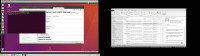
When I tried to get to the following directory, as directed by the website page, I received permission denied…
What is the issue?
Thanks
[cid:image002.jpg@01D30D09.63869EF0]
From: Matheou, Konstantin J. (GRC-LCI0)[ZIN TECHNOLOGIES INC]
Sent: Friday, August 04, 2017 9:07 AM
To: 'Nate Temple' nate.temple@ettus.com
Cc: Philip Balister philip@balister.org; usrp-users@lists.ettus.com
Subject: RE: [USRP-users] When ssh'ing Getting prompt for Password Issue
Nate,
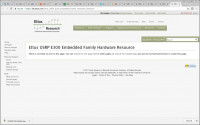
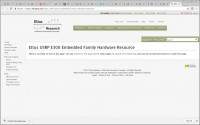
I went to start to redo the SD card and the 3rd link gave no instructions. Here is the screen shot.
Btw, I received a second SD card with the purchase of the E310. I plugged that in and it did not work.
Are you sure I need to redo the card? Or is there an SSH setup on the E310 I may need to do?
Thanks
[cid:image003.jpg@01D30D09.63869EF0]
-----Original Message-----
From: Nate Temple [mailto:nate.temple@ettus.com]
Sent: Thursday, August 03, 2017 3:24 PM
To: Matheou, Konstantin J. (GRC-LCI0)[ZIN TECHNOLOGIES INC] <konstantin.j.matheou@nasa.govmailto:konstantin.j.matheou@nasa.gov>
Cc: Philip Balister <philip@balister.orgmailto:philip@balister.org>; usrp-users@lists.ettus.commailto:usrp-users@lists.ettus.com
Subject: Re: [USRP-users] When ssh'ing Getting prompt for Password Issue
Hi Konstantin,
Yes, I suspect there may be an issue with a configuration or change to the SSH configs on your current image. Starting with a fresh release-4 image should resolve the issue.
Regards,
Nate Temple
Nate, Thanks for all the info..
I just want to refresh your memory that I was able to connect via serial port... Only root was needed and no password was needed... so that worked fine.. because this is how I altered the IP address of the E310.
So with that stated, should I just jump t refreshing the SD card - step 2?
-----Original Message-----
Sent: Thursday, August 03, 2017 3:14 PM
To: Matheou, Konstantin J. (GRC-LCI0)[ZIN TECHNOLOGIES INC]
Subject: Re: [USRP-users] When ssh'ing Getting prompt for Password
You can try connecting via the Serial port [1]. I would suggest to first try undoing any changes you have made to the ssh_config. By default it will not require any passwords.
If that is not successful, I would suggest downloading a fresh release-4 image from [2] and writing it to the SD Card. The SD Card section [3] of the Ettus KB will detail which image you need based on your device serial number.
uides#Serial_Console_Connectivity [2] -
OK.. I did it your way and I am connecting via ping your way now too....
Bu again, when I do the ssh command, it is asking for a password.
So, I am getting the samething as I was before...
Does ssh have to be setup on the E310???
Is there a way to check/reset the password on the E310?
-----Original Message-----
Sent: Thursday, August 03, 2017 2:54 PM
To: Matheou, Konstantin J. (GRC-LCI0)[ZIN TECHNOLOGIES INC]
Subject: Re: [USRP-users] When ssh'ing Getting prompt for Password
After setting the NIC to be Bridged for the VM from VirtualBox, you need to start the VM, then within the System Settings -> Network of the VM, manually set the NIC to have a static IP address.
The Software does not allow me to do that.. Here is a screen shot..
This is all that it offers…
-----Original Message-----
Sent: Thursday, August 03, 2017 2:48 PM
To: Matheou, Konstantin J. (GRC-LCI0)[ZIN TECHNOLOGIES INC]
Subject: Re: [USRP-users] When ssh'ing Getting prompt for Password
When operating in bridged mode, did you manually set the (static) IP address within your VM?
As soon I put it into bridged mode, nothing works.. What I mean is that I am not able to communicate/ping to the E310 that way.
It may work maybe for other VM software, but again, I am using Oracle VirtualBox.
-----Original Message-----
Sent: Thursday, August 03, 2017 1:37 PM
Cc: Matheou, Konstantin J. (GRC-LCI0)[ZIN TECHNOLOGIES INC]
Subject: Re: [USRP-users] When ssh'ing Getting prompt for Password
You may want to try putting your VM into a Bridge Network mode. There may be an issue with the NAT routing. If operating in Bridged mode, ensure your Host, VM and E3xx all have different IP addresses.
On 08/03/2017 11:07 AM, Matheou, Konstantin J. (GRC-LCI0)[ZIN
TECHNOLOGIES INC] via USRP-users wrote:
I have the E310 hooked up with an Ethernet wire, and I can ping from my Linux Ubuntu Virtual machine (created by Oracle VirtualBox software).
But when I try to SSH, I did get access denied.. until I added a VM rule for port 22 in Network Settings of the VM.
But now I get the password message in the Linux terminal to place a password. As we know, the password is empty per the instructions on the website.
Did you hit return to see if it gave you a prompt?
So I went into ssh_config file in Linux at ect/ssh and altered a
line that allows for no passwords... This is the site..
But I am still not getting past the password login.
Is there any other advice you can give me?
Nate,
I think I know what the issue is…
Unfortunately, I have tried so many permutations of fixes, I think I never updated the E310’s IP address..
I hooked up the serial way and wanted to double check if I updated the E310’s IP address…
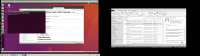
When I tried to get to the following directory, as directed by the website page, I received permission denied…
What is the issue?
Thanks
[cid:image002.jpg@01D30D09.63869EF0]
From: Matheou, Konstantin J. (GRC-LCI0)[ZIN TECHNOLOGIES INC]
Sent: Friday, August 04, 2017 9:07 AM
To: 'Nate Temple' <nate.temple@ettus.com>
Cc: Philip Balister <philip@balister.org>; usrp-users@lists.ettus.com
Subject: RE: [USRP-users] When ssh'ing Getting prompt for Password Issue
Nate,
I went to start to redo the SD card and the 3rd link gave no instructions. Here is the screen shot.
Btw, I received a second SD card with the purchase of the E310. I plugged that in and it did not work.
Are you sure I need to redo the card? Or is there an SSH setup on the E310 I may need to do?
Thanks
[cid:image003.jpg@01D30D09.63869EF0]
-----Original Message-----
From: Nate Temple [mailto:nate.temple@ettus.com]
Sent: Thursday, August 03, 2017 3:24 PM
To: Matheou, Konstantin J. (GRC-LCI0)[ZIN TECHNOLOGIES INC] <konstantin.j.matheou@nasa.gov<mailto:konstantin.j.matheou@nasa.gov>>
Cc: Philip Balister <philip@balister.org<mailto:philip@balister.org>>; usrp-users@lists.ettus.com<mailto:usrp-users@lists.ettus.com>
Subject: Re: [USRP-users] When ssh'ing Getting prompt for Password Issue
Hi Konstantin,
Yes, I suspect there may be an issue with a configuration or change to the SSH configs on your current image. Starting with a fresh release-4 image should resolve the issue.
Regards,
Nate Temple
> On Aug 3, 2017, at 12:17 PM, Matheou, Konstantin J. (GRC-LCI0)[ZIN TECHNOLOGIES INC] <konstantin.j.matheou@nasa.gov<mailto:konstantin.j.matheou@nasa.gov>> wrote:
>
> Nate, Thanks for all the info..
>
> I just want to refresh your memory that I was able to connect via serial port... Only root was needed and no password was needed... so that worked fine.. because this is how I altered the IP address of the E310.
>
> So with that stated, should I just jump t refreshing the SD card - step 2?
>
> -----Original Message-----
> From: Nate Temple [mailto:nate.temple@ettus.com]
> Sent: Thursday, August 03, 2017 3:14 PM
> To: Matheou, Konstantin J. (GRC-LCI0)[ZIN TECHNOLOGIES INC]
> <konstantin.j.matheou@nasa.gov<mailto:konstantin.j.matheou@nasa.gov>>
> Cc: Philip Balister <philip@balister.org<mailto:philip@balister.org>>; usrp-users@lists.ettus.com<mailto:usrp-users@lists.ettus.com>
> Subject: Re: [USRP-users] When ssh'ing Getting prompt for Password
> Issue
>
> Hi Konstantin,
>
> You can try connecting via the Serial port [1]. I would suggest to first try undoing any changes you have made to the ssh_config. By default it will not require any passwords.
>
> If that is not successful, I would suggest downloading a fresh release-4 image from [2] and writing it to the SD Card. The SD Card section [3] of the Ettus KB will detail which image you need based on your device serial number.
>
> [1] -
> https://kb.ettus.com/Ettus_USRP_E300_Embedded_Family_Getting_Started_G
> uides#Serial_Console_Connectivity [2] -
> http://files.ettus.com/e3xx_images/
> [3] -
> https://kb.ettus.com/Ettus_USRP_E300_Embedded_Family_Hardware_Resource
> s#SD_Card_Images
>
> Regards,
> Nate Temple
>
>
>> On Aug 3, 2017, at 12:06 PM, Matheou, Konstantin J. (GRC-LCI0)[ZIN TECHNOLOGIES INC] <konstantin.j.matheou@nasa.gov<mailto:konstantin.j.matheou@nasa.gov>> wrote:
>>
>> OK.. I did it your way and I am connecting via ping your way now too....
>>
>> Bu again, when I do the ssh command, it is asking for a password.
>>
>> So, I am getting the samething as I was before...
>>
>> Does ssh have to be setup on the E310???
>>
>> Is there a way to check/reset the password on the E310?
>>
>> Thanks
>>
>>
>>
>> -----Original Message-----
>> From: Nate Temple [mailto:nate.temple@ettus.com]
>> Sent: Thursday, August 03, 2017 2:54 PM
>> To: Matheou, Konstantin J. (GRC-LCI0)[ZIN TECHNOLOGIES INC]
>> <konstantin.j.matheou@nasa.gov<mailto:konstantin.j.matheou@nasa.gov>>
>> Cc: Philip Balister <philip@balister.org<mailto:philip@balister.org>>; usrp-users@lists.ettus.com<mailto:usrp-users@lists.ettus.com>
>> Subject: Re: [USRP-users] When ssh'ing Getting prompt for Password
>> Issue
>>
>> Hi Konstantin,
>>
>> After setting the NIC to be Bridged for the VM from VirtualBox, you need to start the VM, then within the System Settings -> Network of the VM, manually set the NIC to have a static IP address.
>>
>> Regards,
>> Nate Temple
>>
>>
>>> On Aug 3, 2017, at 11:50 AM, Matheou, Konstantin J. (GRC-LCI0)[ZIN TECHNOLOGIES INC] <konstantin.j.matheou@nasa.gov<mailto:konstantin.j.matheou@nasa.gov>> wrote:
>>>
>>> The Software does not allow me to do that.. Here is a screen shot..
>>> This is all that it offers…
>>>
>>> <image001.png>
>>>
>>> -----Original Message-----
>>> From: Nate Temple [mailto:nate.temple@ettus.com]
>>> Sent: Thursday, August 03, 2017 2:48 PM
>>> To: Matheou, Konstantin J. (GRC-LCI0)[ZIN TECHNOLOGIES INC]
>>> <konstantin.j.matheou@nasa.gov<mailto:konstantin.j.matheou@nasa.gov>>
>>> Cc: Philip Balister <philip@balister.org<mailto:philip@balister.org>>;
>>> usrp-users@lists.ettus.com<mailto:usrp-users@lists.ettus.com>
>>> Subject: Re: [USRP-users] When ssh'ing Getting prompt for Password
>>> Issue
>>>
>>> Hi Konstantin,
>>>
>>> When operating in bridged mode, did you manually set the (static) IP address within your VM?
>>>
>>> Regards,
>>> Nate Temple
>>>
>>>> On Aug 3, 2017, at 11:27 AM, Matheou, Konstantin J. (GRC-LCI0)[ZIN TECHNOLOGIES INC] <konstantin.j.matheou@nasa.gov<mailto:konstantin.j.matheou@nasa.gov>> wrote:
>>>>
>>>> Nate,
>>>>
>>>> As soon I put it into bridged mode, nothing works.. What I mean is that I am not able to communicate/ping to the E310 that way.
>>>>
>>>> It may work maybe for other VM software, but again, I am using Oracle VirtualBox.
>>>>
>>>> Thanks
>>>>
>>>> -----Original Message-----
>>>> From: Nate Temple [mailto:nate.temple@ettus.com]
>>>> Sent: Thursday, August 03, 2017 1:37 PM
>>>> To: Philip Balister <philip@balister.org<mailto:philip@balister.org>>
>>>> Cc: Matheou, Konstantin J. (GRC-LCI0)[ZIN TECHNOLOGIES INC]
>>>> <konstantin.j.matheou@nasa.gov<mailto:konstantin.j.matheou@nasa.gov>>; usrp-users@lists.ettus.com<mailto:usrp-users@lists.ettus.com>
>>>> Subject: Re: [USRP-users] When ssh'ing Getting prompt for Password
>>>> Issue
>>>>
>>>> Hi Konstantin,
>>>>
>>>> You may want to try putting your VM into a Bridge Network mode. There may be an issue with the NAT routing. If operating in Bridged mode, ensure your Host, VM and E3xx all have different IP addresses.
>>>>
>>>> Regards,
>>>> Nate Temple
>>>>
>>>>
>>>>
>>>>> On Aug 3, 2017, at 9:39 AM, Philip Balister via USRP-users <usrp-users@lists.ettus.com<mailto:usrp-users@lists.ettus.com>> wrote:
>>>>>
>>>>> On 08/03/2017 11:07 AM, Matheou, Konstantin J. (GRC-LCI0)[ZIN
>>>>> TECHNOLOGIES INC] via USRP-users wrote:
>>>>>> Hello All,
>>>>>>
>>>>>> I have the E310 hooked up with an Ethernet wire, and I can ping from my Linux Ubuntu Virtual machine (created by Oracle VirtualBox software).
>>>>>>
>>>>>> But when I try to SSH, I did get access denied.. until I added a VM rule for port 22 in Network Settings of the VM.
>>>>>>
>>>>>> But now I get the password message in the Linux terminal to place a password. As we know, the password is empty per the instructions on the website.
>>>>>
>>>>> Did you hit return to see if it gave you a prompt?
>>>>>
>>>>> Philip
>>>>>
>>>>>>
>>>>>> So I went into ssh_config file in Linux at ect/ssh and altered a
>>>>>> line that allows for no passwords... This is the site..
>>>>>> http://developer.toradex.com/knowledge-base/ssh
>>>>>>
>>>>>> But I am still not getting past the password login.
>>>>>>
>>>>>> Is there any other advice you can give me?
>>>>>>
>>>>>> Thanks,
>>>>>>
>>>>>> Konstantin
>>>>>>
>>>>>>
>>>>>>
>>>>>>
>>>>>> _______________________________________________
>>>>>> USRP-users mailing list
>>>>>> USRP-users@lists.ettus.com<mailto:USRP-users@lists.ettus.com>
>>>>>> http://lists.ettus.com/mailman/listinfo/usrp-users_lists.ettus.co
>>>>>> m
>>>>>>
>>>>>
>>>>> _______________________________________________
>>>>> USRP-users mailing list
>>>>> USRP-users@lists.ettus.com<mailto:USRP-users@lists.ettus.com>
>>>>> http://lists.ettus.com/mailman/listinfo/usrp-users_lists.ettus.com
>>>>
>>
>
MK
Matheou, Konstantin J. (GRC-LCI0)[ZIN TECHNOLOGIES INC]
Fri, Aug 4, 2017 2:10 PM
I did the following instructions on the Linux VM, not the E310…. Or did I need to do it to both of them…
Right now, I going to retract the VM interfaces alteration I did.
These are the instructions I am referring to…
https://files.ettus.com/manual/page_usrp_e3x0.html#e3xx_network_configuration
From: Matheou, Konstantin J. (GRC-LCI0)[ZIN TECHNOLOGIES INC]
Sent: Friday, August 04, 2017 10:07 AM
To: 'Nate Temple' nate.temple@ettus.com
Cc: 'Philip Balister' philip@balister.org; 'usrp-users@lists.ettus.com' usrp-users@lists.ettus.com
Subject: RE: [USRP-users] When ssh'ing Getting prompt for Password Issue
Nate,
I think I know what the issue is…
Unfortunately, I have tried so many permutations of fixes, I think I never updated the E310’s IP address..
I hooked up the serial way and wanted to double check if I updated the E310’s IP address…
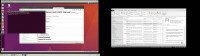
When I tried to get to the following directory, as directed by the website page, I received permission denied…
What is the issue?
Thanks
[cid:image001.jpg@01D30D09.EEDB90F0]
From: Matheou, Konstantin J. (GRC-LCI0)[ZIN TECHNOLOGIES INC]
Sent: Friday, August 04, 2017 9:07 AM
To: 'Nate Temple' <nate.temple@ettus.commailto:nate.temple@ettus.com>
Cc: Philip Balister <philip@balister.orgmailto:philip@balister.org>; usrp-users@lists.ettus.commailto:usrp-users@lists.ettus.com
Subject: RE: [USRP-users] When ssh'ing Getting prompt for Password Issue
Nate,
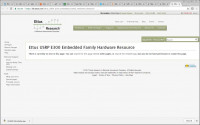
I went to start to redo the SD card and the 3rd link gave no instructions. Here is the screen shot.
Btw, I received a second SD card with the purchase of the E310. I plugged that in and it did not work.
Are you sure I need to redo the card? Or is there an SSH setup on the E310 I may need to do?
Thanks
[cid:image002.jpg@01D30D09.EEDB90F0]
-----Original Message-----
From: Nate Temple [mailto:nate.temple@ettus.com]
Sent: Thursday, August 03, 2017 3:24 PM
To: Matheou, Konstantin J. (GRC-LCI0)[ZIN TECHNOLOGIES INC] <konstantin.j.matheou@nasa.govmailto:konstantin.j.matheou@nasa.gov>
Cc: Philip Balister <philip@balister.orgmailto:philip@balister.org>; usrp-users@lists.ettus.commailto:usrp-users@lists.ettus.com
Subject: Re: [USRP-users] When ssh'ing Getting prompt for Password Issue
Hi Konstantin,
Yes, I suspect there may be an issue with a configuration or change to the SSH configs on your current image. Starting with a fresh release-4 image should resolve the issue.
Regards,
Nate Temple
Nate, Thanks for all the info..
I just want to refresh your memory that I was able to connect via serial port... Only root was needed and no password was needed... so that worked fine.. because this is how I altered the IP address of the E310.
So with that stated, should I just jump t refreshing the SD card - step 2?
-----Original Message-----
Sent: Thursday, August 03, 2017 3:14 PM
To: Matheou, Konstantin J. (GRC-LCI0)[ZIN TECHNOLOGIES INC]
Subject: Re: [USRP-users] When ssh'ing Getting prompt for Password
You can try connecting via the Serial port [1]. I would suggest to first try undoing any changes you have made to the ssh_config. By default it will not require any passwords.
If that is not successful, I would suggest downloading a fresh release-4 image from [2] and writing it to the SD Card. The SD Card section [3] of the Ettus KB will detail which image you need based on your device serial number.
uides#Serial_Console_Connectivity [2] -
OK.. I did it your way and I am connecting via ping your way now too....
Bu again, when I do the ssh command, it is asking for a password.
So, I am getting the samething as I was before...
Does ssh have to be setup on the E310???
Is there a way to check/reset the password on the E310?
-----Original Message-----
Sent: Thursday, August 03, 2017 2:54 PM
To: Matheou, Konstantin J. (GRC-LCI0)[ZIN TECHNOLOGIES INC]
Subject: Re: [USRP-users] When ssh'ing Getting prompt for Password
After setting the NIC to be Bridged for the VM from VirtualBox, you need to start the VM, then within the System Settings -> Network of the VM, manually set the NIC to have a static IP address.
The Software does not allow me to do that.. Here is a screen shot..
This is all that it offers…
-----Original Message-----
Sent: Thursday, August 03, 2017 2:48 PM
To: Matheou, Konstantin J. (GRC-LCI0)[ZIN TECHNOLOGIES INC]
Subject: Re: [USRP-users] When ssh'ing Getting prompt for Password
When operating in bridged mode, did you manually set the (static) IP address within your VM?
As soon I put it into bridged mode, nothing works.. What I mean is that I am not able to communicate/ping to the E310 that way.
It may work maybe for other VM software, but again, I am using Oracle VirtualBox.
-----Original Message-----
Sent: Thursday, August 03, 2017 1:37 PM
Cc: Matheou, Konstantin J. (GRC-LCI0)[ZIN TECHNOLOGIES INC]
Subject: Re: [USRP-users] When ssh'ing Getting prompt for Password
You may want to try putting your VM into a Bridge Network mode. There may be an issue with the NAT routing. If operating in Bridged mode, ensure your Host, VM and E3xx all have different IP addresses.
On 08/03/2017 11:07 AM, Matheou, Konstantin J. (GRC-LCI0)[ZIN
TECHNOLOGIES INC] via USRP-users wrote:
I have the E310 hooked up with an Ethernet wire, and I can ping from my Linux Ubuntu Virtual machine (created by Oracle VirtualBox software).
But when I try to SSH, I did get access denied.. until I added a VM rule for port 22 in Network Settings of the VM.
But now I get the password message in the Linux terminal to place a password. As we know, the password is empty per the instructions on the website.
Did you hit return to see if it gave you a prompt?
So I went into ssh_config file in Linux at ect/ssh and altered a
line that allows for no passwords... This is the site..
But I am still not getting past the password login.
Is there any other advice you can give me?
I did the following instructions on the Linux VM, not the E310…. Or did I need to do it to both of them…
Right now, I going to retract the VM interfaces alteration I did.
These are the instructions I am referring to…
https://files.ettus.com/manual/page_usrp_e3x0.html#e3xx_network_configuration
From: Matheou, Konstantin J. (GRC-LCI0)[ZIN TECHNOLOGIES INC]
Sent: Friday, August 04, 2017 10:07 AM
To: 'Nate Temple' <nate.temple@ettus.com>
Cc: 'Philip Balister' <philip@balister.org>; 'usrp-users@lists.ettus.com' <usrp-users@lists.ettus.com>
Subject: RE: [USRP-users] When ssh'ing Getting prompt for Password Issue
Nate,
I think I know what the issue is…
Unfortunately, I have tried so many permutations of fixes, I think I never updated the E310’s IP address..
I hooked up the serial way and wanted to double check if I updated the E310’s IP address…
When I tried to get to the following directory, as directed by the website page, I received permission denied…
What is the issue?
Thanks
[cid:image001.jpg@01D30D09.EEDB90F0]
From: Matheou, Konstantin J. (GRC-LCI0)[ZIN TECHNOLOGIES INC]
Sent: Friday, August 04, 2017 9:07 AM
To: 'Nate Temple' <nate.temple@ettus.com<mailto:nate.temple@ettus.com>>
Cc: Philip Balister <philip@balister.org<mailto:philip@balister.org>>; usrp-users@lists.ettus.com<mailto:usrp-users@lists.ettus.com>
Subject: RE: [USRP-users] When ssh'ing Getting prompt for Password Issue
Nate,
I went to start to redo the SD card and the 3rd link gave no instructions. Here is the screen shot.
Btw, I received a second SD card with the purchase of the E310. I plugged that in and it did not work.
Are you sure I need to redo the card? Or is there an SSH setup on the E310 I may need to do?
Thanks
[cid:image002.jpg@01D30D09.EEDB90F0]
-----Original Message-----
From: Nate Temple [mailto:nate.temple@ettus.com]
Sent: Thursday, August 03, 2017 3:24 PM
To: Matheou, Konstantin J. (GRC-LCI0)[ZIN TECHNOLOGIES INC] <konstantin.j.matheou@nasa.gov<mailto:konstantin.j.matheou@nasa.gov>>
Cc: Philip Balister <philip@balister.org<mailto:philip@balister.org>>; usrp-users@lists.ettus.com<mailto:usrp-users@lists.ettus.com>
Subject: Re: [USRP-users] When ssh'ing Getting prompt for Password Issue
Hi Konstantin,
Yes, I suspect there may be an issue with a configuration or change to the SSH configs on your current image. Starting with a fresh release-4 image should resolve the issue.
Regards,
Nate Temple
> On Aug 3, 2017, at 12:17 PM, Matheou, Konstantin J. (GRC-LCI0)[ZIN TECHNOLOGIES INC] <konstantin.j.matheou@nasa.gov<mailto:konstantin.j.matheou@nasa.gov>> wrote:
>
> Nate, Thanks for all the info..
>
> I just want to refresh your memory that I was able to connect via serial port... Only root was needed and no password was needed... so that worked fine.. because this is how I altered the IP address of the E310.
>
> So with that stated, should I just jump t refreshing the SD card - step 2?
>
> -----Original Message-----
> From: Nate Temple [mailto:nate.temple@ettus.com]
> Sent: Thursday, August 03, 2017 3:14 PM
> To: Matheou, Konstantin J. (GRC-LCI0)[ZIN TECHNOLOGIES INC]
> <konstantin.j.matheou@nasa.gov<mailto:konstantin.j.matheou@nasa.gov>>
> Cc: Philip Balister <philip@balister.org<mailto:philip@balister.org>>; usrp-users@lists.ettus.com<mailto:usrp-users@lists.ettus.com>
> Subject: Re: [USRP-users] When ssh'ing Getting prompt for Password
> Issue
>
> Hi Konstantin,
>
> You can try connecting via the Serial port [1]. I would suggest to first try undoing any changes you have made to the ssh_config. By default it will not require any passwords.
>
> If that is not successful, I would suggest downloading a fresh release-4 image from [2] and writing it to the SD Card. The SD Card section [3] of the Ettus KB will detail which image you need based on your device serial number.
>
> [1] -
> https://kb.ettus.com/Ettus_USRP_E300_Embedded_Family_Getting_Started_G
> uides#Serial_Console_Connectivity [2] -
> http://files.ettus.com/e3xx_images/
> [3] -
> https://kb.ettus.com/Ettus_USRP_E300_Embedded_Family_Hardware_Resource
> s#SD_Card_Images
>
> Regards,
> Nate Temple
>
>
>> On Aug 3, 2017, at 12:06 PM, Matheou, Konstantin J. (GRC-LCI0)[ZIN TECHNOLOGIES INC] <konstantin.j.matheou@nasa.gov<mailto:konstantin.j.matheou@nasa.gov>> wrote:
>>
>> OK.. I did it your way and I am connecting via ping your way now too....
>>
>> Bu again, when I do the ssh command, it is asking for a password.
>>
>> So, I am getting the samething as I was before...
>>
>> Does ssh have to be setup on the E310???
>>
>> Is there a way to check/reset the password on the E310?
>>
>> Thanks
>>
>>
>>
>> -----Original Message-----
>> From: Nate Temple [mailto:nate.temple@ettus.com]
>> Sent: Thursday, August 03, 2017 2:54 PM
>> To: Matheou, Konstantin J. (GRC-LCI0)[ZIN TECHNOLOGIES INC]
>> <konstantin.j.matheou@nasa.gov<mailto:konstantin.j.matheou@nasa.gov>>
>> Cc: Philip Balister <philip@balister.org<mailto:philip@balister.org>>; usrp-users@lists.ettus.com<mailto:usrp-users@lists.ettus.com>
>> Subject: Re: [USRP-users] When ssh'ing Getting prompt for Password
>> Issue
>>
>> Hi Konstantin,
>>
>> After setting the NIC to be Bridged for the VM from VirtualBox, you need to start the VM, then within the System Settings -> Network of the VM, manually set the NIC to have a static IP address.
>>
>> Regards,
>> Nate Temple
>>
>>
>>> On Aug 3, 2017, at 11:50 AM, Matheou, Konstantin J. (GRC-LCI0)[ZIN TECHNOLOGIES INC] <konstantin.j.matheou@nasa.gov<mailto:konstantin.j.matheou@nasa.gov>> wrote:
>>>
>>> The Software does not allow me to do that.. Here is a screen shot..
>>> This is all that it offers…
>>>
>>> <image001.png>
>>>
>>> -----Original Message-----
>>> From: Nate Temple [mailto:nate.temple@ettus.com]
>>> Sent: Thursday, August 03, 2017 2:48 PM
>>> To: Matheou, Konstantin J. (GRC-LCI0)[ZIN TECHNOLOGIES INC]
>>> <konstantin.j.matheou@nasa.gov<mailto:konstantin.j.matheou@nasa.gov>>
>>> Cc: Philip Balister <philip@balister.org<mailto:philip@balister.org>>;
>>> usrp-users@lists.ettus.com<mailto:usrp-users@lists.ettus.com>
>>> Subject: Re: [USRP-users] When ssh'ing Getting prompt for Password
>>> Issue
>>>
>>> Hi Konstantin,
>>>
>>> When operating in bridged mode, did you manually set the (static) IP address within your VM?
>>>
>>> Regards,
>>> Nate Temple
>>>
>>>> On Aug 3, 2017, at 11:27 AM, Matheou, Konstantin J. (GRC-LCI0)[ZIN TECHNOLOGIES INC] <konstantin.j.matheou@nasa.gov<mailto:konstantin.j.matheou@nasa.gov>> wrote:
>>>>
>>>> Nate,
>>>>
>>>> As soon I put it into bridged mode, nothing works.. What I mean is that I am not able to communicate/ping to the E310 that way.
>>>>
>>>> It may work maybe for other VM software, but again, I am using Oracle VirtualBox.
>>>>
>>>> Thanks
>>>>
>>>> -----Original Message-----
>>>> From: Nate Temple [mailto:nate.temple@ettus.com]
>>>> Sent: Thursday, August 03, 2017 1:37 PM
>>>> To: Philip Balister <philip@balister.org<mailto:philip@balister.org>>
>>>> Cc: Matheou, Konstantin J. (GRC-LCI0)[ZIN TECHNOLOGIES INC]
>>>> <konstantin.j.matheou@nasa.gov<mailto:konstantin.j.matheou@nasa.gov>>; usrp-users@lists.ettus.com<mailto:usrp-users@lists.ettus.com>
>>>> Subject: Re: [USRP-users] When ssh'ing Getting prompt for Password
>>>> Issue
>>>>
>>>> Hi Konstantin,
>>>>
>>>> You may want to try putting your VM into a Bridge Network mode. There may be an issue with the NAT routing. If operating in Bridged mode, ensure your Host, VM and E3xx all have different IP addresses.
>>>>
>>>> Regards,
>>>> Nate Temple
>>>>
>>>>
>>>>
>>>>> On Aug 3, 2017, at 9:39 AM, Philip Balister via USRP-users <usrp-users@lists.ettus.com<mailto:usrp-users@lists.ettus.com>> wrote:
>>>>>
>>>>> On 08/03/2017 11:07 AM, Matheou, Konstantin J. (GRC-LCI0)[ZIN
>>>>> TECHNOLOGIES INC] via USRP-users wrote:
>>>>>> Hello All,
>>>>>>
>>>>>> I have the E310 hooked up with an Ethernet wire, and I can ping from my Linux Ubuntu Virtual machine (created by Oracle VirtualBox software).
>>>>>>
>>>>>> But when I try to SSH, I did get access denied.. until I added a VM rule for port 22 in Network Settings of the VM.
>>>>>>
>>>>>> But now I get the password message in the Linux terminal to place a password. As we know, the password is empty per the instructions on the website.
>>>>>
>>>>> Did you hit return to see if it gave you a prompt?
>>>>>
>>>>> Philip
>>>>>
>>>>>>
>>>>>> So I went into ssh_config file in Linux at ect/ssh and altered a
>>>>>> line that allows for no passwords... This is the site..
>>>>>> http://developer.toradex.com/knowledge-base/ssh
>>>>>>
>>>>>> But I am still not getting past the password login.
>>>>>>
>>>>>> Is there any other advice you can give me?
>>>>>>
>>>>>> Thanks,
>>>>>>
>>>>>> Konstantin
>>>>>>
>>>>>>
>>>>>>
>>>>>>
>>>>>> _______________________________________________
>>>>>> USRP-users mailing list
>>>>>> USRP-users@lists.ettus.com<mailto:USRP-users@lists.ettus.com>
>>>>>> http://lists.ettus.com/mailman/listinfo/usrp-users_lists.ettus.co
>>>>>> m
>>>>>>
>>>>>
>>>>> _______________________________________________
>>>>> USRP-users mailing list
>>>>> USRP-users@lists.ettus.com<mailto:USRP-users@lists.ettus.com>
>>>>> http://lists.ettus.com/mailman/listinfo/usrp-users_lists.ettus.com
>>>>
>>
>
MK
Matheou, Konstantin J. (GRC-LCI0)[ZIN TECHNOLOGIES INC]
Fri, Aug 4, 2017 4:29 PM
Nate,
I am close to returning this unit.
I feel that I am doing everything correctly…
-
I setup the IP static address correctly in the interfaces via the serial cable – proof that I can ping to it from both Linux and Windows
-
I double checked both sshd_config files in E310 and Linux VM OS – both have the permission parameter to have no password for login.
-
VM is in network bridged mode too, as you suggested.
When I hookup the Ethernet, I am able to ping, but when I do the ssh command to login, I am still getting the permission denied.
Please tell me any last items to double check before I return the unit, or if I can get someone on the phone to assist me with this issue.
Thanks,
Konstantin
From: Matheou, Konstantin J. (GRC-LCI0)[ZIN TECHNOLOGIES INC]
Sent: Friday, August 04, 2017 10:11 AM
To: 'Nate Temple' nate.temple@ettus.com
Cc: 'Philip Balister' philip@balister.org; 'usrp-users@lists.ettus.com' usrp-users@lists.ettus.com
Subject: RE: [USRP-users] When ssh'ing Getting prompt for Password Issue
I did the following instructions on the Linux VM, not the E310…. Or did I need to do it to both of them…
Right now, I going to retract the VM interfaces alteration I did.
These are the instructions I am referring to…
https://files.ettus.com/manual/page_usrp_e3x0.html#e3xx_network_configuration
From: Matheou, Konstantin J. (GRC-LCI0)[ZIN TECHNOLOGIES INC]
Sent: Friday, August 04, 2017 10:07 AM
To: 'Nate Temple' <nate.temple@ettus.commailto:nate.temple@ettus.com>
Cc: 'Philip Balister' <philip@balister.orgmailto:philip@balister.org>; 'usrp-users@lists.ettus.com' <usrp-users@lists.ettus.commailto:usrp-users@lists.ettus.com>
Subject: RE: [USRP-users] When ssh'ing Getting prompt for Password Issue
Nate,
I think I know what the issue is…
Unfortunately, I have tried so many permutations of fixes, I think I never updated the E310’s IP address..
I hooked up the serial way and wanted to double check if I updated the E310’s IP address…
When I tried to get to the following directory, as directed by the website page, I received permission denied…
What is the issue?
Thanks
[cid:image001.jpg@01D30D1C.FD158E10]
From: Matheou, Konstantin J. (GRC-LCI0)[ZIN TECHNOLOGIES INC]
Sent: Friday, August 04, 2017 9:07 AM
To: 'Nate Temple' <nate.temple@ettus.commailto:nate.temple@ettus.com>
Cc: Philip Balister <philip@balister.orgmailto:philip@balister.org>; usrp-users@lists.ettus.commailto:usrp-users@lists.ettus.com
Subject: RE: [USRP-users] When ssh'ing Getting prompt for Password Issue
Nate,
I went to start to redo the SD card and the 3rd link gave no instructions. Here is the screen shot.
Btw, I received a second SD card with the purchase of the E310. I plugged that in and it did not work.
Are you sure I need to redo the card? Or is there an SSH setup on the E310 I may need to do?
Thanks
[cid:image002.jpg@01D30D1C.FD158E10]
-----Original Message-----
From: Nate Temple [mailto:nate.temple@ettus.com]
Sent: Thursday, August 03, 2017 3:24 PM
To: Matheou, Konstantin J. (GRC-LCI0)[ZIN TECHNOLOGIES INC] <konstantin.j.matheou@nasa.govmailto:konstantin.j.matheou@nasa.gov>
Cc: Philip Balister <philip@balister.orgmailto:philip@balister.org>; usrp-users@lists.ettus.commailto:usrp-users@lists.ettus.com
Subject: Re: [USRP-users] When ssh'ing Getting prompt for Password Issue
Hi Konstantin,
Yes, I suspect there may be an issue with a configuration or change to the SSH configs on your current image. Starting with a fresh release-4 image should resolve the issue.
Regards,
Nate Temple
Nate, Thanks for all the info..
I just want to refresh your memory that I was able to connect via serial port... Only root was needed and no password was needed... so that worked fine.. because this is how I altered the IP address of the E310.
So with that stated, should I just jump t refreshing the SD card - step 2?
-----Original Message-----
Sent: Thursday, August 03, 2017 3:14 PM
To: Matheou, Konstantin J. (GRC-LCI0)[ZIN TECHNOLOGIES INC]
Subject: Re: [USRP-users] When ssh'ing Getting prompt for Password
You can try connecting via the Serial port [1]. I would suggest to first try undoing any changes you have made to the ssh_config. By default it will not require any passwords.
If that is not successful, I would suggest downloading a fresh release-4 image from [2] and writing it to the SD Card. The SD Card section [3] of the Ettus KB will detail which image you need based on your device serial number.
uides#Serial_Console_Connectivity [2] -
OK.. I did it your way and I am connecting via ping your way now too....
Bu again, when I do the ssh command, it is asking for a password.
So, I am getting the samething as I was before...
Does ssh have to be setup on the E310???
Is there a way to check/reset the password on the E310?
-----Original Message-----
Sent: Thursday, August 03, 2017 2:54 PM
To: Matheou, Konstantin J. (GRC-LCI0)[ZIN TECHNOLOGIES INC]
Subject: Re: [USRP-users] When ssh'ing Getting prompt for Password
After setting the NIC to be Bridged for the VM from VirtualBox, you need to start the VM, then within the System Settings -> Network of the VM, manually set the NIC to have a static IP address.
The Software does not allow me to do that.. Here is a screen shot..
This is all that it offers…
-----Original Message-----
Sent: Thursday, August 03, 2017 2:48 PM
To: Matheou, Konstantin J. (GRC-LCI0)[ZIN TECHNOLOGIES INC]
Subject: Re: [USRP-users] When ssh'ing Getting prompt for Password
When operating in bridged mode, did you manually set the (static) IP address within your VM?
As soon I put it into bridged mode, nothing works.. What I mean is that I am not able to communicate/ping to the E310 that way.
It may work maybe for other VM software, but again, I am using Oracle VirtualBox.
-----Original Message-----
Sent: Thursday, August 03, 2017 1:37 PM
Cc: Matheou, Konstantin J. (GRC-LCI0)[ZIN TECHNOLOGIES INC]
Subject: Re: [USRP-users] When ssh'ing Getting prompt for Password
You may want to try putting your VM into a Bridge Network mode. There may be an issue with the NAT routing. If operating in Bridged mode, ensure your Host, VM and E3xx all have different IP addresses.
On 08/03/2017 11:07 AM, Matheou, Konstantin J. (GRC-LCI0)[ZIN
TECHNOLOGIES INC] via USRP-users wrote:
I have the E310 hooked up with an Ethernet wire, and I can ping from my Linux Ubuntu Virtual machine (created by Oracle VirtualBox software).
But when I try to SSH, I did get access denied.. until I added a VM rule for port 22 in Network Settings of the VM.
But now I get the password message in the Linux terminal to place a password. As we know, the password is empty per the instructions on the website.
Did you hit return to see if it gave you a prompt?
So I went into ssh_config file in Linux at ect/ssh and altered a
line that allows for no passwords... This is the site..
But I am still not getting past the password login.
Is there any other advice you can give me?
Nate,
I am close to returning this unit.
I feel that I am doing everything correctly…
1) I setup the IP static address correctly in the interfaces via the serial cable – proof that I can ping to it from both Linux and Windows
2) I double checked both sshd_config files in E310 and Linux VM OS – both have the permission parameter to have no password for login.
3) VM is in network bridged mode too, as you suggested.
When I hookup the Ethernet, I am able to ping, but when I do the ssh command to login, I am still getting the permission denied.
Please tell me any last items to double check before I return the unit, or if I can get someone on the phone to assist me with this issue.
Thanks,
Konstantin
From: Matheou, Konstantin J. (GRC-LCI0)[ZIN TECHNOLOGIES INC]
Sent: Friday, August 04, 2017 10:11 AM
To: 'Nate Temple' <nate.temple@ettus.com>
Cc: 'Philip Balister' <philip@balister.org>; 'usrp-users@lists.ettus.com' <usrp-users@lists.ettus.com>
Subject: RE: [USRP-users] When ssh'ing Getting prompt for Password Issue
I did the following instructions on the Linux VM, not the E310…. Or did I need to do it to both of them…
Right now, I going to retract the VM interfaces alteration I did.
These are the instructions I am referring to…
https://files.ettus.com/manual/page_usrp_e3x0.html#e3xx_network_configuration
From: Matheou, Konstantin J. (GRC-LCI0)[ZIN TECHNOLOGIES INC]
Sent: Friday, August 04, 2017 10:07 AM
To: 'Nate Temple' <nate.temple@ettus.com<mailto:nate.temple@ettus.com>>
Cc: 'Philip Balister' <philip@balister.org<mailto:philip@balister.org>>; 'usrp-users@lists.ettus.com' <usrp-users@lists.ettus.com<mailto:usrp-users@lists.ettus.com>>
Subject: RE: [USRP-users] When ssh'ing Getting prompt for Password Issue
Nate,
I think I know what the issue is…
Unfortunately, I have tried so many permutations of fixes, I think I never updated the E310’s IP address..
I hooked up the serial way and wanted to double check if I updated the E310’s IP address…
When I tried to get to the following directory, as directed by the website page, I received permission denied…
What is the issue?
Thanks
[cid:image001.jpg@01D30D1C.FD158E10]
From: Matheou, Konstantin J. (GRC-LCI0)[ZIN TECHNOLOGIES INC]
Sent: Friday, August 04, 2017 9:07 AM
To: 'Nate Temple' <nate.temple@ettus.com<mailto:nate.temple@ettus.com>>
Cc: Philip Balister <philip@balister.org<mailto:philip@balister.org>>; usrp-users@lists.ettus.com<mailto:usrp-users@lists.ettus.com>
Subject: RE: [USRP-users] When ssh'ing Getting prompt for Password Issue
Nate,
I went to start to redo the SD card and the 3rd link gave no instructions. Here is the screen shot.
Btw, I received a second SD card with the purchase of the E310. I plugged that in and it did not work.
Are you sure I need to redo the card? Or is there an SSH setup on the E310 I may need to do?
Thanks
[cid:image002.jpg@01D30D1C.FD158E10]
-----Original Message-----
From: Nate Temple [mailto:nate.temple@ettus.com]
Sent: Thursday, August 03, 2017 3:24 PM
To: Matheou, Konstantin J. (GRC-LCI0)[ZIN TECHNOLOGIES INC] <konstantin.j.matheou@nasa.gov<mailto:konstantin.j.matheou@nasa.gov>>
Cc: Philip Balister <philip@balister.org<mailto:philip@balister.org>>; usrp-users@lists.ettus.com<mailto:usrp-users@lists.ettus.com>
Subject: Re: [USRP-users] When ssh'ing Getting prompt for Password Issue
Hi Konstantin,
Yes, I suspect there may be an issue with a configuration or change to the SSH configs on your current image. Starting with a fresh release-4 image should resolve the issue.
Regards,
Nate Temple
> On Aug 3, 2017, at 12:17 PM, Matheou, Konstantin J. (GRC-LCI0)[ZIN TECHNOLOGIES INC] <konstantin.j.matheou@nasa.gov<mailto:konstantin.j.matheou@nasa.gov>> wrote:
>
> Nate, Thanks for all the info..
>
> I just want to refresh your memory that I was able to connect via serial port... Only root was needed and no password was needed... so that worked fine.. because this is how I altered the IP address of the E310.
>
> So with that stated, should I just jump t refreshing the SD card - step 2?
>
> -----Original Message-----
> From: Nate Temple [mailto:nate.temple@ettus.com]
> Sent: Thursday, August 03, 2017 3:14 PM
> To: Matheou, Konstantin J. (GRC-LCI0)[ZIN TECHNOLOGIES INC]
> <konstantin.j.matheou@nasa.gov<mailto:konstantin.j.matheou@nasa.gov>>
> Cc: Philip Balister <philip@balister.org<mailto:philip@balister.org>>; usrp-users@lists.ettus.com<mailto:usrp-users@lists.ettus.com>
> Subject: Re: [USRP-users] When ssh'ing Getting prompt for Password
> Issue
>
> Hi Konstantin,
>
> You can try connecting via the Serial port [1]. I would suggest to first try undoing any changes you have made to the ssh_config. By default it will not require any passwords.
>
> If that is not successful, I would suggest downloading a fresh release-4 image from [2] and writing it to the SD Card. The SD Card section [3] of the Ettus KB will detail which image you need based on your device serial number.
>
> [1] -
> https://kb.ettus.com/Ettus_USRP_E300_Embedded_Family_Getting_Started_G
> uides#Serial_Console_Connectivity [2] -
> http://files.ettus.com/e3xx_images/
> [3] -
> https://kb.ettus.com/Ettus_USRP_E300_Embedded_Family_Hardware_Resource
> s#SD_Card_Images
>
> Regards,
> Nate Temple
>
>
>> On Aug 3, 2017, at 12:06 PM, Matheou, Konstantin J. (GRC-LCI0)[ZIN TECHNOLOGIES INC] <konstantin.j.matheou@nasa.gov<mailto:konstantin.j.matheou@nasa.gov>> wrote:
>>
>> OK.. I did it your way and I am connecting via ping your way now too....
>>
>> Bu again, when I do the ssh command, it is asking for a password.
>>
>> So, I am getting the samething as I was before...
>>
>> Does ssh have to be setup on the E310???
>>
>> Is there a way to check/reset the password on the E310?
>>
>> Thanks
>>
>>
>>
>> -----Original Message-----
>> From: Nate Temple [mailto:nate.temple@ettus.com]
>> Sent: Thursday, August 03, 2017 2:54 PM
>> To: Matheou, Konstantin J. (GRC-LCI0)[ZIN TECHNOLOGIES INC]
>> <konstantin.j.matheou@nasa.gov<mailto:konstantin.j.matheou@nasa.gov>>
>> Cc: Philip Balister <philip@balister.org<mailto:philip@balister.org>>; usrp-users@lists.ettus.com<mailto:usrp-users@lists.ettus.com>
>> Subject: Re: [USRP-users] When ssh'ing Getting prompt for Password
>> Issue
>>
>> Hi Konstantin,
>>
>> After setting the NIC to be Bridged for the VM from VirtualBox, you need to start the VM, then within the System Settings -> Network of the VM, manually set the NIC to have a static IP address.
>>
>> Regards,
>> Nate Temple
>>
>>
>>> On Aug 3, 2017, at 11:50 AM, Matheou, Konstantin J. (GRC-LCI0)[ZIN TECHNOLOGIES INC] <konstantin.j.matheou@nasa.gov<mailto:konstantin.j.matheou@nasa.gov>> wrote:
>>>
>>> The Software does not allow me to do that.. Here is a screen shot..
>>> This is all that it offers…
>>>
>>> <image001.png>
>>>
>>> -----Original Message-----
>>> From: Nate Temple [mailto:nate.temple@ettus.com]
>>> Sent: Thursday, August 03, 2017 2:48 PM
>>> To: Matheou, Konstantin J. (GRC-LCI0)[ZIN TECHNOLOGIES INC]
>>> <konstantin.j.matheou@nasa.gov<mailto:konstantin.j.matheou@nasa.gov>>
>>> Cc: Philip Balister <philip@balister.org<mailto:philip@balister.org>>;
>>> usrp-users@lists.ettus.com<mailto:usrp-users@lists.ettus.com>
>>> Subject: Re: [USRP-users] When ssh'ing Getting prompt for Password
>>> Issue
>>>
>>> Hi Konstantin,
>>>
>>> When operating in bridged mode, did you manually set the (static) IP address within your VM?
>>>
>>> Regards,
>>> Nate Temple
>>>
>>>> On Aug 3, 2017, at 11:27 AM, Matheou, Konstantin J. (GRC-LCI0)[ZIN TECHNOLOGIES INC] <konstantin.j.matheou@nasa.gov<mailto:konstantin.j.matheou@nasa.gov>> wrote:
>>>>
>>>> Nate,
>>>>
>>>> As soon I put it into bridged mode, nothing works.. What I mean is that I am not able to communicate/ping to the E310 that way.
>>>>
>>>> It may work maybe for other VM software, but again, I am using Oracle VirtualBox.
>>>>
>>>> Thanks
>>>>
>>>> -----Original Message-----
>>>> From: Nate Temple [mailto:nate.temple@ettus.com]
>>>> Sent: Thursday, August 03, 2017 1:37 PM
>>>> To: Philip Balister <philip@balister.org<mailto:philip@balister.org>>
>>>> Cc: Matheou, Konstantin J. (GRC-LCI0)[ZIN TECHNOLOGIES INC]
>>>> <konstantin.j.matheou@nasa.gov<mailto:konstantin.j.matheou@nasa.gov>>; usrp-users@lists.ettus.com<mailto:usrp-users@lists.ettus.com>
>>>> Subject: Re: [USRP-users] When ssh'ing Getting prompt for Password
>>>> Issue
>>>>
>>>> Hi Konstantin,
>>>>
>>>> You may want to try putting your VM into a Bridge Network mode. There may be an issue with the NAT routing. If operating in Bridged mode, ensure your Host, VM and E3xx all have different IP addresses.
>>>>
>>>> Regards,
>>>> Nate Temple
>>>>
>>>>
>>>>
>>>>> On Aug 3, 2017, at 9:39 AM, Philip Balister via USRP-users <usrp-users@lists.ettus.com<mailto:usrp-users@lists.ettus.com>> wrote:
>>>>>
>>>>> On 08/03/2017 11:07 AM, Matheou, Konstantin J. (GRC-LCI0)[ZIN
>>>>> TECHNOLOGIES INC] via USRP-users wrote:
>>>>>> Hello All,
>>>>>>
>>>>>> I have the E310 hooked up with an Ethernet wire, and I can ping from my Linux Ubuntu Virtual machine (created by Oracle VirtualBox software).
>>>>>>
>>>>>> But when I try to SSH, I did get access denied.. until I added a VM rule for port 22 in Network Settings of the VM.
>>>>>>
>>>>>> But now I get the password message in the Linux terminal to place a password. As we know, the password is empty per the instructions on the website.
>>>>>
>>>>> Did you hit return to see if it gave you a prompt?
>>>>>
>>>>> Philip
>>>>>
>>>>>>
>>>>>> So I went into ssh_config file in Linux at ect/ssh and altered a
>>>>>> line that allows for no passwords... This is the site..
>>>>>> http://developer.toradex.com/knowledge-base/ssh
>>>>>>
>>>>>> But I am still not getting past the password login.
>>>>>>
>>>>>> Is there any other advice you can give me?
>>>>>>
>>>>>> Thanks,
>>>>>>
>>>>>> Konstantin
>>>>>>
>>>>>>
>>>>>>
>>>>>>
>>>>>> _______________________________________________
>>>>>> USRP-users mailing list
>>>>>> USRP-users@lists.ettus.com<mailto:USRP-users@lists.ettus.com>
>>>>>> http://lists.ettus.com/mailman/listinfo/usrp-users_lists.ettus.co
>>>>>> m
>>>>>>
>>>>>
>>>>> _______________________________________________
>>>>> USRP-users mailing list
>>>>> USRP-users@lists.ettus.com<mailto:USRP-users@lists.ettus.com>
>>>>> http://lists.ettus.com/mailman/listinfo/usrp-users_lists.ettus.com
>>>>
>>
>

NT
Nate Temple
Fri, Aug 4, 2017 4:30 PM
Hi Konstantin,
In regards to the page not showing instructions, please copy and paste the full links listed below. If you note within the screenshot you posted, you have the URL of:
"https://kb.ettus.com/Ettus_USRP_E300_Embedded_Family_Hardware_Resource"
The full address is:
"https://kb.ettus.com/Ettus_USRP_E300_Embedded_Family_Hardware_Resources#SD_Card_Images"
In regards to the permission denied prompt that is being given in your terminal screenshot -- This is because the command that you are issuing "/etc/network/interfaces" is not valid. When you issue a command that is the path to a file such as that, the system is attempting to pass the file and execute it via the default shell (/bin/sh). I suspect you're attempting to edit the file, which can be done with the utility "vi", such as "vi /etc/network/interfaces".
I would suggest starting with a fresh "release-4" image for the E310 at this point.
You will need to download the .xz file of the release image for the speed grade of your device (details are in the link below for which SG you need based on the serial number), and then decompress it with a 7z (7zip) or other similar tool. You will then need to burn the image to the SD card, which can be done with WinDisk32Imager or the Linux utility "dd", or "bmaptool".
The default setting for the "release-4" image will give the E310 a static IP address of 192.168.10.2. If you then put your VM NIC Settings into a Bridged Mode, and set a static IP Address within the VM to "192.168.1.3", you should be able to connect to the E310 with the root account and no password via SSH.
https://kb.ettus.com/Ettus_USRP_E300_Embedded_Family_Getting_Started_Guides#Serial_Console_Connectivity
http://files.ettus.com/e3xx_images/
https://kb.ettus.com/Ettus_USRP_E300_Embedded_Family_Hardware_Resources#SD_Card_Images
Regards,
Nate Temple
On Aug 4, 2017, at 9:29 AM, Matheou, Konstantin J. (GRC-LCI0)[ZIN TECHNOLOGIES INC] konstantin.j.matheou@nasa.gov wrote:
Nate,
I am close to returning this unit.
I feel that I am doing everything correctly…
-
I setup the IP static address correctly in the interfaces via the serial cable – proof that I can ping to it from both Linux and Windows
-
I double checked both sshd_config files in E310 and Linux VM OS – both have the permission parameter to have no password for login.
-
VM is in network bridged mode too, as you suggested.
When I hookup the Ethernet, I am able to ping, but when I do the ssh command to login, I am still getting the permission denied.
Please tell me any last items to double check before I return the unit, or if I can get someone on the phone to assist me with this issue.
Thanks,
Konstantin
From: Matheou, Konstantin J. (GRC-LCI0)[ZIN TECHNOLOGIES INC]
Sent: Friday, August 04, 2017 10:11 AM
To: 'Nate Temple' nate.temple@ettus.com
Cc: 'Philip Balister' philip@balister.org; 'usrp-users@lists.ettus.com' usrp-users@lists.ettus.com
Subject: RE: [USRP-users] When ssh'ing Getting prompt for Password Issue
I did the following instructions on the Linux VM, not the E310…. Or did I need to do it to both of them…
Right now, I going to retract the VM interfaces alteration I did.
These are the instructions I am referring to…
https://files.ettus.com/manual/page_usrp_e3x0.html#e3xx_network_configuration
From: Matheou, Konstantin J. (GRC-LCI0)[ZIN TECHNOLOGIES INC]
Sent: Friday, August 04, 2017 10:07 AM
To: 'Nate Temple' nate.temple@ettus.com
Cc: 'Philip Balister' philip@balister.org; 'usrp-users@lists.ettus.com' usrp-users@lists.ettus.com
Subject: RE: [USRP-users] When ssh'ing Getting prompt for Password Issue
Nate,
I think I know what the issue is…
Unfortunately, I have tried so many permutations of fixes, I think I never updated the E310’s IP address..
I hooked up the serial way and wanted to double check if I updated the E310’s IP address…
When I tried to get to the following directory, as directed by the website page, I received permission denied…
What is the issue?
Thanks
<image001.jpg>
From: Matheou, Konstantin J. (GRC-LCI0)[ZIN TECHNOLOGIES INC]
Sent: Friday, August 04, 2017 9:07 AM
To: 'Nate Temple' nate.temple@ettus.com
Cc: Philip Balister philip@balister.org; usrp-users@lists.ettus.com
Subject: RE: [USRP-users] When ssh'ing Getting prompt for Password Issue
Nate,
I went to start to redo the SD card and the 3rd link gave no instructions. Here is the screen shot.
Btw, I received a second SD card with the purchase of the E310. I plugged that in and it did not work.
Are you sure I need to redo the card? Or is there an SSH setup on the E310 I may need to do?
Thanks
<image002.jpg>
-----Original Message-----
From: Nate Temple [mailto:nate.temple@ettus.com]
Sent: Thursday, August 03, 2017 3:24 PM
To: Matheou, Konstantin J. (GRC-LCI0)[ZIN TECHNOLOGIES INC] konstantin.j.matheou@nasa.gov
Cc: Philip Balister philip@balister.org; usrp-users@lists.ettus.com
Subject: Re: [USRP-users] When ssh'ing Getting prompt for Password Issue
Hi Konstantin,
Yes, I suspect there may be an issue with a configuration or change to the SSH configs on your current image. Starting with a fresh release-4 image should resolve the issue.
Regards,
Nate Temple
On Aug 3, 2017, at 12:17 PM, Matheou, Konstantin J. (GRC-LCI0)[ZIN TECHNOLOGIES INC] konstantin.j.matheou@nasa.gov wrote:
Nate, Thanks for all the info..
I just want to refresh your memory that I was able to connect via serial port... Only root was needed and no password was needed... so that worked fine.. because this is how I altered the IP address of the E310.
So with that stated, should I just jump t refreshing the SD card - step 2?
-----Original Message-----
From: Nate Temple [mailto:nate.temple@ettus.com]
Sent: Thursday, August 03, 2017 3:14 PM
To: Matheou, Konstantin J. (GRC-LCI0)[ZIN TECHNOLOGIES INC]
konstantin.j.matheou@nasa.gov
Cc: Philip Balister philip@balister.org; usrp-users@lists.ettus.com
Subject: Re: [USRP-users] When ssh'ing Getting prompt for Password
Issue
Hi Konstantin,
You can try connecting via the Serial port [1]. I would suggest to first try undoing any changes you have made to the ssh_config. By default it will not require any passwords.
If that is not successful, I would suggest downloading a fresh release-4 image from [2] and writing it to the SD Card. The SD Card section [3] of the Ettus KB will detail which image you need based on your device serial number.
[1] -
https://kb.ettus.com/Ettus_USRP_E300_Embedded_Family_Getting_Started_G
uides#Serial_Console_Connectivity [2] -
http://files.ettus.com/e3xx_images/
[3] -
https://kb.ettus.com/Ettus_USRP_E300_Embedded_Family_Hardware_Resource
s#SD_Card_Images
Regards,
Nate Temple
On Aug 3, 2017, at 12:06 PM, Matheou, Konstantin J. (GRC-LCI0)[ZIN TECHNOLOGIES INC] konstantin.j.matheou@nasa.gov wrote:
OK.. I did it your way and I am connecting via ping your way now too....
Bu again, when I do the ssh command, it is asking for a password.
So, I am getting the samething as I was before...
Does ssh have to be setup on the E310???
Is there a way to check/reset the password on the E310?
Thanks
-----Original Message-----
From: Nate Temple [mailto:nate.temple@ettus.com]
Sent: Thursday, August 03, 2017 2:54 PM
To: Matheou, Konstantin J. (GRC-LCI0)[ZIN TECHNOLOGIES INC]
konstantin.j.matheou@nasa.gov
Cc: Philip Balister philip@balister.org; usrp-users@lists.ettus.com
Subject: Re: [USRP-users] When ssh'ing Getting prompt for Password
Issue
Hi Konstantin,
After setting the NIC to be Bridged for the VM from VirtualBox, you need to start the VM, then within the System Settings -> Network of the VM, manually set the NIC to have a static IP address.
Regards,
Nate Temple
On Aug 3, 2017, at 11:50 AM, Matheou, Konstantin J. (GRC-LCI0)[ZIN TECHNOLOGIES INC] konstantin.j.matheou@nasa.gov wrote:
The Software does not allow me to do that.. Here is a screen shot..
This is all that it offers…
<image001.png>
-----Original Message-----
From: Nate Temple [mailto:nate.temple@ettus.com]
Sent: Thursday, August 03, 2017 2:48 PM
To: Matheou, Konstantin J. (GRC-LCI0)[ZIN TECHNOLOGIES INC]
konstantin.j.matheou@nasa.gov
Cc: Philip Balister philip@balister.org;
usrp-users@lists.ettus.com
Subject: Re: [USRP-users] When ssh'ing Getting prompt for Password
Issue
Hi Konstantin,
When operating in bridged mode, did you manually set the (static) IP address within your VM?
Regards,
Nate Temple
On Aug 3, 2017, at 11:27 AM, Matheou, Konstantin J. (GRC-LCI0)[ZIN TECHNOLOGIES INC] konstantin.j.matheou@nasa.gov wrote:
Nate,
As soon I put it into bridged mode, nothing works.. What I mean is that I am not able to communicate/ping to the E310 that way.
It may work maybe for other VM software, but again, I am using Oracle VirtualBox.
Thanks
-----Original Message-----
From: Nate Temple [mailto:nate.temple@ettus.com]
Sent: Thursday, August 03, 2017 1:37 PM
To: Philip Balister philip@balister.org
Cc: Matheou, Konstantin J. (GRC-LCI0)[ZIN TECHNOLOGIES INC]
konstantin.j.matheou@nasa.gov; usrp-users@lists.ettus.com
Subject: Re: [USRP-users] When ssh'ing Getting prompt for Password
Issue
Hi Konstantin,
You may want to try putting your VM into a Bridge Network mode. There may be an issue with the NAT routing. If operating in Bridged mode, ensure your Host, VM and E3xx all have different IP addresses.
Regards,
Nate Temple
On Aug 3, 2017, at 9:39 AM, Philip Balister via USRP-users usrp-users@lists.ettus.com wrote:
On 08/03/2017 11:07 AM, Matheou, Konstantin J. (GRC-LCI0)[ZIN
TECHNOLOGIES INC] via USRP-users wrote:
Hello All,
I have the E310 hooked up with an Ethernet wire, and I can ping from my Linux Ubuntu Virtual machine (created by Oracle VirtualBox software).
But when I try to SSH, I did get access denied.. until I added a VM rule for port 22 in Network Settings of the VM.
But now I get the password message in the Linux terminal to place a password. As we know, the password is empty per the instructions on the website.
Did you hit return to see if it gave you a prompt?
Philip
Hi Konstantin,
In regards to the page not showing instructions, please copy and paste the full links listed below. If you note within the screenshot you posted, you have the URL of:
"https://kb.ettus.com/Ettus_USRP_E300_Embedded_Family_Hardware_Resource"
The full address is:
"https://kb.ettus.com/Ettus_USRP_E300_Embedded_Family_Hardware_Resources#SD_Card_Images"
In regards to the permission denied prompt that is being given in your terminal screenshot -- This is because the command that you are issuing "/etc/network/interfaces" is not valid. When you issue a command that is the path to a file such as that, the system is attempting to pass the file and execute it via the default shell (/bin/sh). I suspect you're attempting to edit the file, which can be done with the utility "vi", such as "vi /etc/network/interfaces".
I would suggest starting with a fresh "release-4" image for the E310 at this point.
You will need to download the .xz file of the release image for the speed grade of your device (details are in the link below for which SG you need based on the serial number), and then decompress it with a 7z (7zip) or other similar tool. You will then need to burn the image to the SD card, which can be done with WinDisk32Imager or the Linux utility "dd", or "bmaptool".
The default setting for the "release-4" image will give the E310 a static IP address of 192.168.10.2. If you then put your VM NIC Settings into a Bridged Mode, and set a static IP Address within the VM to "192.168.1.3", you should be able to connect to the E310 with the root account and no password via SSH.
https://kb.ettus.com/Ettus_USRP_E300_Embedded_Family_Getting_Started_Guides#Serial_Console_Connectivity
http://files.ettus.com/e3xx_images/
https://kb.ettus.com/Ettus_USRP_E300_Embedded_Family_Hardware_Resources#SD_Card_Images
Regards,
Nate Temple
> On Aug 4, 2017, at 9:29 AM, Matheou, Konstantin J. (GRC-LCI0)[ZIN TECHNOLOGIES INC] <konstantin.j.matheou@nasa.gov> wrote:
>
> Nate,
>
> I am close to returning this unit.
>
> I feel that I am doing everything correctly…
>
> 1) I setup the IP static address correctly in the interfaces via the serial cable – proof that I can ping to it from both Linux and Windows
> 2) I double checked both sshd_config files in E310 and Linux VM OS – both have the permission parameter to have no password for login.
> 3) VM is in network bridged mode too, as you suggested.
>
> When I hookup the Ethernet, I am able to ping, but when I do the ssh command to login, I am still getting the permission denied.
>
> Please tell me any last items to double check before I return the unit, or if I can get someone on the phone to assist me with this issue.
>
> Thanks,
>
> Konstantin
>
> From: Matheou, Konstantin J. (GRC-LCI0)[ZIN TECHNOLOGIES INC]
> Sent: Friday, August 04, 2017 10:11 AM
> To: 'Nate Temple' <nate.temple@ettus.com>
> Cc: 'Philip Balister' <philip@balister.org>; 'usrp-users@lists.ettus.com' <usrp-users@lists.ettus.com>
> Subject: RE: [USRP-users] When ssh'ing Getting prompt for Password Issue
>
> I did the following instructions on the Linux VM, not the E310…. Or did I need to do it to both of them…
>
> Right now, I going to retract the VM interfaces alteration I did.
>
> These are the instructions I am referring to…
>
> https://files.ettus.com/manual/page_usrp_e3x0.html#e3xx_network_configuration
>
>
>
> From: Matheou, Konstantin J. (GRC-LCI0)[ZIN TECHNOLOGIES INC]
> Sent: Friday, August 04, 2017 10:07 AM
> To: 'Nate Temple' <nate.temple@ettus.com>
> Cc: 'Philip Balister' <philip@balister.org>; 'usrp-users@lists.ettus.com' <usrp-users@lists.ettus.com>
> Subject: RE: [USRP-users] When ssh'ing Getting prompt for Password Issue
>
> Nate,
>
> I think I know what the issue is…
>
> Unfortunately, I have tried so many permutations of fixes, I think I never updated the E310’s IP address..
>
> I hooked up the serial way and wanted to double check if I updated the E310’s IP address…
>
> When I tried to get to the following directory, as directed by the website page, I received permission denied…
>
> What is the issue?
>
> Thanks
>
> <image001.jpg>
>
> From: Matheou, Konstantin J. (GRC-LCI0)[ZIN TECHNOLOGIES INC]
> Sent: Friday, August 04, 2017 9:07 AM
> To: 'Nate Temple' <nate.temple@ettus.com>
> Cc: Philip Balister <philip@balister.org>; usrp-users@lists.ettus.com
> Subject: RE: [USRP-users] When ssh'ing Getting prompt for Password Issue
>
> Nate,
>
> I went to start to redo the SD card and the 3rd link gave no instructions. Here is the screen shot.
>
> Btw, I received a second SD card with the purchase of the E310. I plugged that in and it did not work.
>
> Are you sure I need to redo the card? Or is there an SSH setup on the E310 I may need to do?
>
> Thanks
>
>
> <image002.jpg>
>
> -----Original Message-----
> From: Nate Temple [mailto:nate.temple@ettus.com]
> Sent: Thursday, August 03, 2017 3:24 PM
> To: Matheou, Konstantin J. (GRC-LCI0)[ZIN TECHNOLOGIES INC] <konstantin.j.matheou@nasa.gov>
> Cc: Philip Balister <philip@balister.org>; usrp-users@lists.ettus.com
> Subject: Re: [USRP-users] When ssh'ing Getting prompt for Password Issue
>
> Hi Konstantin,
>
> Yes, I suspect there may be an issue with a configuration or change to the SSH configs on your current image. Starting with a fresh release-4 image should resolve the issue.
>
>
> Regards,
> Nate Temple
>
>
> > On Aug 3, 2017, at 12:17 PM, Matheou, Konstantin J. (GRC-LCI0)[ZIN TECHNOLOGIES INC] <konstantin.j.matheou@nasa.gov> wrote:
> >
> > Nate, Thanks for all the info..
> >
> > I just want to refresh your memory that I was able to connect via serial port... Only root was needed and no password was needed... so that worked fine.. because this is how I altered the IP address of the E310.
> >
> > So with that stated, should I just jump t refreshing the SD card - step 2?
> >
> > -----Original Message-----
> > From: Nate Temple [mailto:nate.temple@ettus.com]
> > Sent: Thursday, August 03, 2017 3:14 PM
> > To: Matheou, Konstantin J. (GRC-LCI0)[ZIN TECHNOLOGIES INC]
> > <konstantin.j.matheou@nasa.gov>
> > Cc: Philip Balister <philip@balister.org>; usrp-users@lists.ettus.com
> > Subject: Re: [USRP-users] When ssh'ing Getting prompt for Password
> > Issue
> >
> > Hi Konstantin,
> >
> > You can try connecting via the Serial port [1]. I would suggest to first try undoing any changes you have made to the ssh_config. By default it will not require any passwords.
> >
> > If that is not successful, I would suggest downloading a fresh release-4 image from [2] and writing it to the SD Card. The SD Card section [3] of the Ettus KB will detail which image you need based on your device serial number.
> >
> > [1] -
> > https://kb.ettus.com/Ettus_USRP_E300_Embedded_Family_Getting_Started_G
> > uides#Serial_Console_Connectivity [2] -
> > http://files.ettus.com/e3xx_images/
> > [3] -
> > https://kb.ettus.com/Ettus_USRP_E300_Embedded_Family_Hardware_Resource
> > s#SD_Card_Images
> >
> > Regards,
> > Nate Temple
> >
> >
> >> On Aug 3, 2017, at 12:06 PM, Matheou, Konstantin J. (GRC-LCI0)[ZIN TECHNOLOGIES INC] <konstantin.j.matheou@nasa.gov> wrote:
> >>
> >> OK.. I did it your way and I am connecting via ping your way now too....
> >>
> >> Bu again, when I do the ssh command, it is asking for a password.
> >>
> >> So, I am getting the samething as I was before...
> >>
> >> Does ssh have to be setup on the E310???
> >>
> >> Is there a way to check/reset the password on the E310?
> >>
> >> Thanks
> >>
> >>
> >>
> >> -----Original Message-----
> >> From: Nate Temple [mailto:nate.temple@ettus.com]
> >> Sent: Thursday, August 03, 2017 2:54 PM
> >> To: Matheou, Konstantin J. (GRC-LCI0)[ZIN TECHNOLOGIES INC]
> >> <konstantin.j.matheou@nasa.gov>
> >> Cc: Philip Balister <philip@balister.org>; usrp-users@lists.ettus.com
> >> Subject: Re: [USRP-users] When ssh'ing Getting prompt for Password
> >> Issue
> >>
> >> Hi Konstantin,
> >>
> >> After setting the NIC to be Bridged for the VM from VirtualBox, you need to start the VM, then within the System Settings -> Network of the VM, manually set the NIC to have a static IP address.
> >>
> >> Regards,
> >> Nate Temple
> >>
> >>
> >>> On Aug 3, 2017, at 11:50 AM, Matheou, Konstantin J. (GRC-LCI0)[ZIN TECHNOLOGIES INC] <konstantin.j.matheou@nasa.gov> wrote:
> >>>
> >>> The Software does not allow me to do that.. Here is a screen shot..
> >>> This is all that it offers…
> >>>
> >>> <image001.png>
> >>>
> >>> -----Original Message-----
> >>> From: Nate Temple [mailto:nate.temple@ettus.com]
> >>> Sent: Thursday, August 03, 2017 2:48 PM
> >>> To: Matheou, Konstantin J. (GRC-LCI0)[ZIN TECHNOLOGIES INC]
> >>> <konstantin.j.matheou@nasa.gov>
> >>> Cc: Philip Balister <philip@balister.org>;
> >>> usrp-users@lists.ettus.com
> >>> Subject: Re: [USRP-users] When ssh'ing Getting prompt for Password
> >>> Issue
> >>>
> >>> Hi Konstantin,
> >>>
> >>> When operating in bridged mode, did you manually set the (static) IP address within your VM?
> >>>
> >>> Regards,
> >>> Nate Temple
> >>>
> >>>> On Aug 3, 2017, at 11:27 AM, Matheou, Konstantin J. (GRC-LCI0)[ZIN TECHNOLOGIES INC] <konstantin.j.matheou@nasa.gov> wrote:
> >>>>
> >>>> Nate,
> >>>>
> >>>> As soon I put it into bridged mode, nothing works.. What I mean is that I am not able to communicate/ping to the E310 that way.
> >>>>
> >>>> It may work maybe for other VM software, but again, I am using Oracle VirtualBox.
> >>>>
> >>>> Thanks
> >>>>
> >>>> -----Original Message-----
> >>>> From: Nate Temple [mailto:nate.temple@ettus.com]
> >>>> Sent: Thursday, August 03, 2017 1:37 PM
> >>>> To: Philip Balister <philip@balister.org>
> >>>> Cc: Matheou, Konstantin J. (GRC-LCI0)[ZIN TECHNOLOGIES INC]
> >>>> <konstantin.j.matheou@nasa.gov>; usrp-users@lists.ettus.com
> >>>> Subject: Re: [USRP-users] When ssh'ing Getting prompt for Password
> >>>> Issue
> >>>>
> >>>> Hi Konstantin,
> >>>>
> >>>> You may want to try putting your VM into a Bridge Network mode. There may be an issue with the NAT routing. If operating in Bridged mode, ensure your Host, VM and E3xx all have different IP addresses.
> >>>>
> >>>> Regards,
> >>>> Nate Temple
> >>>>
> >>>>
> >>>>
> >>>>> On Aug 3, 2017, at 9:39 AM, Philip Balister via USRP-users <usrp-users@lists.ettus.com> wrote:
> >>>>>
> >>>>> On 08/03/2017 11:07 AM, Matheou, Konstantin J. (GRC-LCI0)[ZIN
> >>>>> TECHNOLOGIES INC] via USRP-users wrote:
> >>>>>> Hello All,
> >>>>>>
> >>>>>> I have the E310 hooked up with an Ethernet wire, and I can ping from my Linux Ubuntu Virtual machine (created by Oracle VirtualBox software).
> >>>>>>
> >>>>>> But when I try to SSH, I did get access denied.. until I added a VM rule for port 22 in Network Settings of the VM.
> >>>>>>
> >>>>>> But now I get the password message in the Linux terminal to place a password. As we know, the password is empty per the instructions on the website.
> >>>>>
> >>>>> Did you hit return to see if it gave you a prompt?
> >>>>>
> >>>>> Philip
> >>>>>
> >>>>>>
> >>>>>> So I went into ssh_config file in Linux at ect/ssh and altered a
> >>>>>> line that allows for no passwords... This is the site..
> >>>>>> http://developer.toradex.com/knowledge-base/ssh
> >>>>>>
> >>>>>> But I am still not getting past the password login.
> >>>>>>
> >>>>>> Is there any other advice you can give me?
> >>>>>>
> >>>>>> Thanks,
> >>>>>>
> >>>>>> Konstantin
> >>>>>>
> >>>>>>
> >>>>>>
> >>>>>>
> >>>>>> _______________________________________________
> >>>>>> USRP-users mailing list
> >>>>>> USRP-users@lists.ettus.com
> >>>>>> http://lists.ettus.com/mailman/listinfo/usrp-users_lists.ettus.co
> >>>>>> m
> >>>>>>
> >>>>>
> >>>>> _______________________________________________
> >>>>> USRP-users mailing list
> >>>>> USRP-users@lists.ettus.com
> >>>>> http://lists.ettus.com/mailman/listinfo/usrp-users_lists.ettus.com
> >>>>
> >>
> >
MK
Matheou, Konstantin J. (GRC-LCI0)[ZIN TECHNOLOGIES INC]
Sun, Aug 6, 2017 7:51 PM
Nate,
Thanks for the instructions...
I am trying to download the tz file from the website using the VM Linux OS. My browser locks up.
I also did download the tx file in Windos, but I am unable to connect with the E310 via Ethernet over my Ethernet connection.
Since the installation instructions commands are in Linux, would you please assist me as to why I cannot download the file via the VM?
Thanks
Konstantin
-----Original Message-----
From: Nate Temple [mailto:nate.temple@ettus.com]
Sent: Friday, August 04, 2017 12:30 PM
To: Matheou, Konstantin J. (GRC-LCI0)[ZIN TECHNOLOGIES INC] konstantin.j.matheou@nasa.gov
Cc: Philip Balister philip@balister.org; usrp-users@lists.ettus.com
Subject: Re: [USRP-users] When ssh'ing Getting prompt for Password Issue
Hi Konstantin,
In regards to the page not showing instructions, please copy and paste the full links listed below. If you note within the screenshot you posted, you have the URL of:
"https://kb.ettus.com/Ettus_USRP_E300_Embedded_Family_Hardware_Resource"
The full address is:
"https://kb.ettus.com/Ettus_USRP_E300_Embedded_Family_Hardware_Resources#SD_Card_Images"
In regards to the permission denied prompt that is being given in your terminal screenshot -- This is because the command that you are issuing "/etc/network/interfaces" is not valid. When you issue a command that is the path to a file such as that, the system is attempting to pass the file and execute it via the default shell (/bin/sh). I suspect you're attempting to edit the file, which can be done with the utility "vi", such as "vi /etc/network/interfaces".
I would suggest starting with a fresh "release-4" image for the E310 at this point.
You will need to download the .xz file of the release image for the speed grade of your device (details are in the link below for which SG you need based on the serial number), and then decompress it with a 7z (7zip) or other similar tool. You will then need to burn the image to the SD card, which can be done with WinDisk32Imager or the Linux utility "dd", or "bmaptool".
The default setting for the "release-4" image will give the E310 a static IP address of 192.168.10.2. If you then put your VM NIC Settings into a Bridged Mode, and set a static IP Address within the VM to "192.168.1.3", you should be able to connect to the E310 with the root account and no password via SSH.
https://kb.ettus.com/Ettus_USRP_E300_Embedded_Family_Getting_Started_Guides#Serial_Console_Connectivity
http://files.ettus.com/e3xx_images/
https://kb.ettus.com/Ettus_USRP_E300_Embedded_Family_Hardware_Resources#SD_Card_Images
Regards,
Nate Temple
On Aug 4, 2017, at 9:29 AM, Matheou, Konstantin J. (GRC-LCI0)[ZIN TECHNOLOGIES INC] konstantin.j.matheou@nasa.gov wrote:
Nate,
I am close to returning this unit.
I feel that I am doing everything correctly…
-
I setup the IP static address correctly in the interfaces via the serial cable – proof that I can ping to it from both Linux and Windows
-
I double checked both sshd_config files in E310 and Linux VM OS – both have the permission parameter to have no password for login.
-
VM is in network bridged mode too, as you suggested.
When I hookup the Ethernet, I am able to ping, but when I do the ssh command to login, I am still getting the permission denied.
Please tell me any last items to double check before I return the unit, or if I can get someone on the phone to assist me with this issue.
Thanks,
Konstantin
From: Matheou, Konstantin J. (GRC-LCI0)[ZIN TECHNOLOGIES INC]
Sent: Friday, August 04, 2017 10:11 AM
To: 'Nate Temple' nate.temple@ettus.com
Cc: 'Philip Balister' philip@balister.org;
'usrp-users@lists.ettus.com' usrp-users@lists.ettus.com
Subject: RE: [USRP-users] When ssh'ing Getting prompt for Password
Issue
I did the following instructions on the Linux VM, not the E310…. Or
did I need to do it to both of them…
Right now, I going to retract the VM interfaces alteration I did.
These are the instructions I am referring to…
https://files.ettus.com/manual/page_usrp_e3x0.html#e3xx_network_config
uration
From: Matheou, Konstantin J. (GRC-LCI0)[ZIN TECHNOLOGIES INC]
Sent: Friday, August 04, 2017 10:07 AM
To: 'Nate Temple' nate.temple@ettus.com
Cc: 'Philip Balister' philip@balister.org;
'usrp-users@lists.ettus.com' usrp-users@lists.ettus.com
Subject: RE: [USRP-users] When ssh'ing Getting prompt for Password
Issue
Nate,
I think I know what the issue is…
Unfortunately, I have tried so many permutations of fixes, I think I never updated the E310’s IP address..
I hooked up the serial way and wanted to double check if I updated the
E310’s IP address…
When I tried to get to the following directory, as directed by the
website page, I received permission denied…
What is the issue?
Thanks
<image001.jpg>
From: Matheou, Konstantin J. (GRC-LCI0)[ZIN TECHNOLOGIES INC]
Sent: Friday, August 04, 2017 9:07 AM
To: 'Nate Temple' nate.temple@ettus.com
Cc: Philip Balister philip@balister.org; usrp-users@lists.ettus.com
Subject: RE: [USRP-users] When ssh'ing Getting prompt for Password
Issue
Nate,
I went to start to redo the SD card and the 3rd link gave no instructions. Here is the screen shot.
Btw, I received a second SD card with the purchase of the E310. I plugged that in and it did not work.
Are you sure I need to redo the card? Or is there an SSH setup on the E310 I may need to do?
Thanks
<image002.jpg>
-----Original Message-----
From: Nate Temple [mailto:nate.temple@ettus.com]
Sent: Thursday, August 03, 2017 3:24 PM
To: Matheou, Konstantin J. (GRC-LCI0)[ZIN TECHNOLOGIES INC]
konstantin.j.matheou@nasa.gov
Cc: Philip Balister philip@balister.org; usrp-users@lists.ettus.com
Subject: Re: [USRP-users] When ssh'ing Getting prompt for Password
Issue
Hi Konstantin,
Yes, I suspect there may be an issue with a configuration or change to the SSH configs on your current image. Starting with a fresh release-4 image should resolve the issue.
Regards,
Nate Temple
On Aug 3, 2017, at 12:17 PM, Matheou, Konstantin J. (GRC-LCI0)[ZIN TECHNOLOGIES INC] konstantin.j.matheou@nasa.gov wrote:
Nate, Thanks for all the info..
I just want to refresh your memory that I was able to connect via serial port... Only root was needed and no password was needed... so that worked fine.. because this is how I altered the IP address of the E310.
So with that stated, should I just jump t refreshing the SD card - step 2?
-----Original Message-----
From: Nate Temple [mailto:nate.temple@ettus.com]
Sent: Thursday, August 03, 2017 3:14 PM
To: Matheou, Konstantin J. (GRC-LCI0)[ZIN TECHNOLOGIES INC]
konstantin.j.matheou@nasa.gov
Cc: Philip Balister philip@balister.org;
usrp-users@lists.ettus.com
Subject: Re: [USRP-users] When ssh'ing Getting prompt for Password
Issue
Hi Konstantin,
You can try connecting via the Serial port [1]. I would suggest to first try undoing any changes you have made to the ssh_config. By default it will not require any passwords.
If that is not successful, I would suggest downloading a fresh release-4 image from [2] and writing it to the SD Card. The SD Card section [3] of the Ettus KB will detail which image you need based on your device serial number.
[1] -
https://kb.ettus.com/Ettus_USRP_E300_Embedded_Family_Getting_Started
_G uides#Serial_Console_Connectivity [2] -
http://files.ettus.com/e3xx_images/
[3] -
https://kb.ettus.com/Ettus_USRP_E300_Embedded_Family_Hardware_Resour
ce
s#SD_Card_Images
Regards,
Nate Temple
On Aug 3, 2017, at 12:06 PM, Matheou, Konstantin J. (GRC-LCI0)[ZIN TECHNOLOGIES INC] konstantin.j.matheou@nasa.gov wrote:
OK.. I did it your way and I am connecting via ping your way now too....
Bu again, when I do the ssh command, it is asking for a password.
So, I am getting the samething as I was before...
Does ssh have to be setup on the E310???
Is there a way to check/reset the password on the E310?
Thanks
-----Original Message-----
From: Nate Temple [mailto:nate.temple@ettus.com]
Sent: Thursday, August 03, 2017 2:54 PM
To: Matheou, Konstantin J. (GRC-LCI0)[ZIN TECHNOLOGIES INC]
konstantin.j.matheou@nasa.gov
Cc: Philip Balister philip@balister.org;
usrp-users@lists.ettus.com
Subject: Re: [USRP-users] When ssh'ing Getting prompt for Password
Issue
Hi Konstantin,
After setting the NIC to be Bridged for the VM from VirtualBox, you need to start the VM, then within the System Settings -> Network of the VM, manually set the NIC to have a static IP address.
Regards,
Nate Temple
On Aug 3, 2017, at 11:50 AM, Matheou, Konstantin J. (GRC-LCI0)[ZIN TECHNOLOGIES INC] konstantin.j.matheou@nasa.gov wrote:
The Software does not allow me to do that.. Here is a screen shot..
This is all that it offers…
<image001.png>
-----Original Message-----
From: Nate Temple [mailto:nate.temple@ettus.com]
Sent: Thursday, August 03, 2017 2:48 PM
To: Matheou, Konstantin J. (GRC-LCI0)[ZIN TECHNOLOGIES INC]
konstantin.j.matheou@nasa.gov
Cc: Philip Balister philip@balister.org;
usrp-users@lists.ettus.com
Subject: Re: [USRP-users] When ssh'ing Getting prompt for Password
Issue
Hi Konstantin,
When operating in bridged mode, did you manually set the (static) IP address within your VM?
Regards,
Nate Temple
On Aug 3, 2017, at 11:27 AM, Matheou, Konstantin J. (GRC-LCI0)[ZIN TECHNOLOGIES INC] konstantin.j.matheou@nasa.gov wrote:
Nate,
As soon I put it into bridged mode, nothing works.. What I mean is that I am not able to communicate/ping to the E310 that way.
It may work maybe for other VM software, but again, I am using Oracle VirtualBox.
Thanks
-----Original Message-----
From: Nate Temple [mailto:nate.temple@ettus.com]
Sent: Thursday, August 03, 2017 1:37 PM
To: Philip Balister philip@balister.org
Cc: Matheou, Konstantin J. (GRC-LCI0)[ZIN TECHNOLOGIES INC]
konstantin.j.matheou@nasa.gov; usrp-users@lists.ettus.com
Subject: Re: [USRP-users] When ssh'ing Getting prompt for
Password Issue
Hi Konstantin,
You may want to try putting your VM into a Bridge Network mode. There may be an issue with the NAT routing. If operating in Bridged mode, ensure your Host, VM and E3xx all have different IP addresses.
Regards,
Nate Temple
On Aug 3, 2017, at 9:39 AM, Philip Balister via USRP-users usrp-users@lists.ettus.com wrote:
On 08/03/2017 11:07 AM, Matheou, Konstantin J. (GRC-LCI0)[ZIN
TECHNOLOGIES INC] via USRP-users wrote:
Hello All,
I have the E310 hooked up with an Ethernet wire, and I can ping from my Linux Ubuntu Virtual machine (created by Oracle VirtualBox software).
But when I try to SSH, I did get access denied.. until I added a VM rule for port 22 in Network Settings of the VM.
But now I get the password message in the Linux terminal to place a password. As we know, the password is empty per the instructions on the website.
Did you hit return to see if it gave you a prompt?
Philip
Nate,
Thanks for the instructions...
I am trying to download the tz file from the website using the VM Linux OS. My browser locks up.
I also did download the tx file in Windos, but I am unable to connect with the E310 via Ethernet over my Ethernet connection.
Since the installation instructions commands are in Linux, would you please assist me as to why I cannot download the file via the VM?
Thanks
Konstantin
-----Original Message-----
From: Nate Temple [mailto:nate.temple@ettus.com]
Sent: Friday, August 04, 2017 12:30 PM
To: Matheou, Konstantin J. (GRC-LCI0)[ZIN TECHNOLOGIES INC] <konstantin.j.matheou@nasa.gov>
Cc: Philip Balister <philip@balister.org>; usrp-users@lists.ettus.com
Subject: Re: [USRP-users] When ssh'ing Getting prompt for Password Issue
Hi Konstantin,
In regards to the page not showing instructions, please copy and paste the full links listed below. If you note within the screenshot you posted, you have the URL of:
"https://kb.ettus.com/Ettus_USRP_E300_Embedded_Family_Hardware_Resource"
The full address is:
"https://kb.ettus.com/Ettus_USRP_E300_Embedded_Family_Hardware_Resources#SD_Card_Images"
In regards to the permission denied prompt that is being given in your terminal screenshot -- This is because the command that you are issuing "/etc/network/interfaces" is not valid. When you issue a command that is the path to a file such as that, the system is attempting to pass the file and execute it via the default shell (/bin/sh). I suspect you're attempting to edit the file, which can be done with the utility "vi", such as "vi /etc/network/interfaces".
I would suggest starting with a fresh "release-4" image for the E310 at this point.
You will need to download the .xz file of the release image for the speed grade of your device (details are in the link below for which SG you need based on the serial number), and then decompress it with a 7z (7zip) or other similar tool. You will then need to burn the image to the SD card, which can be done with WinDisk32Imager or the Linux utility "dd", or "bmaptool".
The default setting for the "release-4" image will give the E310 a static IP address of 192.168.10.2. If you then put your VM NIC Settings into a Bridged Mode, and set a static IP Address within the VM to "192.168.1.3", you should be able to connect to the E310 with the root account and no password via SSH.
https://kb.ettus.com/Ettus_USRP_E300_Embedded_Family_Getting_Started_Guides#Serial_Console_Connectivity
http://files.ettus.com/e3xx_images/
https://kb.ettus.com/Ettus_USRP_E300_Embedded_Family_Hardware_Resources#SD_Card_Images
Regards,
Nate Temple
> On Aug 4, 2017, at 9:29 AM, Matheou, Konstantin J. (GRC-LCI0)[ZIN TECHNOLOGIES INC] <konstantin.j.matheou@nasa.gov> wrote:
>
> Nate,
>
> I am close to returning this unit.
>
> I feel that I am doing everything correctly…
>
> 1) I setup the IP static address correctly in the interfaces via the serial cable – proof that I can ping to it from both Linux and Windows
> 2) I double checked both sshd_config files in E310 and Linux VM OS – both have the permission parameter to have no password for login.
> 3) VM is in network bridged mode too, as you suggested.
>
> When I hookup the Ethernet, I am able to ping, but when I do the ssh command to login, I am still getting the permission denied.
>
> Please tell me any last items to double check before I return the unit, or if I can get someone on the phone to assist me with this issue.
>
> Thanks,
>
> Konstantin
>
> From: Matheou, Konstantin J. (GRC-LCI0)[ZIN TECHNOLOGIES INC]
> Sent: Friday, August 04, 2017 10:11 AM
> To: 'Nate Temple' <nate.temple@ettus.com>
> Cc: 'Philip Balister' <philip@balister.org>;
> 'usrp-users@lists.ettus.com' <usrp-users@lists.ettus.com>
> Subject: RE: [USRP-users] When ssh'ing Getting prompt for Password
> Issue
>
> I did the following instructions on the Linux VM, not the E310…. Or
> did I need to do it to both of them…
>
> Right now, I going to retract the VM interfaces alteration I did.
>
> These are the instructions I am referring to…
>
> https://files.ettus.com/manual/page_usrp_e3x0.html#e3xx_network_config
> uration
>
>
>
> From: Matheou, Konstantin J. (GRC-LCI0)[ZIN TECHNOLOGIES INC]
> Sent: Friday, August 04, 2017 10:07 AM
> To: 'Nate Temple' <nate.temple@ettus.com>
> Cc: 'Philip Balister' <philip@balister.org>;
> 'usrp-users@lists.ettus.com' <usrp-users@lists.ettus.com>
> Subject: RE: [USRP-users] When ssh'ing Getting prompt for Password
> Issue
>
> Nate,
>
> I think I know what the issue is…
>
> Unfortunately, I have tried so many permutations of fixes, I think I never updated the E310’s IP address..
>
> I hooked up the serial way and wanted to double check if I updated the
> E310’s IP address…
>
> When I tried to get to the following directory, as directed by the
> website page, I received permission denied…
>
> What is the issue?
>
> Thanks
>
> <image001.jpg>
>
> From: Matheou, Konstantin J. (GRC-LCI0)[ZIN TECHNOLOGIES INC]
> Sent: Friday, August 04, 2017 9:07 AM
> To: 'Nate Temple' <nate.temple@ettus.com>
> Cc: Philip Balister <philip@balister.org>; usrp-users@lists.ettus.com
> Subject: RE: [USRP-users] When ssh'ing Getting prompt for Password
> Issue
>
> Nate,
>
> I went to start to redo the SD card and the 3rd link gave no instructions. Here is the screen shot.
>
> Btw, I received a second SD card with the purchase of the E310. I plugged that in and it did not work.
>
> Are you sure I need to redo the card? Or is there an SSH setup on the E310 I may need to do?
>
> Thanks
>
>
> <image002.jpg>
>
> -----Original Message-----
> From: Nate Temple [mailto:nate.temple@ettus.com]
> Sent: Thursday, August 03, 2017 3:24 PM
> To: Matheou, Konstantin J. (GRC-LCI0)[ZIN TECHNOLOGIES INC]
> <konstantin.j.matheou@nasa.gov>
> Cc: Philip Balister <philip@balister.org>; usrp-users@lists.ettus.com
> Subject: Re: [USRP-users] When ssh'ing Getting prompt for Password
> Issue
>
> Hi Konstantin,
>
> Yes, I suspect there may be an issue with a configuration or change to the SSH configs on your current image. Starting with a fresh release-4 image should resolve the issue.
>
>
> Regards,
> Nate Temple
>
>
> > On Aug 3, 2017, at 12:17 PM, Matheou, Konstantin J. (GRC-LCI0)[ZIN TECHNOLOGIES INC] <konstantin.j.matheou@nasa.gov> wrote:
> >
> > Nate, Thanks for all the info..
> >
> > I just want to refresh your memory that I was able to connect via serial port... Only root was needed and no password was needed... so that worked fine.. because this is how I altered the IP address of the E310.
> >
> > So with that stated, should I just jump t refreshing the SD card - step 2?
> >
> > -----Original Message-----
> > From: Nate Temple [mailto:nate.temple@ettus.com]
> > Sent: Thursday, August 03, 2017 3:14 PM
> > To: Matheou, Konstantin J. (GRC-LCI0)[ZIN TECHNOLOGIES INC]
> > <konstantin.j.matheou@nasa.gov>
> > Cc: Philip Balister <philip@balister.org>;
> > usrp-users@lists.ettus.com
> > Subject: Re: [USRP-users] When ssh'ing Getting prompt for Password
> > Issue
> >
> > Hi Konstantin,
> >
> > You can try connecting via the Serial port [1]. I would suggest to first try undoing any changes you have made to the ssh_config. By default it will not require any passwords.
> >
> > If that is not successful, I would suggest downloading a fresh release-4 image from [2] and writing it to the SD Card. The SD Card section [3] of the Ettus KB will detail which image you need based on your device serial number.
> >
> > [1] -
> > https://kb.ettus.com/Ettus_USRP_E300_Embedded_Family_Getting_Started
> > _G uides#Serial_Console_Connectivity [2] -
> > http://files.ettus.com/e3xx_images/
> > [3] -
> > https://kb.ettus.com/Ettus_USRP_E300_Embedded_Family_Hardware_Resour
> > ce
> > s#SD_Card_Images
> >
> > Regards,
> > Nate Temple
> >
> >
> >> On Aug 3, 2017, at 12:06 PM, Matheou, Konstantin J. (GRC-LCI0)[ZIN TECHNOLOGIES INC] <konstantin.j.matheou@nasa.gov> wrote:
> >>
> >> OK.. I did it your way and I am connecting via ping your way now too....
> >>
> >> Bu again, when I do the ssh command, it is asking for a password.
> >>
> >> So, I am getting the samething as I was before...
> >>
> >> Does ssh have to be setup on the E310???
> >>
> >> Is there a way to check/reset the password on the E310?
> >>
> >> Thanks
> >>
> >>
> >>
> >> -----Original Message-----
> >> From: Nate Temple [mailto:nate.temple@ettus.com]
> >> Sent: Thursday, August 03, 2017 2:54 PM
> >> To: Matheou, Konstantin J. (GRC-LCI0)[ZIN TECHNOLOGIES INC]
> >> <konstantin.j.matheou@nasa.gov>
> >> Cc: Philip Balister <philip@balister.org>;
> >> usrp-users@lists.ettus.com
> >> Subject: Re: [USRP-users] When ssh'ing Getting prompt for Password
> >> Issue
> >>
> >> Hi Konstantin,
> >>
> >> After setting the NIC to be Bridged for the VM from VirtualBox, you need to start the VM, then within the System Settings -> Network of the VM, manually set the NIC to have a static IP address.
> >>
> >> Regards,
> >> Nate Temple
> >>
> >>
> >>> On Aug 3, 2017, at 11:50 AM, Matheou, Konstantin J. (GRC-LCI0)[ZIN TECHNOLOGIES INC] <konstantin.j.matheou@nasa.gov> wrote:
> >>>
> >>> The Software does not allow me to do that.. Here is a screen shot..
> >>> This is all that it offers…
> >>>
> >>> <image001.png>
> >>>
> >>> -----Original Message-----
> >>> From: Nate Temple [mailto:nate.temple@ettus.com]
> >>> Sent: Thursday, August 03, 2017 2:48 PM
> >>> To: Matheou, Konstantin J. (GRC-LCI0)[ZIN TECHNOLOGIES INC]
> >>> <konstantin.j.matheou@nasa.gov>
> >>> Cc: Philip Balister <philip@balister.org>;
> >>> usrp-users@lists.ettus.com
> >>> Subject: Re: [USRP-users] When ssh'ing Getting prompt for Password
> >>> Issue
> >>>
> >>> Hi Konstantin,
> >>>
> >>> When operating in bridged mode, did you manually set the (static) IP address within your VM?
> >>>
> >>> Regards,
> >>> Nate Temple
> >>>
> >>>> On Aug 3, 2017, at 11:27 AM, Matheou, Konstantin J. (GRC-LCI0)[ZIN TECHNOLOGIES INC] <konstantin.j.matheou@nasa.gov> wrote:
> >>>>
> >>>> Nate,
> >>>>
> >>>> As soon I put it into bridged mode, nothing works.. What I mean is that I am not able to communicate/ping to the E310 that way.
> >>>>
> >>>> It may work maybe for other VM software, but again, I am using Oracle VirtualBox.
> >>>>
> >>>> Thanks
> >>>>
> >>>> -----Original Message-----
> >>>> From: Nate Temple [mailto:nate.temple@ettus.com]
> >>>> Sent: Thursday, August 03, 2017 1:37 PM
> >>>> To: Philip Balister <philip@balister.org>
> >>>> Cc: Matheou, Konstantin J. (GRC-LCI0)[ZIN TECHNOLOGIES INC]
> >>>> <konstantin.j.matheou@nasa.gov>; usrp-users@lists.ettus.com
> >>>> Subject: Re: [USRP-users] When ssh'ing Getting prompt for
> >>>> Password Issue
> >>>>
> >>>> Hi Konstantin,
> >>>>
> >>>> You may want to try putting your VM into a Bridge Network mode. There may be an issue with the NAT routing. If operating in Bridged mode, ensure your Host, VM and E3xx all have different IP addresses.
> >>>>
> >>>> Regards,
> >>>> Nate Temple
> >>>>
> >>>>
> >>>>
> >>>>> On Aug 3, 2017, at 9:39 AM, Philip Balister via USRP-users <usrp-users@lists.ettus.com> wrote:
> >>>>>
> >>>>> On 08/03/2017 11:07 AM, Matheou, Konstantin J. (GRC-LCI0)[ZIN
> >>>>> TECHNOLOGIES INC] via USRP-users wrote:
> >>>>>> Hello All,
> >>>>>>
> >>>>>> I have the E310 hooked up with an Ethernet wire, and I can ping from my Linux Ubuntu Virtual machine (created by Oracle VirtualBox software).
> >>>>>>
> >>>>>> But when I try to SSH, I did get access denied.. until I added a VM rule for port 22 in Network Settings of the VM.
> >>>>>>
> >>>>>> But now I get the password message in the Linux terminal to place a password. As we know, the password is empty per the instructions on the website.
> >>>>>
> >>>>> Did you hit return to see if it gave you a prompt?
> >>>>>
> >>>>> Philip
> >>>>>
> >>>>>>
> >>>>>> So I went into ssh_config file in Linux at ect/ssh and altered
> >>>>>> a line that allows for no passwords... This is the site..
> >>>>>> http://developer.toradex.com/knowledge-base/ssh
> >>>>>>
> >>>>>> But I am still not getting past the password login.
> >>>>>>
> >>>>>> Is there any other advice you can give me?
> >>>>>>
> >>>>>> Thanks,
> >>>>>>
> >>>>>> Konstantin
> >>>>>>
> >>>>>>
> >>>>>>
> >>>>>>
> >>>>>> _______________________________________________
> >>>>>> USRP-users mailing list
> >>>>>> USRP-users@lists.ettus.com
> >>>>>> http://lists.ettus.com/mailman/listinfo/usrp-users_lists.ettus.
> >>>>>> co
> >>>>>> m
> >>>>>>
> >>>>>
> >>>>> _______________________________________________
> >>>>> USRP-users mailing list
> >>>>> USRP-users@lists.ettus.com
> >>>>> http://lists.ettus.com/mailman/listinfo/usrp-users_lists.ettus.c
> >>>>> om
> >>>>
> >>
> >

DK
Derek Kozel
Sun, Aug 6, 2017 8:06 PM
Hello Konstantin,
The download definitely works on Windows, Mac, and Linux so there must be
some issue with your VM that is causing the issue. That is probably beyond
what we can help with.
On Windows you can use 7zip to extract the xz archive and win32diskimager
for writing the filesystem image onto the SD card. Be careful to select the
correct drive when writing the image.
https://sourceforge.net/projects/win32diskimager/
Regards,
Derek
On Sun, Aug 6, 2017 at 8:51 PM, Matheou, Konstantin J. (GRC-LCI0)[ZIN
TECHNOLOGIES INC] via USRP-users usrp-users@lists.ettus.com wrote:
Nate,
Thanks for the instructions...
I am trying to download the tz file from the website using the VM Linux
OS. My browser locks up.
I also did download the tx file in Windos, but I am unable to connect with
the E310 via Ethernet over my Ethernet connection.
Since the installation instructions commands are in Linux, would you
please assist me as to why I cannot download the file via the VM?
Thanks
Konstantin
-----Original Message-----
From: Nate Temple [mailto:nate.temple@ettus.com]
Sent: Friday, August 04, 2017 12:30 PM
To: Matheou, Konstantin J. (GRC-LCI0)[ZIN TECHNOLOGIES INC] <
konstantin.j.matheou@nasa.gov>
Cc: Philip Balister philip@balister.org; usrp-users@lists.ettus.com
Subject: Re: [USRP-users] When ssh'ing Getting prompt for Password Issue
Hi Konstantin,
In regards to the page not showing instructions, please copy and paste the
full links listed below. If you note within the screenshot you posted, you
have the URL of:
"https://kb.ettus.com/Ettus_USRP_E300_Embedded_Family_Hardware_Resource"
The full address is:
"https://kb.ettus.com/Ettus_USRP_E300_Embedded_Family_
Hardware_Resources#SD_Card_Images"
In regards to the permission denied prompt that is being given in your
terminal screenshot -- This is because the command that you are issuing
"/etc/network/interfaces" is not valid. When you issue a command that is
the path to a file such as that, the system is attempting to pass the file
and execute it via the default shell (/bin/sh). I suspect you're attempting
to edit the file, which can be done with the utility "vi", such as "vi
/etc/network/interfaces".
I would suggest starting with a fresh "release-4" image for the E310 at
this point.
You will need to download the .xz file of the release image for the speed
grade of your device (details are in the link below for which SG you need
based on the serial number), and then decompress it with a 7z (7zip) or
other similar tool. You will then need to burn the image to the SD card,
which can be done with WinDisk32Imager or the Linux utility "dd", or
"bmaptool".
The default setting for the "release-4" image will give the E310 a static
IP address of 192.168.10.2. If you then put your VM NIC Settings into a
Bridged Mode, and set a static IP Address within the VM to "192.168.1.3",
you should be able to connect to the E310 with the root account and no
password via SSH.
https://kb.ettus.com/Ettus_USRP_E300_Embedded_Family_
Getting_Started_Guides#Serial_Console_Connectivity
http://files.ettus.com/e3xx_images/
https://kb.ettus.com/Ettus_USRP_E300_Embedded_Family_
Hardware_Resources#SD_Card_Images
Regards,
Nate Temple
On Aug 4, 2017, at 9:29 AM, Matheou, Konstantin J. (GRC-LCI0)[ZIN
Nate,
I am close to returning this unit.
I feel that I am doing everything correctly…
-
I setup the IP static address correctly in the interfaces via
the serial cable – proof that I can ping to it from both Linux and Windows
-
I double checked both sshd_config files in E310 and Linux VM OS
– both have the permission parameter to have no password for login.
-
VM is in network bridged mode too, as you suggested.
When I hookup the Ethernet, I am able to ping, but when I do the ssh
command to login, I am still getting the permission denied.
Please tell me any last items to double check before I return the unit,
or if I can get someone on the phone to assist me with this issue.
Thanks,
Konstantin
From: Matheou, Konstantin J. (GRC-LCI0)[ZIN TECHNOLOGIES INC]
Sent: Friday, August 04, 2017 10:11 AM
To: 'Nate Temple' nate.temple@ettus.com
Cc: 'Philip Balister' philip@balister.org;
'usrp-users@lists.ettus.com' usrp-users@lists.ettus.com
Subject: RE: [USRP-users] When ssh'ing Getting prompt for Password
Issue
I did the following instructions on the Linux VM, not the E310…. Or
did I need to do it to both of them…
Right now, I going to retract the VM interfaces alteration I did.
These are the instructions I am referring to…
https://files.ettus.com/manual/page_usrp_e3x0.html#e3xx_network_config
uration
From: Matheou, Konstantin J. (GRC-LCI0)[ZIN TECHNOLOGIES INC]
Sent: Friday, August 04, 2017 10:07 AM
To: 'Nate Temple' nate.temple@ettus.com
Cc: 'Philip Balister' philip@balister.org;
'usrp-users@lists.ettus.com' usrp-users@lists.ettus.com
Subject: RE: [USRP-users] When ssh'ing Getting prompt for Password
Issue
Nate,
I think I know what the issue is…
Unfortunately, I have tried so many permutations of fixes, I think I
never updated the E310’s IP address..
I hooked up the serial way and wanted to double check if I updated the
E310’s IP address…
When I tried to get to the following directory, as directed by the
website page, I received permission denied…
What is the issue?
Thanks
<image001.jpg>
From: Matheou, Konstantin J. (GRC-LCI0)[ZIN TECHNOLOGIES INC]
Sent: Friday, August 04, 2017 9:07 AM
To: 'Nate Temple' nate.temple@ettus.com
Cc: Philip Balister philip@balister.org; usrp-users@lists.ettus.com
Subject: RE: [USRP-users] When ssh'ing Getting prompt for Password
Issue
Nate,
I went to start to redo the SD card and the 3rd link gave no
instructions. Here is the screen shot.
Btw, I received a second SD card with the purchase of the E310. I
plugged that in and it did not work.
Are you sure I need to redo the card? Or is there an SSH setup on the
the SSH configs on your current image. Starting with a fresh release-4
image should resolve the issue.
On Aug 3, 2017, at 12:17 PM, Matheou, Konstantin J. (GRC-LCI0)[ZIN
Nate, Thanks for all the info..
I just want to refresh your memory that I was able to connect via
serial port... Only root was needed and no password was needed... so that
worked fine.. because this is how I altered the IP address of the E310.
So with that stated, should I just jump t refreshing the SD card -
first try undoing any changes you have made to the ssh_config. By default
it will not require any passwords.
If that is not successful, I would suggest downloading a fresh
release-4 image from [2] and writing it to the SD Card. The SD Card section
[3] of the Ettus KB will detail which image you need based on your device
serial number.
On Aug 3, 2017, at 12:06 PM, Matheou, Konstantin J. (GRC-LCI0)[ZIN
OK.. I did it your way and I am connecting via ping your way now
Bu again, when I do the ssh command, it is asking for a password.
So, I am getting the samething as I was before...
Does ssh have to be setup on the E310???
Is there a way to check/reset the password on the E310?
Thanks
-----Original Message-----
From: Nate Temple [mailto:nate.temple@ettus.com]
Sent: Thursday, August 03, 2017 2:54 PM
To: Matheou, Konstantin J. (GRC-LCI0)[ZIN TECHNOLOGIES INC]
konstantin.j.matheou@nasa.gov
Cc: Philip Balister philip@balister.org;
usrp-users@lists.ettus.com
Subject: Re: [USRP-users] When ssh'ing Getting prompt for Password
Issue
Hi Konstantin,
After setting the NIC to be Bridged for the VM from VirtualBox, you
need to start the VM, then within the System Settings -> Network of the VM,
manually set the NIC to have a static IP address.
On Aug 3, 2017, at 11:50 AM, Matheou, Konstantin J. (GRC-LCI0)[ZIN
The Software does not allow me to do that.. Here is a screen shot..
This is all that it offers…
<image001.png>
-----Original Message-----
From: Nate Temple [mailto:nate.temple@ettus.com]
Sent: Thursday, August 03, 2017 2:48 PM
To: Matheou, Konstantin J. (GRC-LCI0)[ZIN TECHNOLOGIES INC]
konstantin.j.matheou@nasa.gov
Cc: Philip Balister philip@balister.org;
usrp-users@lists.ettus.com
Subject: Re: [USRP-users] When ssh'ing Getting prompt for Password
Issue
Hi Konstantin,
When operating in bridged mode, did you manually set the (static) IP
On Aug 3, 2017, at 11:27 AM, Matheou, Konstantin J. (GRC-LCI0)[ZIN
Nate,
As soon I put it into bridged mode, nothing works.. What I mean is
that I am not able to communicate/ping to the E310 that way.
It may work maybe for other VM software, but again, I am using
There may be an issue with the NAT routing. If operating in Bridged mode,
ensure your Host, VM and E3xx all have different IP addresses.
On Aug 3, 2017, at 9:39 AM, Philip Balister via USRP-users <
On 08/03/2017 11:07 AM, Matheou, Konstantin J. (GRC-LCI0)[ZIN
TECHNOLOGIES INC] via USRP-users wrote:
Hello All,
I have the E310 hooked up with an Ethernet wire, and I can ping
from my Linux Ubuntu Virtual machine (created by Oracle VirtualBox
software).
But when I try to SSH, I did get access denied.. until I added a
VM rule for port 22 in Network Settings of the VM.
But now I get the password message in the Linux terminal to place
a password. As we know, the password is empty per the instructions on the
website.
Did you hit return to see if it gave you a prompt?
Philip
Hello Konstantin,
The download definitely works on Windows, Mac, and Linux so there must be
some issue with your VM that is causing the issue. That is probably beyond
what we can help with.
On Windows you can use 7zip to extract the xz archive and win32diskimager
for writing the filesystem image onto the SD card. Be careful to select the
correct drive when writing the image.
https://sourceforge.net/projects/win32diskimager/
Regards,
Derek
On Sun, Aug 6, 2017 at 8:51 PM, Matheou, Konstantin J. (GRC-LCI0)[ZIN
TECHNOLOGIES INC] via USRP-users <usrp-users@lists.ettus.com> wrote:
> Nate,
>
> Thanks for the instructions...
>
> I am trying to download the tz file from the website using the VM Linux
> OS. My browser locks up.
>
> I also did download the tx file in Windos, but I am unable to connect with
> the E310 via Ethernet over my Ethernet connection.
>
> Since the installation instructions commands are in Linux, would you
> please assist me as to why I cannot download the file via the VM?
>
> Thanks
>
> Konstantin
>
> -----Original Message-----
> From: Nate Temple [mailto:nate.temple@ettus.com]
> Sent: Friday, August 04, 2017 12:30 PM
> To: Matheou, Konstantin J. (GRC-LCI0)[ZIN TECHNOLOGIES INC] <
> konstantin.j.matheou@nasa.gov>
> Cc: Philip Balister <philip@balister.org>; usrp-users@lists.ettus.com
> Subject: Re: [USRP-users] When ssh'ing Getting prompt for Password Issue
>
> Hi Konstantin,
>
> In regards to the page not showing instructions, please copy and paste the
> full links listed below. If you note within the screenshot you posted, you
> have the URL of:
>
> "https://kb.ettus.com/Ettus_USRP_E300_Embedded_Family_Hardware_Resource"
>
> The full address is:
>
> "https://kb.ettus.com/Ettus_USRP_E300_Embedded_Family_
> Hardware_Resources#SD_Card_Images"
>
> In regards to the permission denied prompt that is being given in your
> terminal screenshot -- This is because the command that you are issuing
> "/etc/network/interfaces" is not valid. When you issue a command that is
> the path to a file such as that, the system is attempting to pass the file
> and execute it via the default shell (/bin/sh). I suspect you're attempting
> to edit the file, which can be done with the utility "vi", such as "vi
> /etc/network/interfaces".
>
> I would suggest starting with a fresh "release-4" image for the E310 at
> this point.
>
> You will need to download the .xz file of the release image for the speed
> grade of your device (details are in the link below for which SG you need
> based on the serial number), and then decompress it with a 7z (7zip) or
> other similar tool. You will then need to burn the image to the SD card,
> which can be done with WinDisk32Imager or the Linux utility "dd", or
> "bmaptool".
>
> The default setting for the "release-4" image will give the E310 a static
> IP address of 192.168.10.2. If you then put your VM NIC Settings into a
> Bridged Mode, and set a static IP Address within the VM to "192.168.1.3",
> you should be able to connect to the E310 with the root account and no
> password via SSH.
>
>
> https://kb.ettus.com/Ettus_USRP_E300_Embedded_Family_
> Getting_Started_Guides#Serial_Console_Connectivity
> http://files.ettus.com/e3xx_images/
> https://kb.ettus.com/Ettus_USRP_E300_Embedded_Family_
> Hardware_Resources#SD_Card_Images
>
>
>
> Regards,
> Nate Temple
>
>
>
> > On Aug 4, 2017, at 9:29 AM, Matheou, Konstantin J. (GRC-LCI0)[ZIN
> TECHNOLOGIES INC] <konstantin.j.matheou@nasa.gov> wrote:
> >
> > Nate,
> >
> > I am close to returning this unit.
> >
> > I feel that I am doing everything correctly…
> >
> > 1) I setup the IP static address correctly in the interfaces via
> the serial cable – proof that I can ping to it from both Linux and Windows
> > 2) I double checked both sshd_config files in E310 and Linux VM OS
> – both have the permission parameter to have no password for login.
> > 3) VM is in network bridged mode too, as you suggested.
> >
> > When I hookup the Ethernet, I am able to ping, but when I do the ssh
> command to login, I am still getting the permission denied.
> >
> > Please tell me any last items to double check before I return the unit,
> or if I can get someone on the phone to assist me with this issue.
> >
> > Thanks,
> >
> > Konstantin
> >
> > From: Matheou, Konstantin J. (GRC-LCI0)[ZIN TECHNOLOGIES INC]
> > Sent: Friday, August 04, 2017 10:11 AM
> > To: 'Nate Temple' <nate.temple@ettus.com>
> > Cc: 'Philip Balister' <philip@balister.org>;
> > 'usrp-users@lists.ettus.com' <usrp-users@lists.ettus.com>
> > Subject: RE: [USRP-users] When ssh'ing Getting prompt for Password
> > Issue
> >
> > I did the following instructions on the Linux VM, not the E310…. Or
> > did I need to do it to both of them…
> >
> > Right now, I going to retract the VM interfaces alteration I did.
> >
> > These are the instructions I am referring to…
> >
> > https://files.ettus.com/manual/page_usrp_e3x0.html#e3xx_network_config
> > uration
> >
> >
> >
> > From: Matheou, Konstantin J. (GRC-LCI0)[ZIN TECHNOLOGIES INC]
> > Sent: Friday, August 04, 2017 10:07 AM
> > To: 'Nate Temple' <nate.temple@ettus.com>
> > Cc: 'Philip Balister' <philip@balister.org>;
> > 'usrp-users@lists.ettus.com' <usrp-users@lists.ettus.com>
> > Subject: RE: [USRP-users] When ssh'ing Getting prompt for Password
> > Issue
> >
> > Nate,
> >
> > I think I know what the issue is…
> >
> > Unfortunately, I have tried so many permutations of fixes, I think I
> never updated the E310’s IP address..
> >
> > I hooked up the serial way and wanted to double check if I updated the
> > E310’s IP address…
> >
> > When I tried to get to the following directory, as directed by the
> > website page, I received permission denied…
> >
> > What is the issue?
> >
> > Thanks
> >
> > <image001.jpg>
> >
> > From: Matheou, Konstantin J. (GRC-LCI0)[ZIN TECHNOLOGIES INC]
> > Sent: Friday, August 04, 2017 9:07 AM
> > To: 'Nate Temple' <nate.temple@ettus.com>
> > Cc: Philip Balister <philip@balister.org>; usrp-users@lists.ettus.com
> > Subject: RE: [USRP-users] When ssh'ing Getting prompt for Password
> > Issue
> >
> > Nate,
> >
> > I went to start to redo the SD card and the 3rd link gave no
> instructions. Here is the screen shot.
> >
> > Btw, I received a second SD card with the purchase of the E310. I
> plugged that in and it did not work.
> >
> > Are you sure I need to redo the card? Or is there an SSH setup on the
> E310 I may need to do?
> >
> > Thanks
> >
> >
> > <image002.jpg>
> >
> > -----Original Message-----
> > From: Nate Temple [mailto:nate.temple@ettus.com]
> > Sent: Thursday, August 03, 2017 3:24 PM
> > To: Matheou, Konstantin J. (GRC-LCI0)[ZIN TECHNOLOGIES INC]
> > <konstantin.j.matheou@nasa.gov>
> > Cc: Philip Balister <philip@balister.org>; usrp-users@lists.ettus.com
> > Subject: Re: [USRP-users] When ssh'ing Getting prompt for Password
> > Issue
> >
> > Hi Konstantin,
> >
> > Yes, I suspect there may be an issue with a configuration or change to
> the SSH configs on your current image. Starting with a fresh release-4
> image should resolve the issue.
> >
> >
> > Regards,
> > Nate Temple
> >
> >
> > > On Aug 3, 2017, at 12:17 PM, Matheou, Konstantin J. (GRC-LCI0)[ZIN
> TECHNOLOGIES INC] <konstantin.j.matheou@nasa.gov> wrote:
> > >
> > > Nate, Thanks for all the info..
> > >
> > > I just want to refresh your memory that I was able to connect via
> serial port... Only root was needed and no password was needed... so that
> worked fine.. because this is how I altered the IP address of the E310.
> > >
> > > So with that stated, should I just jump t refreshing the SD card -
> step 2?
> > >
> > > -----Original Message-----
> > > From: Nate Temple [mailto:nate.temple@ettus.com]
> > > Sent: Thursday, August 03, 2017 3:14 PM
> > > To: Matheou, Konstantin J. (GRC-LCI0)[ZIN TECHNOLOGIES INC]
> > > <konstantin.j.matheou@nasa.gov>
> > > Cc: Philip Balister <philip@balister.org>;
> > > usrp-users@lists.ettus.com
> > > Subject: Re: [USRP-users] When ssh'ing Getting prompt for Password
> > > Issue
> > >
> > > Hi Konstantin,
> > >
> > > You can try connecting via the Serial port [1]. I would suggest to
> first try undoing any changes you have made to the ssh_config. By default
> it will not require any passwords.
> > >
> > > If that is not successful, I would suggest downloading a fresh
> release-4 image from [2] and writing it to the SD Card. The SD Card section
> [3] of the Ettus KB will detail which image you need based on your device
> serial number.
> > >
> > > [1] -
> > > https://kb.ettus.com/Ettus_USRP_E300_Embedded_Family_Getting_Started
> > > _G uides#Serial_Console_Connectivity [2] -
> > > http://files.ettus.com/e3xx_images/
> > > [3] -
> > > https://kb.ettus.com/Ettus_USRP_E300_Embedded_Family_Hardware_Resour
> > > ce
> > > s#SD_Card_Images
> > >
> > > Regards,
> > > Nate Temple
> > >
> > >
> > >> On Aug 3, 2017, at 12:06 PM, Matheou, Konstantin J. (GRC-LCI0)[ZIN
> TECHNOLOGIES INC] <konstantin.j.matheou@nasa.gov> wrote:
> > >>
> > >> OK.. I did it your way and I am connecting via ping your way now
> too....
> > >>
> > >> Bu again, when I do the ssh command, it is asking for a password.
> > >>
> > >> So, I am getting the samething as I was before...
> > >>
> > >> Does ssh have to be setup on the E310???
> > >>
> > >> Is there a way to check/reset the password on the E310?
> > >>
> > >> Thanks
> > >>
> > >>
> > >>
> > >> -----Original Message-----
> > >> From: Nate Temple [mailto:nate.temple@ettus.com]
> > >> Sent: Thursday, August 03, 2017 2:54 PM
> > >> To: Matheou, Konstantin J. (GRC-LCI0)[ZIN TECHNOLOGIES INC]
> > >> <konstantin.j.matheou@nasa.gov>
> > >> Cc: Philip Balister <philip@balister.org>;
> > >> usrp-users@lists.ettus.com
> > >> Subject: Re: [USRP-users] When ssh'ing Getting prompt for Password
> > >> Issue
> > >>
> > >> Hi Konstantin,
> > >>
> > >> After setting the NIC to be Bridged for the VM from VirtualBox, you
> need to start the VM, then within the System Settings -> Network of the VM,
> manually set the NIC to have a static IP address.
> > >>
> > >> Regards,
> > >> Nate Temple
> > >>
> > >>
> > >>> On Aug 3, 2017, at 11:50 AM, Matheou, Konstantin J. (GRC-LCI0)[ZIN
> TECHNOLOGIES INC] <konstantin.j.matheou@nasa.gov> wrote:
> > >>>
> > >>> The Software does not allow me to do that.. Here is a screen shot..
> > >>> This is all that it offers…
> > >>>
> > >>> <image001.png>
> > >>>
> > >>> -----Original Message-----
> > >>> From: Nate Temple [mailto:nate.temple@ettus.com]
> > >>> Sent: Thursday, August 03, 2017 2:48 PM
> > >>> To: Matheou, Konstantin J. (GRC-LCI0)[ZIN TECHNOLOGIES INC]
> > >>> <konstantin.j.matheou@nasa.gov>
> > >>> Cc: Philip Balister <philip@balister.org>;
> > >>> usrp-users@lists.ettus.com
> > >>> Subject: Re: [USRP-users] When ssh'ing Getting prompt for Password
> > >>> Issue
> > >>>
> > >>> Hi Konstantin,
> > >>>
> > >>> When operating in bridged mode, did you manually set the (static) IP
> address within your VM?
> > >>>
> > >>> Regards,
> > >>> Nate Temple
> > >>>
> > >>>> On Aug 3, 2017, at 11:27 AM, Matheou, Konstantin J. (GRC-LCI0)[ZIN
> TECHNOLOGIES INC] <konstantin.j.matheou@nasa.gov> wrote:
> > >>>>
> > >>>> Nate,
> > >>>>
> > >>>> As soon I put it into bridged mode, nothing works.. What I mean is
> that I am not able to communicate/ping to the E310 that way.
> > >>>>
> > >>>> It may work maybe for other VM software, but again, I am using
> Oracle VirtualBox.
> > >>>>
> > >>>> Thanks
> > >>>>
> > >>>> -----Original Message-----
> > >>>> From: Nate Temple [mailto:nate.temple@ettus.com]
> > >>>> Sent: Thursday, August 03, 2017 1:37 PM
> > >>>> To: Philip Balister <philip@balister.org>
> > >>>> Cc: Matheou, Konstantin J. (GRC-LCI0)[ZIN TECHNOLOGIES INC]
> > >>>> <konstantin.j.matheou@nasa.gov>; usrp-users@lists.ettus.com
> > >>>> Subject: Re: [USRP-users] When ssh'ing Getting prompt for
> > >>>> Password Issue
> > >>>>
> > >>>> Hi Konstantin,
> > >>>>
> > >>>> You may want to try putting your VM into a Bridge Network mode.
> There may be an issue with the NAT routing. If operating in Bridged mode,
> ensure your Host, VM and E3xx all have different IP addresses.
> > >>>>
> > >>>> Regards,
> > >>>> Nate Temple
> > >>>>
> > >>>>
> > >>>>
> > >>>>> On Aug 3, 2017, at 9:39 AM, Philip Balister via USRP-users <
> usrp-users@lists.ettus.com> wrote:
> > >>>>>
> > >>>>> On 08/03/2017 11:07 AM, Matheou, Konstantin J. (GRC-LCI0)[ZIN
> > >>>>> TECHNOLOGIES INC] via USRP-users wrote:
> > >>>>>> Hello All,
> > >>>>>>
> > >>>>>> I have the E310 hooked up with an Ethernet wire, and I can ping
> from my Linux Ubuntu Virtual machine (created by Oracle VirtualBox
> software).
> > >>>>>>
> > >>>>>> But when I try to SSH, I did get access denied.. until I added a
> VM rule for port 22 in Network Settings of the VM.
> > >>>>>>
> > >>>>>> But now I get the password message in the Linux terminal to place
> a password. As we know, the password is empty per the instructions on the
> website.
> > >>>>>
> > >>>>> Did you hit return to see if it gave you a prompt?
> > >>>>>
> > >>>>> Philip
> > >>>>>
> > >>>>>>
> > >>>>>> So I went into ssh_config file in Linux at ect/ssh and altered
> > >>>>>> a line that allows for no passwords... This is the site..
> > >>>>>> http://developer.toradex.com/knowledge-base/ssh
> > >>>>>>
> > >>>>>> But I am still not getting past the password login.
> > >>>>>>
> > >>>>>> Is there any other advice you can give me?
> > >>>>>>
> > >>>>>> Thanks,
> > >>>>>>
> > >>>>>> Konstantin
> > >>>>>>
> > >>>>>>
> > >>>>>>
> > >>>>>>
> > >>>>>> _______________________________________________
> > >>>>>> USRP-users mailing list
> > >>>>>> USRP-users@lists.ettus.com
> > >>>>>> http://lists.ettus.com/mailman/listinfo/usrp-users_lists.ettus.
> > >>>>>> co
> > >>>>>> m
> > >>>>>>
> > >>>>>
> > >>>>> _______________________________________________
> > >>>>> USRP-users mailing list
> > >>>>> USRP-users@lists.ettus.com
> > >>>>> http://lists.ettus.com/mailman/listinfo/usrp-users_lists.ettus.c
> > >>>>> om
> > >>>>
> > >>
> > >
>
> _______________________________________________
> USRP-users mailing list
> USRP-users@lists.ettus.com
> http://lists.ettus.com/mailman/listinfo/usrp-users_lists.ettus.com
>
MK
Matheou, Konstantin J. (GRC-LCI0)[ZIN TECHNOLOGIES INC]
Mon, Aug 7, 2017 2:15 PM
Thanks for the advice Derek…
I took the Windows approach as you suggested…
I did download the tar file and unzipped it via Win7. But the extension on it was .direct… nit .img… So, I altered it… Do not know if this is correct…
Then when I used win32diskmanager, there were no choices in the drive, to select the connected E310. I did have it hooked up via designated ehternet port 192.168.10.2.
Any suggestions as to why things are not working?
Thanks,
Konstantin
From: Derek Kozel [mailto:derek.kozel@ettus.com]
Sent: Sunday, August 06, 2017 4:07 PM
To: Matheou, Konstantin J. (GRC-LCI0)[ZIN TECHNOLOGIES INC] konstantin.j.matheou@nasa.gov
Cc: Nate Temple nate.temple@ettus.com; usrp-users@lists.ettus.com
Subject: Re: [USRP-users] When ssh'ing Getting prompt for Password Issue
Hello Konstantin,
The download definitely works on Windows, Mac, and Linux so there must be some issue with your VM that is causing the issue. That is probably beyond what we can help with.
On Windows you can use 7zip to extract the xz archive and win32diskimager for writing the filesystem image onto the SD card. Be careful to select the correct drive when writing the image.
https://sourceforge.net/projects/win32diskimager/
Regards,
Derek
On Sun, Aug 6, 2017 at 8:51 PM, Matheou, Konstantin J. (GRC-LCI0)[ZIN TECHNOLOGIES INC] via USRP-users <usrp-users@lists.ettus.commailto:usrp-users@lists.ettus.com> wrote:
Nate,
Thanks for the instructions...
I am trying to download the tz file from the website using the VM Linux OS. My browser locks up.
I also did download the tx file in Windos, but I am unable to connect with the E310 via Ethernet over my Ethernet connection.
Since the installation instructions commands are in Linux, would you please assist me as to why I cannot download the file via the VM?
Thanks
Konstantin
-----Original Message-----
From: Nate Temple [mailto:nate.temple@ettus.commailto:nate.temple@ettus.com]
Sent: Friday, August 04, 2017 12:30 PM
To: Matheou, Konstantin J. (GRC-LCI0)[ZIN TECHNOLOGIES INC] <konstantin.j.matheou@nasa.govmailto:konstantin.j.matheou@nasa.gov>
Cc: Philip Balister <philip@balister.orgmailto:philip@balister.org>; usrp-users@lists.ettus.commailto:usrp-users@lists.ettus.com
Subject: Re: [USRP-users] When ssh'ing Getting prompt for Password Issue
Hi Konstantin,
In regards to the page not showing instructions, please copy and paste the full links listed below. If you note within the screenshot you posted, you have the URL of:
"https://kb.ettus.com/Ettus_USRP_E300_Embedded_Family_Hardware_Resource"
The full address is:
"https://kb.ettus.com/Ettus_USRP_E300_Embedded_Family_Hardware_Resources#SD_Card_Images"
In regards to the permission denied prompt that is being given in your terminal screenshot -- This is because the command that you are issuing "/etc/network/interfaces" is not valid. When you issue a command that is the path to a file such as that, the system is attempting to pass the file and execute it via the default shell (/bin/sh). I suspect you're attempting to edit the file, which can be done with the utility "vi", such as "vi /etc/network/interfaces".
I would suggest starting with a fresh "release-4" image for the E310 at this point.
You will need to download the .xz file of the release image for the speed grade of your device (details are in the link below for which SG you need based on the serial number), and then decompress it with a 7z (7zip) or other similar tool. You will then need to burn the image to the SD card, which can be done with WinDisk32Imager or the Linux utility "dd", or "bmaptool".
The default setting for the "release-4" image will give the E310 a static IP address of 192.168.10.2. If you then put your VM NIC Settings into a Bridged Mode, and set a static IP Address within the VM to "192.168.1.3", you should be able to connect to the E310 with the root account and no password via SSH.
https://kb.ettus.com/Ettus_USRP_E300_Embedded_Family_Getting_Started_Guides#Serial_Console_Connectivity
http://files.ettus.com/e3xx_images/
https://kb.ettus.com/Ettus_USRP_E300_Embedded_Family_Hardware_Resources#SD_Card_Images
Regards,
Nate Temple
On Aug 4, 2017, at 9:29 AM, Matheou, Konstantin J. (GRC-LCI0)[ZIN TECHNOLOGIES INC] <konstantin.j.matheou@nasa.govmailto:konstantin.j.matheou@nasa.gov> wrote:
Nate,
I am close to returning this unit.
I feel that I am doing everything correctly…
-
I setup the IP static address correctly in the interfaces via the serial cable – proof that I can ping to it from both Linux and Windows
-
I double checked both sshd_config files in E310 and Linux VM OS – both have the permission parameter to have no password for login.
-
VM is in network bridged mode too, as you suggested.
When I hookup the Ethernet, I am able to ping, but when I do the ssh command to login, I am still getting the permission denied.
Please tell me any last items to double check before I return the unit, or if I can get someone on the phone to assist me with this issue.
Thanks,
Konstantin
From: Matheou, Konstantin J. (GRC-LCI0)[ZIN TECHNOLOGIES INC]
Sent: Friday, August 04, 2017 10:11 AM
To: 'Nate Temple' <nate.temple@ettus.commailto:nate.temple@ettus.com>
Cc: 'Philip Balister' <philip@balister.orgmailto:philip@balister.org>;
'usrp-users@lists.ettus.commailto:usrp-users@lists.ettus.com' <usrp-users@lists.ettus.commailto:usrp-users@lists.ettus.com>
Subject: RE: [USRP-users] When ssh'ing Getting prompt for Password
Issue
I did the following instructions on the Linux VM, not the E310…. Or
did I need to do it to both of them…
Right now, I going to retract the VM interfaces alteration I did.
These are the instructions I am referring to…
https://files.ettus.com/manual/page_usrp_e3x0.html#e3xx_network_config
uration
From: Matheou, Konstantin J. (GRC-LCI0)[ZIN TECHNOLOGIES INC]
Sent: Friday, August 04, 2017 10:07 AM
To: 'Nate Temple' <nate.temple@ettus.commailto:nate.temple@ettus.com>
Cc: 'Philip Balister' <philip@balister.orgmailto:philip@balister.org>;
'usrp-users@lists.ettus.commailto:usrp-users@lists.ettus.com' <usrp-users@lists.ettus.commailto:usrp-users@lists.ettus.com>
Subject: RE: [USRP-users] When ssh'ing Getting prompt for Password
Issue
Nate,
I think I know what the issue is…
Unfortunately, I have tried so many permutations of fixes, I think I never updated the E310’s IP address..
I hooked up the serial way and wanted to double check if I updated the
E310’s IP address…
When I tried to get to the following directory, as directed by the
website page, I received permission denied…
What is the issue?
Thanks
<image001.jpg>
From: Matheou, Konstantin J. (GRC-LCI0)[ZIN TECHNOLOGIES INC]
Sent: Friday, August 04, 2017 9:07 AM
To: 'Nate Temple' <nate.temple@ettus.commailto:nate.temple@ettus.com>
Cc: Philip Balister <philip@balister.orgmailto:philip@balister.org>; usrp-users@lists.ettus.commailto:usrp-users@lists.ettus.com
Subject: RE: [USRP-users] When ssh'ing Getting prompt for Password
Issue
Nate,
I went to start to redo the SD card and the 3rd link gave no instructions. Here is the screen shot.
Btw, I received a second SD card with the purchase of the E310. I plugged that in and it did not work.
Are you sure I need to redo the card? Or is there an SSH setup on the E310 I may need to do?
Thanks
<image002.jpg>
-----Original Message-----
From: Nate Temple [mailto:nate.temple@ettus.commailto:nate.temple@ettus.com]
Sent: Thursday, August 03, 2017 3:24 PM
To: Matheou, Konstantin J. (GRC-LCI0)[ZIN TECHNOLOGIES INC]
<konstantin.j.matheou@nasa.govmailto:konstantin.j.matheou@nasa.gov>
Cc: Philip Balister <philip@balister.orgmailto:philip@balister.org>; usrp-users@lists.ettus.commailto:usrp-users@lists.ettus.com
Subject: Re: [USRP-users] When ssh'ing Getting prompt for Password
Issue
Hi Konstantin,
Yes, I suspect there may be an issue with a configuration or change to the SSH configs on your current image. Starting with a fresh release-4 image should resolve the issue.
Regards,
Nate Temple
On Aug 3, 2017, at 12:17 PM, Matheou, Konstantin J. (GRC-LCI0)[ZIN TECHNOLOGIES INC] <konstantin.j.matheou@nasa.govmailto:konstantin.j.matheou@nasa.gov> wrote:
Nate, Thanks for all the info..
I just want to refresh your memory that I was able to connect via serial port... Only root was needed and no password was needed... so that worked fine.. because this is how I altered the IP address of the E310.
So with that stated, should I just jump t refreshing the SD card - step 2?
-----Original Message-----
From: Nate Temple [mailto:nate.temple@ettus.commailto:nate.temple@ettus.com]
Sent: Thursday, August 03, 2017 3:14 PM
To: Matheou, Konstantin J. (GRC-LCI0)[ZIN TECHNOLOGIES INC]
<konstantin.j.matheou@nasa.govmailto:konstantin.j.matheou@nasa.gov>
Cc: Philip Balister <philip@balister.orgmailto:philip@balister.org>;
usrp-users@lists.ettus.commailto:usrp-users@lists.ettus.com
Subject: Re: [USRP-users] When ssh'ing Getting prompt for Password
Issue
Hi Konstantin,
You can try connecting via the Serial port [1]. I would suggest to first try undoing any changes you have made to the ssh_config. By default it will not require any passwords.
If that is not successful, I would suggest downloading a fresh release-4 image from [2] and writing it to the SD Card. The SD Card section [3] of the Ettus KB will detail which image you need based on your device serial number.
[1] -
https://kb.ettus.com/Ettus_USRP_E300_Embedded_Family_Getting_Started
_G uides#Serial_Console_Connectivity [2] -
http://files.ettus.com/e3xx_images/
[3] -
https://kb.ettus.com/Ettus_USRP_E300_Embedded_Family_Hardware_Resour
ce
s#SD_Card_Images
Regards,
Nate Temple
On Aug 3, 2017, at 12:06 PM, Matheou, Konstantin J. (GRC-LCI0)[ZIN TECHNOLOGIES INC] <konstantin.j.matheou@nasa.govmailto:konstantin.j.matheou@nasa.gov> wrote:
OK.. I did it your way and I am connecting via ping your way now too....
Bu again, when I do the ssh command, it is asking for a password.
So, I am getting the samething as I was before...
Does ssh have to be setup on the E310???
Is there a way to check/reset the password on the E310?
Thanks
-----Original Message-----
From: Nate Temple [mailto:nate.temple@ettus.commailto:nate.temple@ettus.com]
Sent: Thursday, August 03, 2017 2:54 PM
To: Matheou, Konstantin J. (GRC-LCI0)[ZIN TECHNOLOGIES INC]
<konstantin.j.matheou@nasa.govmailto:konstantin.j.matheou@nasa.gov>
Cc: Philip Balister <philip@balister.orgmailto:philip@balister.org>;
usrp-users@lists.ettus.commailto:usrp-users@lists.ettus.com
Subject: Re: [USRP-users] When ssh'ing Getting prompt for Password
Issue
Hi Konstantin,
After setting the NIC to be Bridged for the VM from VirtualBox, you need to start the VM, then within the System Settings -> Network of the VM, manually set the NIC to have a static IP address.
Regards,
Nate Temple
On Aug 3, 2017, at 11:50 AM, Matheou, Konstantin J. (GRC-LCI0)[ZIN TECHNOLOGIES INC] <konstantin.j.matheou@nasa.govmailto:konstantin.j.matheou@nasa.gov> wrote:
The Software does not allow me to do that.. Here is a screen shot..
This is all that it offers…
<image001.png>
-----Original Message-----
From: Nate Temple [mailto:nate.temple@ettus.commailto:nate.temple@ettus.com]
Sent: Thursday, August 03, 2017 2:48 PM
To: Matheou, Konstantin J. (GRC-LCI0)[ZIN TECHNOLOGIES INC]
<konstantin.j.matheou@nasa.govmailto:konstantin.j.matheou@nasa.gov>
Cc: Philip Balister <philip@balister.orgmailto:philip@balister.org>;
usrp-users@lists.ettus.commailto:usrp-users@lists.ettus.com
Subject: Re: [USRP-users] When ssh'ing Getting prompt for Password
Issue
Hi Konstantin,
When operating in bridged mode, did you manually set the (static) IP address within your VM?
Regards,
Nate Temple
On Aug 3, 2017, at 11:27 AM, Matheou, Konstantin J. (GRC-LCI0)[ZIN TECHNOLOGIES INC] <konstantin.j.matheou@nasa.govmailto:konstantin.j.matheou@nasa.gov> wrote:
Nate,
As soon I put it into bridged mode, nothing works.. What I mean is that I am not able to communicate/ping to the E310 that way.
It may work maybe for other VM software, but again, I am using Oracle VirtualBox.
Thanks
-----Original Message-----
From: Nate Temple [mailto:nate.temple@ettus.commailto:nate.temple@ettus.com]
Sent: Thursday, August 03, 2017 1:37 PM
To: Philip Balister <philip@balister.orgmailto:philip@balister.org>
Cc: Matheou, Konstantin J. (GRC-LCI0)[ZIN TECHNOLOGIES INC]
<konstantin.j.matheou@nasa.govmailto:konstantin.j.matheou@nasa.gov>; usrp-users@lists.ettus.commailto:usrp-users@lists.ettus.com
Subject: Re: [USRP-users] When ssh'ing Getting prompt for
Password Issue
Hi Konstantin,
You may want to try putting your VM into a Bridge Network mode. There may be an issue with the NAT routing. If operating in Bridged mode, ensure your Host, VM and E3xx all have different IP addresses.
Regards,
Nate Temple
Hello All,
I have the E310 hooked up with an Ethernet wire, and I can ping from my Linux Ubuntu Virtual machine (created by Oracle VirtualBox software).
But when I try to SSH, I did get access denied.. until I added a VM rule for port 22 in Network Settings of the VM.
But now I get the password message in the Linux terminal to place a password. As we know, the password is empty per the instructions on the website.
Did you hit return to see if it gave you a prompt?
Philip
Thanks for the advice Derek…
I took the Windows approach as you suggested…
I did download the tar file and unzipped it via Win7. But the extension on it was .direct… nit .img… So, I altered it… Do not know if this is correct…
Then when I used win32diskmanager, there were no choices in the drive, to select the connected E310. I did have it hooked up via designated ehternet port 192.168.10.2.
Any suggestions as to why things are not working?
Thanks,
Konstantin
From: Derek Kozel [mailto:derek.kozel@ettus.com]
Sent: Sunday, August 06, 2017 4:07 PM
To: Matheou, Konstantin J. (GRC-LCI0)[ZIN TECHNOLOGIES INC] <konstantin.j.matheou@nasa.gov>
Cc: Nate Temple <nate.temple@ettus.com>; usrp-users@lists.ettus.com
Subject: Re: [USRP-users] When ssh'ing Getting prompt for Password Issue
Hello Konstantin,
The download definitely works on Windows, Mac, and Linux so there must be some issue with your VM that is causing the issue. That is probably beyond what we can help with.
On Windows you can use 7zip to extract the xz archive and win32diskimager for writing the filesystem image onto the SD card. Be careful to select the correct drive when writing the image.
https://sourceforge.net/projects/win32diskimager/
Regards,
Derek
On Sun, Aug 6, 2017 at 8:51 PM, Matheou, Konstantin J. (GRC-LCI0)[ZIN TECHNOLOGIES INC] via USRP-users <usrp-users@lists.ettus.com<mailto:usrp-users@lists.ettus.com>> wrote:
Nate,
Thanks for the instructions...
I am trying to download the tz file from the website using the VM Linux OS. My browser locks up.
I also did download the tx file in Windos, but I am unable to connect with the E310 via Ethernet over my Ethernet connection.
Since the installation instructions commands are in Linux, would you please assist me as to why I cannot download the file via the VM?
Thanks
Konstantin
-----Original Message-----
From: Nate Temple [mailto:nate.temple@ettus.com<mailto:nate.temple@ettus.com>]
Sent: Friday, August 04, 2017 12:30 PM
To: Matheou, Konstantin J. (GRC-LCI0)[ZIN TECHNOLOGIES INC] <konstantin.j.matheou@nasa.gov<mailto:konstantin.j.matheou@nasa.gov>>
Cc: Philip Balister <philip@balister.org<mailto:philip@balister.org>>; usrp-users@lists.ettus.com<mailto:usrp-users@lists.ettus.com>
Subject: Re: [USRP-users] When ssh'ing Getting prompt for Password Issue
Hi Konstantin,
In regards to the page not showing instructions, please copy and paste the full links listed below. If you note within the screenshot you posted, you have the URL of:
"https://kb.ettus.com/Ettus_USRP_E300_Embedded_Family_Hardware_Resource"
The full address is:
"https://kb.ettus.com/Ettus_USRP_E300_Embedded_Family_Hardware_Resources#SD_Card_Images"
In regards to the permission denied prompt that is being given in your terminal screenshot -- This is because the command that you are issuing "/etc/network/interfaces" is not valid. When you issue a command that is the path to a file such as that, the system is attempting to pass the file and execute it via the default shell (/bin/sh). I suspect you're attempting to edit the file, which can be done with the utility "vi", such as "vi /etc/network/interfaces".
I would suggest starting with a fresh "release-4" image for the E310 at this point.
You will need to download the .xz file of the release image for the speed grade of your device (details are in the link below for which SG you need based on the serial number), and then decompress it with a 7z (7zip) or other similar tool. You will then need to burn the image to the SD card, which can be done with WinDisk32Imager or the Linux utility "dd", or "bmaptool".
The default setting for the "release-4" image will give the E310 a static IP address of 192.168.10.2. If you then put your VM NIC Settings into a Bridged Mode, and set a static IP Address within the VM to "192.168.1.3", you should be able to connect to the E310 with the root account and no password via SSH.
https://kb.ettus.com/Ettus_USRP_E300_Embedded_Family_Getting_Started_Guides#Serial_Console_Connectivity
http://files.ettus.com/e3xx_images/
https://kb.ettus.com/Ettus_USRP_E300_Embedded_Family_Hardware_Resources#SD_Card_Images
Regards,
Nate Temple
> On Aug 4, 2017, at 9:29 AM, Matheou, Konstantin J. (GRC-LCI0)[ZIN TECHNOLOGIES INC] <konstantin.j.matheou@nasa.gov<mailto:konstantin.j.matheou@nasa.gov>> wrote:
>
> Nate,
>
> I am close to returning this unit.
>
> I feel that I am doing everything correctly…
>
> 1) I setup the IP static address correctly in the interfaces via the serial cable – proof that I can ping to it from both Linux and Windows
> 2) I double checked both sshd_config files in E310 and Linux VM OS – both have the permission parameter to have no password for login.
> 3) VM is in network bridged mode too, as you suggested.
>
> When I hookup the Ethernet, I am able to ping, but when I do the ssh command to login, I am still getting the permission denied.
>
> Please tell me any last items to double check before I return the unit, or if I can get someone on the phone to assist me with this issue.
>
> Thanks,
>
> Konstantin
>
> From: Matheou, Konstantin J. (GRC-LCI0)[ZIN TECHNOLOGIES INC]
> Sent: Friday, August 04, 2017 10:11 AM
> To: 'Nate Temple' <nate.temple@ettus.com<mailto:nate.temple@ettus.com>>
> Cc: 'Philip Balister' <philip@balister.org<mailto:philip@balister.org>>;
> 'usrp-users@lists.ettus.com<mailto:usrp-users@lists.ettus.com>' <usrp-users@lists.ettus.com<mailto:usrp-users@lists.ettus.com>>
> Subject: RE: [USRP-users] When ssh'ing Getting prompt for Password
> Issue
>
> I did the following instructions on the Linux VM, not the E310…. Or
> did I need to do it to both of them…
>
> Right now, I going to retract the VM interfaces alteration I did.
>
> These are the instructions I am referring to…
>
> https://files.ettus.com/manual/page_usrp_e3x0.html#e3xx_network_config
> uration
>
>
>
> From: Matheou, Konstantin J. (GRC-LCI0)[ZIN TECHNOLOGIES INC]
> Sent: Friday, August 04, 2017 10:07 AM
> To: 'Nate Temple' <nate.temple@ettus.com<mailto:nate.temple@ettus.com>>
> Cc: 'Philip Balister' <philip@balister.org<mailto:philip@balister.org>>;
> 'usrp-users@lists.ettus.com<mailto:usrp-users@lists.ettus.com>' <usrp-users@lists.ettus.com<mailto:usrp-users@lists.ettus.com>>
> Subject: RE: [USRP-users] When ssh'ing Getting prompt for Password
> Issue
>
> Nate,
>
> I think I know what the issue is…
>
> Unfortunately, I have tried so many permutations of fixes, I think I never updated the E310’s IP address..
>
> I hooked up the serial way and wanted to double check if I updated the
> E310’s IP address…
>
> When I tried to get to the following directory, as directed by the
> website page, I received permission denied…
>
> What is the issue?
>
> Thanks
>
> <image001.jpg>
>
> From: Matheou, Konstantin J. (GRC-LCI0)[ZIN TECHNOLOGIES INC]
> Sent: Friday, August 04, 2017 9:07 AM
> To: 'Nate Temple' <nate.temple@ettus.com<mailto:nate.temple@ettus.com>>
> Cc: Philip Balister <philip@balister.org<mailto:philip@balister.org>>; usrp-users@lists.ettus.com<mailto:usrp-users@lists.ettus.com>
> Subject: RE: [USRP-users] When ssh'ing Getting prompt for Password
> Issue
>
> Nate,
>
> I went to start to redo the SD card and the 3rd link gave no instructions. Here is the screen shot.
>
> Btw, I received a second SD card with the purchase of the E310. I plugged that in and it did not work.
>
> Are you sure I need to redo the card? Or is there an SSH setup on the E310 I may need to do?
>
> Thanks
>
>
> <image002.jpg>
>
> -----Original Message-----
> From: Nate Temple [mailto:nate.temple@ettus.com<mailto:nate.temple@ettus.com>]
> Sent: Thursday, August 03, 2017 3:24 PM
> To: Matheou, Konstantin J. (GRC-LCI0)[ZIN TECHNOLOGIES INC]
> <konstantin.j.matheou@nasa.gov<mailto:konstantin.j.matheou@nasa.gov>>
> Cc: Philip Balister <philip@balister.org<mailto:philip@balister.org>>; usrp-users@lists.ettus.com<mailto:usrp-users@lists.ettus.com>
> Subject: Re: [USRP-users] When ssh'ing Getting prompt for Password
> Issue
>
> Hi Konstantin,
>
> Yes, I suspect there may be an issue with a configuration or change to the SSH configs on your current image. Starting with a fresh release-4 image should resolve the issue.
>
>
> Regards,
> Nate Temple
>
>
> > On Aug 3, 2017, at 12:17 PM, Matheou, Konstantin J. (GRC-LCI0)[ZIN TECHNOLOGIES INC] <konstantin.j.matheou@nasa.gov<mailto:konstantin.j.matheou@nasa.gov>> wrote:
> >
> > Nate, Thanks for all the info..
> >
> > I just want to refresh your memory that I was able to connect via serial port... Only root was needed and no password was needed... so that worked fine.. because this is how I altered the IP address of the E310.
> >
> > So with that stated, should I just jump t refreshing the SD card - step 2?
> >
> > -----Original Message-----
> > From: Nate Temple [mailto:nate.temple@ettus.com<mailto:nate.temple@ettus.com>]
> > Sent: Thursday, August 03, 2017 3:14 PM
> > To: Matheou, Konstantin J. (GRC-LCI0)[ZIN TECHNOLOGIES INC]
> > <konstantin.j.matheou@nasa.gov<mailto:konstantin.j.matheou@nasa.gov>>
> > Cc: Philip Balister <philip@balister.org<mailto:philip@balister.org>>;
> > usrp-users@lists.ettus.com<mailto:usrp-users@lists.ettus.com>
> > Subject: Re: [USRP-users] When ssh'ing Getting prompt for Password
> > Issue
> >
> > Hi Konstantin,
> >
> > You can try connecting via the Serial port [1]. I would suggest to first try undoing any changes you have made to the ssh_config. By default it will not require any passwords.
> >
> > If that is not successful, I would suggest downloading a fresh release-4 image from [2] and writing it to the SD Card. The SD Card section [3] of the Ettus KB will detail which image you need based on your device serial number.
> >
> > [1] -
> > https://kb.ettus.com/Ettus_USRP_E300_Embedded_Family_Getting_Started
> > _G uides#Serial_Console_Connectivity [2] -
> > http://files.ettus.com/e3xx_images/
> > [3] -
> > https://kb.ettus.com/Ettus_USRP_E300_Embedded_Family_Hardware_Resour
> > ce
> > s#SD_Card_Images
> >
> > Regards,
> > Nate Temple
> >
> >
> >> On Aug 3, 2017, at 12:06 PM, Matheou, Konstantin J. (GRC-LCI0)[ZIN TECHNOLOGIES INC] <konstantin.j.matheou@nasa.gov<mailto:konstantin.j.matheou@nasa.gov>> wrote:
> >>
> >> OK.. I did it your way and I am connecting via ping your way now too....
> >>
> >> Bu again, when I do the ssh command, it is asking for a password.
> >>
> >> So, I am getting the samething as I was before...
> >>
> >> Does ssh have to be setup on the E310???
> >>
> >> Is there a way to check/reset the password on the E310?
> >>
> >> Thanks
> >>
> >>
> >>
> >> -----Original Message-----
> >> From: Nate Temple [mailto:nate.temple@ettus.com<mailto:nate.temple@ettus.com>]
> >> Sent: Thursday, August 03, 2017 2:54 PM
> >> To: Matheou, Konstantin J. (GRC-LCI0)[ZIN TECHNOLOGIES INC]
> >> <konstantin.j.matheou@nasa.gov<mailto:konstantin.j.matheou@nasa.gov>>
> >> Cc: Philip Balister <philip@balister.org<mailto:philip@balister.org>>;
> >> usrp-users@lists.ettus.com<mailto:usrp-users@lists.ettus.com>
> >> Subject: Re: [USRP-users] When ssh'ing Getting prompt for Password
> >> Issue
> >>
> >> Hi Konstantin,
> >>
> >> After setting the NIC to be Bridged for the VM from VirtualBox, you need to start the VM, then within the System Settings -> Network of the VM, manually set the NIC to have a static IP address.
> >>
> >> Regards,
> >> Nate Temple
> >>
> >>
> >>> On Aug 3, 2017, at 11:50 AM, Matheou, Konstantin J. (GRC-LCI0)[ZIN TECHNOLOGIES INC] <konstantin.j.matheou@nasa.gov<mailto:konstantin.j.matheou@nasa.gov>> wrote:
> >>>
> >>> The Software does not allow me to do that.. Here is a screen shot..
> >>> This is all that it offers…
> >>>
> >>> <image001.png>
> >>>
> >>> -----Original Message-----
> >>> From: Nate Temple [mailto:nate.temple@ettus.com<mailto:nate.temple@ettus.com>]
> >>> Sent: Thursday, August 03, 2017 2:48 PM
> >>> To: Matheou, Konstantin J. (GRC-LCI0)[ZIN TECHNOLOGIES INC]
> >>> <konstantin.j.matheou@nasa.gov<mailto:konstantin.j.matheou@nasa.gov>>
> >>> Cc: Philip Balister <philip@balister.org<mailto:philip@balister.org>>;
> >>> usrp-users@lists.ettus.com<mailto:usrp-users@lists.ettus.com>
> >>> Subject: Re: [USRP-users] When ssh'ing Getting prompt for Password
> >>> Issue
> >>>
> >>> Hi Konstantin,
> >>>
> >>> When operating in bridged mode, did you manually set the (static) IP address within your VM?
> >>>
> >>> Regards,
> >>> Nate Temple
> >>>
> >>>> On Aug 3, 2017, at 11:27 AM, Matheou, Konstantin J. (GRC-LCI0)[ZIN TECHNOLOGIES INC] <konstantin.j.matheou@nasa.gov<mailto:konstantin.j.matheou@nasa.gov>> wrote:
> >>>>
> >>>> Nate,
> >>>>
> >>>> As soon I put it into bridged mode, nothing works.. What I mean is that I am not able to communicate/ping to the E310 that way.
> >>>>
> >>>> It may work maybe for other VM software, but again, I am using Oracle VirtualBox.
> >>>>
> >>>> Thanks
> >>>>
> >>>> -----Original Message-----
> >>>> From: Nate Temple [mailto:nate.temple@ettus.com<mailto:nate.temple@ettus.com>]
> >>>> Sent: Thursday, August 03, 2017 1:37 PM
> >>>> To: Philip Balister <philip@balister.org<mailto:philip@balister.org>>
> >>>> Cc: Matheou, Konstantin J. (GRC-LCI0)[ZIN TECHNOLOGIES INC]
> >>>> <konstantin.j.matheou@nasa.gov<mailto:konstantin.j.matheou@nasa.gov>>; usrp-users@lists.ettus.com<mailto:usrp-users@lists.ettus.com>
> >>>> Subject: Re: [USRP-users] When ssh'ing Getting prompt for
> >>>> Password Issue
> >>>>
> >>>> Hi Konstantin,
> >>>>
> >>>> You may want to try putting your VM into a Bridge Network mode. There may be an issue with the NAT routing. If operating in Bridged mode, ensure your Host, VM and E3xx all have different IP addresses.
> >>>>
> >>>> Regards,
> >>>> Nate Temple
> >>>>
> >>>>
> >>>>
> >>>>> On Aug 3, 2017, at 9:39 AM, Philip Balister via USRP-users <usrp-users@lists.ettus.com<mailto:usrp-users@lists.ettus.com>> wrote:
> >>>>>
> >>>>> On 08/03/2017 11:07 AM, Matheou, Konstantin J. (GRC-LCI0)[ZIN
> >>>>> TECHNOLOGIES INC] via USRP-users wrote:
> >>>>>> Hello All,
> >>>>>>
> >>>>>> I have the E310 hooked up with an Ethernet wire, and I can ping from my Linux Ubuntu Virtual machine (created by Oracle VirtualBox software).
> >>>>>>
> >>>>>> But when I try to SSH, I did get access denied.. until I added a VM rule for port 22 in Network Settings of the VM.
> >>>>>>
> >>>>>> But now I get the password message in the Linux terminal to place a password. As we know, the password is empty per the instructions on the website.
> >>>>>
> >>>>> Did you hit return to see if it gave you a prompt?
> >>>>>
> >>>>> Philip
> >>>>>
> >>>>>>
> >>>>>> So I went into ssh_config file in Linux at ect/ssh and altered
> >>>>>> a line that allows for no passwords... This is the site..
> >>>>>> http://developer.toradex.com/knowledge-base/ssh
> >>>>>>
> >>>>>> But I am still not getting past the password login.
> >>>>>>
> >>>>>> Is there any other advice you can give me?
> >>>>>>
> >>>>>> Thanks,
> >>>>>>
> >>>>>> Konstantin
> >>>>>>
> >>>>>>
> >>>>>>
> >>>>>>
> >>>>>> _______________________________________________
> >>>>>> USRP-users mailing list
> >>>>>> USRP-users@lists.ettus.com<mailto:USRP-users@lists.ettus.com>
> >>>>>> http://lists.ettus.com/mailman/listinfo/usrp-users_lists.ettus.
> >>>>>> co
> >>>>>> m
> >>>>>>
> >>>>>
> >>>>> _______________________________________________
> >>>>> USRP-users mailing list
> >>>>> USRP-users@lists.ettus.com<mailto:USRP-users@lists.ettus.com>
> >>>>> http://lists.ettus.com/mailman/listinfo/usrp-users_lists.ettus.c
> >>>>> om
> >>>>
> >>
> >
_______________________________________________
USRP-users mailing list
USRP-users@lists.ettus.com<mailto:USRP-users@lists.ettus.com>
http://lists.ettus.com/mailman/listinfo/usrp-users_lists.ettus.com
MK
Matheou, Konstantin J. (GRC-LCI0)[ZIN TECHNOLOGIES INC]
Mon, Aug 7, 2017 3:42 PM
Nate,
I was unsuccessful with the Windows approach mainly that the file downloaded is a tar....
When trying to use the Win32Image software, it did not find the drive to connect when I had the E310 hooked up via ethernet... Even though I was able to ping to it through the NIC card.
So, I came up with the option to create a shared drive between my Windows and Linux VM OS. This took a little work to figure out, but now, I was able to move the unzipped tar file (done by Win7) to the VM Linux OS.
Now, I can use the commands using this link... My question is what should I use for
http://files.ettus.com/manual/page_usrp_e3x0.html#e3x0_upgrade_sd_card
<yoursdcard> ? is it /dev/sdb ?
Thanks....
Konstantin
-----Original Message-----
From: Matheou, Konstantin J. (GRC-LCI0)[ZIN TECHNOLOGIES INC]
Sent: Sunday, August 06, 2017 3:51 PM
To: 'Nate Temple' nate.temple@ettus.com
Cc: Philip Balister philip@balister.org; usrp-users@lists.ettus.com
Subject: RE: [USRP-users] When ssh'ing Getting prompt for Password Issue
Nate,
Thanks for the instructions...
I am trying to download the tz file from the website using the VM Linux OS. My browser locks up.
I also did download the tx file in Windos, but I am unable to connect with the E310 via Ethernet over my Ethernet connection.
Since the installation instructions commands are in Linux, would you please assist me as to why I cannot download the file via the VM?
Thanks
Konstantin
-----Original Message-----
From: Nate Temple [mailto:nate.temple@ettus.com]
Sent: Friday, August 04, 2017 12:30 PM
To: Matheou, Konstantin J. (GRC-LCI0)[ZIN TECHNOLOGIES INC] konstantin.j.matheou@nasa.gov
Cc: Philip Balister philip@balister.org; usrp-users@lists.ettus.com
Subject: Re: [USRP-users] When ssh'ing Getting prompt for Password Issue
Hi Konstantin,
In regards to the page not showing instructions, please copy and paste the full links listed below. If you note within the screenshot you posted, you have the URL of:
"https://kb.ettus.com/Ettus_USRP_E300_Embedded_Family_Hardware_Resource"
The full address is:
"https://kb.ettus.com/Ettus_USRP_E300_Embedded_Family_Hardware_Resources#SD_Card_Images"
In regards to the permission denied prompt that is being given in your terminal screenshot -- This is because the command that you are issuing "/etc/network/interfaces" is not valid. When you issue a command that is the path to a file such as that, the system is attempting to pass the file and execute it via the default shell (/bin/sh). I suspect you're attempting to edit the file, which can be done with the utility "vi", such as "vi /etc/network/interfaces".
I would suggest starting with a fresh "release-4" image for the E310 at this point.
You will need to download the .xz file of the release image for the speed grade of your device (details are in the link below for which SG you need based on the serial number), and then decompress it with a 7z (7zip) or other similar tool. You will then need to burn the image to the SD card, which can be done with WinDisk32Imager or the Linux utility "dd", or "bmaptool".
The default setting for the "release-4" image will give the E310 a static IP address of 192.168.10.2. If you then put your VM NIC Settings into a Bridged Mode, and set a static IP Address within the VM to "192.168.1.3", you should be able to connect to the E310 with the root account and no password via SSH.
https://kb.ettus.com/Ettus_USRP_E300_Embedded_Family_Getting_Started_Guides#Serial_Console_Connectivity
http://files.ettus.com/e3xx_images/
https://kb.ettus.com/Ettus_USRP_E300_Embedded_Family_Hardware_Resources#SD_Card_Images
Regards,
Nate Temple
On Aug 4, 2017, at 9:29 AM, Matheou, Konstantin J. (GRC-LCI0)[ZIN TECHNOLOGIES INC] konstantin.j.matheou@nasa.gov wrote:
Nate,
I am close to returning this unit.
I feel that I am doing everything correctly…
-
I setup the IP static address correctly in the interfaces via the serial cable – proof that I can ping to it from both Linux and Windows
-
I double checked both sshd_config files in E310 and Linux VM OS – both have the permission parameter to have no password for login.
-
VM is in network bridged mode too, as you suggested.
When I hookup the Ethernet, I am able to ping, but when I do the ssh command to login, I am still getting the permission denied.
Please tell me any last items to double check before I return the unit, or if I can get someone on the phone to assist me with this issue.
Thanks,
Konstantin
From: Matheou, Konstantin J. (GRC-LCI0)[ZIN TECHNOLOGIES INC]
Sent: Friday, August 04, 2017 10:11 AM
To: 'Nate Temple' nate.temple@ettus.com
Cc: 'Philip Balister' philip@balister.org;
'usrp-users@lists.ettus.com' usrp-users@lists.ettus.com
Subject: RE: [USRP-users] When ssh'ing Getting prompt for Password
Issue
I did the following instructions on the Linux VM, not the E310…. Or
did I need to do it to both of them…
Right now, I going to retract the VM interfaces alteration I did.
These are the instructions I am referring to…
https://files.ettus.com/manual/page_usrp_e3x0.html#e3xx_network_config
uration
From: Matheou, Konstantin J. (GRC-LCI0)[ZIN TECHNOLOGIES INC]
Sent: Friday, August 04, 2017 10:07 AM
To: 'Nate Temple' nate.temple@ettus.com
Cc: 'Philip Balister' philip@balister.org;
'usrp-users@lists.ettus.com' usrp-users@lists.ettus.com
Subject: RE: [USRP-users] When ssh'ing Getting prompt for Password
Issue
Nate,
I think I know what the issue is…
Unfortunately, I have tried so many permutations of fixes, I think I never updated the E310’s IP address..
I hooked up the serial way and wanted to double check if I updated the
E310’s IP address…
When I tried to get to the following directory, as directed by the
website page, I received permission denied…
What is the issue?
Thanks
<image001.jpg>
From: Matheou, Konstantin J. (GRC-LCI0)[ZIN TECHNOLOGIES INC]
Sent: Friday, August 04, 2017 9:07 AM
To: 'Nate Temple' nate.temple@ettus.com
Cc: Philip Balister philip@balister.org; usrp-users@lists.ettus.com
Subject: RE: [USRP-users] When ssh'ing Getting prompt for Password
Issue
Nate,
I went to start to redo the SD card and the 3rd link gave no instructions. Here is the screen shot.
Btw, I received a second SD card with the purchase of the E310. I plugged that in and it did not work.
Are you sure I need to redo the card? Or is there an SSH setup on the E310 I may need to do?
Thanks
<image002.jpg>
-----Original Message-----
From: Nate Temple [mailto:nate.temple@ettus.com]
Sent: Thursday, August 03, 2017 3:24 PM
To: Matheou, Konstantin J. (GRC-LCI0)[ZIN TECHNOLOGIES INC]
konstantin.j.matheou@nasa.gov
Cc: Philip Balister philip@balister.org; usrp-users@lists.ettus.com
Subject: Re: [USRP-users] When ssh'ing Getting prompt for Password
Issue
Hi Konstantin,
Yes, I suspect there may be an issue with a configuration or change to the SSH configs on your current image. Starting with a fresh release-4 image should resolve the issue.
Regards,
Nate Temple
On Aug 3, 2017, at 12:17 PM, Matheou, Konstantin J. (GRC-LCI0)[ZIN TECHNOLOGIES INC] konstantin.j.matheou@nasa.gov wrote:
Nate, Thanks for all the info..
I just want to refresh your memory that I was able to connect via serial port... Only root was needed and no password was needed... so that worked fine.. because this is how I altered the IP address of the E310.
So with that stated, should I just jump t refreshing the SD card - step 2?
-----Original Message-----
From: Nate Temple [mailto:nate.temple@ettus.com]
Sent: Thursday, August 03, 2017 3:14 PM
To: Matheou, Konstantin J. (GRC-LCI0)[ZIN TECHNOLOGIES INC]
konstantin.j.matheou@nasa.gov
Cc: Philip Balister philip@balister.org;
usrp-users@lists.ettus.com
Subject: Re: [USRP-users] When ssh'ing Getting prompt for Password
Issue
Hi Konstantin,
You can try connecting via the Serial port [1]. I would suggest to first try undoing any changes you have made to the ssh_config. By default it will not require any passwords.
If that is not successful, I would suggest downloading a fresh release-4 image from [2] and writing it to the SD Card. The SD Card section [3] of the Ettus KB will detail which image you need based on your device serial number.
[1] -
https://kb.ettus.com/Ettus_USRP_E300_Embedded_Family_Getting_Started
_G uides#Serial_Console_Connectivity [2] -
http://files.ettus.com/e3xx_images/
[3] -
https://kb.ettus.com/Ettus_USRP_E300_Embedded_Family_Hardware_Resour
ce
s#SD_Card_Images
Regards,
Nate Temple
On Aug 3, 2017, at 12:06 PM, Matheou, Konstantin J. (GRC-LCI0)[ZIN TECHNOLOGIES INC] konstantin.j.matheou@nasa.gov wrote:
OK.. I did it your way and I am connecting via ping your way now too....
Bu again, when I do the ssh command, it is asking for a password.
So, I am getting the samething as I was before...
Does ssh have to be setup on the E310???
Is there a way to check/reset the password on the E310?
Thanks
-----Original Message-----
From: Nate Temple [mailto:nate.temple@ettus.com]
Sent: Thursday, August 03, 2017 2:54 PM
To: Matheou, Konstantin J. (GRC-LCI0)[ZIN TECHNOLOGIES INC]
konstantin.j.matheou@nasa.gov
Cc: Philip Balister philip@balister.org;
usrp-users@lists.ettus.com
Subject: Re: [USRP-users] When ssh'ing Getting prompt for Password
Issue
Hi Konstantin,
After setting the NIC to be Bridged for the VM from VirtualBox, you need to start the VM, then within the System Settings -> Network of the VM, manually set the NIC to have a static IP address.
Regards,
Nate Temple
On Aug 3, 2017, at 11:50 AM, Matheou, Konstantin J. (GRC-LCI0)[ZIN TECHNOLOGIES INC] konstantin.j.matheou@nasa.gov wrote:
The Software does not allow me to do that.. Here is a screen shot..
This is all that it offers…
<image001.png>
-----Original Message-----
From: Nate Temple [mailto:nate.temple@ettus.com]
Sent: Thursday, August 03, 2017 2:48 PM
To: Matheou, Konstantin J. (GRC-LCI0)[ZIN TECHNOLOGIES INC]
konstantin.j.matheou@nasa.gov
Cc: Philip Balister philip@balister.org;
usrp-users@lists.ettus.com
Subject: Re: [USRP-users] When ssh'ing Getting prompt for Password
Issue
Hi Konstantin,
When operating in bridged mode, did you manually set the (static) IP address within your VM?
Regards,
Nate Temple
On Aug 3, 2017, at 11:27 AM, Matheou, Konstantin J. (GRC-LCI0)[ZIN TECHNOLOGIES INC] konstantin.j.matheou@nasa.gov wrote:
Nate,
As soon I put it into bridged mode, nothing works.. What I mean is that I am not able to communicate/ping to the E310 that way.
It may work maybe for other VM software, but again, I am using Oracle VirtualBox.
Thanks
-----Original Message-----
From: Nate Temple [mailto:nate.temple@ettus.com]
Sent: Thursday, August 03, 2017 1:37 PM
To: Philip Balister philip@balister.org
Cc: Matheou, Konstantin J. (GRC-LCI0)[ZIN TECHNOLOGIES INC]
konstantin.j.matheou@nasa.gov; usrp-users@lists.ettus.com
Subject: Re: [USRP-users] When ssh'ing Getting prompt for
Password Issue
Hi Konstantin,
You may want to try putting your VM into a Bridge Network mode. There may be an issue with the NAT routing. If operating in Bridged mode, ensure your Host, VM and E3xx all have different IP addresses.
Regards,
Nate Temple
On Aug 3, 2017, at 9:39 AM, Philip Balister via USRP-users usrp-users@lists.ettus.com wrote:
On 08/03/2017 11:07 AM, Matheou, Konstantin J. (GRC-LCI0)[ZIN
TECHNOLOGIES INC] via USRP-users wrote:
Hello All,
I have the E310 hooked up with an Ethernet wire, and I can ping from my Linux Ubuntu Virtual machine (created by Oracle VirtualBox software).
But when I try to SSH, I did get access denied.. until I added a VM rule for port 22 in Network Settings of the VM.
But now I get the password message in the Linux terminal to place a password. As we know, the password is empty per the instructions on the website.
Did you hit return to see if it gave you a prompt?
Philip
Nate,
I was unsuccessful with the Windows approach mainly that the file downloaded is a tar....
When trying to use the Win32Image software, it did not find the drive to connect when I had the E310 hooked up via ethernet... Even though I was able to ping to it through the NIC card.
So, I came up with the option to create a shared drive between my Windows and Linux VM OS. This took a little work to figure out, but now, I was able to move the unzipped tar file (done by Win7) to the VM Linux OS.
Now, I can use the commands using this link... My question is what should I use for
http://files.ettus.com/manual/page_usrp_e3x0.html#e3x0_upgrade_sd_card
<yoursdcard> ? is it /dev/sdb ?
Thanks....
Konstantin
-----Original Message-----
From: Matheou, Konstantin J. (GRC-LCI0)[ZIN TECHNOLOGIES INC]
Sent: Sunday, August 06, 2017 3:51 PM
To: 'Nate Temple' <nate.temple@ettus.com>
Cc: Philip Balister <philip@balister.org>; usrp-users@lists.ettus.com
Subject: RE: [USRP-users] When ssh'ing Getting prompt for Password Issue
Nate,
Thanks for the instructions...
I am trying to download the tz file from the website using the VM Linux OS. My browser locks up.
I also did download the tx file in Windos, but I am unable to connect with the E310 via Ethernet over my Ethernet connection.
Since the installation instructions commands are in Linux, would you please assist me as to why I cannot download the file via the VM?
Thanks
Konstantin
-----Original Message-----
From: Nate Temple [mailto:nate.temple@ettus.com]
Sent: Friday, August 04, 2017 12:30 PM
To: Matheou, Konstantin J. (GRC-LCI0)[ZIN TECHNOLOGIES INC] <konstantin.j.matheou@nasa.gov>
Cc: Philip Balister <philip@balister.org>; usrp-users@lists.ettus.com
Subject: Re: [USRP-users] When ssh'ing Getting prompt for Password Issue
Hi Konstantin,
In regards to the page not showing instructions, please copy and paste the full links listed below. If you note within the screenshot you posted, you have the URL of:
"https://kb.ettus.com/Ettus_USRP_E300_Embedded_Family_Hardware_Resource"
The full address is:
"https://kb.ettus.com/Ettus_USRP_E300_Embedded_Family_Hardware_Resources#SD_Card_Images"
In regards to the permission denied prompt that is being given in your terminal screenshot -- This is because the command that you are issuing "/etc/network/interfaces" is not valid. When you issue a command that is the path to a file such as that, the system is attempting to pass the file and execute it via the default shell (/bin/sh). I suspect you're attempting to edit the file, which can be done with the utility "vi", such as "vi /etc/network/interfaces".
I would suggest starting with a fresh "release-4" image for the E310 at this point.
You will need to download the .xz file of the release image for the speed grade of your device (details are in the link below for which SG you need based on the serial number), and then decompress it with a 7z (7zip) or other similar tool. You will then need to burn the image to the SD card, which can be done with WinDisk32Imager or the Linux utility "dd", or "bmaptool".
The default setting for the "release-4" image will give the E310 a static IP address of 192.168.10.2. If you then put your VM NIC Settings into a Bridged Mode, and set a static IP Address within the VM to "192.168.1.3", you should be able to connect to the E310 with the root account and no password via SSH.
https://kb.ettus.com/Ettus_USRP_E300_Embedded_Family_Getting_Started_Guides#Serial_Console_Connectivity
http://files.ettus.com/e3xx_images/
https://kb.ettus.com/Ettus_USRP_E300_Embedded_Family_Hardware_Resources#SD_Card_Images
Regards,
Nate Temple
> On Aug 4, 2017, at 9:29 AM, Matheou, Konstantin J. (GRC-LCI0)[ZIN TECHNOLOGIES INC] <konstantin.j.matheou@nasa.gov> wrote:
>
> Nate,
>
> I am close to returning this unit.
>
> I feel that I am doing everything correctly…
>
> 1) I setup the IP static address correctly in the interfaces via the serial cable – proof that I can ping to it from both Linux and Windows
> 2) I double checked both sshd_config files in E310 and Linux VM OS – both have the permission parameter to have no password for login.
> 3) VM is in network bridged mode too, as you suggested.
>
> When I hookup the Ethernet, I am able to ping, but when I do the ssh command to login, I am still getting the permission denied.
>
> Please tell me any last items to double check before I return the unit, or if I can get someone on the phone to assist me with this issue.
>
> Thanks,
>
> Konstantin
>
> From: Matheou, Konstantin J. (GRC-LCI0)[ZIN TECHNOLOGIES INC]
> Sent: Friday, August 04, 2017 10:11 AM
> To: 'Nate Temple' <nate.temple@ettus.com>
> Cc: 'Philip Balister' <philip@balister.org>;
> 'usrp-users@lists.ettus.com' <usrp-users@lists.ettus.com>
> Subject: RE: [USRP-users] When ssh'ing Getting prompt for Password
> Issue
>
> I did the following instructions on the Linux VM, not the E310…. Or
> did I need to do it to both of them…
>
> Right now, I going to retract the VM interfaces alteration I did.
>
> These are the instructions I am referring to…
>
> https://files.ettus.com/manual/page_usrp_e3x0.html#e3xx_network_config
> uration
>
>
>
> From: Matheou, Konstantin J. (GRC-LCI0)[ZIN TECHNOLOGIES INC]
> Sent: Friday, August 04, 2017 10:07 AM
> To: 'Nate Temple' <nate.temple@ettus.com>
> Cc: 'Philip Balister' <philip@balister.org>;
> 'usrp-users@lists.ettus.com' <usrp-users@lists.ettus.com>
> Subject: RE: [USRP-users] When ssh'ing Getting prompt for Password
> Issue
>
> Nate,
>
> I think I know what the issue is…
>
> Unfortunately, I have tried so many permutations of fixes, I think I never updated the E310’s IP address..
>
> I hooked up the serial way and wanted to double check if I updated the
> E310’s IP address…
>
> When I tried to get to the following directory, as directed by the
> website page, I received permission denied…
>
> What is the issue?
>
> Thanks
>
> <image001.jpg>
>
> From: Matheou, Konstantin J. (GRC-LCI0)[ZIN TECHNOLOGIES INC]
> Sent: Friday, August 04, 2017 9:07 AM
> To: 'Nate Temple' <nate.temple@ettus.com>
> Cc: Philip Balister <philip@balister.org>; usrp-users@lists.ettus.com
> Subject: RE: [USRP-users] When ssh'ing Getting prompt for Password
> Issue
>
> Nate,
>
> I went to start to redo the SD card and the 3rd link gave no instructions. Here is the screen shot.
>
> Btw, I received a second SD card with the purchase of the E310. I plugged that in and it did not work.
>
> Are you sure I need to redo the card? Or is there an SSH setup on the E310 I may need to do?
>
> Thanks
>
>
> <image002.jpg>
>
> -----Original Message-----
> From: Nate Temple [mailto:nate.temple@ettus.com]
> Sent: Thursday, August 03, 2017 3:24 PM
> To: Matheou, Konstantin J. (GRC-LCI0)[ZIN TECHNOLOGIES INC]
> <konstantin.j.matheou@nasa.gov>
> Cc: Philip Balister <philip@balister.org>; usrp-users@lists.ettus.com
> Subject: Re: [USRP-users] When ssh'ing Getting prompt for Password
> Issue
>
> Hi Konstantin,
>
> Yes, I suspect there may be an issue with a configuration or change to the SSH configs on your current image. Starting with a fresh release-4 image should resolve the issue.
>
>
> Regards,
> Nate Temple
>
>
> > On Aug 3, 2017, at 12:17 PM, Matheou, Konstantin J. (GRC-LCI0)[ZIN TECHNOLOGIES INC] <konstantin.j.matheou@nasa.gov> wrote:
> >
> > Nate, Thanks for all the info..
> >
> > I just want to refresh your memory that I was able to connect via serial port... Only root was needed and no password was needed... so that worked fine.. because this is how I altered the IP address of the E310.
> >
> > So with that stated, should I just jump t refreshing the SD card - step 2?
> >
> > -----Original Message-----
> > From: Nate Temple [mailto:nate.temple@ettus.com]
> > Sent: Thursday, August 03, 2017 3:14 PM
> > To: Matheou, Konstantin J. (GRC-LCI0)[ZIN TECHNOLOGIES INC]
> > <konstantin.j.matheou@nasa.gov>
> > Cc: Philip Balister <philip@balister.org>;
> > usrp-users@lists.ettus.com
> > Subject: Re: [USRP-users] When ssh'ing Getting prompt for Password
> > Issue
> >
> > Hi Konstantin,
> >
> > You can try connecting via the Serial port [1]. I would suggest to first try undoing any changes you have made to the ssh_config. By default it will not require any passwords.
> >
> > If that is not successful, I would suggest downloading a fresh release-4 image from [2] and writing it to the SD Card. The SD Card section [3] of the Ettus KB will detail which image you need based on your device serial number.
> >
> > [1] -
> > https://kb.ettus.com/Ettus_USRP_E300_Embedded_Family_Getting_Started
> > _G uides#Serial_Console_Connectivity [2] -
> > http://files.ettus.com/e3xx_images/
> > [3] -
> > https://kb.ettus.com/Ettus_USRP_E300_Embedded_Family_Hardware_Resour
> > ce
> > s#SD_Card_Images
> >
> > Regards,
> > Nate Temple
> >
> >
> >> On Aug 3, 2017, at 12:06 PM, Matheou, Konstantin J. (GRC-LCI0)[ZIN TECHNOLOGIES INC] <konstantin.j.matheou@nasa.gov> wrote:
> >>
> >> OK.. I did it your way and I am connecting via ping your way now too....
> >>
> >> Bu again, when I do the ssh command, it is asking for a password.
> >>
> >> So, I am getting the samething as I was before...
> >>
> >> Does ssh have to be setup on the E310???
> >>
> >> Is there a way to check/reset the password on the E310?
> >>
> >> Thanks
> >>
> >>
> >>
> >> -----Original Message-----
> >> From: Nate Temple [mailto:nate.temple@ettus.com]
> >> Sent: Thursday, August 03, 2017 2:54 PM
> >> To: Matheou, Konstantin J. (GRC-LCI0)[ZIN TECHNOLOGIES INC]
> >> <konstantin.j.matheou@nasa.gov>
> >> Cc: Philip Balister <philip@balister.org>;
> >> usrp-users@lists.ettus.com
> >> Subject: Re: [USRP-users] When ssh'ing Getting prompt for Password
> >> Issue
> >>
> >> Hi Konstantin,
> >>
> >> After setting the NIC to be Bridged for the VM from VirtualBox, you need to start the VM, then within the System Settings -> Network of the VM, manually set the NIC to have a static IP address.
> >>
> >> Regards,
> >> Nate Temple
> >>
> >>
> >>> On Aug 3, 2017, at 11:50 AM, Matheou, Konstantin J. (GRC-LCI0)[ZIN TECHNOLOGIES INC] <konstantin.j.matheou@nasa.gov> wrote:
> >>>
> >>> The Software does not allow me to do that.. Here is a screen shot..
> >>> This is all that it offers…
> >>>
> >>> <image001.png>
> >>>
> >>> -----Original Message-----
> >>> From: Nate Temple [mailto:nate.temple@ettus.com]
> >>> Sent: Thursday, August 03, 2017 2:48 PM
> >>> To: Matheou, Konstantin J. (GRC-LCI0)[ZIN TECHNOLOGIES INC]
> >>> <konstantin.j.matheou@nasa.gov>
> >>> Cc: Philip Balister <philip@balister.org>;
> >>> usrp-users@lists.ettus.com
> >>> Subject: Re: [USRP-users] When ssh'ing Getting prompt for Password
> >>> Issue
> >>>
> >>> Hi Konstantin,
> >>>
> >>> When operating in bridged mode, did you manually set the (static) IP address within your VM?
> >>>
> >>> Regards,
> >>> Nate Temple
> >>>
> >>>> On Aug 3, 2017, at 11:27 AM, Matheou, Konstantin J. (GRC-LCI0)[ZIN TECHNOLOGIES INC] <konstantin.j.matheou@nasa.gov> wrote:
> >>>>
> >>>> Nate,
> >>>>
> >>>> As soon I put it into bridged mode, nothing works.. What I mean is that I am not able to communicate/ping to the E310 that way.
> >>>>
> >>>> It may work maybe for other VM software, but again, I am using Oracle VirtualBox.
> >>>>
> >>>> Thanks
> >>>>
> >>>> -----Original Message-----
> >>>> From: Nate Temple [mailto:nate.temple@ettus.com]
> >>>> Sent: Thursday, August 03, 2017 1:37 PM
> >>>> To: Philip Balister <philip@balister.org>
> >>>> Cc: Matheou, Konstantin J. (GRC-LCI0)[ZIN TECHNOLOGIES INC]
> >>>> <konstantin.j.matheou@nasa.gov>; usrp-users@lists.ettus.com
> >>>> Subject: Re: [USRP-users] When ssh'ing Getting prompt for
> >>>> Password Issue
> >>>>
> >>>> Hi Konstantin,
> >>>>
> >>>> You may want to try putting your VM into a Bridge Network mode. There may be an issue with the NAT routing. If operating in Bridged mode, ensure your Host, VM and E3xx all have different IP addresses.
> >>>>
> >>>> Regards,
> >>>> Nate Temple
> >>>>
> >>>>
> >>>>
> >>>>> On Aug 3, 2017, at 9:39 AM, Philip Balister via USRP-users <usrp-users@lists.ettus.com> wrote:
> >>>>>
> >>>>> On 08/03/2017 11:07 AM, Matheou, Konstantin J. (GRC-LCI0)[ZIN
> >>>>> TECHNOLOGIES INC] via USRP-users wrote:
> >>>>>> Hello All,
> >>>>>>
> >>>>>> I have the E310 hooked up with an Ethernet wire, and I can ping from my Linux Ubuntu Virtual machine (created by Oracle VirtualBox software).
> >>>>>>
> >>>>>> But when I try to SSH, I did get access denied.. until I added a VM rule for port 22 in Network Settings of the VM.
> >>>>>>
> >>>>>> But now I get the password message in the Linux terminal to place a password. As we know, the password is empty per the instructions on the website.
> >>>>>
> >>>>> Did you hit return to see if it gave you a prompt?
> >>>>>
> >>>>> Philip
> >>>>>
> >>>>>>
> >>>>>> So I went into ssh_config file in Linux at ect/ssh and altered
> >>>>>> a line that allows for no passwords... This is the site..
> >>>>>> http://developer.toradex.com/knowledge-base/ssh
> >>>>>>
> >>>>>> But I am still not getting past the password login.
> >>>>>>
> >>>>>> Is there any other advice you can give me?
> >>>>>>
> >>>>>> Thanks,
> >>>>>>
> >>>>>> Konstantin
> >>>>>>
> >>>>>>
> >>>>>>
> >>>>>>
> >>>>>> _______________________________________________
> >>>>>> USRP-users mailing list
> >>>>>> USRP-users@lists.ettus.com
> >>>>>> http://lists.ettus.com/mailman/listinfo/usrp-users_lists.ettus.
> >>>>>> co
> >>>>>> m
> >>>>>>
> >>>>>
> >>>>> _______________________________________________
> >>>>> USRP-users mailing list
> >>>>> USRP-users@lists.ettus.com
> >>>>> http://lists.ettus.com/mailman/listinfo/usrp-users_lists.ettus.c
> >>>>> om
> >>>>
> >>
> >
MK
Matheou, Konstantin J. (GRC-LCI0)[ZIN TECHNOLOGIES INC]
Mon, Aug 7, 2017 3:59 PM
OK... I could not wait.. I tried both...
Btw, I had to install the dd utility too.... All these intermediate steps would of have been nice to have listed for novice users...
Anyway, I tried the mmcblck0 directory for my E310.... and it didi transfer the files over....
Now, I am assuming I should be able to use the ssh commands which was the issue from the beginning...
Tell me if this is the case.... I hope to hear from you soon.
Konstantin
-----Original Message-----
From: Matheou, Konstantin J. (GRC-LCI0)[ZIN TECHNOLOGIES INC]
Sent: Monday, August 07, 2017 11:43 AM
To: 'Nate Temple' nate.temple@ettus.com
Cc: 'Philip Balister' philip@balister.org; 'usrp-users@lists.ettus.com' usrp-users@lists.ettus.com
Subject: RE: [USRP-users] When ssh'ing Getting prompt for Password Issue
Nate,
I was unsuccessful with the Windows approach mainly that the file downloaded is a tar....
When trying to use the Win32Image software, it did not find the drive to connect when I had the E310 hooked up via ethernet... Even though I was able to ping to it through the NIC card.
So, I came up with the option to create a shared drive between my Windows and Linux VM OS. This took a little work to figure out, but now, I was able to move the unzipped tar file (done by Win7) to the VM Linux OS.
Now, I can use the commands using this link... My question is what should I use for
http://files.ettus.com/manual/page_usrp_e3x0.html#e3x0_upgrade_sd_card
<yoursdcard> ? is it /dev/sdb ?
Thanks....
Konstantin
-----Original Message-----
From: Matheou, Konstantin J. (GRC-LCI0)[ZIN TECHNOLOGIES INC]
Sent: Sunday, August 06, 2017 3:51 PM
To: 'Nate Temple' nate.temple@ettus.com
Cc: Philip Balister philip@balister.org; usrp-users@lists.ettus.com
Subject: RE: [USRP-users] When ssh'ing Getting prompt for Password Issue
Nate,
Thanks for the instructions...
I am trying to download the tz file from the website using the VM Linux OS. My browser locks up.
I also did download the tx file in Windos, but I am unable to connect with the E310 via Ethernet over my Ethernet connection.
Since the installation instructions commands are in Linux, would you please assist me as to why I cannot download the file via the VM?
Thanks
Konstantin
-----Original Message-----
From: Nate Temple [mailto:nate.temple@ettus.com]
Sent: Friday, August 04, 2017 12:30 PM
To: Matheou, Konstantin J. (GRC-LCI0)[ZIN TECHNOLOGIES INC] konstantin.j.matheou@nasa.gov
Cc: Philip Balister philip@balister.org; usrp-users@lists.ettus.com
Subject: Re: [USRP-users] When ssh'ing Getting prompt for Password Issue
Hi Konstantin,
In regards to the page not showing instructions, please copy and paste the full links listed below. If you note within the screenshot you posted, you have the URL of:
"https://kb.ettus.com/Ettus_USRP_E300_Embedded_Family_Hardware_Resource"
The full address is:
"https://kb.ettus.com/Ettus_USRP_E300_Embedded_Family_Hardware_Resources#SD_Card_Images"
In regards to the permission denied prompt that is being given in your terminal screenshot -- This is because the command that you are issuing "/etc/network/interfaces" is not valid. When you issue a command that is the path to a file such as that, the system is attempting to pass the file and execute it via the default shell (/bin/sh). I suspect you're attempting to edit the file, which can be done with the utility "vi", such as "vi /etc/network/interfaces".
I would suggest starting with a fresh "release-4" image for the E310 at this point.
You will need to download the .xz file of the release image for the speed grade of your device (details are in the link below for which SG you need based on the serial number), and then decompress it with a 7z (7zip) or other similar tool. You will then need to burn the image to the SD card, which can be done with WinDisk32Imager or the Linux utility "dd", or "bmaptool".
The default setting for the "release-4" image will give the E310 a static IP address of 192.168.10.2. If you then put your VM NIC Settings into a Bridged Mode, and set a static IP Address within the VM to "192.168.1.3", you should be able to connect to the E310 with the root account and no password via SSH.
https://kb.ettus.com/Ettus_USRP_E300_Embedded_Family_Getting_Started_Guides#Serial_Console_Connectivity
http://files.ettus.com/e3xx_images/
https://kb.ettus.com/Ettus_USRP_E300_Embedded_Family_Hardware_Resources#SD_Card_Images
Regards,
Nate Temple
On Aug 4, 2017, at 9:29 AM, Matheou, Konstantin J. (GRC-LCI0)[ZIN TECHNOLOGIES INC] konstantin.j.matheou@nasa.gov wrote:
Nate,
I am close to returning this unit.
I feel that I am doing everything correctly…
-
I setup the IP static address correctly in the interfaces via the serial cable – proof that I can ping to it from both Linux and Windows
-
I double checked both sshd_config files in E310 and Linux VM OS – both have the permission parameter to have no password for login.
-
VM is in network bridged mode too, as you suggested.
When I hookup the Ethernet, I am able to ping, but when I do the ssh command to login, I am still getting the permission denied.
Please tell me any last items to double check before I return the unit, or if I can get someone on the phone to assist me with this issue.
Thanks,
Konstantin
From: Matheou, Konstantin J. (GRC-LCI0)[ZIN TECHNOLOGIES INC]
Sent: Friday, August 04, 2017 10:11 AM
To: 'Nate Temple' nate.temple@ettus.com
Cc: 'Philip Balister' philip@balister.org;
'usrp-users@lists.ettus.com' usrp-users@lists.ettus.com
Subject: RE: [USRP-users] When ssh'ing Getting prompt for Password
Issue
I did the following instructions on the Linux VM, not the E310…. Or
did I need to do it to both of them…
Right now, I going to retract the VM interfaces alteration I did.
These are the instructions I am referring to…
https://files.ettus.com/manual/page_usrp_e3x0.html#e3xx_network_config
uration
From: Matheou, Konstantin J. (GRC-LCI0)[ZIN TECHNOLOGIES INC]
Sent: Friday, August 04, 2017 10:07 AM
To: 'Nate Temple' nate.temple@ettus.com
Cc: 'Philip Balister' philip@balister.org;
'usrp-users@lists.ettus.com' usrp-users@lists.ettus.com
Subject: RE: [USRP-users] When ssh'ing Getting prompt for Password
Issue
Nate,
I think I know what the issue is…
Unfortunately, I have tried so many permutations of fixes, I think I never updated the E310’s IP address..
I hooked up the serial way and wanted to double check if I updated the
E310’s IP address…
When I tried to get to the following directory, as directed by the
website page, I received permission denied…
What is the issue?
Thanks
<image001.jpg>
From: Matheou, Konstantin J. (GRC-LCI0)[ZIN TECHNOLOGIES INC]
Sent: Friday, August 04, 2017 9:07 AM
To: 'Nate Temple' nate.temple@ettus.com
Cc: Philip Balister philip@balister.org; usrp-users@lists.ettus.com
Subject: RE: [USRP-users] When ssh'ing Getting prompt for Password
Issue
Nate,
I went to start to redo the SD card and the 3rd link gave no instructions. Here is the screen shot.
Btw, I received a second SD card with the purchase of the E310. I plugged that in and it did not work.
Are you sure I need to redo the card? Or is there an SSH setup on the E310 I may need to do?
Thanks
<image002.jpg>
-----Original Message-----
From: Nate Temple [mailto:nate.temple@ettus.com]
Sent: Thursday, August 03, 2017 3:24 PM
To: Matheou, Konstantin J. (GRC-LCI0)[ZIN TECHNOLOGIES INC]
konstantin.j.matheou@nasa.gov
Cc: Philip Balister philip@balister.org; usrp-users@lists.ettus.com
Subject: Re: [USRP-users] When ssh'ing Getting prompt for Password
Issue
Hi Konstantin,
Yes, I suspect there may be an issue with a configuration or change to the SSH configs on your current image. Starting with a fresh release-4 image should resolve the issue.
Regards,
Nate Temple
On Aug 3, 2017, at 12:17 PM, Matheou, Konstantin J. (GRC-LCI0)[ZIN TECHNOLOGIES INC] konstantin.j.matheou@nasa.gov wrote:
Nate, Thanks for all the info..
I just want to refresh your memory that I was able to connect via serial port... Only root was needed and no password was needed... so that worked fine.. because this is how I altered the IP address of the E310.
So with that stated, should I just jump t refreshing the SD card - step 2?
-----Original Message-----
From: Nate Temple [mailto:nate.temple@ettus.com]
Sent: Thursday, August 03, 2017 3:14 PM
To: Matheou, Konstantin J. (GRC-LCI0)[ZIN TECHNOLOGIES INC]
konstantin.j.matheou@nasa.gov
Cc: Philip Balister philip@balister.org;
usrp-users@lists.ettus.com
Subject: Re: [USRP-users] When ssh'ing Getting prompt for Password
Issue
Hi Konstantin,
You can try connecting via the Serial port [1]. I would suggest to first try undoing any changes you have made to the ssh_config. By default it will not require any passwords.
If that is not successful, I would suggest downloading a fresh release-4 image from [2] and writing it to the SD Card. The SD Card section [3] of the Ettus KB will detail which image you need based on your device serial number.
[1] -
https://kb.ettus.com/Ettus_USRP_E300_Embedded_Family_Getting_Started
_G uides#Serial_Console_Connectivity [2] -
http://files.ettus.com/e3xx_images/
[3] -
https://kb.ettus.com/Ettus_USRP_E300_Embedded_Family_Hardware_Resour
ce
s#SD_Card_Images
Regards,
Nate Temple
On Aug 3, 2017, at 12:06 PM, Matheou, Konstantin J. (GRC-LCI0)[ZIN TECHNOLOGIES INC] konstantin.j.matheou@nasa.gov wrote:
OK.. I did it your way and I am connecting via ping your way now too....
Bu again, when I do the ssh command, it is asking for a password.
So, I am getting the samething as I was before...
Does ssh have to be setup on the E310???
Is there a way to check/reset the password on the E310?
Thanks
-----Original Message-----
From: Nate Temple [mailto:nate.temple@ettus.com]
Sent: Thursday, August 03, 2017 2:54 PM
To: Matheou, Konstantin J. (GRC-LCI0)[ZIN TECHNOLOGIES INC]
konstantin.j.matheou@nasa.gov
Cc: Philip Balister philip@balister.org;
usrp-users@lists.ettus.com
Subject: Re: [USRP-users] When ssh'ing Getting prompt for Password
Issue
Hi Konstantin,
After setting the NIC to be Bridged for the VM from VirtualBox, you need to start the VM, then within the System Settings -> Network of the VM, manually set the NIC to have a static IP address.
Regards,
Nate Temple
On Aug 3, 2017, at 11:50 AM, Matheou, Konstantin J. (GRC-LCI0)[ZIN TECHNOLOGIES INC] konstantin.j.matheou@nasa.gov wrote:
The Software does not allow me to do that.. Here is a screen shot..
This is all that it offers…
<image001.png>
-----Original Message-----
From: Nate Temple [mailto:nate.temple@ettus.com]
Sent: Thursday, August 03, 2017 2:48 PM
To: Matheou, Konstantin J. (GRC-LCI0)[ZIN TECHNOLOGIES INC]
konstantin.j.matheou@nasa.gov
Cc: Philip Balister philip@balister.org;
usrp-users@lists.ettus.com
Subject: Re: [USRP-users] When ssh'ing Getting prompt for Password
Issue
Hi Konstantin,
When operating in bridged mode, did you manually set the (static) IP address within your VM?
Regards,
Nate Temple
On Aug 3, 2017, at 11:27 AM, Matheou, Konstantin J. (GRC-LCI0)[ZIN TECHNOLOGIES INC] konstantin.j.matheou@nasa.gov wrote:
Nate,
As soon I put it into bridged mode, nothing works.. What I mean is that I am not able to communicate/ping to the E310 that way.
It may work maybe for other VM software, but again, I am using Oracle VirtualBox.
Thanks
-----Original Message-----
From: Nate Temple [mailto:nate.temple@ettus.com]
Sent: Thursday, August 03, 2017 1:37 PM
To: Philip Balister philip@balister.org
Cc: Matheou, Konstantin J. (GRC-LCI0)[ZIN TECHNOLOGIES INC]
konstantin.j.matheou@nasa.gov; usrp-users@lists.ettus.com
Subject: Re: [USRP-users] When ssh'ing Getting prompt for
Password Issue
Hi Konstantin,
You may want to try putting your VM into a Bridge Network mode. There may be an issue with the NAT routing. If operating in Bridged mode, ensure your Host, VM and E3xx all have different IP addresses.
Regards,
Nate Temple
On Aug 3, 2017, at 9:39 AM, Philip Balister via USRP-users usrp-users@lists.ettus.com wrote:
On 08/03/2017 11:07 AM, Matheou, Konstantin J. (GRC-LCI0)[ZIN
TECHNOLOGIES INC] via USRP-users wrote:
Hello All,
I have the E310 hooked up with an Ethernet wire, and I can ping from my Linux Ubuntu Virtual machine (created by Oracle VirtualBox software).
But when I try to SSH, I did get access denied.. until I added a VM rule for port 22 in Network Settings of the VM.
But now I get the password message in the Linux terminal to place a password. As we know, the password is empty per the instructions on the website.
Did you hit return to see if it gave you a prompt?
Philip
OK... I could not wait.. I tried both...
Btw, I had to install the dd utility too.... All these intermediate steps would of have been nice to have listed for novice users...
Anyway, I tried the mmcblck0 directory for my E310.... and it didi transfer the files over....
Now, I am assuming I should be able to use the ssh commands which was the issue from the beginning...
Tell me if this is the case.... I hope to hear from you soon.
Konstantin
-----Original Message-----
From: Matheou, Konstantin J. (GRC-LCI0)[ZIN TECHNOLOGIES INC]
Sent: Monday, August 07, 2017 11:43 AM
To: 'Nate Temple' <nate.temple@ettus.com>
Cc: 'Philip Balister' <philip@balister.org>; 'usrp-users@lists.ettus.com' <usrp-users@lists.ettus.com>
Subject: RE: [USRP-users] When ssh'ing Getting prompt for Password Issue
Nate,
I was unsuccessful with the Windows approach mainly that the file downloaded is a tar....
When trying to use the Win32Image software, it did not find the drive to connect when I had the E310 hooked up via ethernet... Even though I was able to ping to it through the NIC card.
So, I came up with the option to create a shared drive between my Windows and Linux VM OS. This took a little work to figure out, but now, I was able to move the unzipped tar file (done by Win7) to the VM Linux OS.
Now, I can use the commands using this link... My question is what should I use for
http://files.ettus.com/manual/page_usrp_e3x0.html#e3x0_upgrade_sd_card
<yoursdcard> ? is it /dev/sdb ?
Thanks....
Konstantin
-----Original Message-----
From: Matheou, Konstantin J. (GRC-LCI0)[ZIN TECHNOLOGIES INC]
Sent: Sunday, August 06, 2017 3:51 PM
To: 'Nate Temple' <nate.temple@ettus.com>
Cc: Philip Balister <philip@balister.org>; usrp-users@lists.ettus.com
Subject: RE: [USRP-users] When ssh'ing Getting prompt for Password Issue
Nate,
Thanks for the instructions...
I am trying to download the tz file from the website using the VM Linux OS. My browser locks up.
I also did download the tx file in Windos, but I am unable to connect with the E310 via Ethernet over my Ethernet connection.
Since the installation instructions commands are in Linux, would you please assist me as to why I cannot download the file via the VM?
Thanks
Konstantin
-----Original Message-----
From: Nate Temple [mailto:nate.temple@ettus.com]
Sent: Friday, August 04, 2017 12:30 PM
To: Matheou, Konstantin J. (GRC-LCI0)[ZIN TECHNOLOGIES INC] <konstantin.j.matheou@nasa.gov>
Cc: Philip Balister <philip@balister.org>; usrp-users@lists.ettus.com
Subject: Re: [USRP-users] When ssh'ing Getting prompt for Password Issue
Hi Konstantin,
In regards to the page not showing instructions, please copy and paste the full links listed below. If you note within the screenshot you posted, you have the URL of:
"https://kb.ettus.com/Ettus_USRP_E300_Embedded_Family_Hardware_Resource"
The full address is:
"https://kb.ettus.com/Ettus_USRP_E300_Embedded_Family_Hardware_Resources#SD_Card_Images"
In regards to the permission denied prompt that is being given in your terminal screenshot -- This is because the command that you are issuing "/etc/network/interfaces" is not valid. When you issue a command that is the path to a file such as that, the system is attempting to pass the file and execute it via the default shell (/bin/sh). I suspect you're attempting to edit the file, which can be done with the utility "vi", such as "vi /etc/network/interfaces".
I would suggest starting with a fresh "release-4" image for the E310 at this point.
You will need to download the .xz file of the release image for the speed grade of your device (details are in the link below for which SG you need based on the serial number), and then decompress it with a 7z (7zip) or other similar tool. You will then need to burn the image to the SD card, which can be done with WinDisk32Imager or the Linux utility "dd", or "bmaptool".
The default setting for the "release-4" image will give the E310 a static IP address of 192.168.10.2. If you then put your VM NIC Settings into a Bridged Mode, and set a static IP Address within the VM to "192.168.1.3", you should be able to connect to the E310 with the root account and no password via SSH.
https://kb.ettus.com/Ettus_USRP_E300_Embedded_Family_Getting_Started_Guides#Serial_Console_Connectivity
http://files.ettus.com/e3xx_images/
https://kb.ettus.com/Ettus_USRP_E300_Embedded_Family_Hardware_Resources#SD_Card_Images
Regards,
Nate Temple
> On Aug 4, 2017, at 9:29 AM, Matheou, Konstantin J. (GRC-LCI0)[ZIN TECHNOLOGIES INC] <konstantin.j.matheou@nasa.gov> wrote:
>
> Nate,
>
> I am close to returning this unit.
>
> I feel that I am doing everything correctly…
>
> 1) I setup the IP static address correctly in the interfaces via the serial cable – proof that I can ping to it from both Linux and Windows
> 2) I double checked both sshd_config files in E310 and Linux VM OS – both have the permission parameter to have no password for login.
> 3) VM is in network bridged mode too, as you suggested.
>
> When I hookup the Ethernet, I am able to ping, but when I do the ssh command to login, I am still getting the permission denied.
>
> Please tell me any last items to double check before I return the unit, or if I can get someone on the phone to assist me with this issue.
>
> Thanks,
>
> Konstantin
>
> From: Matheou, Konstantin J. (GRC-LCI0)[ZIN TECHNOLOGIES INC]
> Sent: Friday, August 04, 2017 10:11 AM
> To: 'Nate Temple' <nate.temple@ettus.com>
> Cc: 'Philip Balister' <philip@balister.org>;
> 'usrp-users@lists.ettus.com' <usrp-users@lists.ettus.com>
> Subject: RE: [USRP-users] When ssh'ing Getting prompt for Password
> Issue
>
> I did the following instructions on the Linux VM, not the E310…. Or
> did I need to do it to both of them…
>
> Right now, I going to retract the VM interfaces alteration I did.
>
> These are the instructions I am referring to…
>
> https://files.ettus.com/manual/page_usrp_e3x0.html#e3xx_network_config
> uration
>
>
>
> From: Matheou, Konstantin J. (GRC-LCI0)[ZIN TECHNOLOGIES INC]
> Sent: Friday, August 04, 2017 10:07 AM
> To: 'Nate Temple' <nate.temple@ettus.com>
> Cc: 'Philip Balister' <philip@balister.org>;
> 'usrp-users@lists.ettus.com' <usrp-users@lists.ettus.com>
> Subject: RE: [USRP-users] When ssh'ing Getting prompt for Password
> Issue
>
> Nate,
>
> I think I know what the issue is…
>
> Unfortunately, I have tried so many permutations of fixes, I think I never updated the E310’s IP address..
>
> I hooked up the serial way and wanted to double check if I updated the
> E310’s IP address…
>
> When I tried to get to the following directory, as directed by the
> website page, I received permission denied…
>
> What is the issue?
>
> Thanks
>
> <image001.jpg>
>
> From: Matheou, Konstantin J. (GRC-LCI0)[ZIN TECHNOLOGIES INC]
> Sent: Friday, August 04, 2017 9:07 AM
> To: 'Nate Temple' <nate.temple@ettus.com>
> Cc: Philip Balister <philip@balister.org>; usrp-users@lists.ettus.com
> Subject: RE: [USRP-users] When ssh'ing Getting prompt for Password
> Issue
>
> Nate,
>
> I went to start to redo the SD card and the 3rd link gave no instructions. Here is the screen shot.
>
> Btw, I received a second SD card with the purchase of the E310. I plugged that in and it did not work.
>
> Are you sure I need to redo the card? Or is there an SSH setup on the E310 I may need to do?
>
> Thanks
>
>
> <image002.jpg>
>
> -----Original Message-----
> From: Nate Temple [mailto:nate.temple@ettus.com]
> Sent: Thursday, August 03, 2017 3:24 PM
> To: Matheou, Konstantin J. (GRC-LCI0)[ZIN TECHNOLOGIES INC]
> <konstantin.j.matheou@nasa.gov>
> Cc: Philip Balister <philip@balister.org>; usrp-users@lists.ettus.com
> Subject: Re: [USRP-users] When ssh'ing Getting prompt for Password
> Issue
>
> Hi Konstantin,
>
> Yes, I suspect there may be an issue with a configuration or change to the SSH configs on your current image. Starting with a fresh release-4 image should resolve the issue.
>
>
> Regards,
> Nate Temple
>
>
> > On Aug 3, 2017, at 12:17 PM, Matheou, Konstantin J. (GRC-LCI0)[ZIN TECHNOLOGIES INC] <konstantin.j.matheou@nasa.gov> wrote:
> >
> > Nate, Thanks for all the info..
> >
> > I just want to refresh your memory that I was able to connect via serial port... Only root was needed and no password was needed... so that worked fine.. because this is how I altered the IP address of the E310.
> >
> > So with that stated, should I just jump t refreshing the SD card - step 2?
> >
> > -----Original Message-----
> > From: Nate Temple [mailto:nate.temple@ettus.com]
> > Sent: Thursday, August 03, 2017 3:14 PM
> > To: Matheou, Konstantin J. (GRC-LCI0)[ZIN TECHNOLOGIES INC]
> > <konstantin.j.matheou@nasa.gov>
> > Cc: Philip Balister <philip@balister.org>;
> > usrp-users@lists.ettus.com
> > Subject: Re: [USRP-users] When ssh'ing Getting prompt for Password
> > Issue
> >
> > Hi Konstantin,
> >
> > You can try connecting via the Serial port [1]. I would suggest to first try undoing any changes you have made to the ssh_config. By default it will not require any passwords.
> >
> > If that is not successful, I would suggest downloading a fresh release-4 image from [2] and writing it to the SD Card. The SD Card section [3] of the Ettus KB will detail which image you need based on your device serial number.
> >
> > [1] -
> > https://kb.ettus.com/Ettus_USRP_E300_Embedded_Family_Getting_Started
> > _G uides#Serial_Console_Connectivity [2] -
> > http://files.ettus.com/e3xx_images/
> > [3] -
> > https://kb.ettus.com/Ettus_USRP_E300_Embedded_Family_Hardware_Resour
> > ce
> > s#SD_Card_Images
> >
> > Regards,
> > Nate Temple
> >
> >
> >> On Aug 3, 2017, at 12:06 PM, Matheou, Konstantin J. (GRC-LCI0)[ZIN TECHNOLOGIES INC] <konstantin.j.matheou@nasa.gov> wrote:
> >>
> >> OK.. I did it your way and I am connecting via ping your way now too....
> >>
> >> Bu again, when I do the ssh command, it is asking for a password.
> >>
> >> So, I am getting the samething as I was before...
> >>
> >> Does ssh have to be setup on the E310???
> >>
> >> Is there a way to check/reset the password on the E310?
> >>
> >> Thanks
> >>
> >>
> >>
> >> -----Original Message-----
> >> From: Nate Temple [mailto:nate.temple@ettus.com]
> >> Sent: Thursday, August 03, 2017 2:54 PM
> >> To: Matheou, Konstantin J. (GRC-LCI0)[ZIN TECHNOLOGIES INC]
> >> <konstantin.j.matheou@nasa.gov>
> >> Cc: Philip Balister <philip@balister.org>;
> >> usrp-users@lists.ettus.com
> >> Subject: Re: [USRP-users] When ssh'ing Getting prompt for Password
> >> Issue
> >>
> >> Hi Konstantin,
> >>
> >> After setting the NIC to be Bridged for the VM from VirtualBox, you need to start the VM, then within the System Settings -> Network of the VM, manually set the NIC to have a static IP address.
> >>
> >> Regards,
> >> Nate Temple
> >>
> >>
> >>> On Aug 3, 2017, at 11:50 AM, Matheou, Konstantin J. (GRC-LCI0)[ZIN TECHNOLOGIES INC] <konstantin.j.matheou@nasa.gov> wrote:
> >>>
> >>> The Software does not allow me to do that.. Here is a screen shot..
> >>> This is all that it offers…
> >>>
> >>> <image001.png>
> >>>
> >>> -----Original Message-----
> >>> From: Nate Temple [mailto:nate.temple@ettus.com]
> >>> Sent: Thursday, August 03, 2017 2:48 PM
> >>> To: Matheou, Konstantin J. (GRC-LCI0)[ZIN TECHNOLOGIES INC]
> >>> <konstantin.j.matheou@nasa.gov>
> >>> Cc: Philip Balister <philip@balister.org>;
> >>> usrp-users@lists.ettus.com
> >>> Subject: Re: [USRP-users] When ssh'ing Getting prompt for Password
> >>> Issue
> >>>
> >>> Hi Konstantin,
> >>>
> >>> When operating in bridged mode, did you manually set the (static) IP address within your VM?
> >>>
> >>> Regards,
> >>> Nate Temple
> >>>
> >>>> On Aug 3, 2017, at 11:27 AM, Matheou, Konstantin J. (GRC-LCI0)[ZIN TECHNOLOGIES INC] <konstantin.j.matheou@nasa.gov> wrote:
> >>>>
> >>>> Nate,
> >>>>
> >>>> As soon I put it into bridged mode, nothing works.. What I mean is that I am not able to communicate/ping to the E310 that way.
> >>>>
> >>>> It may work maybe for other VM software, but again, I am using Oracle VirtualBox.
> >>>>
> >>>> Thanks
> >>>>
> >>>> -----Original Message-----
> >>>> From: Nate Temple [mailto:nate.temple@ettus.com]
> >>>> Sent: Thursday, August 03, 2017 1:37 PM
> >>>> To: Philip Balister <philip@balister.org>
> >>>> Cc: Matheou, Konstantin J. (GRC-LCI0)[ZIN TECHNOLOGIES INC]
> >>>> <konstantin.j.matheou@nasa.gov>; usrp-users@lists.ettus.com
> >>>> Subject: Re: [USRP-users] When ssh'ing Getting prompt for
> >>>> Password Issue
> >>>>
> >>>> Hi Konstantin,
> >>>>
> >>>> You may want to try putting your VM into a Bridge Network mode. There may be an issue with the NAT routing. If operating in Bridged mode, ensure your Host, VM and E3xx all have different IP addresses.
> >>>>
> >>>> Regards,
> >>>> Nate Temple
> >>>>
> >>>>
> >>>>
> >>>>> On Aug 3, 2017, at 9:39 AM, Philip Balister via USRP-users <usrp-users@lists.ettus.com> wrote:
> >>>>>
> >>>>> On 08/03/2017 11:07 AM, Matheou, Konstantin J. (GRC-LCI0)[ZIN
> >>>>> TECHNOLOGIES INC] via USRP-users wrote:
> >>>>>> Hello All,
> >>>>>>
> >>>>>> I have the E310 hooked up with an Ethernet wire, and I can ping from my Linux Ubuntu Virtual machine (created by Oracle VirtualBox software).
> >>>>>>
> >>>>>> But when I try to SSH, I did get access denied.. until I added a VM rule for port 22 in Network Settings of the VM.
> >>>>>>
> >>>>>> But now I get the password message in the Linux terminal to place a password. As we know, the password is empty per the instructions on the website.
> >>>>>
> >>>>> Did you hit return to see if it gave you a prompt?
> >>>>>
> >>>>> Philip
> >>>>>
> >>>>>>
> >>>>>> So I went into ssh_config file in Linux at ect/ssh and altered
> >>>>>> a line that allows for no passwords... This is the site..
> >>>>>> http://developer.toradex.com/knowledge-base/ssh
> >>>>>>
> >>>>>> But I am still not getting past the password login.
> >>>>>>
> >>>>>> Is there any other advice you can give me?
> >>>>>>
> >>>>>> Thanks,
> >>>>>>
> >>>>>> Konstantin
> >>>>>>
> >>>>>>
> >>>>>>
> >>>>>>
> >>>>>> _______________________________________________
> >>>>>> USRP-users mailing list
> >>>>>> USRP-users@lists.ettus.com
> >>>>>> http://lists.ettus.com/mailman/listinfo/usrp-users_lists.ettus.
> >>>>>> co
> >>>>>> m
> >>>>>>
> >>>>>
> >>>>> _______________________________________________
> >>>>> USRP-users mailing list
> >>>>> USRP-users@lists.ettus.com
> >>>>> http://lists.ettus.com/mailman/listinfo/usrp-users_lists.ettus.c
> >>>>> om
> >>>>
> >>
> >
DK
Derek Kozel
Mon, Aug 7, 2017 4:03 PM
Hi Konstantin,
We have no way of knowing what device the SD Card will enumerate as. There
are many guides online for using utilities like fdisk and dmesg to find the
name of the device.
Using Windows or Linux you will need to remove the micro SD card and use a
USB to micro SD card adapter to mount the disk on your host computer.
I'm sorry you are having such difficulty with the E310. There is a fair
amount of Linux knowledge which is assumed by the manuals and which is
necessary to use the E310 effectively. We can continue helping as possible,
but it will be faster and hopefully somewhat less frustrating to make use
of the many Linux guides available.
Here is one from SparkFun which covers Windows and Linux.
https://learn.sparkfun.com/tutorials/sd-cards-and-writing-images
Regards,
Derek
On Mon, Aug 7, 2017 at 4:42 PM, Matheou, Konstantin J. (GRC-LCI0)[ZIN
TECHNOLOGIES INC] via USRP-users usrp-users@lists.ettus.com wrote:
Nate,
I was unsuccessful with the Windows approach mainly that the file
downloaded is a tar....
When trying to use the Win32Image software, it did not find the drive to
connect when I had the E310 hooked up via ethernet... Even though I was
able to ping to it through the NIC card.
So, I came up with the option to create a shared drive between my Windows
and Linux VM OS. This took a little work to figure out, but now, I was
able to move the unzipped tar file (done by Win7) to the VM Linux OS.
Now, I can use the commands using this link... My question is what should
I use for
http://files.ettus.com/manual/page_usrp_e3x0.html#e3x0_upgrade_sd_card
<yoursdcard> ? is it /dev/sdb ?
Thanks....
Konstantin
-----Original Message-----
From: Matheou, Konstantin J. (GRC-LCI0)[ZIN TECHNOLOGIES INC]
Sent: Sunday, August 06, 2017 3:51 PM
To: 'Nate Temple' nate.temple@ettus.com
Cc: Philip Balister philip@balister.org; usrp-users@lists.ettus.com
Subject: RE: [USRP-users] When ssh'ing Getting prompt for Password Issue
Nate,
Thanks for the instructions...
I am trying to download the tz file from the website using the VM Linux
OS. My browser locks up.
I also did download the tx file in Windos, but I am unable to connect with
the E310 via Ethernet over my Ethernet connection.
Since the installation instructions commands are in Linux, would you
please assist me as to why I cannot download the file via the VM?
Thanks
Konstantin
-----Original Message-----
From: Nate Temple [mailto:nate.temple@ettus.com]
Sent: Friday, August 04, 2017 12:30 PM
To: Matheou, Konstantin J. (GRC-LCI0)[ZIN TECHNOLOGIES INC] <
konstantin.j.matheou@nasa.gov>
Cc: Philip Balister philip@balister.org; usrp-users@lists.ettus.com
Subject: Re: [USRP-users] When ssh'ing Getting prompt for Password Issue
Hi Konstantin,
In regards to the page not showing instructions, please copy and paste the
full links listed below. If you note within the screenshot you posted, you
have the URL of:
"https://kb.ettus.com/Ettus_USRP_E300_Embedded_Family_Hardware_Resource"
The full address is:
"https://kb.ettus.com/Ettus_USRP_E300_Embedded_Family_
Hardware_Resources#SD_Card_Images"
In regards to the permission denied prompt that is being given in your
terminal screenshot -- This is because the command that you are issuing
"/etc/network/interfaces" is not valid. When you issue a command that is
the path to a file such as that, the system is attempting to pass the file
and execute it via the default shell (/bin/sh). I suspect you're attempting
to edit the file, which can be done with the utility "vi", such as "vi
/etc/network/interfaces".
I would suggest starting with a fresh "release-4" image for the E310 at
this point.
You will need to download the .xz file of the release image for the speed
grade of your device (details are in the link below for which SG you need
based on the serial number), and then decompress it with a 7z (7zip) or
other similar tool. You will then need to burn the image to the SD card,
which can be done with WinDisk32Imager or the Linux utility "dd", or
"bmaptool".
The default setting for the "release-4" image will give the E310 a static
IP address of 192.168.10.2. If you then put your VM NIC Settings into a
Bridged Mode, and set a static IP Address within the VM to "192.168.1.3",
you should be able to connect to the E310 with the root account and no
password via SSH.
https://kb.ettus.com/Ettus_USRP_E300_Embedded_Family_
Getting_Started_Guides#Serial_Console_Connectivity
http://files.ettus.com/e3xx_images/
https://kb.ettus.com/Ettus_USRP_E300_Embedded_Family_
Hardware_Resources#SD_Card_Images
Regards,
Nate Temple
On Aug 4, 2017, at 9:29 AM, Matheou, Konstantin J. (GRC-LCI0)[ZIN
Nate,
I am close to returning this unit.
I feel that I am doing everything correctly…
-
I setup the IP static address correctly in the interfaces via
the serial cable – proof that I can ping to it from both Linux and Windows
-
I double checked both sshd_config files in E310 and Linux VM OS
– both have the permission parameter to have no password for login.
-
VM is in network bridged mode too, as you suggested.
When I hookup the Ethernet, I am able to ping, but when I do the ssh
command to login, I am still getting the permission denied.
Please tell me any last items to double check before I return the unit,
or if I can get someone on the phone to assist me with this issue.
Thanks,
Konstantin
From: Matheou, Konstantin J. (GRC-LCI0)[ZIN TECHNOLOGIES INC]
Sent: Friday, August 04, 2017 10:11 AM
To: 'Nate Temple' nate.temple@ettus.com
Cc: 'Philip Balister' philip@balister.org;
'usrp-users@lists.ettus.com' usrp-users@lists.ettus.com
Subject: RE: [USRP-users] When ssh'ing Getting prompt for Password
Issue
I did the following instructions on the Linux VM, not the E310…. Or
did I need to do it to both of them…
Right now, I going to retract the VM interfaces alteration I did.
These are the instructions I am referring to…
https://files.ettus.com/manual/page_usrp_e3x0.html#e3xx_network_config
uration
From: Matheou, Konstantin J. (GRC-LCI0)[ZIN TECHNOLOGIES INC]
Sent: Friday, August 04, 2017 10:07 AM
To: 'Nate Temple' nate.temple@ettus.com
Cc: 'Philip Balister' philip@balister.org;
'usrp-users@lists.ettus.com' usrp-users@lists.ettus.com
Subject: RE: [USRP-users] When ssh'ing Getting prompt for Password
Issue
Nate,
I think I know what the issue is…
Unfortunately, I have tried so many permutations of fixes, I think I
never updated the E310’s IP address..
I hooked up the serial way and wanted to double check if I updated the
E310’s IP address…
When I tried to get to the following directory, as directed by the
website page, I received permission denied…
What is the issue?
Thanks
<image001.jpg>
From: Matheou, Konstantin J. (GRC-LCI0)[ZIN TECHNOLOGIES INC]
Sent: Friday, August 04, 2017 9:07 AM
To: 'Nate Temple' nate.temple@ettus.com
Cc: Philip Balister philip@balister.org; usrp-users@lists.ettus.com
Subject: RE: [USRP-users] When ssh'ing Getting prompt for Password
Issue
Nate,
I went to start to redo the SD card and the 3rd link gave no
instructions. Here is the screen shot.
Btw, I received a second SD card with the purchase of the E310. I
plugged that in and it did not work.
Are you sure I need to redo the card? Or is there an SSH setup on the
the SSH configs on your current image. Starting with a fresh release-4
image should resolve the issue.
On Aug 3, 2017, at 12:17 PM, Matheou, Konstantin J. (GRC-LCI0)[ZIN
Nate, Thanks for all the info..
I just want to refresh your memory that I was able to connect via
serial port... Only root was needed and no password was needed... so that
worked fine.. because this is how I altered the IP address of the E310.
So with that stated, should I just jump t refreshing the SD card -
first try undoing any changes you have made to the ssh_config. By default
it will not require any passwords.
If that is not successful, I would suggest downloading a fresh
release-4 image from [2] and writing it to the SD Card. The SD Card section
[3] of the Ettus KB will detail which image you need based on your device
serial number.
On Aug 3, 2017, at 12:06 PM, Matheou, Konstantin J. (GRC-LCI0)[ZIN
OK.. I did it your way and I am connecting via ping your way now
Bu again, when I do the ssh command, it is asking for a password.
So, I am getting the samething as I was before...
Does ssh have to be setup on the E310???
Is there a way to check/reset the password on the E310?
Thanks
-----Original Message-----
From: Nate Temple [mailto:nate.temple@ettus.com]
Sent: Thursday, August 03, 2017 2:54 PM
To: Matheou, Konstantin J. (GRC-LCI0)[ZIN TECHNOLOGIES INC]
konstantin.j.matheou@nasa.gov
Cc: Philip Balister philip@balister.org;
usrp-users@lists.ettus.com
Subject: Re: [USRP-users] When ssh'ing Getting prompt for Password
Issue
Hi Konstantin,
After setting the NIC to be Bridged for the VM from VirtualBox, you
need to start the VM, then within the System Settings -> Network of the VM,
manually set the NIC to have a static IP address.
On Aug 3, 2017, at 11:50 AM, Matheou, Konstantin J. (GRC-LCI0)[ZIN
The Software does not allow me to do that.. Here is a screen shot..
This is all that it offers…
<image001.png>
-----Original Message-----
From: Nate Temple [mailto:nate.temple@ettus.com]
Sent: Thursday, August 03, 2017 2:48 PM
To: Matheou, Konstantin J. (GRC-LCI0)[ZIN TECHNOLOGIES INC]
konstantin.j.matheou@nasa.gov
Cc: Philip Balister philip@balister.org;
usrp-users@lists.ettus.com
Subject: Re: [USRP-users] When ssh'ing Getting prompt for Password
Issue
Hi Konstantin,
When operating in bridged mode, did you manually set the (static) IP
On Aug 3, 2017, at 11:27 AM, Matheou, Konstantin J. (GRC-LCI0)[ZIN
Nate,
As soon I put it into bridged mode, nothing works.. What I mean is
that I am not able to communicate/ping to the E310 that way.
It may work maybe for other VM software, but again, I am using
There may be an issue with the NAT routing. If operating in Bridged mode,
ensure your Host, VM and E3xx all have different IP addresses.
On Aug 3, 2017, at 9:39 AM, Philip Balister via USRP-users <
On 08/03/2017 11:07 AM, Matheou, Konstantin J. (GRC-LCI0)[ZIN
TECHNOLOGIES INC] via USRP-users wrote:
Hello All,
I have the E310 hooked up with an Ethernet wire, and I can ping
from my Linux Ubuntu Virtual machine (created by Oracle VirtualBox
software).
But when I try to SSH, I did get access denied.. until I added a
VM rule for port 22 in Network Settings of the VM.
But now I get the password message in the Linux terminal to place
a password. As we know, the password is empty per the instructions on the
website.
Did you hit return to see if it gave you a prompt?
Philip
Hi Konstantin,
We have no way of knowing what device the SD Card will enumerate as. There
are many guides online for using utilities like fdisk and dmesg to find the
name of the device.
Using Windows or Linux you will need to remove the micro SD card and use a
USB to micro SD card adapter to mount the disk on your host computer.
I'm sorry you are having such difficulty with the E310. There is a fair
amount of Linux knowledge which is assumed by the manuals and which is
necessary to use the E310 effectively. We can continue helping as possible,
but it will be faster and hopefully somewhat less frustrating to make use
of the many Linux guides available.
Here is one from SparkFun which covers Windows and Linux.
https://learn.sparkfun.com/tutorials/sd-cards-and-writing-images
Regards,
Derek
On Mon, Aug 7, 2017 at 4:42 PM, Matheou, Konstantin J. (GRC-LCI0)[ZIN
TECHNOLOGIES INC] via USRP-users <usrp-users@lists.ettus.com> wrote:
>
> Nate,
>
> I was unsuccessful with the Windows approach mainly that the file
> downloaded is a tar....
>
> When trying to use the Win32Image software, it did not find the drive to
> connect when I had the E310 hooked up via ethernet... Even though I was
> able to ping to it through the NIC card.
>
> So, I came up with the option to create a shared drive between my Windows
> and Linux VM OS. This took a little work to figure out, but now, I was
> able to move the unzipped tar file (done by Win7) to the VM Linux OS.
>
> Now, I can use the commands using this link... My question is what should
> I use for
>
> http://files.ettus.com/manual/page_usrp_e3x0.html#e3x0_upgrade_sd_card
>
> <yoursdcard> ? is it /dev/sdb ?
>
> Thanks....
>
> Konstantin
>
>
>
> -----Original Message-----
> From: Matheou, Konstantin J. (GRC-LCI0)[ZIN TECHNOLOGIES INC]
> Sent: Sunday, August 06, 2017 3:51 PM
> To: 'Nate Temple' <nate.temple@ettus.com>
> Cc: Philip Balister <philip@balister.org>; usrp-users@lists.ettus.com
> Subject: RE: [USRP-users] When ssh'ing Getting prompt for Password Issue
>
> Nate,
>
> Thanks for the instructions...
>
> I am trying to download the tz file from the website using the VM Linux
> OS. My browser locks up.
>
> I also did download the tx file in Windos, but I am unable to connect with
> the E310 via Ethernet over my Ethernet connection.
>
> Since the installation instructions commands are in Linux, would you
> please assist me as to why I cannot download the file via the VM?
>
> Thanks
>
> Konstantin
>
> -----Original Message-----
> From: Nate Temple [mailto:nate.temple@ettus.com]
> Sent: Friday, August 04, 2017 12:30 PM
> To: Matheou, Konstantin J. (GRC-LCI0)[ZIN TECHNOLOGIES INC] <
> konstantin.j.matheou@nasa.gov>
> Cc: Philip Balister <philip@balister.org>; usrp-users@lists.ettus.com
> Subject: Re: [USRP-users] When ssh'ing Getting prompt for Password Issue
>
> Hi Konstantin,
>
> In regards to the page not showing instructions, please copy and paste the
> full links listed below. If you note within the screenshot you posted, you
> have the URL of:
>
> "https://kb.ettus.com/Ettus_USRP_E300_Embedded_Family_Hardware_Resource"
>
> The full address is:
>
> "https://kb.ettus.com/Ettus_USRP_E300_Embedded_Family_
> Hardware_Resources#SD_Card_Images"
>
> In regards to the permission denied prompt that is being given in your
> terminal screenshot -- This is because the command that you are issuing
> "/etc/network/interfaces" is not valid. When you issue a command that is
> the path to a file such as that, the system is attempting to pass the file
> and execute it via the default shell (/bin/sh). I suspect you're attempting
> to edit the file, which can be done with the utility "vi", such as "vi
> /etc/network/interfaces".
>
> I would suggest starting with a fresh "release-4" image for the E310 at
> this point.
>
> You will need to download the .xz file of the release image for the speed
> grade of your device (details are in the link below for which SG you need
> based on the serial number), and then decompress it with a 7z (7zip) or
> other similar tool. You will then need to burn the image to the SD card,
> which can be done with WinDisk32Imager or the Linux utility "dd", or
> "bmaptool".
>
> The default setting for the "release-4" image will give the E310 a static
> IP address of 192.168.10.2. If you then put your VM NIC Settings into a
> Bridged Mode, and set a static IP Address within the VM to "192.168.1.3",
> you should be able to connect to the E310 with the root account and no
> password via SSH.
>
>
> https://kb.ettus.com/Ettus_USRP_E300_Embedded_Family_
> Getting_Started_Guides#Serial_Console_Connectivity
> http://files.ettus.com/e3xx_images/
> https://kb.ettus.com/Ettus_USRP_E300_Embedded_Family_
> Hardware_Resources#SD_Card_Images
>
>
>
> Regards,
> Nate Temple
>
>
>
> > On Aug 4, 2017, at 9:29 AM, Matheou, Konstantin J. (GRC-LCI0)[ZIN
> TECHNOLOGIES INC] <konstantin.j.matheou@nasa.gov> wrote:
> >
> > Nate,
> >
> > I am close to returning this unit.
> >
> > I feel that I am doing everything correctly…
> >
> > 1) I setup the IP static address correctly in the interfaces via
> the serial cable – proof that I can ping to it from both Linux and Windows
> > 2) I double checked both sshd_config files in E310 and Linux VM OS
> – both have the permission parameter to have no password for login.
> > 3) VM is in network bridged mode too, as you suggested.
> >
> > When I hookup the Ethernet, I am able to ping, but when I do the ssh
> command to login, I am still getting the permission denied.
> >
> > Please tell me any last items to double check before I return the unit,
> or if I can get someone on the phone to assist me with this issue.
> >
> > Thanks,
> >
> > Konstantin
> >
> > From: Matheou, Konstantin J. (GRC-LCI0)[ZIN TECHNOLOGIES INC]
> > Sent: Friday, August 04, 2017 10:11 AM
> > To: 'Nate Temple' <nate.temple@ettus.com>
> > Cc: 'Philip Balister' <philip@balister.org>;
> > 'usrp-users@lists.ettus.com' <usrp-users@lists.ettus.com>
> > Subject: RE: [USRP-users] When ssh'ing Getting prompt for Password
> > Issue
> >
> > I did the following instructions on the Linux VM, not the E310…. Or
> > did I need to do it to both of them…
> >
> > Right now, I going to retract the VM interfaces alteration I did.
> >
> > These are the instructions I am referring to…
> >
> > https://files.ettus.com/manual/page_usrp_e3x0.html#e3xx_network_config
> > uration
> >
> >
> >
> > From: Matheou, Konstantin J. (GRC-LCI0)[ZIN TECHNOLOGIES INC]
> > Sent: Friday, August 04, 2017 10:07 AM
> > To: 'Nate Temple' <nate.temple@ettus.com>
> > Cc: 'Philip Balister' <philip@balister.org>;
> > 'usrp-users@lists.ettus.com' <usrp-users@lists.ettus.com>
> > Subject: RE: [USRP-users] When ssh'ing Getting prompt for Password
> > Issue
> >
> > Nate,
> >
> > I think I know what the issue is…
> >
> > Unfortunately, I have tried so many permutations of fixes, I think I
> never updated the E310’s IP address..
> >
> > I hooked up the serial way and wanted to double check if I updated the
> > E310’s IP address…
> >
> > When I tried to get to the following directory, as directed by the
> > website page, I received permission denied…
> >
> > What is the issue?
> >
> > Thanks
> >
> > <image001.jpg>
> >
> > From: Matheou, Konstantin J. (GRC-LCI0)[ZIN TECHNOLOGIES INC]
> > Sent: Friday, August 04, 2017 9:07 AM
> > To: 'Nate Temple' <nate.temple@ettus.com>
> > Cc: Philip Balister <philip@balister.org>; usrp-users@lists.ettus.com
> > Subject: RE: [USRP-users] When ssh'ing Getting prompt for Password
> > Issue
> >
> > Nate,
> >
> > I went to start to redo the SD card and the 3rd link gave no
> instructions. Here is the screen shot.
> >
> > Btw, I received a second SD card with the purchase of the E310. I
> plugged that in and it did not work.
> >
> > Are you sure I need to redo the card? Or is there an SSH setup on the
> E310 I may need to do?
> >
> > Thanks
> >
> >
> > <image002.jpg>
> >
> > -----Original Message-----
> > From: Nate Temple [mailto:nate.temple@ettus.com]
> > Sent: Thursday, August 03, 2017 3:24 PM
> > To: Matheou, Konstantin J. (GRC-LCI0)[ZIN TECHNOLOGIES INC]
> > <konstantin.j.matheou@nasa.gov>
> > Cc: Philip Balister <philip@balister.org>; usrp-users@lists.ettus.com
> > Subject: Re: [USRP-users] When ssh'ing Getting prompt for Password
> > Issue
> >
> > Hi Konstantin,
> >
> > Yes, I suspect there may be an issue with a configuration or change to
> the SSH configs on your current image. Starting with a fresh release-4
> image should resolve the issue.
> >
> >
> > Regards,
> > Nate Temple
> >
> >
> > > On Aug 3, 2017, at 12:17 PM, Matheou, Konstantin J. (GRC-LCI0)[ZIN
> TECHNOLOGIES INC] <konstantin.j.matheou@nasa.gov> wrote:
> > >
> > > Nate, Thanks for all the info..
> > >
> > > I just want to refresh your memory that I was able to connect via
> serial port... Only root was needed and no password was needed... so that
> worked fine.. because this is how I altered the IP address of the E310.
> > >
> > > So with that stated, should I just jump t refreshing the SD card -
> step 2?
> > >
> > > -----Original Message-----
> > > From: Nate Temple [mailto:nate.temple@ettus.com]
> > > Sent: Thursday, August 03, 2017 3:14 PM
> > > To: Matheou, Konstantin J. (GRC-LCI0)[ZIN TECHNOLOGIES INC]
> > > <konstantin.j.matheou@nasa.gov>
> > > Cc: Philip Balister <philip@balister.org>;
> > > usrp-users@lists.ettus.com
> > > Subject: Re: [USRP-users] When ssh'ing Getting prompt for Password
> > > Issue
> > >
> > > Hi Konstantin,
> > >
> > > You can try connecting via the Serial port [1]. I would suggest to
> first try undoing any changes you have made to the ssh_config. By default
> it will not require any passwords.
> > >
> > > If that is not successful, I would suggest downloading a fresh
> release-4 image from [2] and writing it to the SD Card. The SD Card section
> [3] of the Ettus KB will detail which image you need based on your device
> serial number.
> > >
> > > [1] -
> > > https://kb.ettus.com/Ettus_USRP_E300_Embedded_Family_Getting_Started
> > > _G uides#Serial_Console_Connectivity [2] -
> > > http://files.ettus.com/e3xx_images/
> > > [3] -
> > > https://kb.ettus.com/Ettus_USRP_E300_Embedded_Family_Hardware_Resour
> > > ce
> > > s#SD_Card_Images
> > >
> > > Regards,
> > > Nate Temple
> > >
> > >
> > >> On Aug 3, 2017, at 12:06 PM, Matheou, Konstantin J. (GRC-LCI0)[ZIN
> TECHNOLOGIES INC] <konstantin.j.matheou@nasa.gov> wrote:
> > >>
> > >> OK.. I did it your way and I am connecting via ping your way now
> too....
> > >>
> > >> Bu again, when I do the ssh command, it is asking for a password.
> > >>
> > >> So, I am getting the samething as I was before...
> > >>
> > >> Does ssh have to be setup on the E310???
> > >>
> > >> Is there a way to check/reset the password on the E310?
> > >>
> > >> Thanks
> > >>
> > >>
> > >>
> > >> -----Original Message-----
> > >> From: Nate Temple [mailto:nate.temple@ettus.com]
> > >> Sent: Thursday, August 03, 2017 2:54 PM
> > >> To: Matheou, Konstantin J. (GRC-LCI0)[ZIN TECHNOLOGIES INC]
> > >> <konstantin.j.matheou@nasa.gov>
> > >> Cc: Philip Balister <philip@balister.org>;
> > >> usrp-users@lists.ettus.com
> > >> Subject: Re: [USRP-users] When ssh'ing Getting prompt for Password
> > >> Issue
> > >>
> > >> Hi Konstantin,
> > >>
> > >> After setting the NIC to be Bridged for the VM from VirtualBox, you
> need to start the VM, then within the System Settings -> Network of the VM,
> manually set the NIC to have a static IP address.
> > >>
> > >> Regards,
> > >> Nate Temple
> > >>
> > >>
> > >>> On Aug 3, 2017, at 11:50 AM, Matheou, Konstantin J. (GRC-LCI0)[ZIN
> TECHNOLOGIES INC] <konstantin.j.matheou@nasa.gov> wrote:
> > >>>
> > >>> The Software does not allow me to do that.. Here is a screen shot..
> > >>> This is all that it offers…
> > >>>
> > >>> <image001.png>
> > >>>
> > >>> -----Original Message-----
> > >>> From: Nate Temple [mailto:nate.temple@ettus.com]
> > >>> Sent: Thursday, August 03, 2017 2:48 PM
> > >>> To: Matheou, Konstantin J. (GRC-LCI0)[ZIN TECHNOLOGIES INC]
> > >>> <konstantin.j.matheou@nasa.gov>
> > >>> Cc: Philip Balister <philip@balister.org>;
> > >>> usrp-users@lists.ettus.com
> > >>> Subject: Re: [USRP-users] When ssh'ing Getting prompt for Password
> > >>> Issue
> > >>>
> > >>> Hi Konstantin,
> > >>>
> > >>> When operating in bridged mode, did you manually set the (static) IP
> address within your VM?
> > >>>
> > >>> Regards,
> > >>> Nate Temple
> > >>>
> > >>>> On Aug 3, 2017, at 11:27 AM, Matheou, Konstantin J. (GRC-LCI0)[ZIN
> TECHNOLOGIES INC] <konstantin.j.matheou@nasa.gov> wrote:
> > >>>>
> > >>>> Nate,
> > >>>>
> > >>>> As soon I put it into bridged mode, nothing works.. What I mean is
> that I am not able to communicate/ping to the E310 that way.
> > >>>>
> > >>>> It may work maybe for other VM software, but again, I am using
> Oracle VirtualBox.
> > >>>>
> > >>>> Thanks
> > >>>>
> > >>>> -----Original Message-----
> > >>>> From: Nate Temple [mailto:nate.temple@ettus.com]
> > >>>> Sent: Thursday, August 03, 2017 1:37 PM
> > >>>> To: Philip Balister <philip@balister.org>
> > >>>> Cc: Matheou, Konstantin J. (GRC-LCI0)[ZIN TECHNOLOGIES INC]
> > >>>> <konstantin.j.matheou@nasa.gov>; usrp-users@lists.ettus.com
> > >>>> Subject: Re: [USRP-users] When ssh'ing Getting prompt for
> > >>>> Password Issue
> > >>>>
> > >>>> Hi Konstantin,
> > >>>>
> > >>>> You may want to try putting your VM into a Bridge Network mode.
> There may be an issue with the NAT routing. If operating in Bridged mode,
> ensure your Host, VM and E3xx all have different IP addresses.
> > >>>>
> > >>>> Regards,
> > >>>> Nate Temple
> > >>>>
> > >>>>
> > >>>>
> > >>>>> On Aug 3, 2017, at 9:39 AM, Philip Balister via USRP-users <
> usrp-users@lists.ettus.com> wrote:
> > >>>>>
> > >>>>> On 08/03/2017 11:07 AM, Matheou, Konstantin J. (GRC-LCI0)[ZIN
> > >>>>> TECHNOLOGIES INC] via USRP-users wrote:
> > >>>>>> Hello All,
> > >>>>>>
> > >>>>>> I have the E310 hooked up with an Ethernet wire, and I can ping
> from my Linux Ubuntu Virtual machine (created by Oracle VirtualBox
> software).
> > >>>>>>
> > >>>>>> But when I try to SSH, I did get access denied.. until I added a
> VM rule for port 22 in Network Settings of the VM.
> > >>>>>>
> > >>>>>> But now I get the password message in the Linux terminal to place
> a password. As we know, the password is empty per the instructions on the
> website.
> > >>>>>
> > >>>>> Did you hit return to see if it gave you a prompt?
> > >>>>>
> > >>>>> Philip
> > >>>>>
> > >>>>>>
> > >>>>>> So I went into ssh_config file in Linux at ect/ssh and altered
> > >>>>>> a line that allows for no passwords... This is the site..
> > >>>>>> http://developer.toradex.com/knowledge-base/ssh
> > >>>>>>
> > >>>>>> But I am still not getting past the password login.
> > >>>>>>
> > >>>>>> Is there any other advice you can give me?
> > >>>>>>
> > >>>>>> Thanks,
> > >>>>>>
> > >>>>>> Konstantin
> > >>>>>>
> > >>>>>>
> > >>>>>>
> > >>>>>>
> > >>>>>> _______________________________________________
> > >>>>>> USRP-users mailing list
> > >>>>>> USRP-users@lists.ettus.com
> > >>>>>> http://lists.ettus.com/mailman/listinfo/usrp-users_lists.ettus.
> > >>>>>> co
> > >>>>>> m
> > >>>>>>
> > >>>>>
> > >>>>> _______________________________________________
> > >>>>> USRP-users mailing list
> > >>>>> USRP-users@lists.ettus.com
> > >>>>> http://lists.ettus.com/mailman/listinfo/usrp-users_lists.ettus.c
> > >>>>> om
> > >>>>
> > >>
> > >
>
> _______________________________________________
> USRP-users mailing list
> USRP-users@lists.ettus.com
> http://lists.ettus.com/mailman/listinfo/usrp-users_lists.ettus.com
>




