

usrp-users@lists.ettus.com
Discussion and technical support related to USRP, UHD, RFNoC
View all threadsRe: [USRP-users] B200 Step by Step on Windows

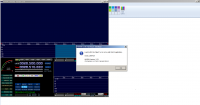
I know I'm replying to my own message here, but I wanted to add some more detail to what I last wrote. I've attached a screenshot of the error that I keep getting when using HDSDR. It states "Load ExtIO DLL failed: %1 is not a valid Win32 application." This happens when I try to click ExtIO in HDSDR (see this site for details - I've followed all the steps given there). Aparently this is a common problem with 64 bit users... does anyone know a workaround???
In response to Marcus - Using the system with HDSDR is just one small application I'm using the B200 for - I'm using the system with great success in Linux and it has been wonderful for GSM as well as a VHF radio station. I know the problem I'm experiencing is with the ExtIO plug-in and I didn't know any other message board to turn to. I figured this is a general troubleshooting message list and a good way to get a hold of Balint - if there is a better group out there, please let me know!
I am trying to write a good guide for all the people out there that are not researches and the like - Since I've been through the hard stuff, why not write it all up so it becomes easy stuff and people can learn how to use Ettus products even faster :)
All the best,
- Dan
-----Original Message-----
From: L Ll via USRP-users usrp-users@lists.ettus.com
To: usrp-users usrp-users@lists.ettus.com
Sent: Wed, May 14, 2014 7:34 pm
Subject: [USRP-users] B200 Step by Step on Windows
All,
I would really like to get a straightforward guide written for my setup (and hopefully other setups).
I am currently running Windows 7 Pro on a Dell M4800. I am trying to get this B200 working with some kind of waterfall type software (I would like to be able to see the spectrum and move around through it).
I have installed an overwhelming amount of software trying to get this thing to work with no real success so far.
I can navigate to the C:\Program Files (x86)\UHD\lib\uhd\examples folder and run some of the programs there from the command prompt. The computer sees and communicates with the B200, so now, how do I get it to work with something like HDSDR or SDR-RADIO???
Thanks,
- Dan
USRP-users mailing list
USRP-users@lists.ettus.com
http://lists.ettus.com/mailman/listinfo/usrp-users_lists.ettus.com
I run Windows x64 and have no problems using the Driver Balint wrote.
When you ran the setup for
http://spench.net/drupal/files/ExtIO_USRP+FCD+RTL2832U+BorIP_Setup.zip ,
did you install it in the same directory as HDSDR?
Also, you can use Simon Brown's SDR Console
http://v2.sdr-radio.com/Download.aspx . Just make sure you have x64 UHD
installed and run uhd_usrp_probe.exe first. You need to do that so the fpga
code loads first.
On Thu, May 15, 2014 at 11:40 AM, Reaper Dan via USRP-users <
usrp-users@lists.ettus.com> wrote:
I know I'm replying to my own message here, but I wanted to add some
more detail to what I last wrote. I've attached a screenshot of the error
that I keep getting when using HDSDR. It states "Load ExtIO DLL failed: %1
is not a valid Win32 application." This happens when I try to click ExtIO
in HDSDR (see this site http://wiki.spench.net/wiki/USRP_Interfaces for
details - I've followed all the steps given there). Aparently this is a
common problem with 64 bit users... does anyone know a workaround???
In response to Marcus - Using the system with HDSDR is just one small
application I'm using the B200 for - I'm using the system with great
success in Linux and it has been wonderful for GSM as well as a VHF radio
station. I know the problem I'm experiencing is with the ExtIO plug-in and
I didn't know any other message board to turn to. I figured this is a
general troubleshooting message list and a good way to get a hold of Balint
- if there is a better group out there, please let me know!
I am trying to write a good guide for all the people out there that are
not researches and the like - Since I've been through the hard stuff, why
not write it all up so it becomes easy stuff and people can learn how to
use Ettus products even faster :)
All the best,
-
Dan
-----Original Message-----
From: L Ll via USRP-users usrp-users@lists.ettus.com
To: usrp-users usrp-users@lists.ettus.com
Sent: Wed, May 14, 2014 7:34 pm
Subject: [USRP-users] B200 Step by Step on WindowsAll,
I would really like to get a straightforward guide written for my setup
(and hopefully other setups).
I am currently running Windows 7 Pro on a Dell M4800. I am trying to get
this B200 working with some kind of waterfall type software (I would like
to be able to see the spectrum and move around through it).
I have installed an overwhelming amount of software trying to get this
thing to work with no real success so far.
I can navigate to the C:\Program Files (x86)\UHD\lib\uhd\examples folder
and run some of the programs there from the command prompt. The computer
sees and communicates with the B200, so now, how do I get it to work with
something like HDSDR or SDR-RADIO???
Thanks,
- Dan
USRP-users mailing listUSRP-users@lists.ettus.comhttp://lists.ettus.com/mailman/listinfo/usrp-users_lists.ettus.com
USRP-users mailing list
USRP-users@lists.ettus.com
http://lists.ettus.com/mailman/listinfo/usrp-users_lists.ettus.com
I did no install to the same directory as HDSDR - I will try that now. And if that doesn't work I'll go for Simon Brown's stuff. I'll let you know how it goes.
Also, I don't HAVE to use HDSDR - I was just using it as the example since that is what Balint uses in the software package on his site. If you know something that works without all this ExtIO hassle, let me know.
-----Original Message-----
From: Dean Ferraro dean.ferraro@gmail.com
To: Reaper Dan angu57oung@aim.com
Cc: usrp-users usrp-users@lists.ettus.com
Sent: Thu, May 15, 2014 12:26 pm
Subject: Re: [USRP-users] B200 Step by Step on Windows
I run Windows x64 and have no problems using the Driver Balint wrote.
When you ran the setup for http://spench.net/drupal/files/ExtIO_USRP+FCD+RTL2832U+BorIP_Setup.zip , did you install it in the same directory as HDSDR?
Also, you can use Simon Brown's SDR Console http://v2.sdr-radio.com/Download.aspx . Just make sure you have x64 UHD installed and run uhd_usrp_probe.exe first. You need to do that so the fpga code loads first.
On Thu, May 15, 2014 at 11:40 AM, Reaper Dan via USRP-users usrp-users@lists.ettus.com wrote:
I know I'm replying to my own message here, but I wanted to add some more detail to what I last wrote. I've attached a screenshot of the error that I keep getting when using HDSDR. It states "Load ExtIO DLL failed: %1 is not a valid Win32 application." This happens when I try to click ExtIO in HDSDR (see this site for details - I've followed all the steps given there). Aparently this is a common problem with 64 bit users... does anyone know a workaround???
In response to Marcus - Using the system with HDSDR is just one small application I'm using the B200 for - I'm using the system with great success in Linux and it has been wonderful for GSM as well as a VHF radio station. I know the problem I'm experiencing is with the ExtIO plug-in and I didn't know any other message board to turn to. I figured this is a general troubleshooting message list and a good way to get a hold of Balint - if there is a better group out there, please let me know!
I am trying to write a good guide for all the people out there that are not researches and the like - Since I've been through the hard stuff, why not write it all up so it becomes easy stuff and people can learn how to use Ettus products even faster :)
All the best,
- Dan
-----Original Message-----
From: L Ll via USRP-users usrp-users@lists.ettus.com
To: usrp-users usrp-users@lists.ettus.com
Sent: Wed, May 14, 2014 7:34 pm
Subject: [USRP-users] B200 Step by Step on Windows
All,
I would really like to get a straightforward guide written for my setup (and hopefully other setups).
I am currently running Windows 7 Pro on a Dell M4800. I am trying to get this B200 working with some kind of waterfall type software (I would like to be able to see the spectrum and move around through it).
I have installed an overwhelming amount of software trying to get this thing to work with no real success so far.
I can navigate to the C:\Program Files (x86)\UHD\lib\uhd\examples folder and run some of the programs there from the command prompt. The computer sees and communicates with the B200, so now, how do I get it to work with something like HDSDR or SDR-RADIO???
Thanks,
- Dan
USRP-users mailing list
USRP-users@lists.ettus.com
http://lists.ettus.com/mailman/listinfo/usrp-users_lists.ettus.com
USRP-users mailing list
USRP-users@lists.ettus.com
http://lists.ettus.com/mailman/listinfo/usrp-users_lists.ettus.com
Success! Dean, apparently the only step I was missing was to install the http://spench.net/drupal/files/ExtIO_USRP+FCD+RTL2832U+BorIP_Setup.zip into the HDSDR folder. Many many thanks for the tip. Well, it seems like if Balint just adds that note to the website everything will go fine! Now to figure out how to get higher quality signals... The B200 seems to have trouble tuning just regular radio channels - probably need a better antenna and to play around with the HDSDR settings. Thanks all
-----Original Message-----
From: Dean Ferraro dean.ferraro@gmail.com
To: Reaper Dan angu57oung@aim.com
Cc: usrp-users usrp-users@lists.ettus.com
Sent: Thu, May 15, 2014 12:26 pm
Subject: Re: [USRP-users] B200 Step by Step on Windows
I run Windows x64 and have no problems using the Driver Balint wrote.
When you ran the setup for http://spench.net/drupal/files/ExtIO_USRP+FCD+RTL2832U+BorIP_Setup.zip , did you install it in the same directory as HDSDR?
Also, you can use Simon Brown's SDR Console http://v2.sdr-radio.com/Download.aspx . Just make sure you have x64 UHD installed and run uhd_usrp_probe.exe first. You need to do that so the fpga code loads first.
On Thu, May 15, 2014 at 11:40 AM, Reaper Dan via USRP-users usrp-users@lists.ettus.com wrote:
I know I'm replying to my own message here, but I wanted to add some more detail to what I last wrote. I've attached a screenshot of the error that I keep getting when using HDSDR. It states "Load ExtIO DLL failed: %1 is not a valid Win32 application." This happens when I try to click ExtIO in HDSDR (see this site for details - I've followed all the steps given there). Aparently this is a common problem with 64 bit users... does anyone know a workaround???
In response to Marcus - Using the system with HDSDR is just one small application I'm using the B200 for - I'm using the system with great success in Linux and it has been wonderful for GSM as well as a VHF radio station. I know the problem I'm experiencing is with the ExtIO plug-in and I didn't know any other message board to turn to. I figured this is a general troubleshooting message list and a good way to get a hold of Balint - if there is a better group out there, please let me know!
I am trying to write a good guide for all the people out there that are not researches and the like - Since I've been through the hard stuff, why not write it all up so it becomes easy stuff and people can learn how to use Ettus products even faster :)
All the best,
- Dan
-----Original Message-----
From: L Ll via USRP-users usrp-users@lists.ettus.com
To: usrp-users usrp-users@lists.ettus.com
Sent: Wed, May 14, 2014 7:34 pm
Subject: [USRP-users] B200 Step by Step on Windows
All,
I would really like to get a straightforward guide written for my setup (and hopefully other setups).
I am currently running Windows 7 Pro on a Dell M4800. I am trying to get this B200 working with some kind of waterfall type software (I would like to be able to see the spectrum and move around through it).
I have installed an overwhelming amount of software trying to get this thing to work with no real success so far.
I can navigate to the C:\Program Files (x86)\UHD\lib\uhd\examples folder and run some of the programs there from the command prompt. The computer sees and communicates with the B200, so now, how do I get it to work with something like HDSDR or SDR-RADIO???
Thanks,
- Dan
USRP-users mailing list
USRP-users@lists.ettus.com
http://lists.ettus.com/mailman/listinfo/usrp-users_lists.ettus.com
USRP-users mailing list
USRP-users@lists.ettus.com
http://lists.ettus.com/mailman/listinfo/usrp-users_lists.ettus.com
Excellent! I've been very pleased with my B200. It's worked very well in
Windows and Linux. When it comes to Windows applications some do specific
tasks better than others. If it's broadcast FM stations you want to tune
you may find that SDR console works better with the wide filtering options
and RDS decoding built in.
Have fun.
On Thu, May 15, 2014 at 2:41 PM, Reaper Dan via USRP-users <
usrp-users@lists.ettus.com> wrote:
Success! Dean, apparently the only step I was missing was to install the
http://spench.net/drupal/files/ExtIO_USRP+FCD+RTL2832U+BorIP_Setup.zipinto the HDSDR folder. Many many thanks for the tip. Well, it seems like if
Balint just adds that note to the website everything will go fine! Now to
figure out how to get higher quality signals... The B200 seems to have
trouble tuning just regular radio channels - probably need a better antenna
and to play around with the HDSDR settings. Thanks all
-----Original Message-----
From: Dean Ferraro dean.ferraro@gmail.com
To: Reaper Dan angu57oung@aim.com
Cc: usrp-users usrp-users@lists.ettus.com
Sent: Thu, May 15, 2014 12:26 pm
Subject: Re: [USRP-users] B200 Step by Step on Windows
I run Windows x64 and have no problems using the Driver Balint wrote.
When you ran the setup for
http://spench.net/drupal/files/ExtIO_USRP+FCD+RTL2832U+BorIP_Setup.zip ,
did you install it in the same directory as HDSDR?
Also, you can use Simon Brown's SDR Console
http://v2.sdr-radio.com/Download.aspx . Just make sure you have x64 UHD
installed and run uhd_usrp_probe.exe first. You need to do that so the fpga
code loads first.
On Thu, May 15, 2014 at 11:40 AM, Reaper Dan via USRP-users <
usrp-users@lists.ettus.com> wrote:
I know I'm replying to my own message here, but I wanted to add some
more detail to what I last wrote. I've attached a screenshot of the error
that I keep getting when using HDSDR. It states "Load ExtIO DLL failed: %1
is not a valid Win32 application." This happens when I try to click ExtIO
in HDSDR (see this site http://wiki.spench.net/wiki/USRP_Interfacesfor details - I've followed all the steps given there). Aparently this is a
common problem with 64 bit users... does anyone know a workaround???
In response to Marcus - Using the system with HDSDR is just one small
application I'm using the B200 for - I'm using the system with great
success in Linux and it has been wonderful for GSM as well as a VHF radio
station. I know the problem I'm experiencing is with the ExtIO plug-in and
I didn't know any other message board to turn to. I figured this is a
general troubleshooting message list and a good way to get a hold of Balint
- if there is a better group out there, please let me know!
I am trying to write a good guide for all the people out there that are
not researches and the like - Since I've been through the hard stuff, why
not write it all up so it becomes easy stuff and people can learn how to
use Ettus products even faster :)
All the best,
-
Dan
-----Original Message-----
From: L Ll via USRP-users usrp-users@lists.ettus.com
To: usrp-users usrp-users@lists.ettus.com
Sent: Wed, May 14, 2014 7:34 pm
Subject: [USRP-users] B200 Step by Step on WindowsAll,
I would really like to get a straightforward guide written for my setup
(and hopefully other setups).
I am currently running Windows 7 Pro on a Dell M4800. I am trying to get
this B200 working with some kind of waterfall type software (I would like
to be able to see the spectrum and move around through it).
I have installed an overwhelming amount of software trying to get this
thing to work with no real success so far.
I can navigate to the C:\Program Files (x86)\UHD\lib\uhd\examples folder
and run some of the programs there from the command prompt. The computer
sees and communicates with the B200, so now, how do I get it to work with
something like HDSDR or SDR-RADIO???
Thanks,
- Dan
USRP-users mailing listUSRP-users@lists.ettus.comhttp://lists.ettus.com/mailman/listinfo/usrp-users_lists.ettus.com
USRP-users mailing list
USRP-users@lists.ettus.com
http://lists.ettus.com/mailman/listinfo/usrp-users_lists.ettus.com
USRP-users mailing list
USRP-users@lists.ettus.com
http://lists.ettus.com/mailman/listinfo/usrp-users_lists.ettus.com
Oh yes, I'd forgotten that HDSDR (at least last time I looked) didn't have a wideband FM mode, so, yeah, the audio will sound
very bad.
on May 15, 2014, Dean Ferraro via USRP-users <usrp-users@lists.ettus.com> wrote:
Excellent! I've been very pleased with my B200. It's worked very well in Windows and Linux. When it comes to Windows applications some do specific tasks better than others. If it's broadcast FM stations you want to tune you may find that SDR console works better with the wide filtering options and RDS decoding built in.
Have fun.
On Thu, May 15, 2014 at 2:41 PM, Reaper Dan via USRP-users <usrp-users@lists.ettus.com> wrote:
Success! Dean, apparently the only step I was missing was to install the http://spench.net/drupal/files/ExtIO_USRP+FCD+RTL2832U+BorIP_Setup.zip into the HDSDR folder. Many many thanks for the tip. Well, it seems like if Balint just adds that note to the website everything will go fine! Now to figure out how to get higher quality signals... The B200 seems to have trouble tuning just regular radio channels - probably need a better antenna and to play around with the HDSDR settings. Thanks all
-----Original Message-----
From: Dean Ferraro <dean.ferraro@gmail.com>
To: Reaper Dan <angu57oung@aim.com>
Cc: usrp-users <usrp-users@lists.ettus.com>
Sent: Thu, May 15, 2014 12:26 pmSubject: Re: [USRP-users] B200 Step by Step on Windows
I run Windows x64 and have no problems using the Driver Balint wrote.
When you ran the setup for http://spench.net/drupal/files/ExtIO_USRP+FCD+RTL2832U+BorIP_Setup.zip , did you install it in the same directory as HDSDR?
Also, you can use Simon Brown's SDR Console http://v2.sdr-radio.com/Download.aspx . Just make sure you have x64 UHD installed and run uhd_usrp_probe.exe first. You need to do that so the fpga code loads first.
On Thu, May 15, 2014 at 11:40 AM, Reaper Dan via USRP-users <usrp-users@lists.ettus.com> wrote:
I know I'm replying to my own message here, but I wanted to add some more detail to what I last wrote. I've attached a screenshot of the error that I keep getting when using HDSDR. It states "Load ExtIO DLL failed: %1 is not a valid Win32 application." This happens when I try to click ExtIO in HDSDR (see this site for details - I've followed all the steps given there). Aparently this is a common problem with 64 bit users... does anyone know a workaround???
In response to Marcus - Using the system with HDSDR is just one small application I'm using the B200 for - I'm using the system with great success in Linux and it has been wonderful for GSM as well as a VHF radio station. I know the problem I'm experiencing is with the ExtIO plug-in and I didn't know any other message board to turn to. I figured this is a general troubleshooting message list and a good way to get a hold of Balint - if there is a better group out there, please let me know!
I am trying to write a good guide for all the people out there that are not researches and the like - Since I've been through the hard stuff, why not write it all up so it becomes easy stuff and people can learn how to use Ettus products even faster :)
All the best,
- Dan
-----Original Message-----
From: L Ll via USRP-users <usrp-users@lists.ettus.com>
To: usrp-users <usrp-users@lists.ettus.com>
Sent: Wed, May 14, 2014 7:34 pm
Subject: [USRP-users] B200 Step by Step on WindowsAll,
I would really like to get a straightforward guide written for my setup (and hopefully other setups).
I am currently running Windows 7 Pro on a Dell M4800. I am trying to get this B200 working with some kind of waterfall type software (I would like to be able to see the spectrum and move around through it).I have installed an overwhelming amount of software trying to get this thing to work with no real success so far.
I can navigate to the C:\Program Files (x86)\UHD\lib\uhd\examples folder and run some of the programs there from the command prompt. The computer sees and communicates with the B200, so now, how do I get it to work with something like HDSDR or SDR-RADIO???
Thanks,
- Dan
<pre style="font-size: 9pt;"><tt>_______________________________________________
USRP-users mailing list
<a class="parsedEmail" href="mailto:USRP-users@lists.ettus.com" target="_blank">USRP-users@lists.ettus.com</a>
<a href="http://lists.ettus.com/mailman/listinfo/usrp-users_lists.ettus.com" target="_blank">http://lists.ettus.com/mailman/listinfo/usrp-users_lists.ettus.com</a>
</tt>
_______________________________________________
USRP-users mailing list
USRP-users@lists.ettus.com
http://lists.ettus.com/mailman/listinfo/usrp-users_lists.ettus.com_______________________________________________
USRP-users mailing list
USRP-users@lists.ettus.com
http://lists.ettus.com/mailman/listinfo/usrp-users_lists.ettus.com
_______________________________________________
USRP-users mailing list
USRP-users@lists.ettus.com
http://lists.ettus.com/mailman/listinfo/usrp-users_lists.ettus.com